
The $push operator in MongoDB adds values to an array field during updates, creating the field if it doesn’t exist, and can insert multiple values individually when used with $each.
- Appends a new value to the end of the array by default (can insert at a specific position using modifiers like $position).
- Automatically creates the array field if it is missing.
- Treats an input array as a single element unless $each is used.
- Supports adding multiple elements individually with the $each modifier.
Syntax
{ $push: { <field1>: <value1>, ... } }- <field> can target an array field and supports dot notation for embedded/nested documents.
- <value> is the element to be added to the array.
Syntax with Modifiers
{ $push: { <field1>: { <modifier1>: <value1>, ... }, ... } }- Modifiers like $each, $position, $sort, and $slice can be used with $push.
Processing Order with Modifiers
- First, items are added to the array at the specified position.
- Then, sorting is applied if $sort is specified.
- Next, the array is sliced if $slice is specified.
- Finally, the updated array is stored.
Note: Here the order in which the modifiers appear in the $push operator does not matter.
List of $push operator modifiers
Below are the modifiers in MongoDB that can be used with $push operator.
| Modifier | Description |
|---|---|
| $each | It is used to append multiple values to the array field. |
| $slice | Limits the number of array elements after insertion and must be used with $each. |
| $sort | It is used to order items of the array and requires the use of the $each modifier. |
| $position | $position inserts at a specific index(requires $each), otherwise $push appends to last index. |
Examples of MongoDB $push Operator
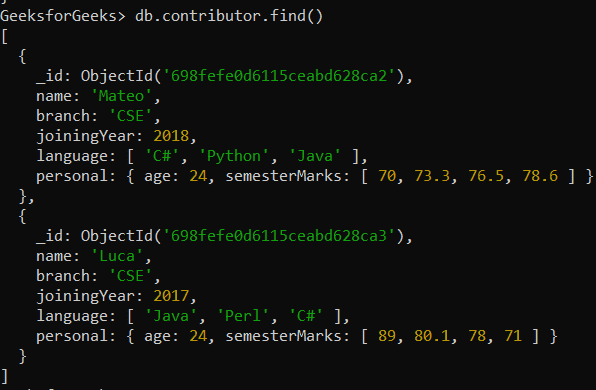
In the following examples, we are working with
Database: GeeksforGeeks
Collection: contributor
Document: Two documents that contain the details of the contributor in the form of field-value pairs
Example 1: Append a Value to an Array
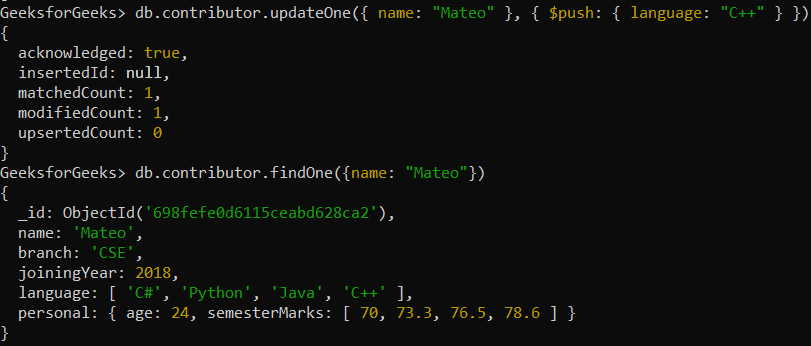
Appending a single value, i.e., "C++" to an array field, i.e., language field in the document that satisfies the condition(name: "Mateo").
db.contributor.updateOne({ name: "Mateo" }, { $push: { language: "C++" } })Output:
Example 2: Append Multiple Values to an Array
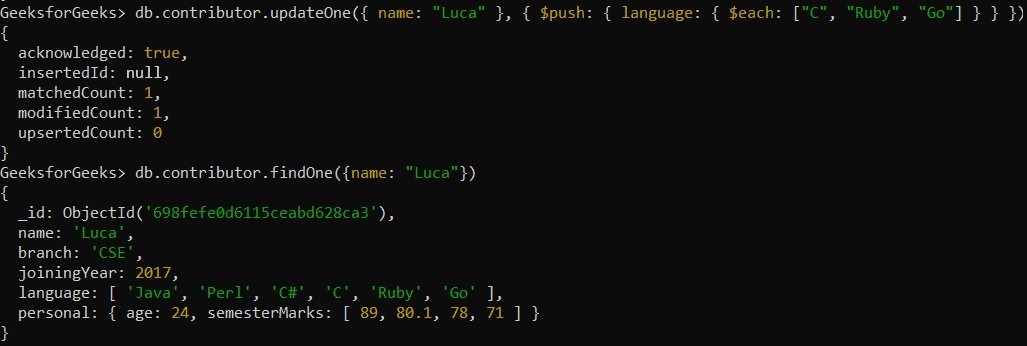
Appending multiple values, i.e., ["C", "Ruby", "Go"] to an array field, i.e., language field in the document that satisfy the condition (name: "Luca").
db.contributor.updateOne({ name: "Luca" }, { $push: { language: { $each: ["C", "Ruby", "Go"] } } })Output:
Example 3: Append Multiple Values to embedded document
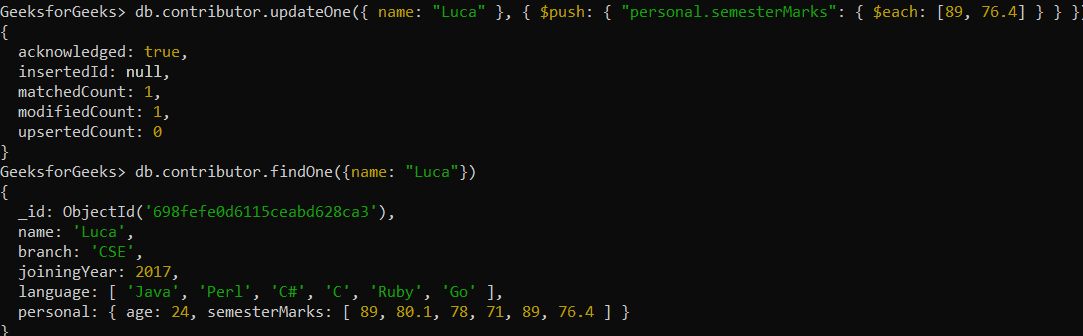
Appending multiple values, i.e., [89, 76.4] to an array field, i.e., personal.semesterMarks field of a nested/embedded document.
db.contributor.updateOne(
  { name: "Luca" },
  {
    $push: {
      "personal.semesterMarks": {
        $each: [89, 76.4]
      }
    }
  }
)
Output:
Example 4: Use $push Operator with Multiple Modifiers
Adds multiple values to an array, then sorts and limits the array size by truncating elements after sorting or insertion in one atomic update.
db.contributor.updateOne(
  { name: "Mateo" },
  {
    $push: {
      language: {
        $each: ["C", "Go"],
        $sort: 1,
        $slice: 4
      }
    }
  }
)
Output:
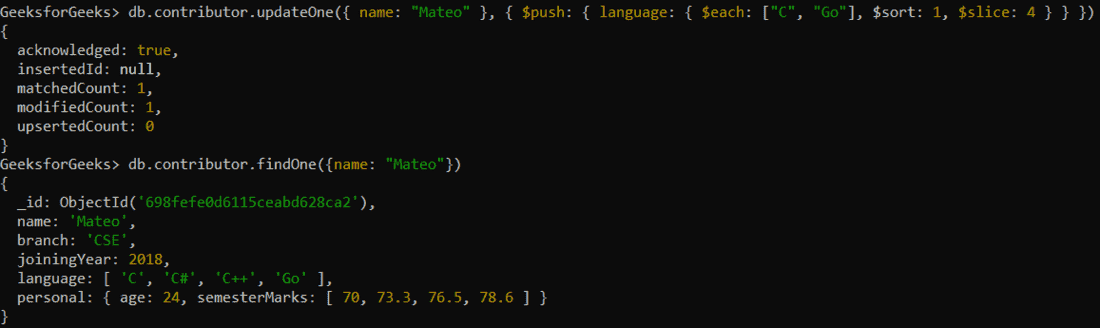
- The $each modifier adds multiple elements to the language array.
- The
$sortmodifier sorts the modified language array in ascending order. - The $slice modifier retains only the first four elements by index.
Usage of $push Operator
Here are some uses of $push operator:
- Append new elements to arrays at the last index without replacing the document.
- Initialize the array field automatically if it doesn’t exist.
- Add multiple values using $each, inserting each item at a new index.
- Control insertion position and ordering with $position, $sort, and limit array size with $slice.
- Use with updateOne(), updateMany(), and findOneAndUpdate() to perform atomic, in-place updates on matched documents.