The MongoDB $eq operator matches documents where a field value exactly equals a specified value, and is commonly used for precise filtering in queries, updates, and aggregation pipelines.
- Matches field values exactly.
- Works with numbers, strings, dates, arrays, and embedded documents.
- Supports dot notation for querying nested fields.
- Can be used implicitly ({ field: value } is the same as { field: { $eq: value } }).
- May use indexes to improve query performance depending on index availability and the query planner.
Syntax
MongoDB allows two ways to use the $eq operator:
1. Explicit Syntax
{field: {$eq: value}}2. Implicit Syntax
{field: value}- field: The field name to compare.
- $eq: Specifies the equal to condition.
- value: The exact value to match.
Features of $eq Operator
Here are some features discussed:
- The $eq operator matches documents where a field’s value exactly equals a specified value.
- Can be implicitly written as { field: value }, making queries more concise.
- Works with numbers, strings, dates, arrays, and embedded documents.
- Supports dot notation for filtering inside nested documents.
- Indexing improves query performance, reducing execution time.
MongoDB $eq Operator Examples
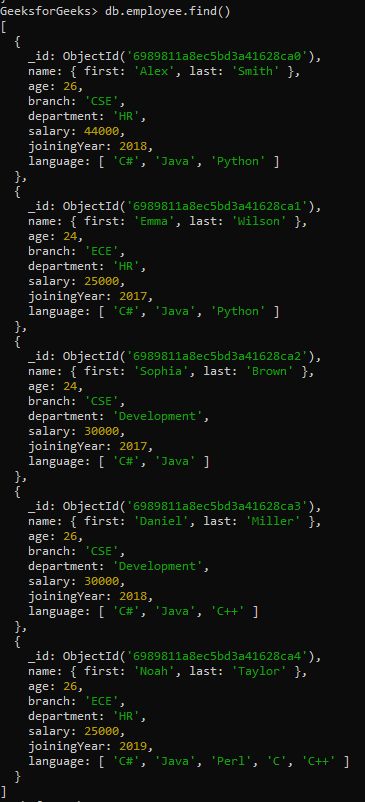
Examples demonstrate how to filter documents based on exact matches using $eq. We will be working with:
- Database: GeeksforGeeks
- Collection: employee
- Document: Five documents that contain the details of the employees in the form of field-value pairs.
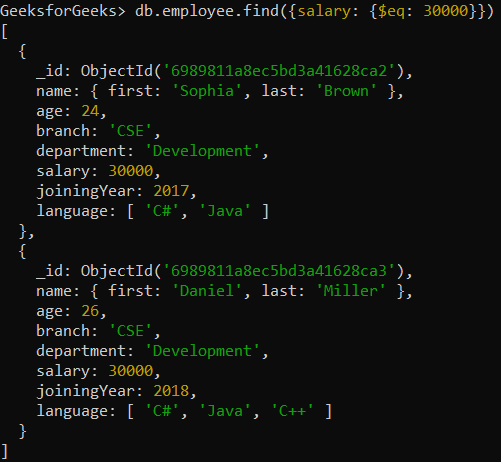
Example 1: Find Employees with Salary Equal to 30,000
Retrieving those documents where the value of the salary field is equal to 30000.
Query:
db.employee.find({salary: {$eq: 30000}})or using implicit syntax:
db.employee.find({salary: 30000})Output:
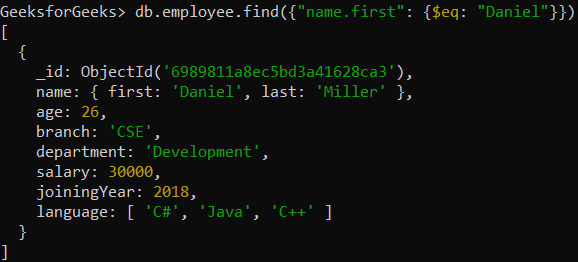
Example 2: Find Employees with First Name “Daniel” in an Embedded Document
Retrieving those documents where the first name of the employee is equal to Daniel. We are specifying conditions on the field in the embedded document using dot notation in this example.
Query:
db.employee.find({"name.first": {$eq: "Daniel"}})Or using implicit syntax:
db.employee.find({"name.first": "Daniel"})Output:
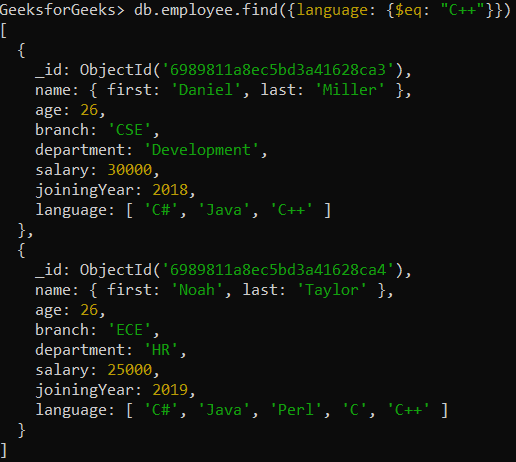
Example 3: Find Employees who contain “C++” as language
Retrieving those documents where the language field matches the value "C++" (for arrays, this matches if the array contains the value).
Query:
db.employee.find({language: {$eq: "C++"}})Or using implicit syntax:
db.employee.find({language: "C++"})Output:
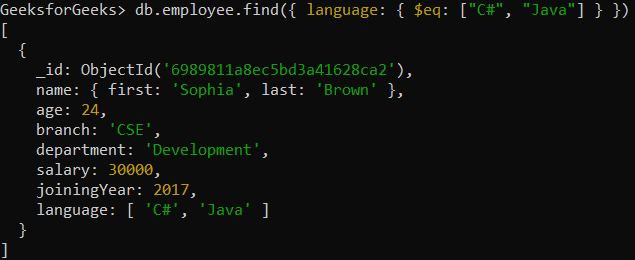
Example 4: Find Employees Where the language Array Matches a Specific Array
Retrieving those documents where the language array is equal to the specified array.
Query:
db.employee.find({ language: { $eq: ["C#", "Java"] } })Or using implicit syntax:
db.employee.find({ language: ["C#", "Java"] })Output: