
The $isArray operator in MongoDB checks whether a given field or expression evaluates to an array and returns a boolean result, helping handle mixed data types safely in aggregation pipelines.
- Type Check: Returns true if the value is an array, otherwise false.
- Handles Mixed Data: Useful when fields may contain arrays, strings, or numbers.
- Expression-Based: Works within aggregation expressions (and in queries only via $expr).
- Validation Support: Helps avoid errors when processing array-specific operations.
Syntax
{ $isArray: <expression> }- $isArray: Evaluates the given expression and checks whether it is an array.
- <expression>: The field or expression whose type is being tested for array.
Usage of $isArray Operator
The $isArray operator is useful in scenarios where:
- When document fields may contain arrays or single values.
- To conditionally run array operations like $size, $push, or updates.
- To prevent errors by validating field types before processing.
- To build dynamic queries that adapt to mixed data types.
- Useful in aggregation pipelines for type-safe transformations.
Examples of MongoDB $isArray Operator
Consider the following collection named products used for the examples below.
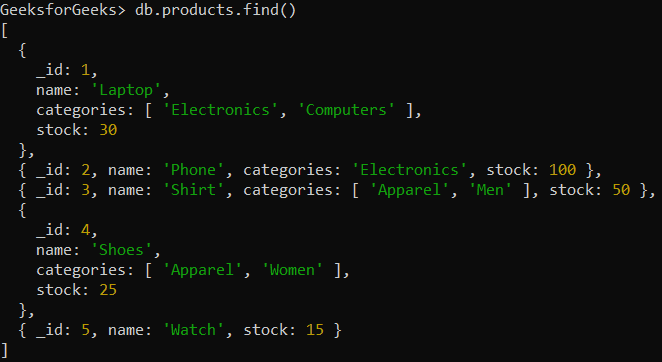
Example 1: Basic $isArray Usage
Suppose a categories field may be either an array or a string. We want to check whether categories is an array for each product.
db.products.aggregate([
   {
      $project: {
         name: 1,
         isCategoriesArray: { $isArray: "$categories" }
      }
   }
])
Output:
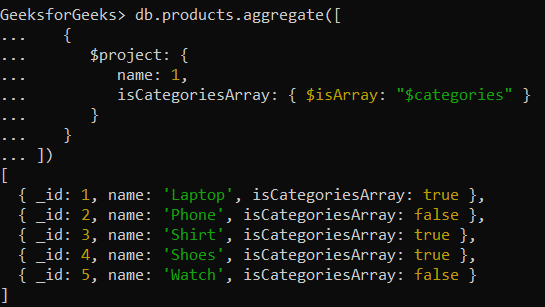
Example 2: Conditionally Applying Logic Based on Array Check
We conditionally append a value to categories only if it’s an array otherwise, return "Not an array".
db.products.aggregate([
   {
      $project: {
         name: 1,
         updatedCategories: {
            $cond: {
               if: { $isArray: "$categories" },
               then: { $concatArrays: [ "$categories", [ "Discounted" ] ] },
               else: "Not an array"
            }
         }
      }
   }
])
Output:
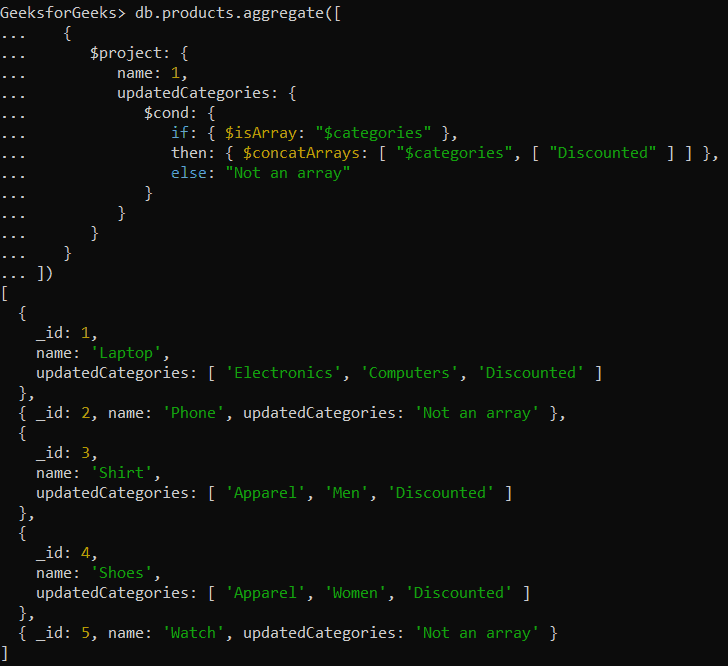
Example 3: Count Elements in an Array
We can use $isArray to verify categories is an array and then apply $size to count its elements.
db.products.aggregate([
   {
      $project: {
         name: 1,
         categoryCount: {
            $cond: {
               if: { $isArray: "$categories" },
               then: { $size: "$categories" },
               else: 0
            }
         }
      }
   }
])
Output:
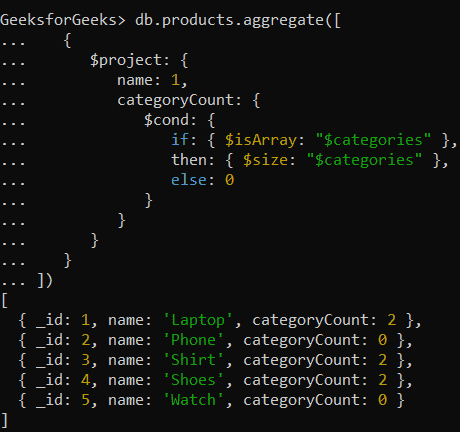
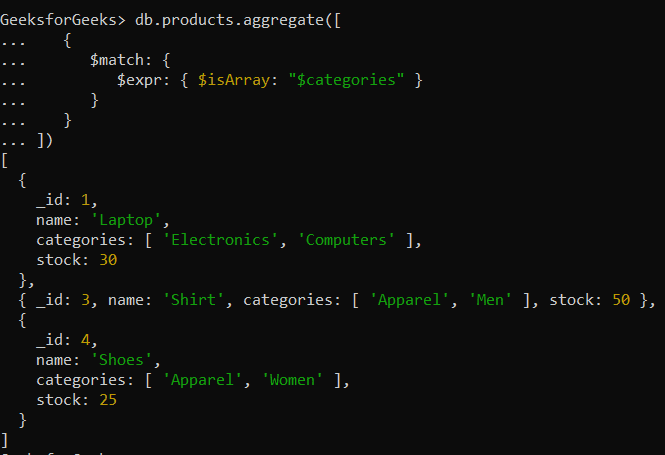
Example 4: Filtering Documents Where a Field Is an Array
If we need to filter out only those documents where the categories field is an array, you can use $isArray in combination with $match.
db.products.aggregate([
   {
      $match: {
         $expr: { $isArray: "$categories" }
      }
   }
])
Output:
Best Practices for Using the $isArray Operator
Here are some best practices:
- Use with Conditional Logic: Combine $isArray with $cond (or $switch) to safely apply array-specific logic only when the field is actually an array.
- Prevent Runtime Errors: Guard operators like $size and $concatArrays with $isArray to avoid failures on non-array values.
- Handle Schema Variations: Useful in flexible schemas where a field may store a string in some documents and an array in others.
- Compose with Array Operators: Pair $isArray with $size, $concatArrays, or $push for dynamic and type-safe array updates.