
In MongoDB, a cursor is an object that represents the result set of a query and allows efficient access to documents returned by methods like find().
- Automatically created when a query like find() is executed.
- Allows iteration over query results, either automatically or manually.
- Retrieves documents efficiently without loading all data into memory.
- Suitable for handling large datasets.
- Provides methods to access, manipulate, and optimize query results.
- Cursors expire after 10 minutes of inactivity, so proper management is required.
Suppose we have the following setup
- Database: gfg
- Collection: student
- Documents: Three documents contain the details of the students
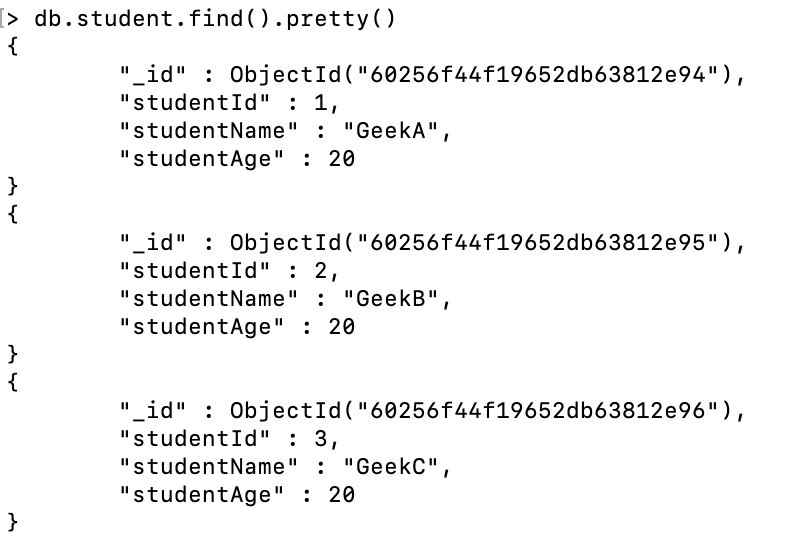
Here, we use the following query to display all the documents present in the student collection
db.student.find().pretty()This find() method returns a cursor containing all documents present in the student collection.
Manually Iterating a Cursor in MongoDB
While MongoDB automatically iterates over the cursor to fetch documents, you can manually iterate it using various techniques. Here are the most common ways to iterate a cursor:
1. Assigning Cursor to a Var Keyword
In MongoDB, the find() method returns the cursor, now to access the document we need to iterate the cursor. To iterate a cursor manually, simply assign the cursor return by the find() method to the var keyword Or JavaScript variable.
Note: In the Mongo shell, cursors not assigned to a variable auto-display up to 20 documents, and inactive cursors are automatically closed after 10 minutes.
Syntax:
var name = db.collection_name.find()
name
Example :
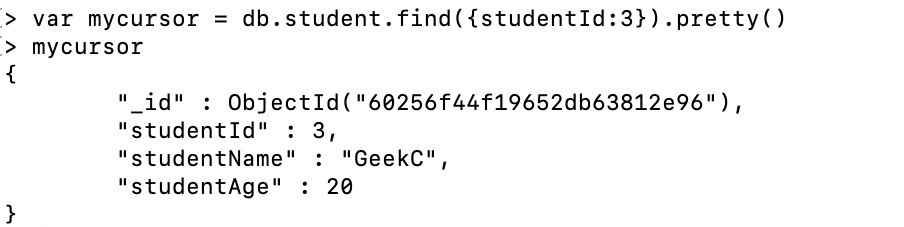
var mycursor = db.student.find({studentId:3}).pretty()
mycursor
We iterate the cursor manually to find the document whose studentId is 3. So, we assigned the cursor returned by the find() method to the JavaScript variable(i.e. mycursor).
2. Using the next() Method
We can also use the next() cursor method to access the next document. We can use this method to manually iterate through the documents one by one.
Example:
var mycursor = db.student.find({studentId:{$gt:1}});
> while(mycursor.hasNext()){
... print(tojson(mycursor.next()));
... }
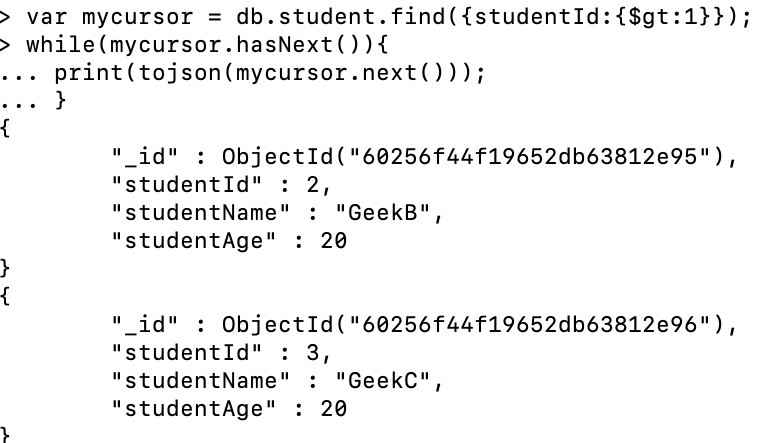
- Only documents with studentId > 1 are retrieved.
- The first document is skipped, so studentId 2 and 3 are displayed.
- The cursor starts from the filtered result set.
- print(tojson()) is used to display the output.
- printjson() can also be used to display the result.
3. Using the forEach() Method
The forEach() method allows us to apply a JavaScript function to each document in the cursor. This is an easy way to process each document without explicitly using a loop.
Syntax:
db.collection.find().forEach(<function>)Example:
var mycursor = db.student.find({studentId:3}).pretty()
mycursor.forEach(printjson)
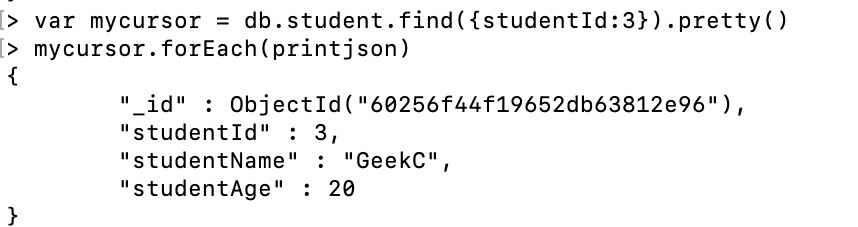
- The cursor returned by find({ studentId: 3 }) is stored in the mycursor variable.
- forEach() is used to iterate over the cursor.
- printjson() is used to display the resulting document.
4. Using the toArray() Method
In Mongo shell, we are allowed to iterate the cursor and display the resultant document in the array using the toArray() method.
Syntax:
cursor.toArray()Example:
var mycursor = db.student.find()
var docs = mycursor.toArray()
var resultdoc = docs[0]
resultdoc
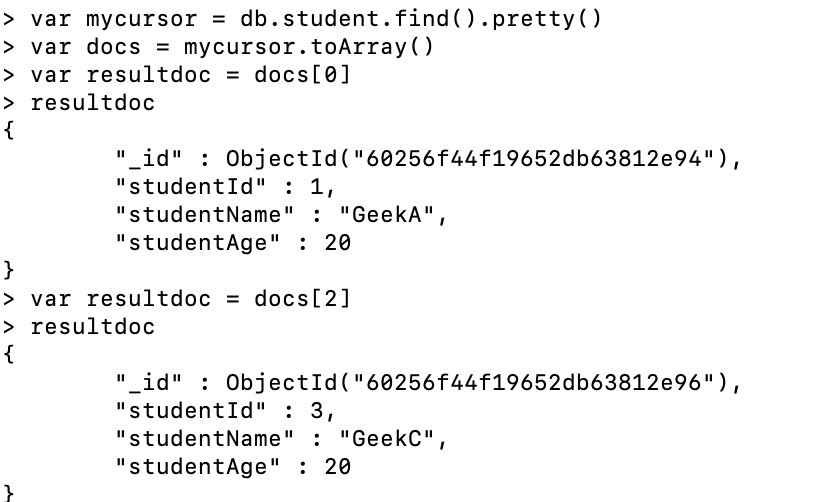
- The cursor returned by the query is stored in mycursor.
- The cursor is converted into an array using toArray() and stored in docs.
- Documents are accessed using array indexes.
- docs[0] retrieves the first document in the result set.
5. Alternate Method: Accessing Documents Using Index
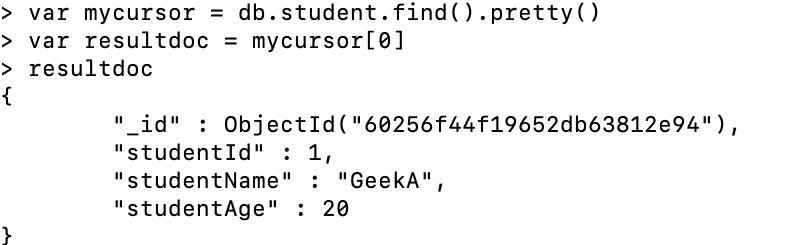
We can also this method to access a document using index on the cursor.
Example:
var mycursor = db.student.find().pretty()
var docs = mycursor.toArray()
var resultdoc = docs[0]
resultdoc
Commonly Used MongoDB Cursor Methods
MongoDB offers various cursor methods to enhance query functionality. Here are some of the most commonly used cursor methods:
1. count() Method
In order to get the correct documents, we need to know how many documents are present for that collection. To get that we can use the count() method which returns the total number of documents present in the given collection.
Syntax:
db.collection_name.countDocuments()Example:
db.students.find().countDocuments()Here, we find the total number of documents present in the student collection using the count() method.

2. limit() Method
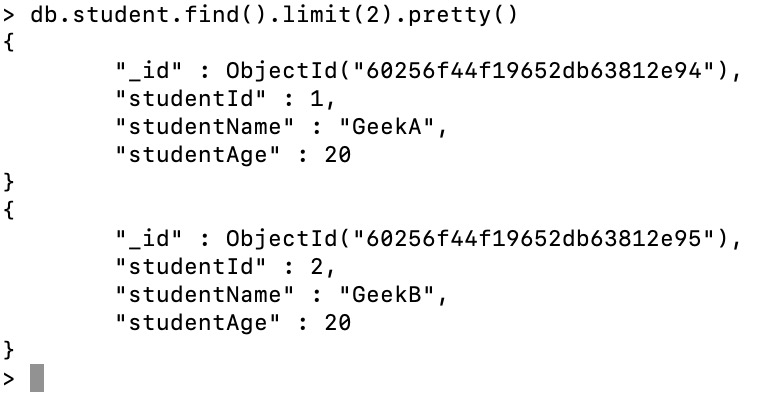
The limit() method helps to fetch limited records from a collection. Suppose we have multiple documents, but we want to have the topmost or only 2 documents, then by using the limit() method, we can achieve that.
Syntax:
db.collection_name.find().limit(<number>)Example:
db.student.find().limit(2).pretty()Here, we only display the first two documents from the student collection.
3. sort() Method
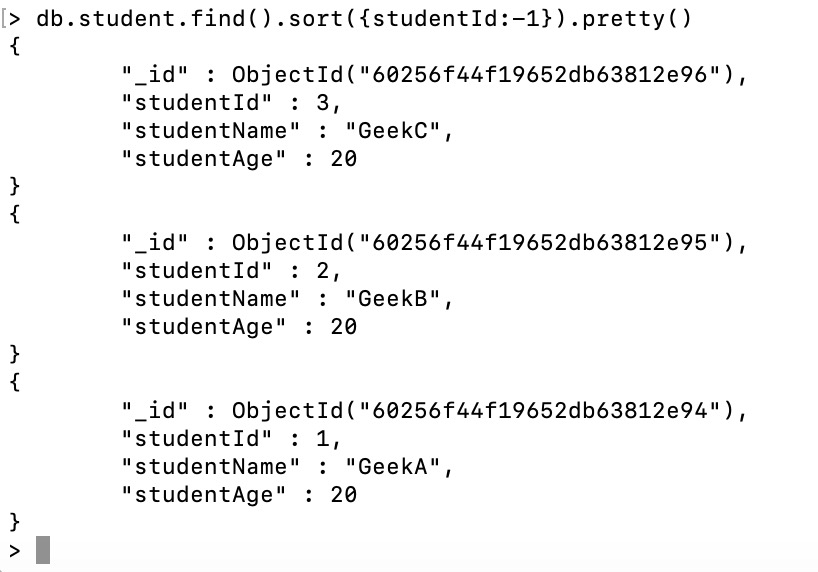
When verifying documents in a database, sorted output makes analysis easier. The sort() method is used to arrange documents in ascending order by setting the field value to 1 or in descending order by setting it to -1.
Syntax:
db.collection_name.find().sort(<sort>)Example:
db.student.find().sort({studentId:-1}).pretty()We sort all the documents present in the student collection in descending order.
4. toArray() Method
The toArray() method converts the cursor into an array of documents, making it easy to access documents by index.
Syntax:
db.collection_name.find().toArray()Example:
db.student.find().toArray()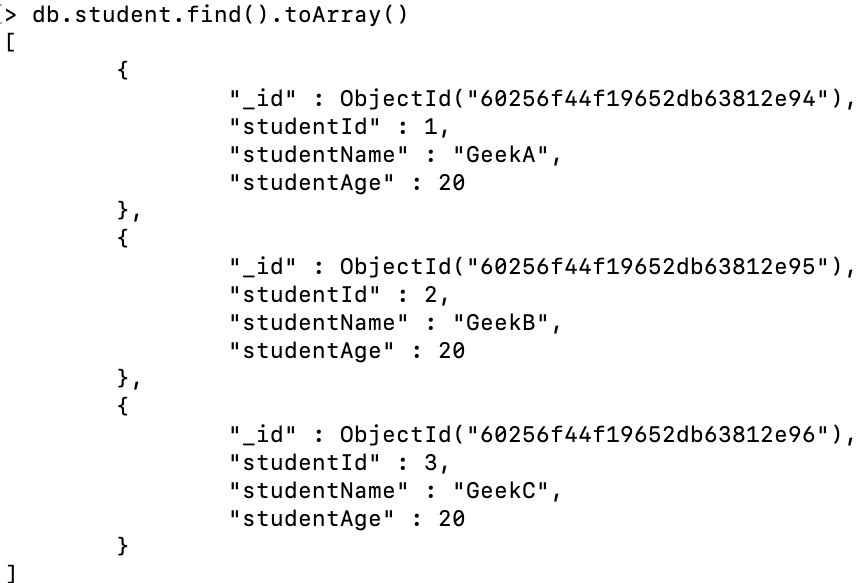
5. next() Method
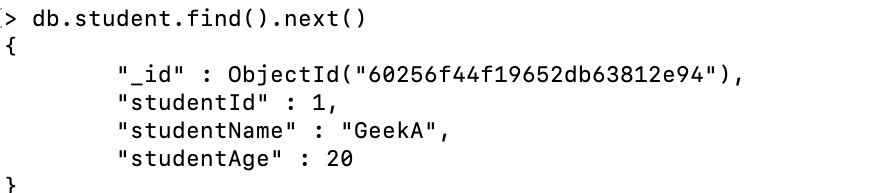
The next() method returns the next document from a cursor in MongoDB.
Syntax:
db.collection_name.find().next()Example:
db.student.find().next()Here, the next() method returns the first document from the collection.
Additional Cursor Methods in MongoDB
MongoDB provides additional advanced cursor methods for more specialized functionality:
| Method Name | Description |
|---|---|
| cursor.addOption() | This method is used to add special wire protocol flags and modify the behavior of the query. |
| cursor.allowDiskUse() | This method allows MongoDB to use temporary files on disk to store data exceeding the 100-megabyte system memory limit while processing a blocking sort operation. |
| cursor.allowPartialResults() | This method allows find() operation against a collection to return partial results, rather than an error if one or more queried shards are unavailable. |
| cursor.batchSize() | This method is used to control the number of documents MongoDB will return to the client in a single network message. |
| cursor.close() | This method is used to close a cursor and free associated server resources. |
| cursor.isClosed() | This method is used to return true if the cursor is closed. |
| cursor.collation() | This method is used to specify the collation for the cursor that is returned by the find() method. |
| cursor.comment() | This method is used to attacha exhausts a comment to the query to allow for traceability in the logs and the system.profile collection. |
| cursor.explain() | This method is used to report on the query execution plan for a cursor. |
| cursor.forEach() | This function is used to apply a JavaScript function for every document present in the cursor. |
| cursor.hasNext() | This method returns true if the cursor has more documents and can be iterated. |
| cursor.hint() | This method forces MongoDB to use a specific index for a query. |
| cursor.isExhausted() | When the cursor is closed and there are no objects remaining in the batch, this method returns true |
| cursor.itcount() | cursor.count() and itcount() are both similar only. In itcount(), execution on an existing iterator, exhausting its contents in the process. |
| cursor.map() | Output is available in an array by applying a function to each document in a cursor. |
| cursor.max() | This method is used to specify an exclusive upper index bound for the cursor. |
| cursor.maxTimeMS() | This method sets the maximum execution time in milliseconds for operations on a cursor. |
| cursor.min() | This method is used to specify inclusive lower index bound for a cursor. |
| cursor.next() | This method is used to retrieve the next document in a cursor. |
| cursor.noCursorTimeout() | This method instructs the server to avoid closing a cursor automatically after a period of inactivity. |
| cursor.objsLeftInBatch() | This method is used to find the number of documents left in the current cursor batch. |
| cursor.pretty() | This method is used to display the results in an easy-to-read manner. |
| cursor.readConcern() | A read concern is specified for a find() operation. |
| cursor.readPref() | This method specified a read preference to a cursor to control how the client directs queries to a replica set. |
| cursor.returnKey() | The returnKey() method modifies the cursor to return only index keys instead of full documents. |
| cursor.showRecordId() | This method adds an internal storage engine ID field which is returned by the cursor. |
| cursor.skip() | During the display of documents, we may be required to skip few documents due to various reasons. During that time, skip() helps to display results after skipping a number of documents. |
| cursor.tailable() | The method is marked as tailable with the cursors of capped collections. |