
MySQL allows storing and inserting date and time values using dedicated data types like DATE, TIME, DATETIME, and TIMESTAMP. These data types help manage time-based information accurately in applications such as logging, scheduling, and record tracking.
- Helps maintain accurate records of events and activities in the database.
- Widely used in applications like logging systems, scheduling tasks, and tracking user actions.
Date-Time Data Types in MySQL
MySQL offers several data types specifically designed for handling date and time values. Each type serves a different purpose depending on the requirement:
1. DATE
Stores only the date in the format YYYY-MM-DD. It is useful when time information is not required, such as birth dates or deadlines.
Example: '2023-12-31'
2. TIME
Stores only the time in the format HH:MM:SS. It is commonly used for durations or specific time values like opening hours.
Example: '14:30:00'
3. DATETIME
Stores both date and time in the format YYYY-MM-DD HH:MM:SS. It is ideal when you need a precise timestamp without timezone dependency.
Example: '2023-12-31 14:30:00'
4. TIMESTAMP
Stores date and time similar to DATETIME but is internally linked to UTC and can automatically update on record changes. It is often used for tracking record creation and modification times.
Example: '2023-12-31 14:30:00'
Inserting Date-Time Values in MySQL
You can insert date and time values into a table using the INSERT statement. It is important to follow the correct format based on the column data type.
1. Insert DATE
INSERT INTO table_name (dateColumn)
VALUES ('2023-12-31');
2. Insert TIME
INSERT INTO table_name (timeColumn)
VALUES ('14:30:00');
3. Insert DATETIME
INSERT INTO table_name (datetimeColumn)
VALUES ('2023-12-31 14:30:00');
4. Insert TIMESTAMP Using Current Time
INSERT INTO table_name (timestampColumn)
VALUES (NOW());
The NOW() function automatically inserts the current system date and time, making it very useful for logging and auditing purposes.
Implementation
Let’s understand the complete process by creating a table and inserting different date-time values step by step.
Step 1: Create a table in Database.
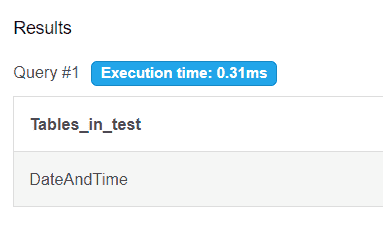
CREATE TABLE DateAndTime (Date DATE);Step 2: Show that the table is created.
SHOW TABLES;Output:
Step 3: Insert values into table.
INSERT INTO DateAndTime VALUES ('2023-12-31');Step 4: Now Select whole table to see the values into table.
SELECT * FROM DateAndTime;Output:

Step 5: Add additional columns TIME, DATETIME, and TIMESTAMP into DateAndTime(table).
ALTER TABLE DateAndTime ADD Time TIME;
ALTER TABLE DateAndTime ADD DateTime DATETIME;
ALTER TABLE DateAndTime ADD TimeStamp TIMESTAMP;
Step 6: Insert values into database.
INSERT INTO DateAndTime (Time) VALUES ('14:30:00');
INSERT INTO DateAndTime (DateTime) VALUES ('2023-12-31 14:30:00');
Step 7: Now Select whole table to see all the rows.
SELECT * FROM DateAndTime;Output:

Date and Time Functions in MySQL
MySQL provides several built-in functions that allow you to manipulate date and time values during insertion or retrieval:
1. DATE_ADD()
Adds a specific time interval to a date.
SELECT DATE_ADD('2023-12-31', INTERVAL 1 DAY);2. DATE_SUB()
Subtracts a time interval from a date.
SELECT DATE_SUB('2023-12-31', INTERVAL 1 DAY);3. DATE_FORMAT()
Formats a date into a more readable or required format.
SELECT DATE_FORMAT(NOW(), '%d-%m-%Y');4. STR_TO_DATE()
Converts a string into a valid date format.
SELECT STR_TO_DATE('31-12-2023', '%d-%m-%Y');These functions are especially useful when working with dynamic data or user inputs.
Handling Timezone Issues
In global applications, managing time zones is crucial to ensure consistency across different regions. MySQL allows you to set the time zone at the session or server level.
Syntax:
SET time_zone = 'timezone';Example:
SET time_zone = 'UTC';You can also use other time zones such as:
- 'Asia/Kolkata'
- 'America/New_York'
This ensures that date and time values are stored and retrieved accurately across different locations.