
Integrating LangChain with LlamaIndex enables intelligent systems to retrieve and understand data efficiently, where LlamaIndex handles data retrieval and LangChain manages reasoning and response generation. Its key advantages include:
- Organises and retrieves data efficiently using LlamaIndex.
- Manages step-by-step reasoning and response generation with LangChain.
- Combines retrieval and reasoning to produce more accurate answers.
- Enables applications that work with both private and public data.
Langchain
Langchain is an open-source framework that helps build applications using large language models by managing prompts, connecting reasoning steps, and creating intelligent agents that use tools and data.
- Run multi-step reasoning tasks.
- Build agents that can use tools like web search or calculators.
- Works with many LLM providers like Gemini, OpenAI and more.
Llama-Index
Llama-Index is a toolkit for building powerful search systems on unstructured data like PDFs, websites and databases. It helps in loading, splitting, embedding and retrieving data, making it ideal for RAG and AI-driven analysis. Its key features include:
- Easily connects to data sources such as PDFs, webpages and SQL databases.
- Supports embeddings and vector-based semantic search.
- Provides control over how data is splitted and retrieved for better results.
Implementation
This example builds an AI system using LlamaIndex for PDF processing and LangChain for reasoning, with DuckDuckGo for real time search. What it demonstrates:
- Handles multiple PDFs efficiently.
- Understands and compares technical content.
- Combines document data with real time web search for better answers.
Step 1: Install Dependencies
- llama-index: Document indexing and retrieval
- llama-index-llms-gemini and embeddings-gemini: Gemini based LLMs and embeddings
- llama-index-readers-pdf: For loading PDF documents
- google-generativeai: Gemini API
- langchain: Orchestrates AI pipelines
- langchain-google-genai: Gemini integration for Langchain
- duckduckgo-search: Adds live web search
- langchain-community: Extra Langchain tools like DuckDuckGo
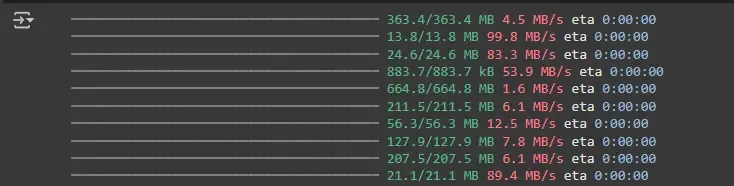
!pip install --upgrade llama-index llama-index-llms-gemini llama-index-readers-pdf llama-index-embeddings-gemini google-generativeai langchain langchain-google-genai duckduckgo-search
!pip install -U duckduckgo-search langchain-community
Step 2: Set Environment and Initialize LLM and Embeddings
- Sets up your Gemini API Key securely.
- llm: Gemini's large language model.
- embed_model: Gemini embedding model.
from llama_index.core import Settings
from llama_index.embeddings.gemini import GeminiEmbedding
from llama_index.llms.gemini import Gemini
import os
import getpass
os.environ["GOOGLE_API_KEY"] = getpass.getpass(" Enter your Gemini API Key: ")

llm = Gemini(model="models/gemini-2.5-flash")
embed_model = GeminiEmbedding(model_name="models/embedding-001")
Settings.llm = llm
Settings.embed_model = embed_model
Step 3: Upload and Load PDF Documents
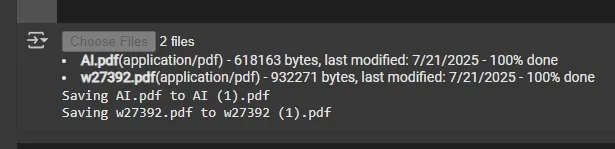
- Uploads PDF files and loads them into memory.
- Creates a vector index to enable semantic search.
from llama_index.core import VectorStoreIndex
from llama_index.core.readers import SimpleDirectoryReader
from google.colab import files
uploaded = files.upload()

pdf_files = ["PDF1.pdf", "PDF2.pdf"]
docs = SimpleDirectoryReader(input_files=pdf_files).load_data()
index = VectorStoreIndex.from_documents(docs)
Step 4: Prepare the Query Tool
- Converts our vector index into a search tool.
- Sets metadata for easier identification.
- Makes it Langchain compatible so it can be used by agents.
from llama_index.core.tools import QueryEngineTool, ToolMetadata

ai_engine = index.as_query_engine(similarity_top_k=3)

query_tool = QueryEngineTool(
    query_engine=ai_engine,
    metadata=ToolMetadata(
        name="ai_pdfs",
        description="Answers questions based on the uploaded AI PDF documents."
    ),
)

tool = query_tool.to_langchain_tool()
Step 5: Add Web Search Tool
- Adds DuckDuckGoSearch as a secondary tool.
- Allows the agent to search the web for fresh information.
- Combines both PDF search and web search in a single list of tools.
from langchain_community.tools import DuckDuckGoSearchRun

search_tool = DuckDuckGoSearchRun()
tools = [tool, search_tool]
Step 6: Build Langchain Agent
- Defines the agent's role and instructions.
- Uses a Gemini LLM inside Langchain.
- Connects the agent with both tools: PDF search and web search.
- Wraps everything in an agent executor that can run queries.
from langchain_google_genai import ChatGoogleGenerativeAI
from langchain.agents.tool_calling_agent.base import create_tool_calling_agent
from langchain.prompts import ChatPromptTemplate
from langchain.agents import AgentExecutor

system_context = "You are an AI expert. Answer questions using the uploaded AI-related PDFs or the web."
prompt = ChatPromptTemplate.from_messages([
    ("system", system_context),
    ("placeholder", "{chat_history}"),
    ("human", "{input}"),
    ("placeholder", "{agent_scratchpad}"),
])

llm_agent = ChatGoogleGenerativeAI(model="gemini-1.5-flash")
agent = create_tool_calling_agent(llm_agent, tools, prompt)
agent_executor = AgentExecutor(
    agent=agent, tools=tools, verbose=True, return_intermediate_steps=True)
Step 7: Interactive Querying and Summarization
- Runs a direct query to the document engine.
- Retrieves a summary of document.
question = "What are the main contributions of these AI papers?"
response = agent_executor.invoke({"input": question})
print(response['output'])
summary = ai_engine.query("Can you summarize the first uploaded AI document?")
print(summary)

Applications
- Supports research assistants that can read, summarize and compare reports or research papers.
- Extracts insights from financial and legal documents combined with real time web data.
- Enables enterprise knowledge search through chat based access to internal documents.
- Answers complex healthcare queries using stored medical data and updated guidelines.
- Automates customer support by combining product data, FAQs and web search for accurate responses.
Advantages
- Finds relevant information quickly with LlamaIndex and processes it step by step using LangChain.
- Supports use of tools like search engines or calculators along with document based retrieval.
- Enables flexible workflows for building custom AI agents with decision-making capabilities.
- Works with multiple LLM and embedding providers like OpenAI, Gemini and Hugging Face.
- Handles large datasets and complex queries, making it suitable for real world applications.