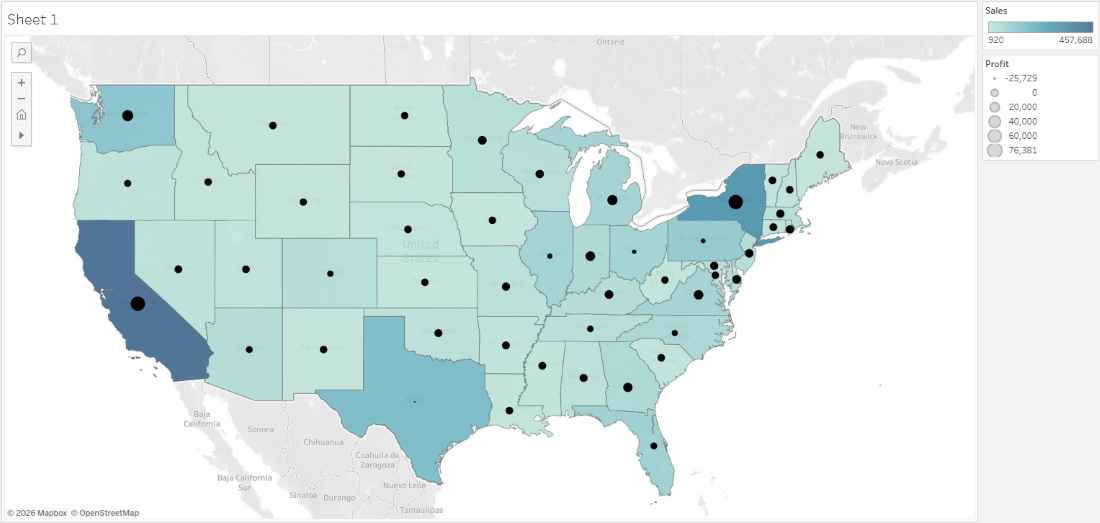
A Dual-Axis Map in Tableau allows you to overlay two different map layers on the same geographic view. This makes it possible to combine multiple measures, such as a filled (choropleth) map and a symbol map into a single visualization for deeper geographic insights.
Dual-axis maps are useful for:
- Comparing two different measures on the same map.
- Combining choropleth and symbol maps.
- Visualizing relationships between location-based metrics.
- Creating advanced and information-rich dashboards.
Creating Dual-Axis Map
Tableau supports dual-axis maps by layering latitude and longitude fields. Below are the steps to create a dual-axis map:
Note: For this article, the dataset used is Sample_Superstore.xls. To download click here.
Step 1: Create the Base Map
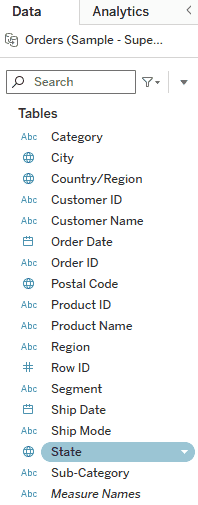
Double-click on the State field in the Data pane. Tableau automatically generates a geographic map using latitude and longitude.
Step 2: Create the Choropleth Layer (Sales)
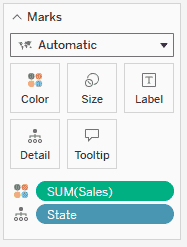
In the Marks card, drag and drop Sales to Color. This creates a filled (choropleth) map where states are shaded based on sales values.
Step 3: Duplicate Latitude to Prepare Dual Axis
Go to the Rows shelf. Press and hold Ctrl, then drag Latitude and place it next to the existing Latitude field on the Rows shelf.
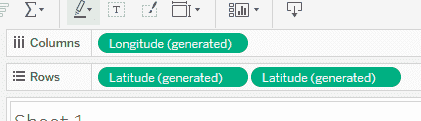
You will now see two Latitude pills.
Step 4: Configure the Second Map Layer (Profit Symbols)
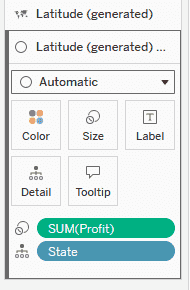
1. In the Marks card, select the second Latitude map (the lower Marks card), remove SUM(Sales) from the Color shelf and drag and drop Profit to Size to represent profit using symbols.
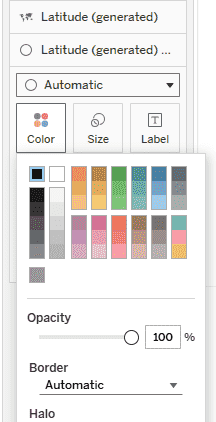
2. Click Color and change the symbol color to Black.
Step 5: Apply Dual Axis
Go back to the Rows shelf, right-click on the second Latitude pill and select Dual Axis.
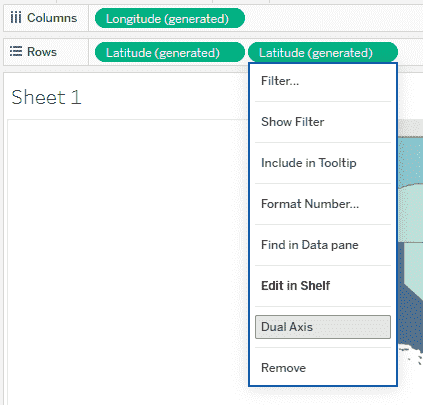
This overlays both maps into a single view combining the choropleth and symbol map.
Final Output
After completing these steps, you will have a Dual-Axis Map that combines two geographic visualizations:
- A choropleth map showing Sales distribution across states
- A symbol map overlay representing Profit using black symbols
- Both layers are aligned on the same geographic coordinates