Broadcasting a message in a shell script allows system-wide communication with all logged-in users. This technique is useful for administrators to send notifications, warnings, or maintenance alerts. Shell scripts automate this process, making it easier to ensure that messages reach the intended users quickly.
- Messages can be sent to all logged-in users simultaneously
- Commonly used for system alerts and administrative notifications
- Requires appropriate user permissions to broadcast messages
- Uses standard Linux utilities available on most distributions
- Can be automated using shell scripts for repeated use
Example: Broadcasting a Message Using wall
Demonstrates how to send a message to all logged-in users using a shell script.
Script:
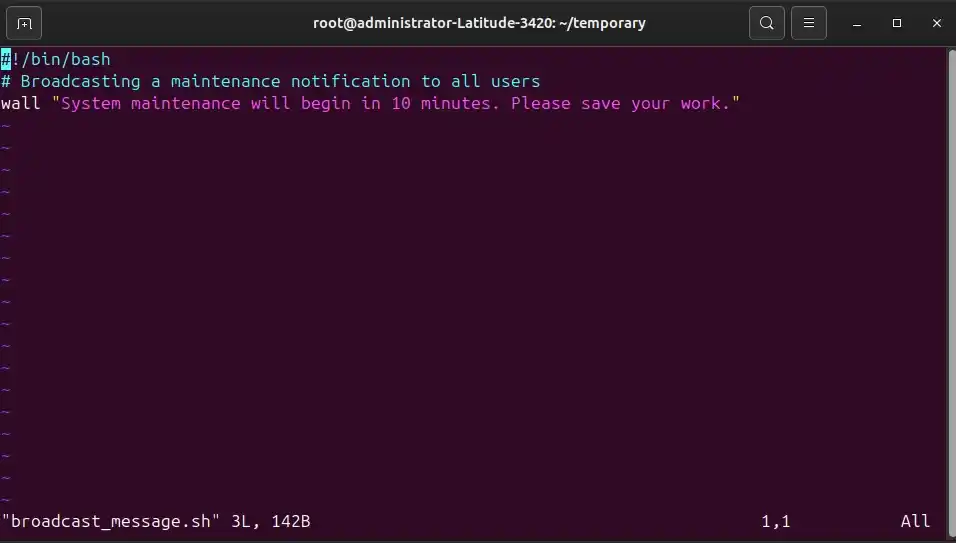
#!/bin/bash
# Broadcasting a maintenance notification to all users
wall "System maintenance will begin in 10 minutes. Please save your work."
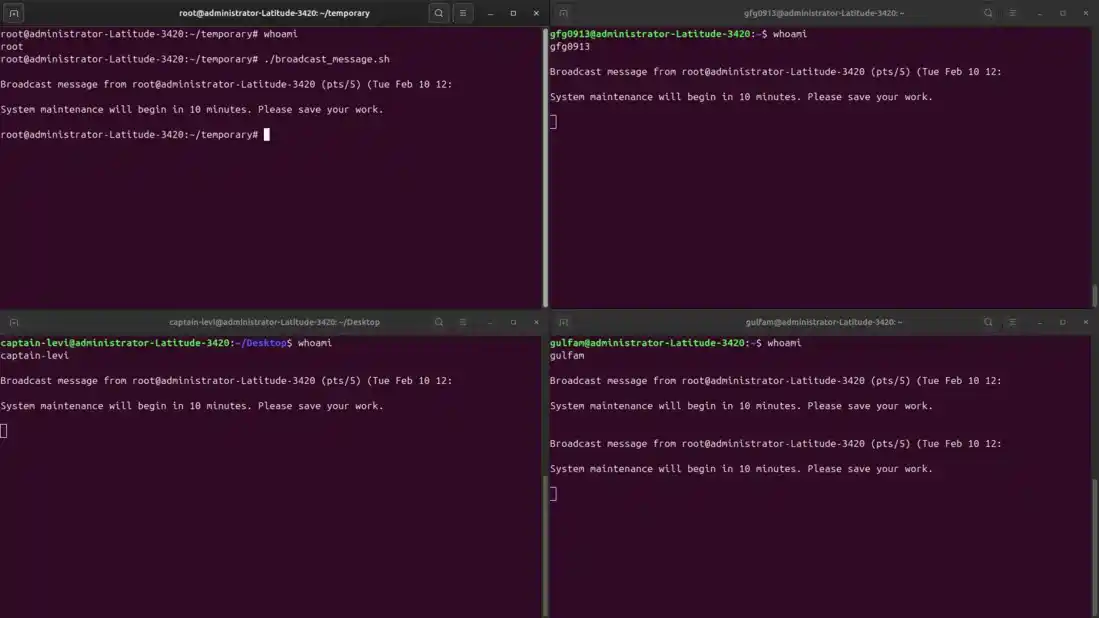
- The wall command sends the specified message to all logged-in users’ terminals.
- The message will appear on every active terminal session of logged-in users
Output:
Syntax
wall "Your message here"- "Your message here": The text to broadcast to all users.
Step-by-Step Guide to Broadcast a Message
Script (broadcast_message.sh):
#!/bin/bash
# Send a message to all users
wall "System maintenance will begin in 10 minutes. Please save your work."
Steps to Run
1. Create the script file:
nano broadcast_message.sh2. Paste the script into the file and save it.
- In nano, press CTRL+O to save and CTRL+X to exit.
3. Make the script executable:
chmod +x broadcast_message.sh4. Run the script:
./broadcast_message.shMessage to a Specific User
The write command allows sending a message to a specific user’s terminal. This is useful for direct communication without notifying all users.
Syntax:
write username [tty]- username: Name of the target user.
- tty: Terminal session of the user (optional).
Example: Sending a Message to a Specific User
Script:
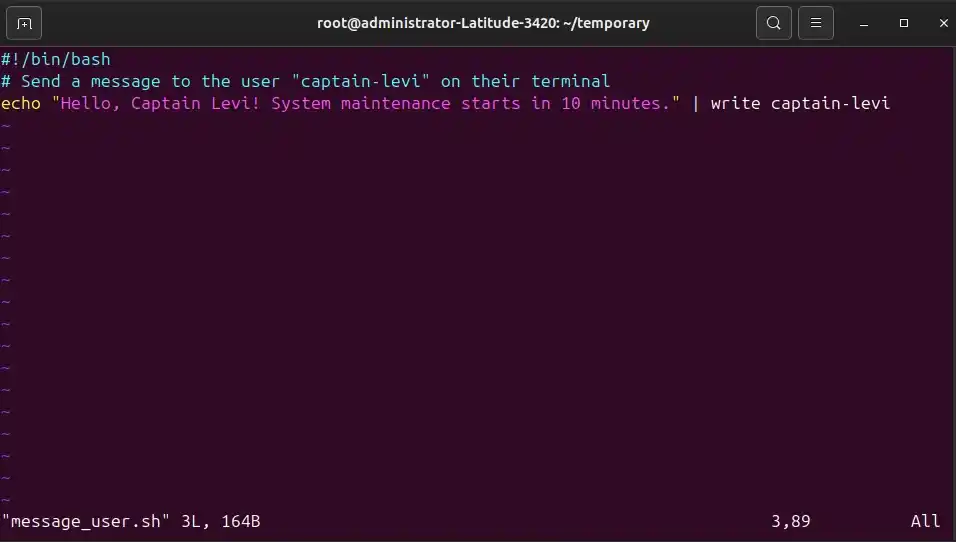
#!/bin/bash
# Send a message to the user "captain-levi" on their terminal
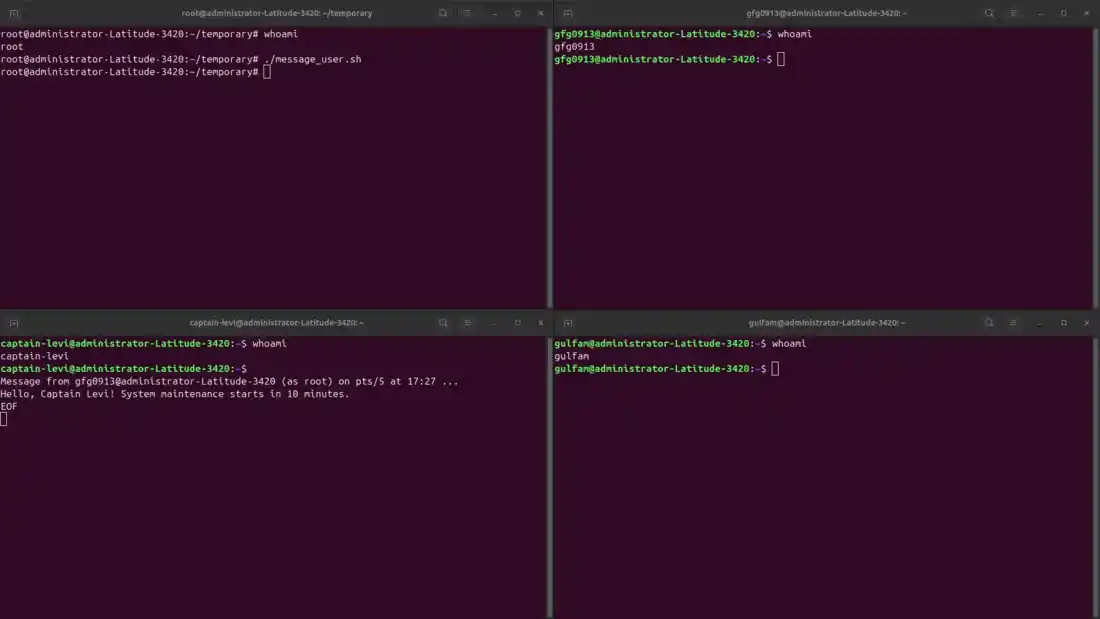
echo "Hello, Captain Levi ! System maintenance starts in 10 minutes." | write captain-levi
- echo: Generates the message.
- write: Sends the message directly to the specified user (captain-levi).
Output:
Broadcasting a Message to All Users
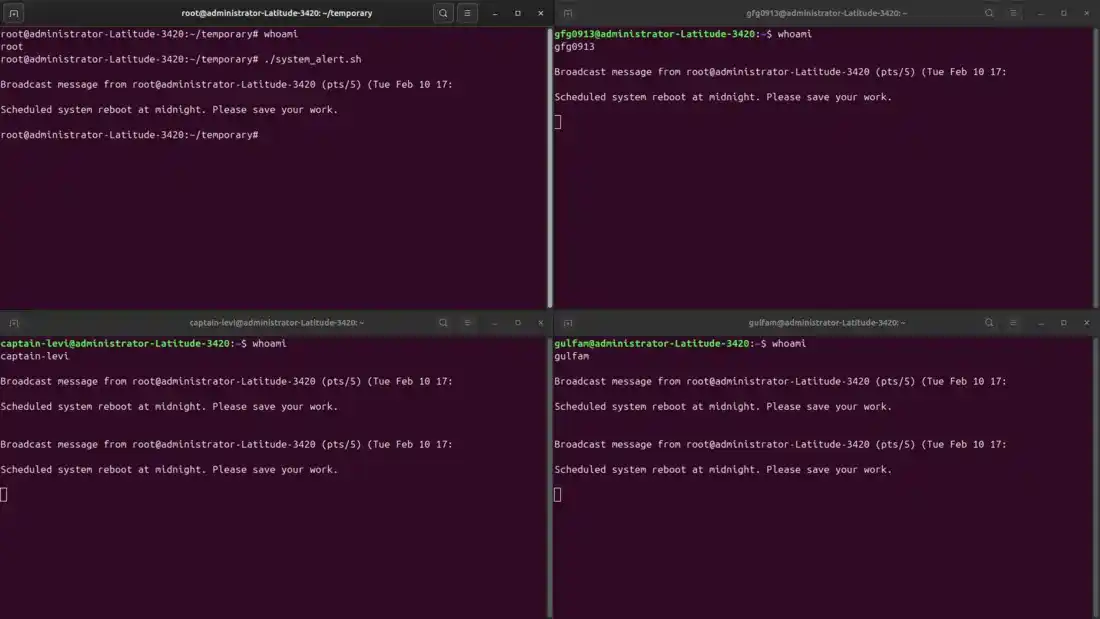
The wall command broadcasts a message to all logged-in users. This method is useful for system-wide alerts and notifications.
Example: Broadcasting a System Alert
Script:
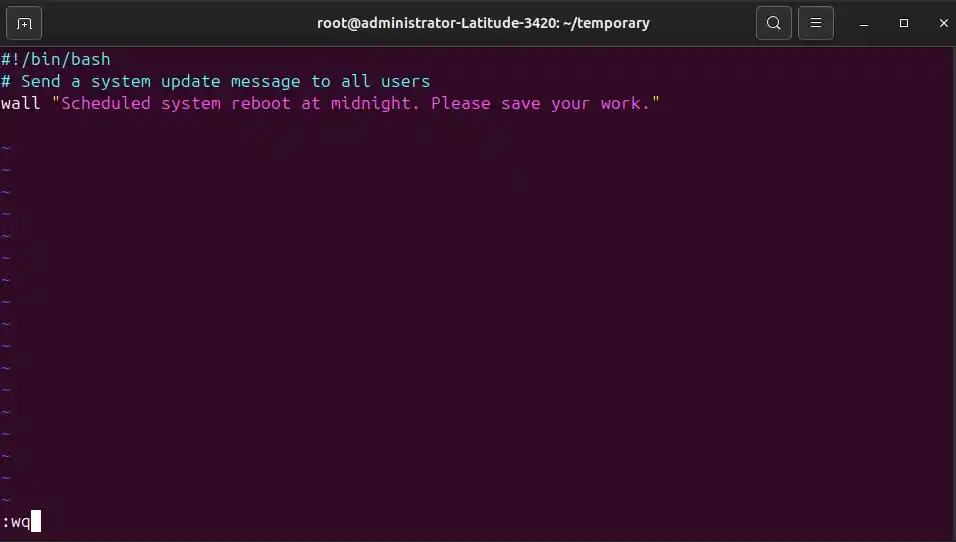
#!/bin/bash
# Send a system update message to all users
wall "Scheduled system reboot at midnight. Please save your work."
- wall: sends the specified message to every active terminal session.
Output:
Broadcasting a Message to a User Group
Messages can also be sent to a specific group of users using the -g option of the wall command. This is useful for team-specific notifications.
Syntax:
wall -g groupname "Your message here"- groupname: Name of the target user group.
- "Your message here": Message to broadcast.
Example: Broadcasting a Message to a Specific User Group
Script:
#!/bin/bash
# Send a message to all users in the "developers" group
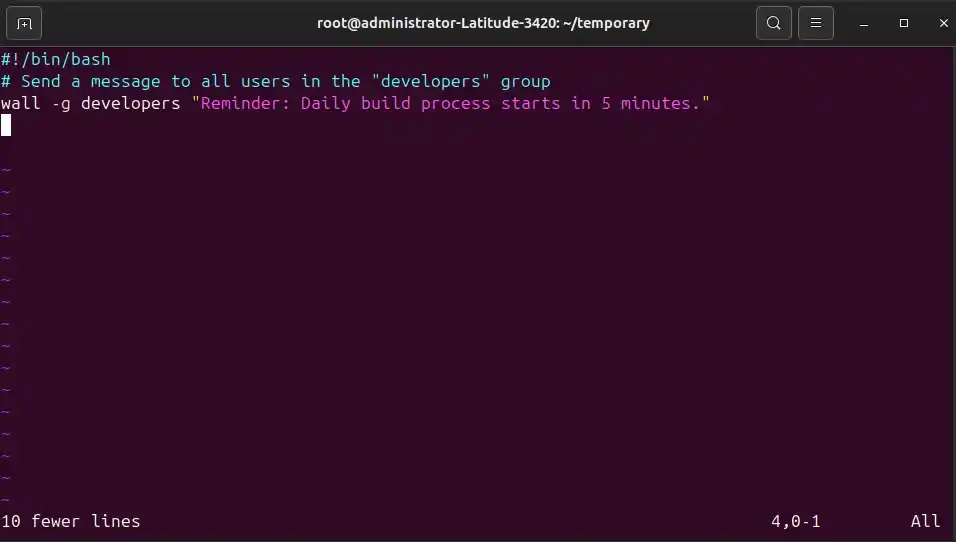
wall -g developers "Reminder: Daily build process starts in 5 minutes."
- wall -g developers: sends the message to all members of the developers group.
- The message appears on the active terminals of all group members.
Output:
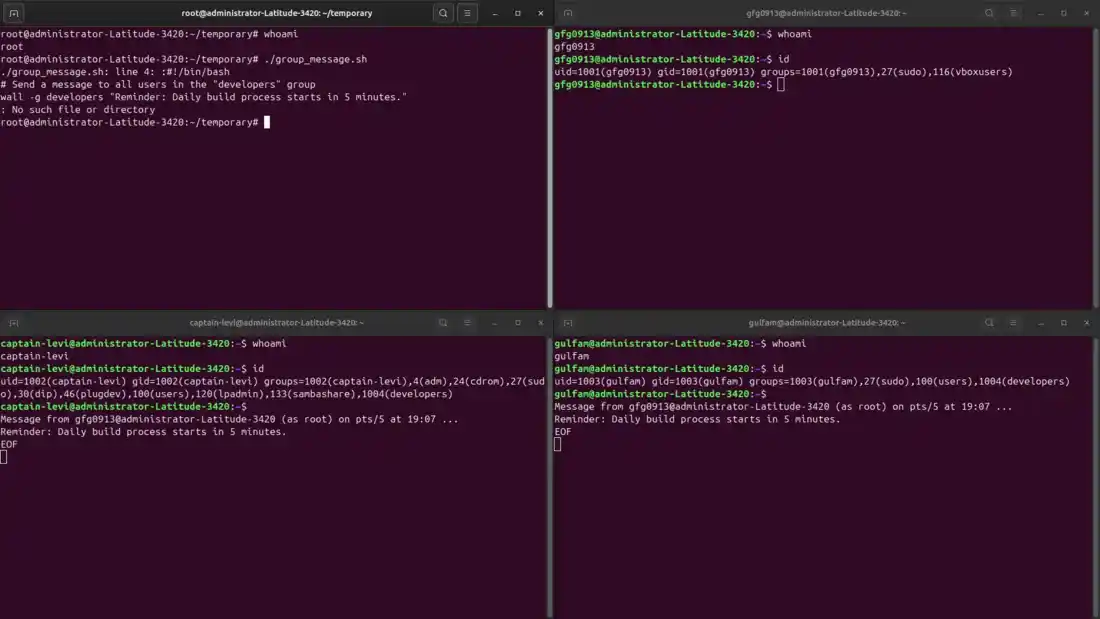
Important Note (Distribution Limitation):
- On some Linux distributions (including certain Ubuntu/Debian systems), the -g option may not correctly restrict the message to the specified group.
- In such cases, the message may be broadcast to all logged-in users, even those not in the target group.
- If this happens, use the reliable method below.
Manually Target Group Members
This method ensures the message is sent only to logged-in users who belong to the specified group.
Script:
#!/bin/bash
# Send a message to all users in the developers group

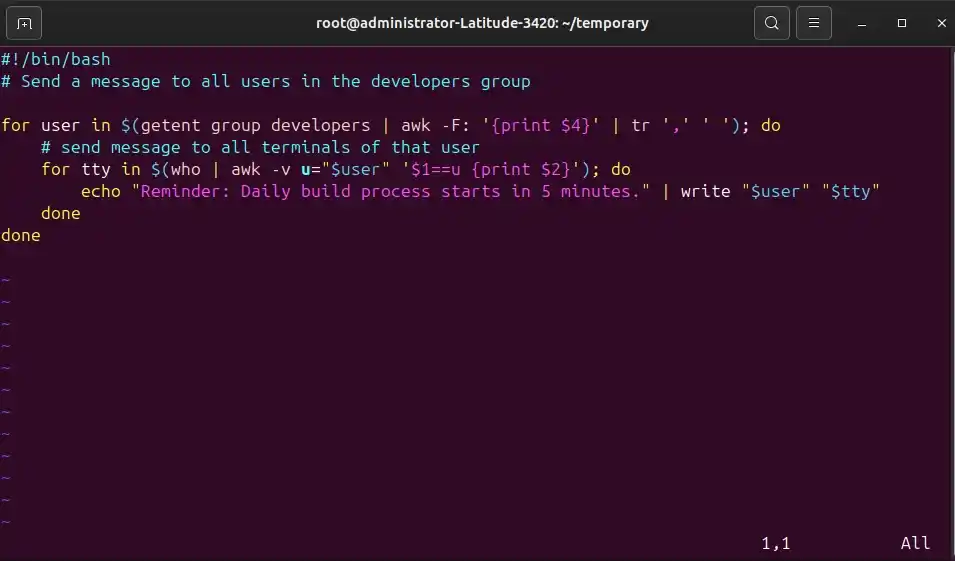
for user in $(getent group developers | awk -F: '{print $4}' | tr ',' ' '); do
    # send message to all terminals of that user
    for tty in $(who | awk -v u="$user" '$1==u {print $2}'); do
        echo "Reminder: Daily build process starts in 5 minutes." | write "$user" "$tty"
    done
done
- getent group retrieves members of the group.
- who checks which users are currently logged in.
- write sends the message only to active terminals of those users.
Output: