
File permission and ownership commands in Linux are used to control access to files and directories by defining who can read, write, or execute them. These commands play an important role in maintaining system security and proper file access management.
- Control read, write, and execute permissions for users, groups, and others.
- Allow changing file owners and group ownership.
- Help protect files from unauthorized access or modification.
- Essential for security and multi-user system management.
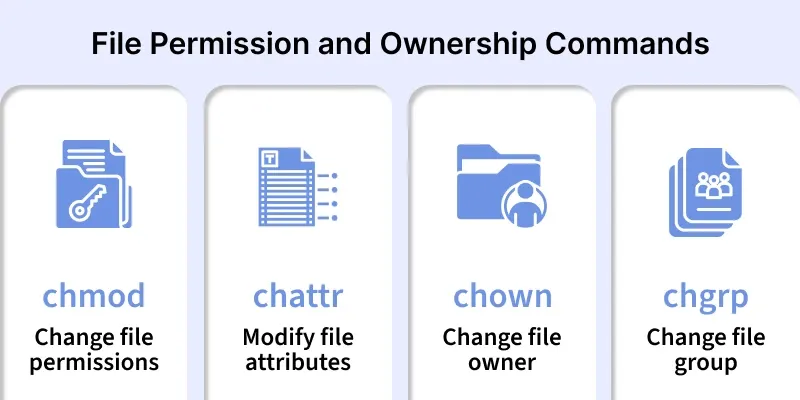
The following commands are used for file permission and ownership management in Linux.
1. chmod
The chmod command is used to change the access permissions of files and directories in Linux. It controls who can read, write, or execute a file for the owner, group, and others.
- Manages read, write, and execute permissions
- Works using numeric or symbolic modes
- Essential for file security and access control
Syntax:
chmod [options] mode file_nameExample 1:
chmod 745 newfile.txt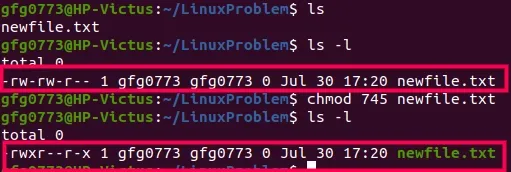
Here, the file is:
- Fully accessible (read/write/execute) by the owner
- Read-only for the group
- Read + execute for others
Example 2:
chmod +x example.sh
This command adds the execute (+x) permission to the script.
2. chattr
The chattr command is used to change special attributes of files in Linux. These attributes provide extra protection beyond standard file permissions.
- Controls file behavior at filesystem level
- Prevents accidental modification or deletion
- Useful for securing critical system files
Syntax:
chattr [options] attribute file_nameExample 1:
chattr +i file.txt- This makes the file immutable and prevents modification or deletion.
Example 2:
chattr -i file.txt- This removes the immutable attribute and allows changes.
Output:

3. chown
The chown command is used to change the ownership of files and directories. It allows administrators to assign files to specific users and groups.
- Changes file owner or owner and group
- Commonly used by system administrators
- Helps manage file access in multi-user systems
Syntax:
chown [options] owner[:group] file_nameExample 1:
chown vboxuser sample.txt
- This changes the owner of the file to user1.
Example 2:
chown master:group1 greek1.webp)
- This changes both the owner and the group of the file.
4. chgrp
The chgrp command is used to change the group ownership of files and directories. It helps manage shared access among users belonging to the same group.
- Assigns files to a specific group
- Useful for team-based file sharing
- Simplifies permission management
Syntax:
chgrp [options] group file_nameExample:
sudo chgrp geeksforgeeks abc.txt
- This assigns the file to the developers group.