John the Ripper (JtR) is a free, open-source password cracking tool primarily used for security testing and password auditing. Instead of guessing random passwords blindly, John the Ripper is designed to work with password hashes, the encrypted versions of passwords stored in operating systems, applications, and databases. Here is the working of John the Ripper:
- It takes a password hash (an encrypted form of a password).
- Then it applies different cracking techniques (like dictionary attack, brute force, or incremental mode).
- If successful, it reveals the original password.
Common modes in the John Ripper tool for Password Cracking
John the Ripper provides us with various cracking modes, which we can apply as per our different needs and situations. The following are the three main modes that are mostly being used nowadays.
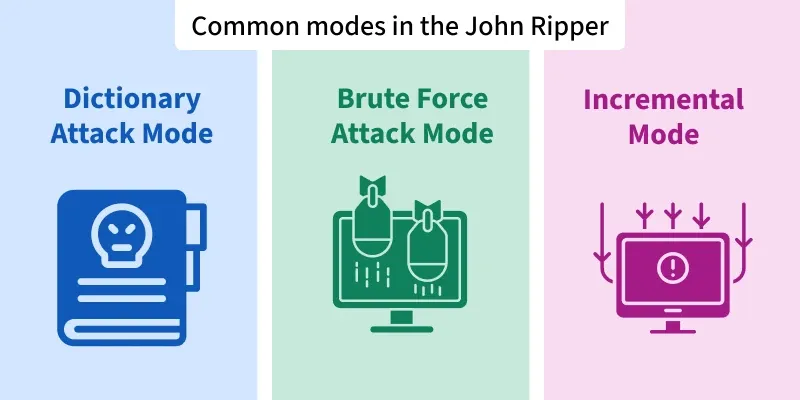
1. Dictionary Attack Mode: A dictionary attack in John the Ripper (JtR) uses a wordlist of potential passwords, testing each one against the target hash until a match is found.
2. Brute Force Attack Mode: In John the Ripper, a brute-force attack means guessing the password by generating every possible combination of characters (letters, digits, and symbols) until the correct one is found
3. Incremental Mode: The incremental mode in John the Ripper is used to generate and test passwords based on our specified rules and character sets. It starts with simple passwords, and it increases their complexity step by step. It is more efficient than pure brute force attacks in certain cases where we have our original password near our testing password.
How to Crack a Password using John the Ripper in Kali Linux
Step 1: In Kali Linux, the John the Ripper tool is pre-installed, but if you are facing any issues, then you can install it again using the following command.
sudo apt install john
Step 2: Now using following command we can check the john the ripper version and other related information.
john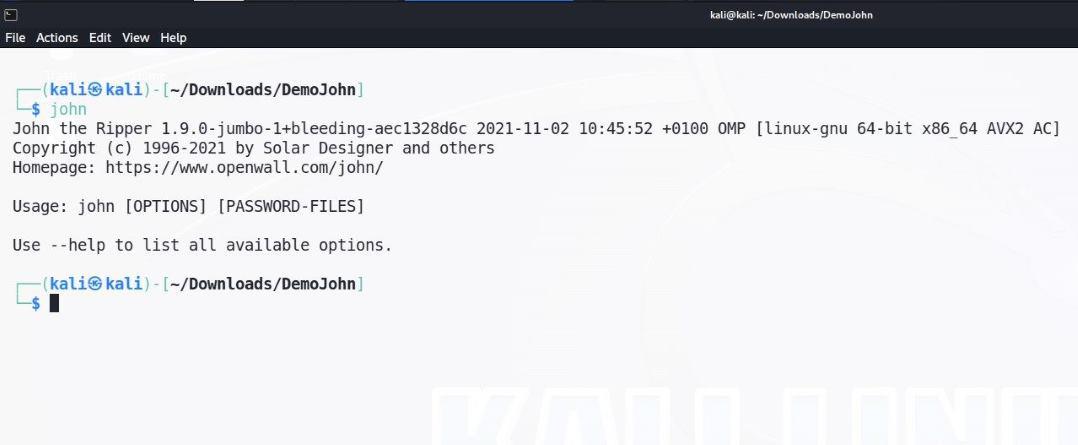
Step 3: For our testing and demo purpose we have hash file which consists hash password in diffirent diffirent format and also we have custom wordlist for dictionary attack using john the ripper. For listing everything and seeing we can use following command.
ls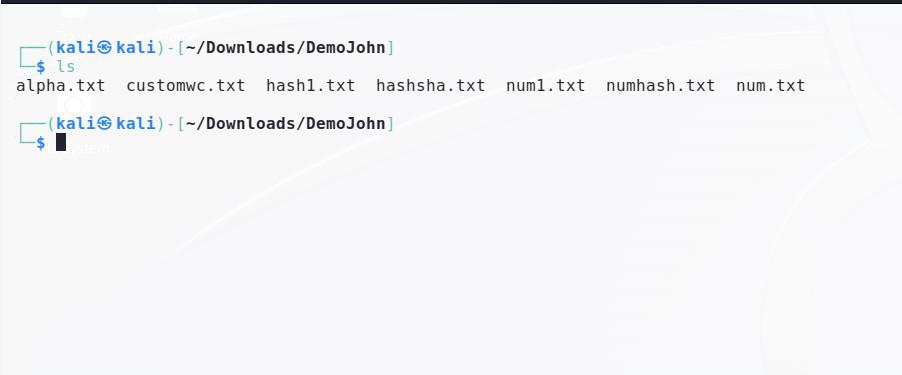
Step 4: Now for findig password using dictionary attack we can use following command where rockyou.txt file is wordlist which exists by default in kali linux and alpha.txt is our hash stored file which contains our real password in MD5 hash format. Using following command we can see we cracked the password which is abcd.
john --wordlist=/usr/share/wordlists/rockyou.txt alpha.txt --format=raw-md5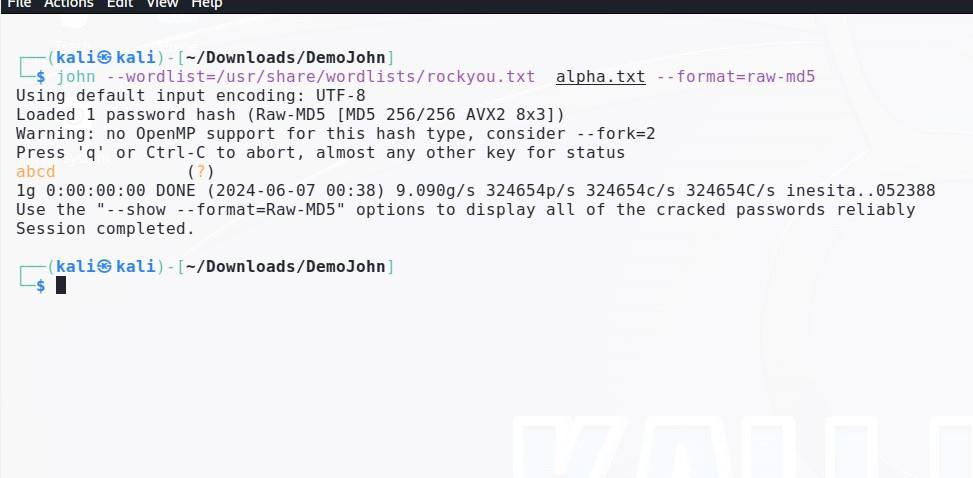
Step 5: In another file num.txt we have MD5 hash format . We can also use incremental mode for cracking this password file where our john the ripper tool increment its value one by one and tries to match password one by one and when it matches it give us result that password has been found out.
john --format=raw-md5 num.txt --incremental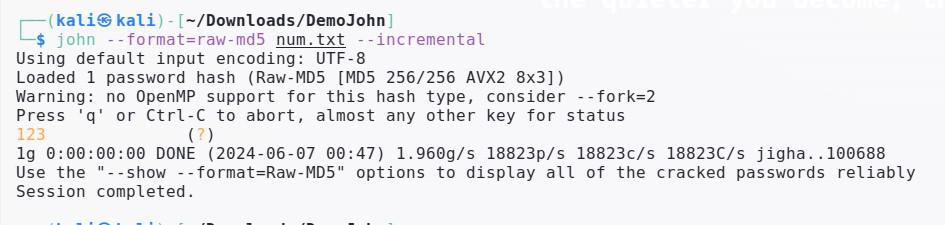
Step 6: Now in this step we will use our custom dictionary file instead of pre saved file in kali linux. This method can be very useful when we have list of passwords in which one is correct.
Following is our hash1.txt file data in md5 format which we will crack using john the ripper.
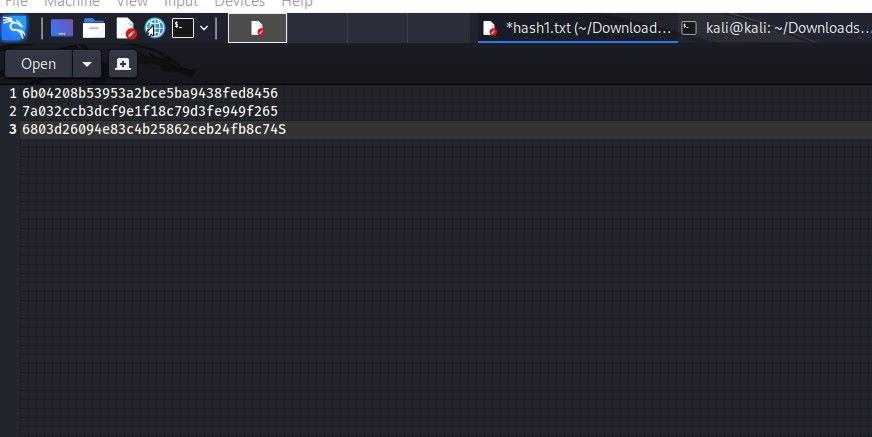
Following is command for cracking password hash using custom dictionary file.
$ john --wordlist=customwc.txt hash1.txt --format=raw-md5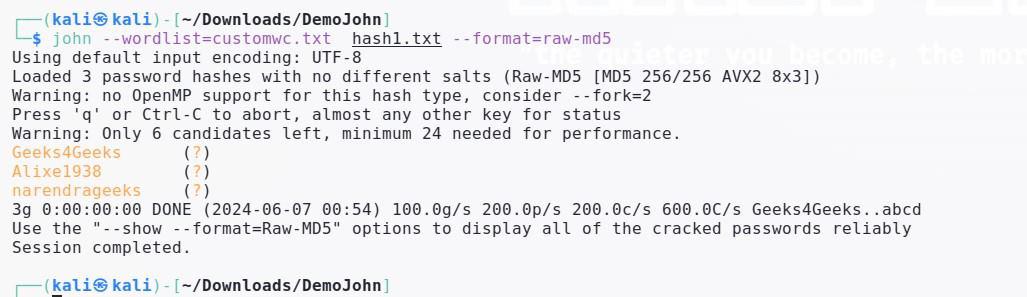
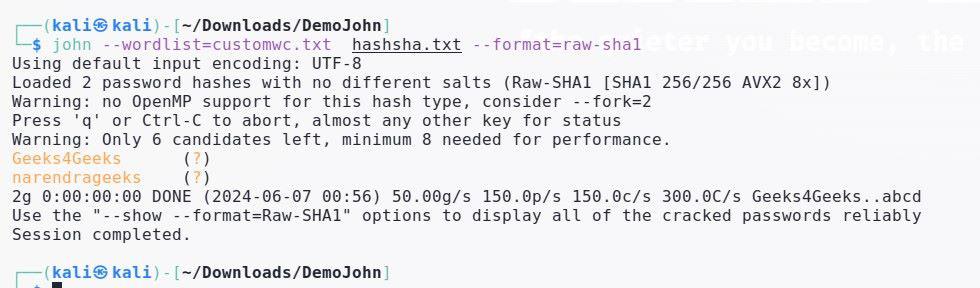
Step 7: In john the ripper we can use multiple type of hash format for cracking the passwords. Following is example for cracking the password of SHA1 type hash using john the ripper in kali linux.
$ john --wordlist=customwc.txt hashsha.txt --format=raw-sha1