
In React, setState() is used to update a component’s state, since state is immutable and cannot be modified directly. When called, it schedules a state update, re-renders the component, and updates the UI. Its main advantage is declarative rendering, where React automatically handles DOM updates based on state changes.
Syntax
this.setState(updater, callback);- updater: An object or a function that represents the changes to be applied to the component's state.
- callback (optional): A function that is executed once the state has been updated and the component has re-rendered.
How Does setState() Work
- Triggers Re-render: When setState() is called, React schedules an update to the component’s state and triggers a re-render. The updated state is reflected in the component’s output.
- Merging States: setState() merges the new state with the current state. This is especially useful when you only want to update part of the state, leaving other properties intact.
- Asynchronous Updates: setState() updates the state asynchronously, meaning the changes don't happen immediately. React batches the updates for performance reasons, and the re-render will happen once all the updates have been processed.
For Example: Incrementing a Counter
import React, { Component } from 'react';
import './App.css';

class Counter extends Component {
    constructor(props) {
        super(props);
        this.state = {
            count: 0
        };
    }

    increment = () => {
        this.setState({
            count: this.state.count + 1
        });
    };

    render() {
        return (
            <div className="App">
                <h1>React Counter</h1>
                <p>Count: {this.state.count}</p>
                <button onClick={this.increment}>Increment</button>
            </div>
        );
    }
}

export default Counter;
Output
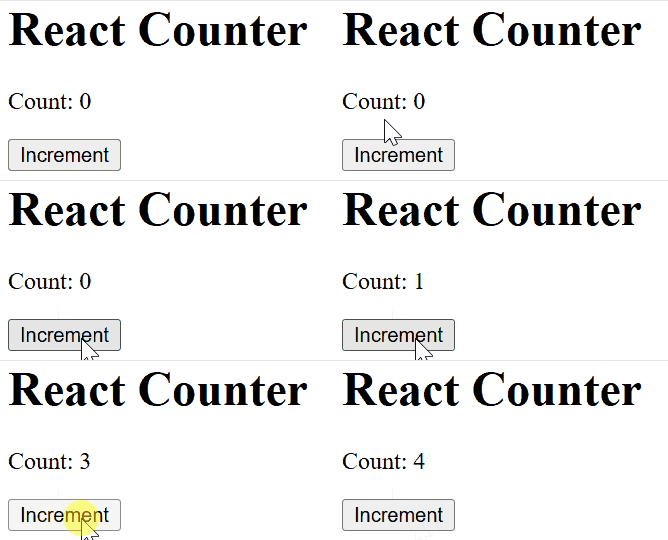
In this code
- setState() is called inside the increment method to update the count state when the button is clicked.
- This triggers a re-render, and the updated count is displayed on the UI.
Common Usage of setState()
1. State Merging
React automatically merges the state passed to setState() with the existing state. This means that when you update part of the state, React will retain the other parts of the state that weren't changed.
import React, { Component } from 'react';

class StateMergingExample extends Component {
    constructor(props) {
        super(props);

        this.state = {
            user: {
                name: 'Riya Khurana',
                age: 30
            },
            loggedIn: false
        };
    }

    updateUser = () => {
        this.setState(prevState => ({
            user: {
                ...prevState.user,
                name: 'Sneha Attri'
            }
        }));
    };

    toggleLogin = () => {
        this.setState({
            loggedIn: true
        });
    };

    render() {
        return (
            <div>
                <h1>State Merging</h1>
                <p>Name: {this.state.user.name}</p>
                <p>Age: {this.state.user.age}</p>
                <p>Logged In: {this.state.loggedIn ? 'Yes' : 'No'}</p>
                <button onClick={this.updateUser}>Update Name</button>
                <button onClick={this.toggleLogin}>Log In</button>
            </div>
        );
    }
}

export default StateMergingExample;
Output

In this code:
- The
updateUserfunction updates only thenameinside the nesteduserobject while keeping the existingageunchanged using the spread operator. - The
toggleLoginfunction updates theloggedInvalue independently without affecting theuserobject.
2. Function State Updates
You can also pass a function to setState(), which is useful when the new state depends on the previous state. This function will receive the previous state and props as arguments and should return the updated state.
import React, { Component } from 'react';

class Counter extends Component {
    constructor(props) {
        super(props);
        this.state = {
            count: 0
        };
    }

    increment = () => {
        this.setState((prevState) => ({
            count: prevState.count + 1
        }));
    };

    render() {
        return (
            <div>
                <h1>Counter: {this.state.count}</h1>
                <button onClick={this.increment}>Increment</button>
            </div>
        );
    }
}

export default Counter;
Output
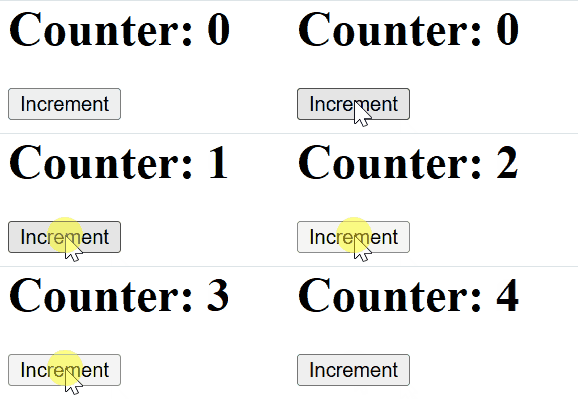
In this code
- When the "Increment" button is clicked, the increment method updates count using setState() with a function that ensures the update is based on the previous state (prevState). This prevents errors from using stale state values.
3. Updating Attributes
When updating state with setState(), you can modify the attributes of the current state, adding or changing values as needed.
// Filename - App.js

import React, { Component } from "react";

class App extends Component {
    constructor(props) {
        super(props);

        // Set initial state
        this.state = {
            greeting:
                "Click the button to receive greetings",
        };

        // Binding this keyword
        this.updateState = this.updateState.bind(this);
    }

    updateState() {
        // Changing state
        this.setState({
            greeting: "GeeksForGeeks welcomes you !!",
        });
    }

    render() {
        return (
            <div>
                <h2>Greetings Portal</h2>
                <p>{this.state.greeting}</p>

                {/* Set click handler */}
                <button onClick={this.updateState}>
                    Click me!
                </button>
            </div>
        );
    }
}

export default App;
Output

In this code
- Initial state shows a default greeting; clicking the button updates it using
setState. updateStateis bound in the constructor sothiscorrectly refers to the component.- UI renders the greeting text along with a button that changes the message when clicked.
4. Updating state values using props
Props in React pass data from parent to child. They are immutable, but can influence the child’s state, enabling dynamic, data-driven UI updates.
// Filename - App.js

import React, { Component } from "react";

class App extends Component {
    static defaultProps = {
        testTopics: [
            "React JS",
            "Node JS",
            "Compound components",
            "Lifecycle Methods",
            "Event Handlers",
            "Router",
            "React Hooks",
            "Redux",
            "Context",
        ],
    };

    constructor(props) {
        super(props);

        // Set initial state
        this.state = {
            testName: "React js Test",
            topics: "",
        };

        // Binding this keyword
        this.updateState = this.updateState.bind(this);
    }

    listOfTopics() {
        return (
            <ul>
                {this.props.testTopics.map((topic) => (
                    <li>{topic}</li>
                ))}
            </ul>
        );
    }

    updateState() {
        // Changing state
        this.setState({
            testName: "Test topics are:",
            topics: this.listOfTopics(),
        });
    }

    render() {
        return (
            <div>
                <h2>Test Information</h2>
                <p>{this.state.testName}</p>
                <p>{this.state.topics}</p>
                {/* Set click handler */}
                <button onClick={this.updateState}>
                    Click me!
                </button>
            </div>
        );
    }
}

export default App;
Output

In this code
defaultPropsprovides a list of topics, while state starts with"React js Test"and an emptytopics.updateState()updates the state to show the topic list, usinglistOfTopics()to map and render items.- Clicking the button triggers the update and displays all test topics.
setState() is Asynchronous
One of the most important things to understand about setState() is that it is asynchronous. When you call setState(), React doesn't immediately update the state. Instead, it batches multiple state updates and processes them later in an optimal way.
However, React provides a callback function that you can pass to setState() to run code after the state has been updated and the component has re-rendered.
this.setState(
  { count: this.state.count + 1 },
  () => {
    console.log('State updated:', this.state.count);
  }
);
Best Practices
- Use Functional setState() for Previous State: Use the function form when updating state based on the previous state.
- Avoid Direct State Modifications: Always use setState() for updates.
- Batch Updates: Minimize re-renders by batching state updates.
- Avoid Mutating State: Create new copies of state objects using spread operators.
- Use Callbacks: Utilize the callback to handle actions after state updates.