
React Router is a library for handling navigation in React applications. It allows users to move between pages without reloading the entire page, making the app faster and smoother. It provides different components to navigate between routes:
- Link: Navigate between pages without full-page reload.
- NavLink: Same as Link, but highlights the active page automatically.
- useNavigate: We can use useNavigate to move between pages programmatically, such as after a button click.
Link Component
In the React application, the Link component is used to navigate between pages without a full-page reload. It replaces the traditional <a> tag to improve performance. It is a simple navigator.
Syntax:
<Link to="/path">Text</Link>Features of Link
- Prevents Full Page Reload: Unlike traditional <a> tags, Link enables seamless navigation without refreshing the page.
- Uses the to Prop: Defines the destination URL.
- Supports Dynamic Routes: Can accept dynamic values for navigation.
Now let's understand the link component with an example
import React from "react";
import { Link, Route, Routes } from "react-router-dom";

function Home() {
    return <h1>Home Page</h1>;
}

function About() {
    return <h1>About Page</h1>;
}

function App() {
    return (
        <div>
            <nav>
                {/* Link works but does NOT add an active class */}
                <Link to="/">Home</Link> | <Link to="/about">About</Link>
            </nav>

            <Routes>
                <Route path="/" element={<Home />} />
                <Route path="/about" element={<About />} />
            </Routes>
        </div>
    );
}

export default App;
Output:
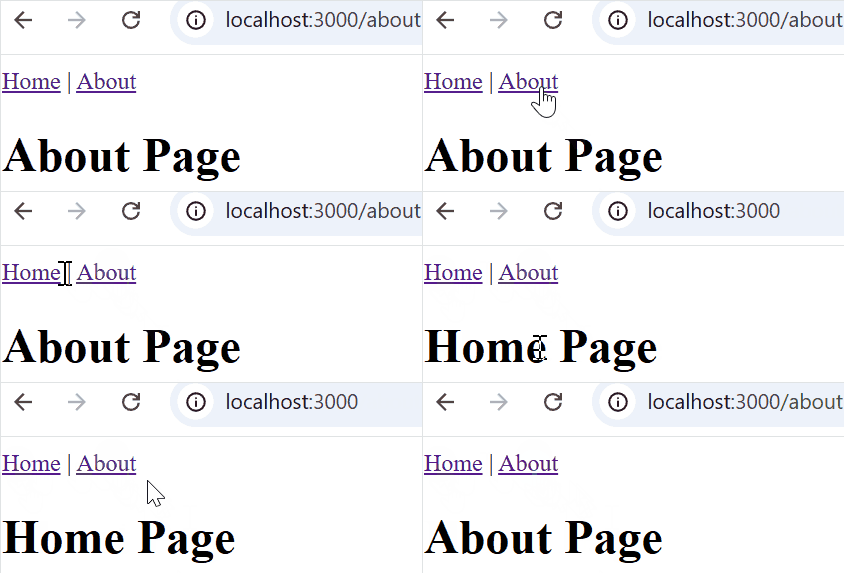
- Uses Link to navigate between Home and About without reloading the page
- Routes define the paths (/ and /about)
- Link does not highlight the active page
NavLink Component
The NavLink component extends Link by adding an "active" class styling. It is useful for highlighting active menu items in a navigation bar. It is used for highlighting the active path.
Syntax:
<NavLink to="/path" activeClassName="active">Text</NavLink>Features of NavLink
- Adds Active Class: Automatically applies an active class when the link matches the current route.
- Supports Custom Styling: Allows custom styles for active and inactive states.
- Exact Matching: By default, matches partially, but exact can be used for precise matching.
Now let's understand the NavLink component with an example
import React from "react";
import { NavLink, Route, Routes } from "react-router-dom";

function Home() {
    return <h1>Home Page</h1>;
}

function About() {
    return <h1>About Page</h1>;
}

function Navbar() {
    return (
        <nav>
            {/* Using inline styles for active link */}
            <NavLink
                to="/"
                style={({ isActive }) => ({
                    color: isActive ? "red" : "black",
                    fontWeight: isActive ? "bold" : "normal",
                    textDecoration: "none",
                    marginRight: "15px",
                })}
            >
                Home
            </NavLink>

            <NavLink
                to="/about"
                style={({ isActive }) => ({
                    color: isActive ? "red" : "black",
                    fontWeight: isActive ? "bold" : "normal",
                    textDecoration: "none",
                })}
            >
                About
            </NavLink>
        </nav>
    );
}

function App() {
    return (
        <div>
            <Navbar />
            <Routes>
                <Route path="/" element={<Home />} />
                <Route path="/about" element={<About />} />
            </Routes>
        </div>
    );
}

export default App;
Output:
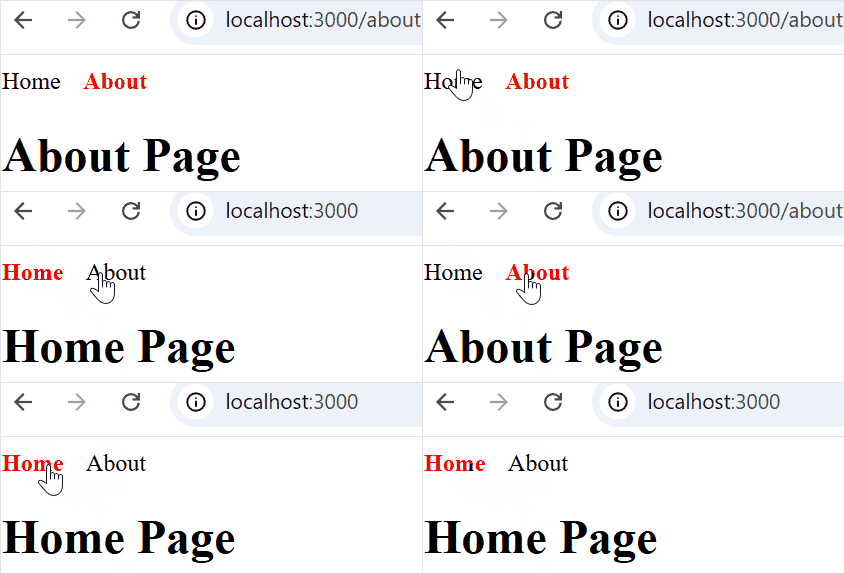
- Uses NavLink to highlight the active page automatically
- Active link becomes red and bold, inactive links stay normal
- Navbar is in a separate component, making the code reusable and modular
Link vs NavLink in React Router Dom
Link | NavLink |
|---|---|
Used for navigation between pages | Used for navigation with an active state styling |
No built-in active class | Adds a special class to the active link |
Normal links in the app | Navigation menus, tabs, or sidebars |
<Link to="/home">Home</Link> | <NavLink to="/home" className={({ isActive }) => isActive ? "active" : ""}>Home</NavLink> |
Important Points
The following points explain some important aspects of navigation in React Router.
Handling External Links
Link and NavLink are for internal routing only. For external websites, use a normal <a> tag:
<a href="https://example.com/" target="_blank" rel="noopener noreferrer">
    External Link
</a>
Combining useNavigate with Link
For navigation based on user actions (like a button click or form submission), use the useNavigate hook instead of Link:
import { useNavigate } from "react-router-dom";
function Home() {
    const navigate = useNavigate();
    return (
        <button onClick={() => navigate("/dashboard")}>
            Go to Dashboard
        </button>
    );
}
- The code allows moving between pages without reloading.
- A navigation function is created to handle page changes.
- Clicking the button takes the user to the dashboard page.