
React Native is an open-source mobile application framework developed by Meta that enables developers to build Android and iOS apps using JavaScript and React. It supports cross-platform development with a single codebase while delivering near-native performance.
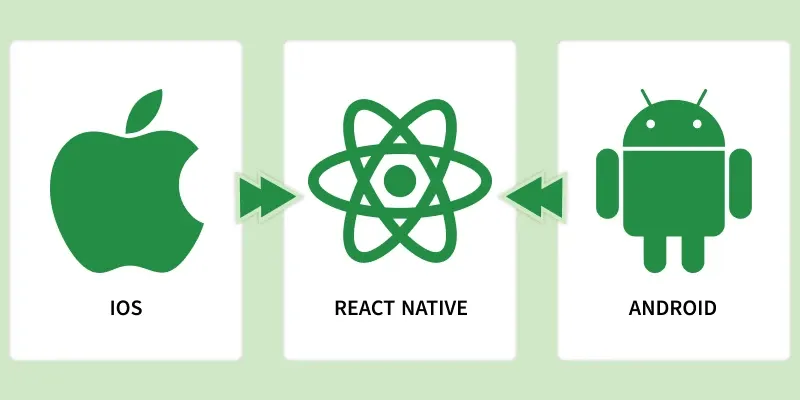
- Single codebase for both Android and iOS platforms.
- Faster development and easier maintenance compared to native apps.
- Native UI components ensure smooth performance and user experience.
// Hello World Program in React Native

import React from "react";
import { View, Text } from "react-native";

const App = () => {
  return (
    <View>
      <Text>Hello, World!</Text>
    </View>
  );
};

export default App;
- Imports React and native components (View, Text) from React Native.
- App is a functional component that defines the UI.
- View acts as a container and Text displays the message.
- App is exported so it can run as the main application component.
Prerequisite
- NodeJS should be installed in your system.
- Basic Knowledge of HTML, CSS and JS.
- Basic Knowledge of ReactJS.
Installation
Here we will use the Expo CLI version which will be much smoother to run your React Native applications. Follow the below steps one by one to setup your React native environment.
Step 1: Open your terminal and run the below command.
npm install -g expo-cliStep 2: Now expo-cli is globally installed so you can create the project folder by running the below command.
expo init "projectName"Step 3: Now go into the created folder and start the server by using the following command.
cd "projectName"
npm start web
Working of React Native
React Native works by allowing JavaScript code to communicate with native platform code (Android and iOS) to render real native UI components instead of web views.
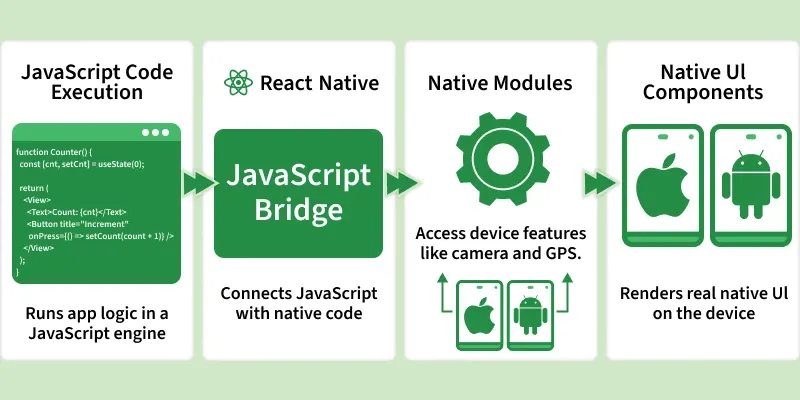
1. JavaScript Code Execution
React Native runs application logic using JavaScript.
- App logic is written in JavaScript.
- Executes inside a JavaScript engine (Hermes / JavaScriptCore).
2. JavaScript Bridge
The bridge connects JavaScript with native platform code.
- Enables communication between JS and native layers.
- Works asynchronously without blocking the UI.
3. Native Modules
Native modules provide access to device-specific features.
- Access features like camera, GPS, and storage.
- Implemented using Java/Kotlin for Android.
- Implemented using Swift/Objective-C for iOS.
4. Native UI Components
React Native components are mapped to real native UI elements.
- Components like View and Text map to native widgets.
- Ensures platform-consistent UI and behavior.
5. Rendering on Device
UI is rendered directly using native components.
- Rendering happens on the device.
- Provides smooth performance and native experience.
Features of React Native
React Native offers a powerful set of features that simplify cross-platform mobile app development while ensuring high performance and scalability across Android and iOS platforms.
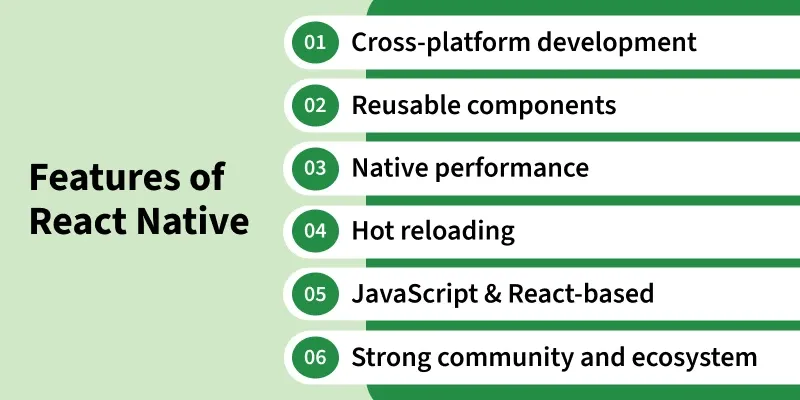
- Cross-Platform Development: Build Android and iOS applications using a single codebase, saving time and effort.
- Reusable Components: Reuse components to speed up development and maintenance.
- Native Performance: Uses native UI components, providing smooth performance and a real native look and feel.
- Hot Reloading: Instantly reflects code changes without restarting the application, improving developer productivity.
- JavaScript & React-Based: Built on JavaScript and React, uses familiar React and JavaScript concepts.
- Strong Community & Ecosystem: Backed by Meta with a large community, rich libraries, and extensive third-party support.
Core Components in React Native
React Native provides a set of built-in core components that are used to create the user interface of mobile applications. These components map directly to native UI elements on Android and iOS.
- View: Basic container component used for layout and structure
- Text: Used to display text content
- Image: Displays images from local or remote sources.
- ScrollView: Enables scrolling for large content.
- FlatList: Efficiently renders large lists of data.
- TextInput: Allows users to enter text.
- Button: Used to trigger actions on user interaction.
Applications of React Native
React Native is widely used to build cross-platform mobile applications with a single codebase. Below are its most common and practical applications:
- Cross-Platform Mobile Apps: Build Android and iOS apps using a single codebase.
- E-Commerce Applications: Create shopping apps with product listings, carts, and payments.
- Social Media Apps: Develop apps with real-time feeds, chat, and notifications.
- Business & Enterprise Apps: Build dashboards, CRM tools, and internal company applications.
React Native vs ReactJS
The comparison below highlights the key differences between React Native and ReactJS.
React Native | ReactJS |
|---|---|
Used to build cross-platform mobile applications. | Used to build web-based user interfaces |
Runs on Android and iOS devices. | Runs inside web browsers. |
Renders native UI components for better performance. | Renders HTML elements like div and span. |
Does not require a browser environment. | Requires a browser to run. |
Styling is done using StyleSheet and Flexbox. | Styling is done using CSS. |
Can access mobile device features like camera and GPS. | Can access browser-based APIs. |
Apps are distributed via Play Store and App Store. | Apps are deployed on web servers. |