
Renaming columns means changing the existing column names to more meaningful or consistent ones. We often do this to make our data easier to understand, follow naming rules or match analysis requirements. In R, you can rename multiple columns using base R functions or packages like dplyr.
- Column names can be modified using colnames() or names().
- The dplyr::rename() function provides a clean and readable approach.
- Multiple columns can be renamed at once efficiently.
Using names()
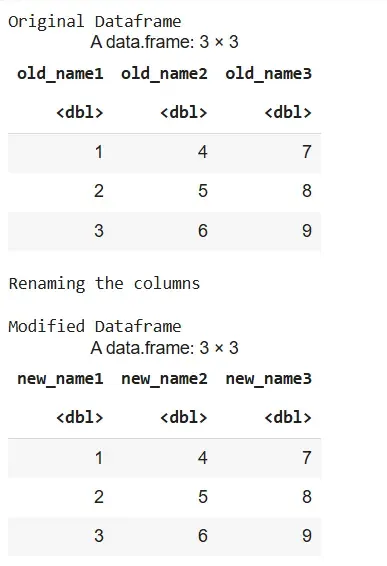
We use names() to assign a new vector of names to all columns at once.
- names(): Retrieves or sets the names of columns in a data frame.
- c(): Combines values into a vector.
- data.frame(): Creates a table like structure.
- cat(): Prints text without quotes or structure formatting.
df <- data.frame(
  old_name1 = c(1, 2, 3),
  old_name2 = c(4, 5, 6),
  old_name3 = c(7, 8, 9)
)
cat("Original Dataframe\n")
df

cat("\nRenaming the columns\n")
new_names <- c("new_name1", "new_name2", "new_name3")
names(df) <- new_names

cat("\nModified Dataframe\n")
df
Output:
Using colnames()
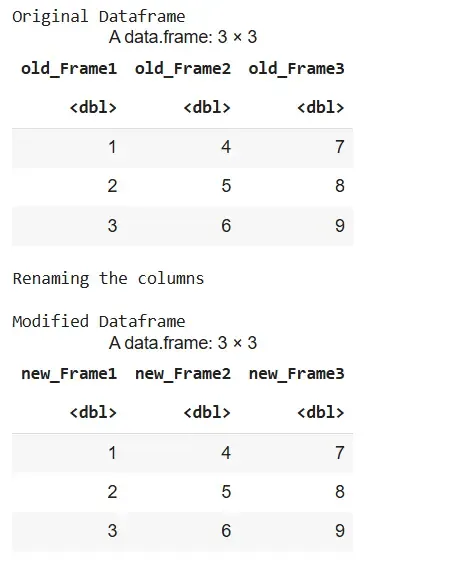
We use colnames() to change all column names similarly to names().
- colnames(): Gets or sets the column names of a data frame.
- c(): Combines values into a vector.
- data.frame(): Creates a table like structure.
- cat(): Prints text without quotes or structure formatting.
df <- data.frame(
  old_Frame1 = c(1, 2, 3),
  old_Frame2 = c(4, 5, 6),
  old_Frame3 = c(7, 8, 9)
)
cat("Original Dataframe\n")
df

cat("\nRenaming the columns\n")
new_names <- c("new_Frame1", "new_Frame2", "new_Frame3")
colnames(df) <- new_names

cat("\nModified Dataframe\n")
df
Output:
Using dplyr
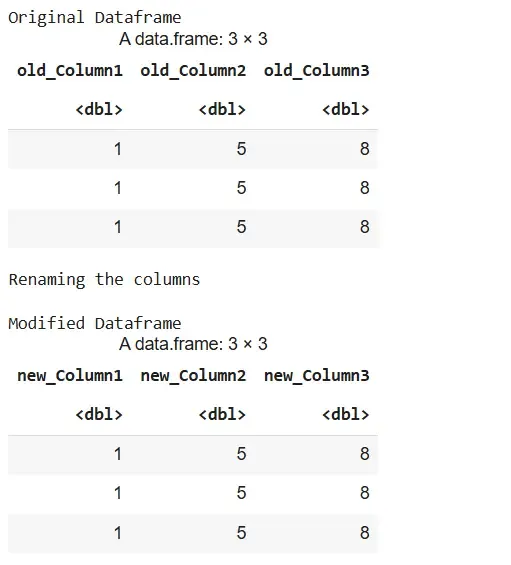
We use rename() from the dplyr package to rename specific columns using the format new = old.
- library(): Loads external packages like dplyr.
- rename(): Used to rename specific columns in a data frame.
- %>%: Passes the data frame to the next operation.
- cat(): Prints text without quotes or structure formatting.
library(dplyr)

df <- data.frame(
  old_Column1 = c(1, 1, 1),
  old_Column2 = c(5, 5, 5),
  old_Column3 = c(8, 8, 8)
)
cat("Original Dataframe\n")
df

cat("\nRenaming the columns\n")
df <- df %>%
  rename(new_Column1 = old_Column1,
         new_Column2 = old_Column2,
         new_Column3 = old_Column3)

cat("\nModified Dataframe\n")
df
Output:
Using Column Index in dplyr
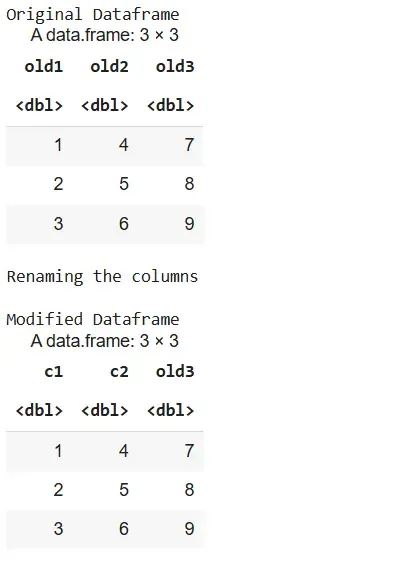
We use column positions with !! and rename() to rename specific columns by index.
- library(): Loads external packages like dplyr.
- rename(): Used to rename columns using index.
- !!: Unquotes column index for tidy evaluation.
- %>%: Chains data operations in sequence.
- cat(): Prints text without quotes or structure formatting.
library(dplyr)

my_dataframe <- data.frame(
  old1 = c(1, 2, 3),
  old2 = c(4, 5, 6),
  old3 = c(7, 8, 9)
)
cat("Original Dataframe\n")
my_dataframe

cat("\nRenaming the columns\n")
my_dataframe <- my_dataframe %>%
  rename(c1 = !!1, c2 = !!2)

cat("\nModified Dataframe\n")
my_dataframe
Output:
Using setnames()
We use setnames() from the data.table package to rename multiple columns in place.
- library(): Loads external packages like data.table.
- setnames(): Replaces old column names with new ones.
- data.table: Creates high performance data table objects.
- cat: Prints text without quotes or structure formatting.
library(data.table)

my_data_table <- data.table(
  oldName1 = c(1, 2, 3),
  oldName2 = c(4, 5, 6),
  oldName3 = c(7, 8, 9)
)
cat("Original Dataframe\n")
my_data_table

cat("\nRenaming the columns\n")
new_names <- c("newName1", "newName2", "newName3")
setnames(my_data_table, old = c("oldName1", "oldName2", "oldName3"), new = new_names)

cat("\nModified Dataframe\n")
my_data_table
Output:
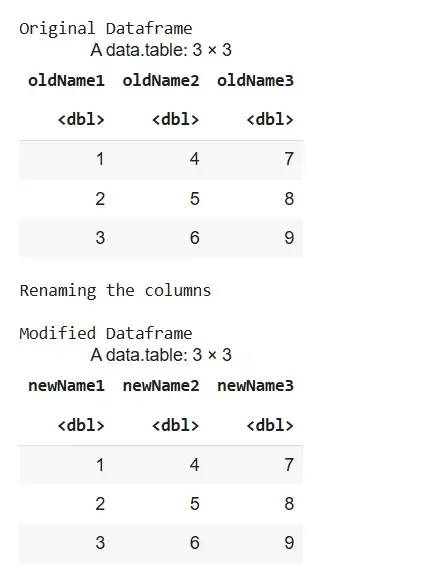
The column names are changed from oldName1, oldName2, oldName3 to newName1, newName2, newName3, while the data remains unchanged. The output confirms the renaming in a data.table format.