
Servlets provide mechanisms to control how a client request is handled and how responses are delivered between web resources. In Java web applications, request forwarding and redirection are commonly used to navigate users between servlets, JSP pages, and other resources efficiently.
- Helps manage request flow and page navigation in web applications.
- Commonly used for transferring control between servlets, JSPs, and client requests.
forward() method
The forward() method is used to transfer the same request and response from one servlet to another resource such as another servlet, JSP page, or HTML file within the same server. This forwarding process happens completely on the server side without creating a new client request.
- The browser URL does not change during forwarding.
- The same request and response objects are shared between resources.
- Execution remains on the server side only.
- It is faster than redirection since no additional client request is made.
Syntax
RequestDispatcher rd = request.getRequestDispatcher("resource");|
rd.forward(request, response);
Steps to Implement forward() Method
Follow these steps to forward a response from one servlet to another servlet by using forward() method.
Step 1: Create Dynamic Web Project
Create a Dynamic Web Project in Eclipse.
- Open Eclipse IDE
- Click on File -> New -> Dynamic Web Project
- Enter project name as ServletCall
- Configure Apache Tomcat Server
- Click on Finish
Step 2: Create HTML Page
Create Home.html inside the WebContent folder to accept two numbers from the user. When the user submits the form, the request goes to /add.
<!DOCTYPE html>
<html>
<body>
<h3>Enter two numbers to find Sum and Average</h3>

<form action="add" method="get">
    First Number: <input type="text" name="x"><br/>
    Second Number: <input type="text" name="y"><br/>
    <input type="submit">
</form>

</body>
</html>
Step 3: Create First Servlet
Create the first servlet AddNum.java to receive the request, calculate the sum, and forward the request to another servlet
@WebServlet("/add")
public class AddNum extends HttpServlet {

    protected void doGet(HttpServletRequest req, HttpServletResponse resp)
            throws ServletException, IOException {

        int x = Integer.parseInt(req.getParameter("x"));
        int y = Integer.parseInt(req.getParameter("y"));

        int sum = x + y;

        // Store sum in request scope
        req.setAttribute("sum", sum);

        RequestDispatcher rd = req.getRequestDispatcher("avg");
        rd.forward(req, resp);
    }
}
Step 4: Create Second Servlet
Create a second servlet to perform the average operation and send the response.
import java.io.*;
import javax.servlet.*;
import javax.servlet.annotation.WebServlet;
import javax.servlet.http.*;

@WebServlet("/avg")
public class AvgNum extends HttpServlet {

    protected void doGet(HttpServletRequest req,
                         HttpServletResponse resp)
        throws ServletException, IOException
    {

        int sum = (int)req.getAttribute("sum");

        float avg = sum / 2.0f;

        PrintWriter out = resp.getWriter();

        out.println("<h2>Sum is: " + sum + "</h2>");
        out.println("<h2>Average is: " + avg + "</h2>");
    }
}
Step 5: Run Your Application
Run the project on the server.
Run As -> Run on Server
Step 6: Open The browser
Open the browser and execute:
http://localhost:8081/ServletCall/Home.html
Now form is open on your browser screen.
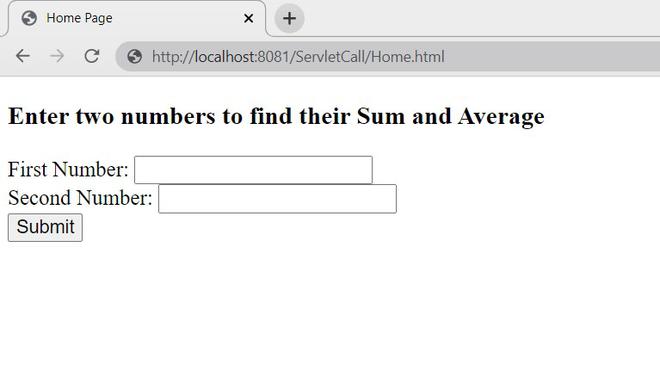
Enter the values and click on submit.
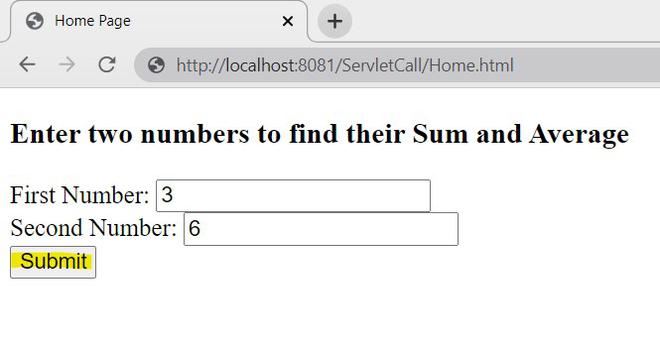
Output:
So, the output will be as follow,
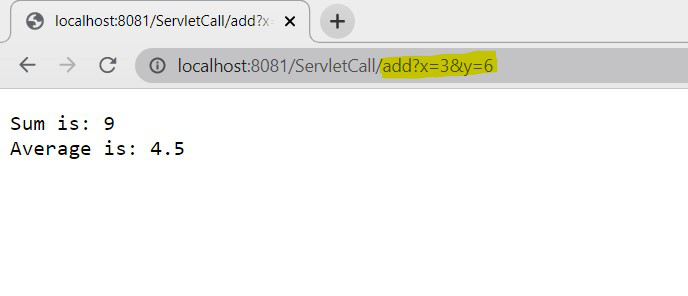
Explanation:
- The request first goes to AddNum.java.
- AddNum.java calculates the sum and forwards the request to AvgNum.java.
- AvgNum.java receives the same request object, calculates the average, and sends the final response to the browser.
Observe the URL
After forwarding, the browser URL still shows
/add
This happens because forward() works completely on the server side and does not create a new client request.
sendRedirect() Method
The sendRedirect() metho is used to redirect the client request from one resource to another resource using a new request. In this method, the server sends a response to the browser, and then the browser creates a completely new request for the redirected resource.
- Browser URL changes after redirection.
- A new request and response objects are created.
- Request attributes are not shared with the redirected resource.
- It can redirect requests to another server or external website.
Syntax
response.sendRedirect("url");
Steps to implement sendRedirect() method
We will use the same example used in the forward() method. follow these steps to implements sendRedirect() method.
Step 1: Create Home.html
Create Home.html inside the WebContent folder to accept two numbers from the user. When the user submits the form, the request goes to /add.
<!DOCTYPE html>
<html>
<body>
<h3>Enter two numbers to find Sum and Average</h3>

<form action="add" method="get">
    First Number: <input type="text" name="x"><br/>
    Second Number: <input type="text" name="y"><br/>
    <input type="submit">
</form>

</body>
</html>
Step 2: Create First Servlet
sendRedirect() sends a response to the browser and instructs it to create a new request for the avg servlet along with the sum value
@WebServlet("/add")
public class AddNum extends HttpServlet {

    protected void doGet(HttpServletRequest req, HttpServletResponse resp)
            throws ServletException, IOException {

        int num1 = Integer.parseInt(req.getParameter("x"));
        int num2 = Integer.parseInt(req.getParameter("y"));

        int sum = num1 + num2;

        resp.sendRedirect("avg?sum=" + sum);
    }
}
Step 3: Create Second Servlet
Since sendRedirect() creates a new request, the sum value is received using getParameter() instead of getAttribute()
@WebServlet("/avg")
public class AvgNum extends HttpServlet {

    protected void doGet(HttpServletRequest req, HttpServletResponse resp)
            throws ServletException, IOException {

        int sum = (int) req.getAttribute("sum");
        float avg = sum / 2.0f;

        PrintWriter out = resp.getWriter();
        out.println("Sum is: " + sum);
        out.println("Average is: " + avg);
    }
}
Step 4: Run The Application
Run the project on the server using:
Run As -> Run on Server
Step 5: Open The Browser
Open the browser and execute:
http://localhost:8081/ServletCall/Home.html
The HTML form will open in the browser and Enter the values and click on Submit.
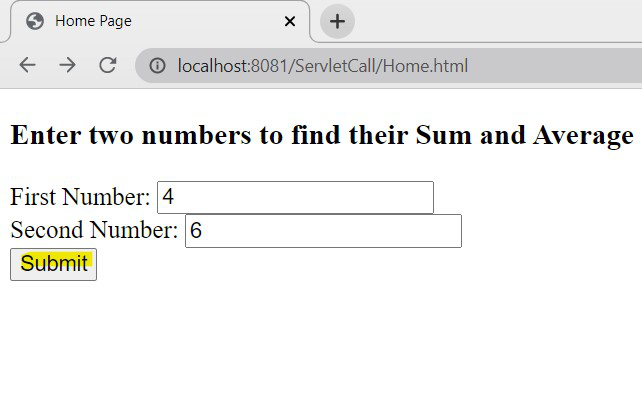
Output :
The output displays both the sum and average values in the browser.
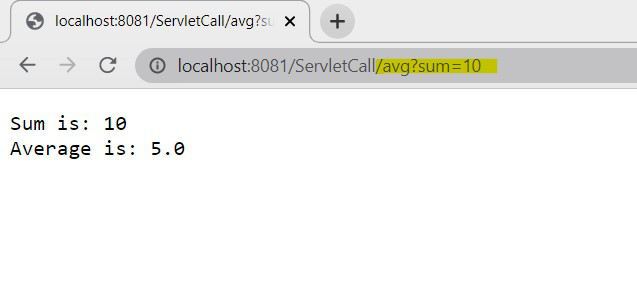
Explanation:
- The request first goes to AddNum.java.
- AddNum.java calculates the sum.
- sendRedirect() redirects the browser request to AvgNum.java.
- Browser creates a completely new request for the avg servlet.
- AvgNum.java calculates the average and sends the final response.
forward() vs sendRedirect()
| Feature | forward() | sendRedirect() |
|---|---|---|
| URL Change | No | Yes |
| Request Object | Same request object is used | New request object is created |
| Response Object | Same response object is used | New response object is created |
| Processing Type | Server-side | Client-side |
| Request Attributes Sharing | Possible | Not possible directly |
| Performance | Faster | Slower |
| Browser Involvement | No | Yes |
| Cross-server Support | No | Yes |
| Data Transfer | Uses setAttribute() and getAttribute() | Uses URL parameters |
| Resource Type | Internal resources only | Internal and external resources |
| Network Calls | No additional network call | Extra client request is created |
| Common Usage | Servlet/JSP communication | Page redirection and external navigation |