An HTML unordered list is used to group related items where the order is not important, typically displayed with bullet points.
- Uses <ul> and <li> tags to structure list items
- Displays items with default bullets (can be styled using CSS)
- Supports nesting to represent hierarchical data
<!DOCTYPE html>
<html>
<head>
    <title></title>
</head>
<body>
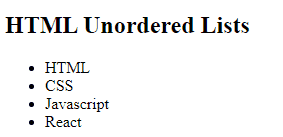
    <h2>HTML Unordered Lists</h2>
    <ul>
        <li>HTML</li>
        <li>CSS</li>
        <li>Javascript</li>
        <li>React</li>
    </ul>
</body>
</html>
Output:
Syntax:
<ul> <li>Item 1</li> <li>Item 2</li></ul>- <ul>: This tag defines the unordered list. It tells the browser that the following items are part of a list where the order does not matter.
- <li>: This tag defines each list item. Each <li> represents an individual item in the list.
Unordered Lists Style Types
In HTML, unordered lists (<ul>) are used to display items without any specific order, and by default, they show bullet points. However, the appearance of these bullets can be changed using CSS with different styles.
1. Square Bullet Style
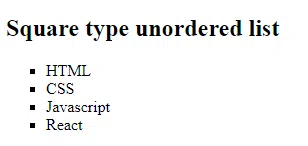
To change the bullets in an unordered list to squares, the list-style-type property in CSS can be set to square.
<!DOCTYPE html>
<html>
<head>
    <title></title>
</head>
<body>
    <h2>Square type unordered list</h2>
    <ul style="list-style-type: square">
        <li>HTML</li>
        <li>CSS</li>
        <li>Javascript</li>
        <li>React</li>
    </ul>
</body>
</html>
Output:
2. Circle Bullet Style
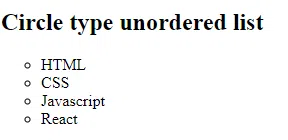
To change the bullets in an unordered list to circles, the list-style-type property in CSS can be set to circle.
<!DOCTYPE html>
<html>
<head>
    <title></title>
</head>
<body>
    <h2> Circle type unordered list</h2>
    <ul style="list-style-type:circle;">
        <li>HTML</li>
        <li>CSS</li>
        <li>Javascript</li>
        <li>React</li>
    </ul>
</body>
</html>
Output:
3. Removing Bullets
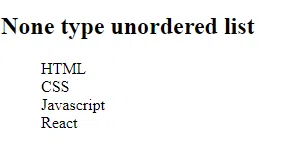
To remove the default bullets in an unordered list, the list-style-type property in CSS can be set to none.
<!DOCTYPE html>
<html>
<head>
    <title></title>
</head>
<body>
    <h2>None type unordered list</h2>
    <ul style="list-style-type:none;">
        <li>HTML</li>
        <li>CSS</li>
        <li>Javascript</li>
        <li>React</li>
    </ul>
</body>
</html>
Output:
4. Nested Unordered List
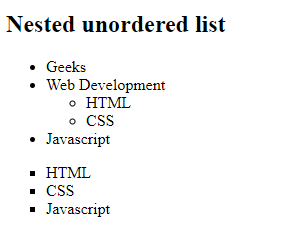
A nested unordered list is simply an unordered list (<ul>) inside another list item (<li>) of an existing unordered list. This is useful for representing hierarchical or grouped information, like categories and subcategories.
<!DOCTYPE html>
<html>
<head>
    <title></title>
</head>
<body>
    <h2>Nested unordered list</h2>
    <ul>
        <li>Geeks</li>
        <li>
            Web Development
            <ul>
                <li>HTML</li>
                <li>CSS</li>
            </ul>
        </li>
        <li>Javascript</li>
    </ul>
    <ul type="square">
        <li>HTML</li>
        <li>CSS</li>
        <li>Javascript</li>
    </ul>
</body>
</html>
Output:
5. Horizontal Unordered List
The unordered list may need to be displayed horizontally, such as in a navigation menu. This can be accomplished with the help of CSS.
<!DOCTYPE html>
<html>
<head>
    <title></title>
    <style>
        body {
            text-align: center;
        }
        ul {
            overflow: hidden;
            background-color: #1d6b0d;
            list-style-type: none;
        }
        li {
            float: left;
        }
        li a {
            text-decoration: none;
            color: white;
            padding: 0.5rem;
        }
    </style>
</head>
<body>
    <h3>HTML Horizontal Unordered List</h3>
    <ul>
        <li><a href="#course">Course</a></li>
        <li><a href="#Blog">Blogs</a></li>
        <li>
            <a href="#Content">Content</a>
        </li>
    </ul>
</body>
</html>
Output:

Using Unordered Lists for Navigation
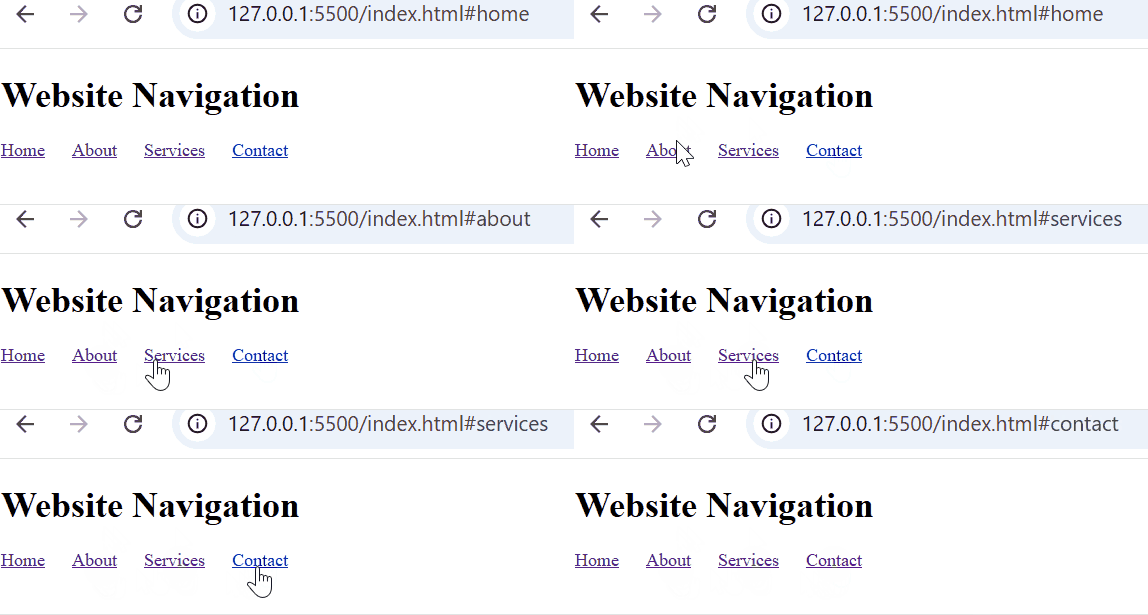
Unordered lists are often used for creating navigation menus on websites. They are great for displaying a list of links where the order of the items doesn’t matter.
<!DOCTYPE html>
<html>
<head>
    <title></title>
    <style>
        ul {
            list-style-type: none;
            padding: 0;
        }
        li {
            display: inline;
            margin-right: 20px;
        }
    </style>
</head>
<body>
    <h1>Website Navigation</h1>
    <ul>
        <li><a href="#home">Home</a></li>
        <li><a href="#about">About</a></li>
        <li><a href="#services">Services</a></li>
        <li><a href="#contact">Contact</a></li>
    </ul>
</body>
</html>
Output: