
The window outerWidth property is used for returning the outer width of the browser window. It includes all the interface elements such as toolbars, scrollbars, etc. It is a read-only property and returns a number which represents the width of the browser’s window in pixels.
Syntax
window.outerWidthReturn Values:
It returns a numeric value that represents the browser's window width, includes all interface elements, in pixels
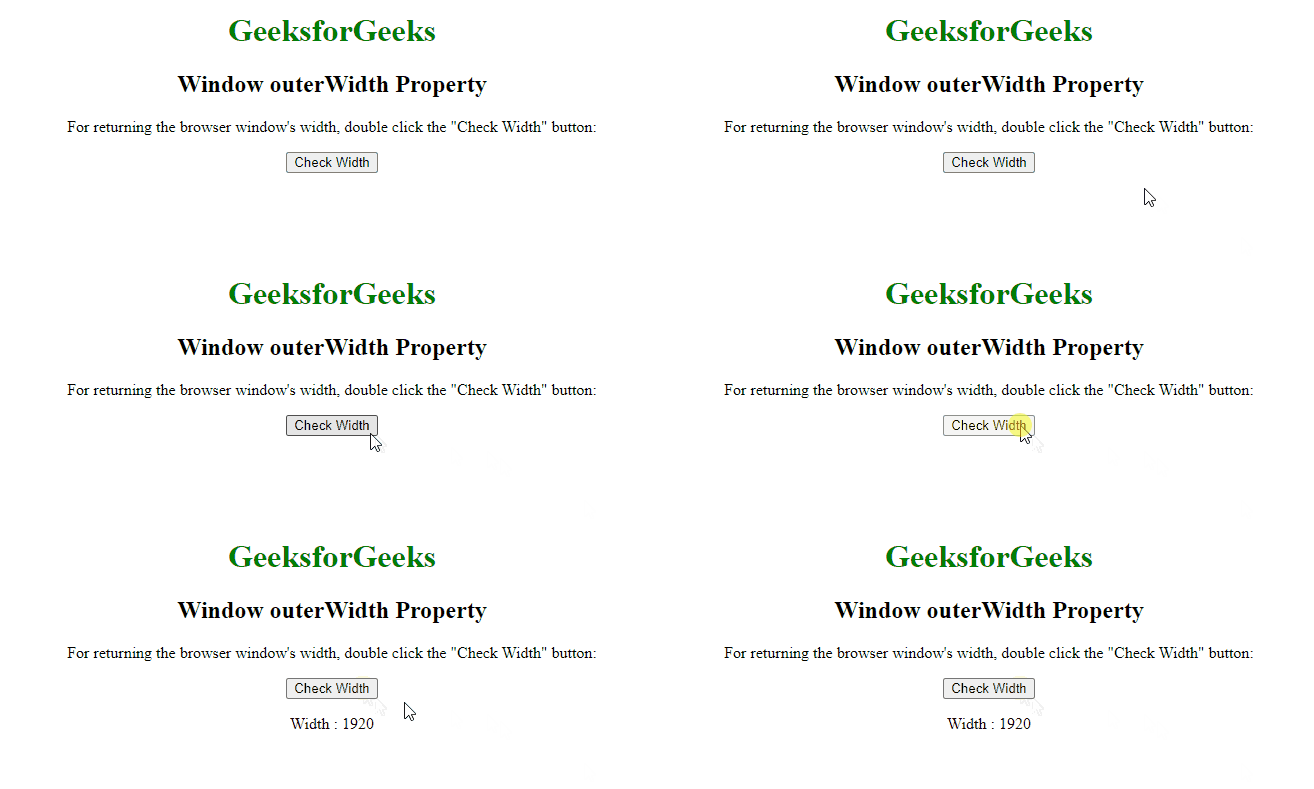
Example: This example shows the use of "window.outerWidth" property.
<!DOCTYPE html>
<html>

<head>
    <title>
        Window outerWidth Property in HTML
    </title>
    <style>
        h1 {
            color: green;
        }

        body {
            text-align: center;
        }
    </style>
</head>

<body>
    <h1>GeeksforGeeks</h1>
    <h2>Window outerWidth Property</h2>
    <p>
        For returning the browser window's width,
        double click the "Check Width" button:
    </p>
    <button onclick="pixel()">
        Check Width
    </button>
    <p id="outerwidth"></p>
    <script>
        function pixel() {
            let width = window.outerWidth;
            document.getElementById("outerwidth").innerHTML =
                "Width : " + width;
        }
    </script>
</body>

</html>
Output:
Supported Browsers
- Google Chrome 1
- Edge 12
- Internet Explorer 9
- Firefox 1
- Opera 9
- Safari 3