
The Window btoa() method is used for encoding a string in base-64 format.
The characters used by the Window btoa() method to encode the string are "A-Z", "a-z", "0-9", "+", "/" and "=" .
Syntax:
window.btoa(String)
Parameters Used:
- String: It is a mandatory parameter which specifies the string to be encoded.
Return Value: It returns a string that represents the encoded string of base-64.
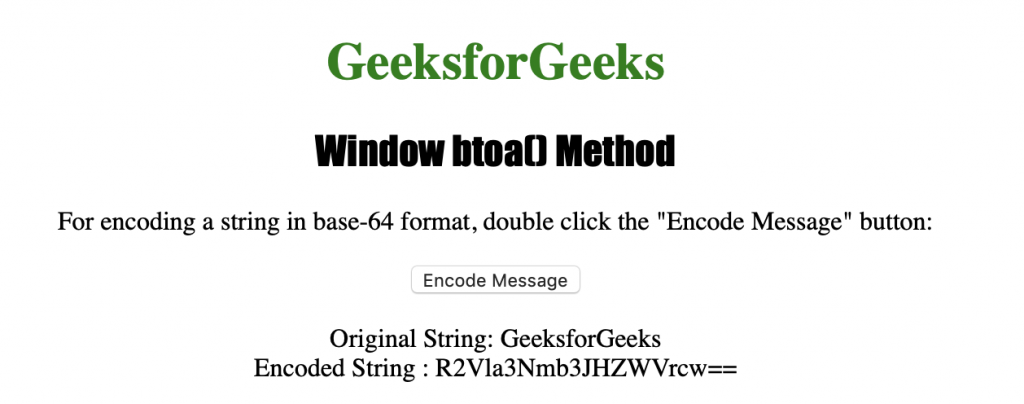
Below program illustrates the Window btoa() Method:
Encoding a string in base-64 format.
<!DOCTYPE html>
<html>

<head>
    <title>
      Window btoa() Method in HTML
    </title>
    <style>
        h1 {
            color: green;
        }

        h2 {
            font-family: Impact;
        }

        body {
            text-align: center;
        }
    </style>
</head>

<body>

    <h1>GeeksforGeeks</h1>
    <h2>Window btoa() Method</h2>


<p>
      For encoding a string in base-64 format,
      double click the "Encode Message" button:
    </p>


    <button ondblclick="encode()">
      Encode Message
    </button>

    <p id="myEncoding"></p>


    <script>
        function encode() {
            var original = "GeeksforGeeks";
            var encoded = window.btoa(original);

            var output = "Encoded String : " + encoded;
            document.getElementById("myEncoding").innerHTML =
              "Original String: " + original + "<br>" + output;
        }
    </script>

</body>

</html>
Output:

After clicking the button:
Supported Browsers: The browser supported by Window btoa( ) Method are listed below:
- Google Chrome 4
- Edge 12
- Internet Explorer 10
- Firefox 1
- Opera 10.5
- Safari 3