
The DOM tagName Property is used to return the tagname of the Element. It is read-only property and used to display the returned value of tagName in UPPERCASE letters.
Syntax:
element.tagName
Return Value: It returns a string value which represent the tagName of the element in UPPERCASE letters.
Example:
<!DOCTYPE html>
<html>
<head>
    <style>
        h1 {
            color: green;
            font-size: 35px;
        }
    </style>
</head>

<body>
    <center>
        <h1>GeeksForGeeks</h1>
        <h2 id="GFG">DOM tagName Property</h2>
            <button onclick="Geeks()">Submit</button>
            <p id="sudo"></p>

            <script>
                function Geeks() {
                    var w = document.getElementById("GFG").tagName;
                    document.getElementById("sudo").innerHTML = w;
                }
            </script>
      </center>
</body>
</html>
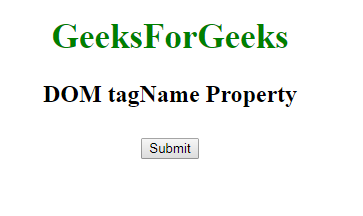
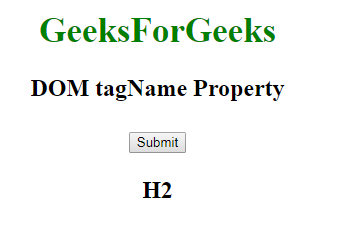
Output:
Before clicking on the button:
After clicking on the button:
Supported Browsers: The browser supported by DOM tagName property are listed below:
- Google Chrome 1
- Edge 12
- Internet Explorer 5
- Firefox 1
- Opera 8
- Safari 1