
The DOM Style borderImage Property in HTML is a shorthand property used for setting the borderImageSource, borderImageSlice, borderImageWidth,borderImageOutset, and borderImageRepeat properties.
Syntax:
- It is used to return the borderImage property.
object.style.borderImage
- It is used to set the borderImage property.
object.style.borderImage = "source slice width outset repeat|
initial|inherit"
Property Values: In the borderImage property there is 7 property value which is mentioned above described below:
- border-Image-Source: This parameter holds the source image that will be used.
- border-Image-Slice: This parameter specifies the inward offsets of the image-border.
- border-Image-Width: This parameter holds the width of the used image border.
- border-Image-Outset: This parameter defines which of the border area should be extended.
- border-Image-Repeat: This parameter defines that the border should be repeated, rounded, or stretched.
- initial: This property value is used to set this property to its default value.
- inherit: This property value is used to inherit this property from its parent element.
Return Values: It returns a string value that represents the border-image property of an element.
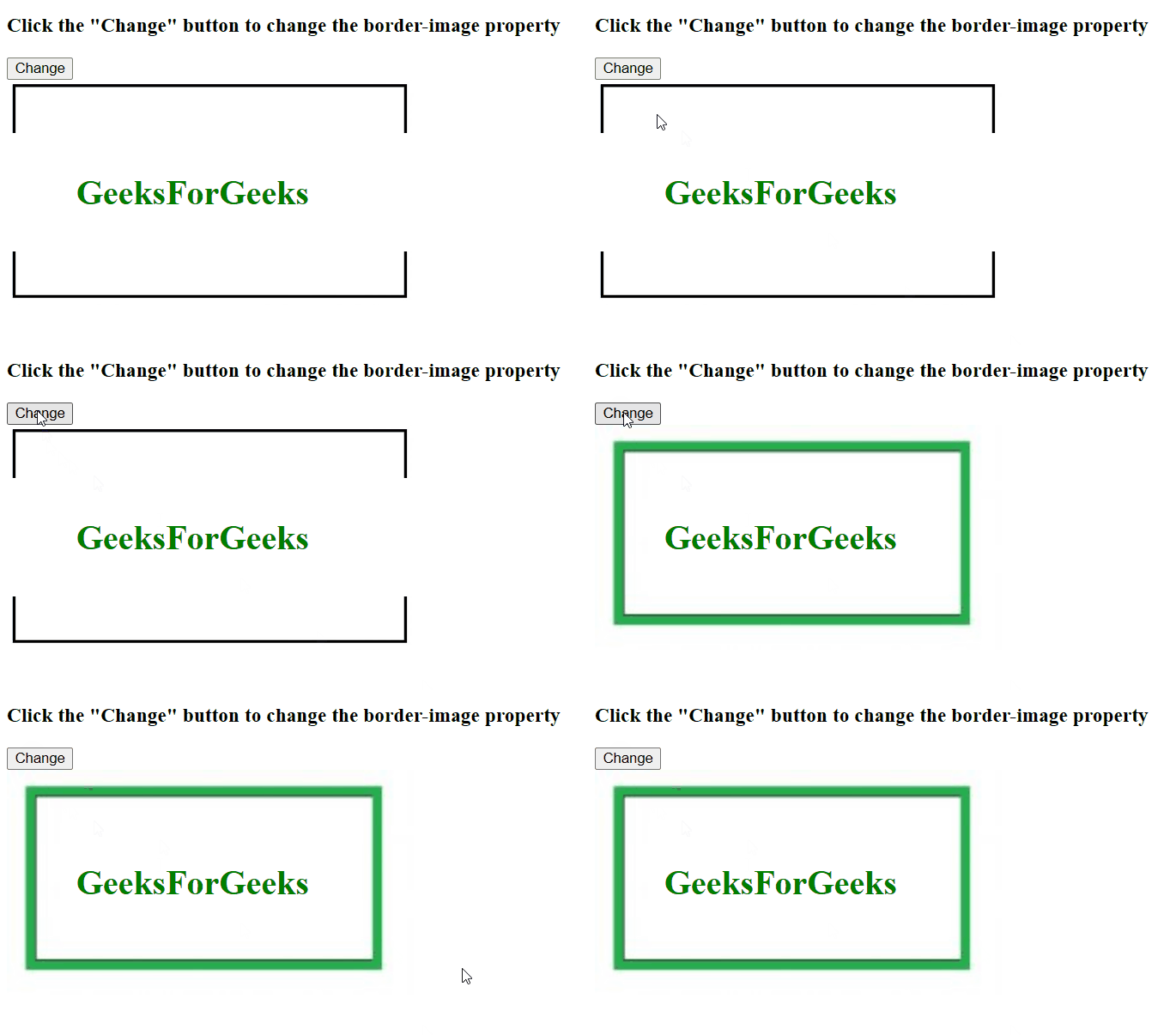
Example 1: This show how to change the border-image.
<!DOCTYPE html>
<html>

<head>
    <style>
        #my {
            border: 50px solid transparent;
            width: 250px;
            padding: 15px 15px;

            -webkit-border-image:
url(https://media.geeksforgeeks.org/wp-content/uploads/bord-1-300x161.jpg)
            100 100 stretch;

           -o-border-image:
url(https://media.geeksforgeeks.org/wp-content/uploads/bord-1-300x161.jpg)
            100 100 stretch;

            border-image:
url(https://media.geeksforgeeks.org/wp-content/uploads/bord-1-300x161.jpg)
            100 100 stretch;
        }
    </style>
</head>

<body>
    <h3>
          Click the "Change" button to change the
          border-image property
      </h3>
    <button onclick="myFunction()">Change</button>
    <div id="my">
        <h1>
            <font color="green">GeeksForGeeks</font>
        </h1>
    </div>

    <script>
        function myFunction() {
          // Code for Safari 5
            document.getElementById("my").style.WebkitBorderImage =
"url(https://media.geeksforgeeks.org/wp-content/uploads/bord1-1-300x162.jpg)30 30 round";

            // < !--Code for Opera 12 -- >
                document.getElementById("my").style.OBorderImage =
"url(https://media.geeksforgeeks.org/wp-content/uploads/bord1-1-300x162.jpg)30 30 round";

            document.getElementById("my").style.borderImage =
"url(https://media.geeksforgeeks.org/wp-content/uploads/bord1-1-300x162.jpg)30 30 round";
        }
    </script>
</body>

</html>
Output:
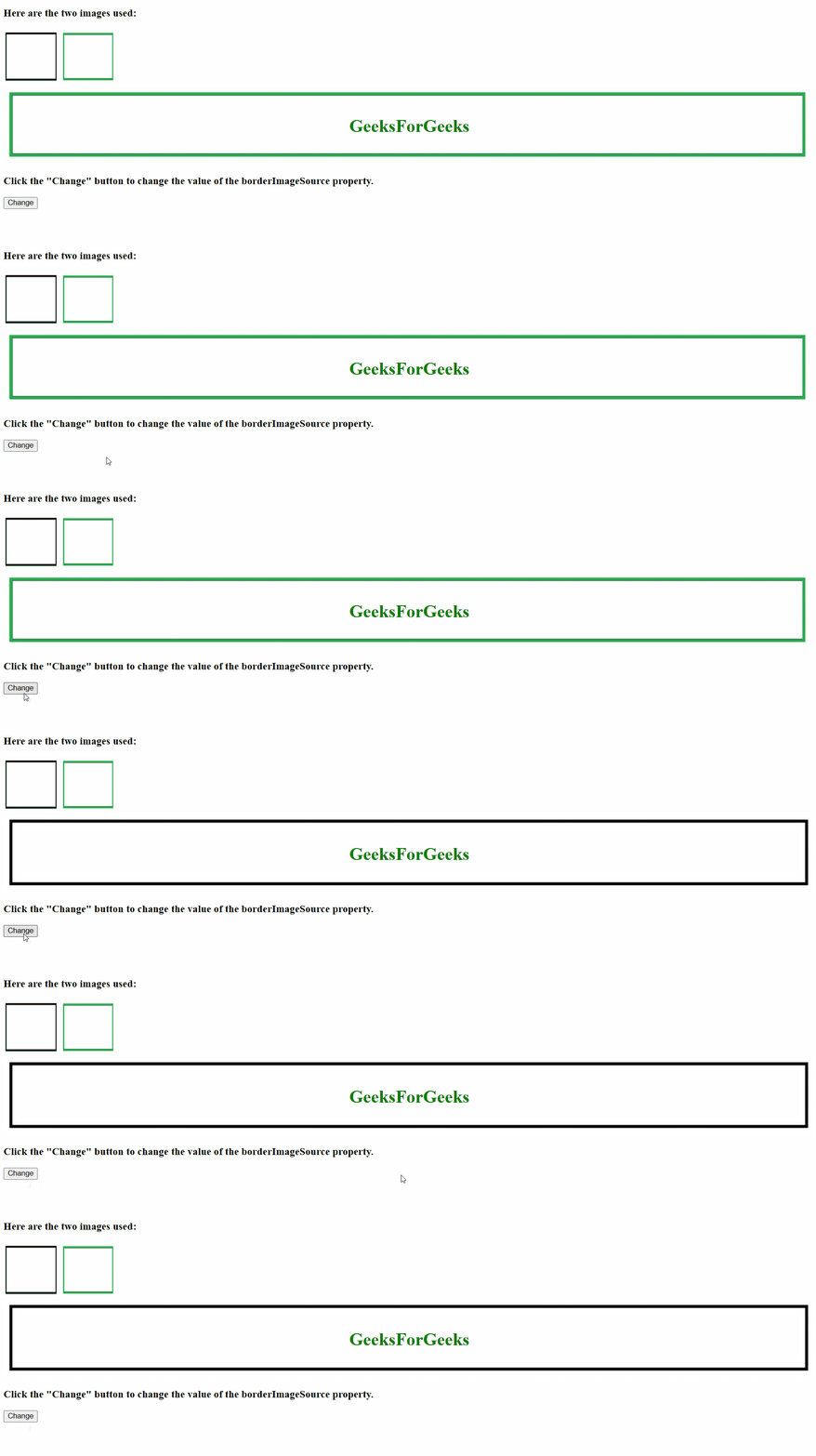
Example 2: Style borderImageSource Property.
<!DOCTYPE html>
<html>

<head>
    <style>
        div {
            border: 30px solid transparent;
            border-image:
url(https://media.geeksforgeeks.org/wp-content/uploads/bord1-1-300x162.jpg);
            border-image-slice: 30;
            border-image-width: 1 1 1 1;
            border-image-outset: 0;
            border-image-repeat: round;
        }
    </style>
</head>
<body>
    <h3>Here are the two images used:</h3>
    <img src=
"https://media.geeksforgeeks.org/wp-content/uploads/bord-1-300x161.jpg"
         height="100" width="100">
    <img src=
"https://media.geeksforgeeks.org/wp-content/uploads/bord1-1-300x162.jpg"
         height="100" width="100">

    <div id="main">
        <h1><center><font color="green" >
          GeeksForGeeks
         </font></center></h1>
    </div>
    <h3>
          Click the "Change" button to change
        the value of the borderImageSource property.
      </h3>
    <button onclick="myFunction()">Change</button>

    <script>
        function myFunction() {
            document.getElementById("main").style.borderImageSource =
"url(https://media.geeksforgeeks.org/wp-content/uploads/bord-1-300x161.jpg)";
        }
    </script>
</body>

</html>
Output:
Supported Browsers: The browser supported by DOM Style borderImage Property are listed below:
- Google Chrome 16.0
- Edge 12.0
- Internet Explorer 11.0
- Firefox 15.0
- Opera 11.0
- Safari 6.0