
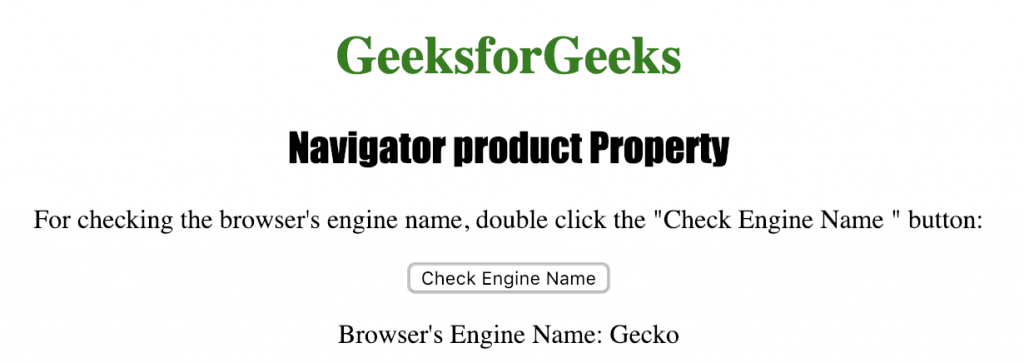
The Navigator product property is used for returning the browser's engine(product) name. It is a read-only property and generally returns "gecko" for most of the browsers. It returns a string representing the engine name of the browser.
Syntax:
navigator.product
Return Value: A String, representing the engine name of the browser
Below program illustrates the Navigator product Property :
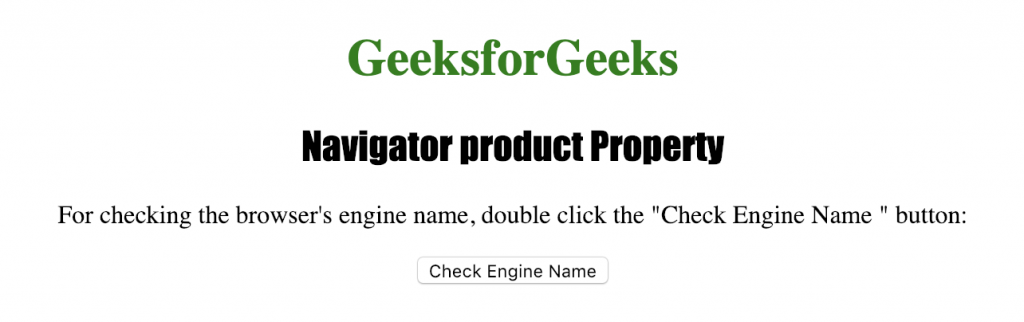
Checking whether the browser's engine name.
<!DOCTYPE html>
<html>

<head>
    <title>
      Navigator product Property in HTML
    </title>
    <style>
        h1 {
            color: green;
        }

        h2 {
            font-family: Impact;
        }

        body {
            text-align: center;
        }
    </style>
</head>

<body>

    <h1>GeeksforGeeks</h1>
    <h2>Navigator product Property</h2>


<p>
      For checking the browser's engine name,
      double click the "Check Engine Name " button: </p>


    <button ondblclick="checkengine()">
      Check Engine Name
    </button>

    <p id="name"></p>


    <script>
        function checkengine() {
            var e =
                "Browser's Engine Name: " + navigator.product;
            document.getElementById("name").innerHTML = e;
        }
    </script>

</body>

</html>
Output:
After clicking the button
Supported Browsers: The browsers supported by Navigator product property are listed below:
- Google Chrome
- Internet Explorer
- Firefox
- Opera
- Safari