
The console.timeEnd() method in HTML is used to end a timer started by the console.time() method. This can be used to calculate the time of certain operations for testing purposes.
Syntax:
console.timeEnd( label )Parameters: This method accepts single parameter label which is optional. It is used to specify the label of the timer to stop.
Example 1: The document has buttons to start and stop a timer using console.time() and console.timeEnd(). The start_timer() function begins the timer, while end_timer() stops it.
<!DOCTYPE html>
<html>

<head>
    <title>
        DOM console.timeEnd() Method
    </title>
</head>

<body>
    <h1 style="color: green">
            GeeksforGeeks
        </h1>

    <p>DOM console.timeEnd() Method</p>

    <p>
        Clicking the START TIMER button executes
        console.time() to start the timer.<br>
        Clicking the END TIMER button executes
        console.timeEnd() to end the timer.
    </p>

    <button onclick="start_timer()">
        Start Timer
    </button>

    <button onclick="end_timer()">
        End Timer
    </button>

    <script>
        // Function to start timer
        function start_timer() {
            console.log('timer started');
            console.time();
        }

        // Function to end timer
        function end_timer() {
            console.timeEnd();
        }
    </script>
</body>

</html>
Output:
 Console View:
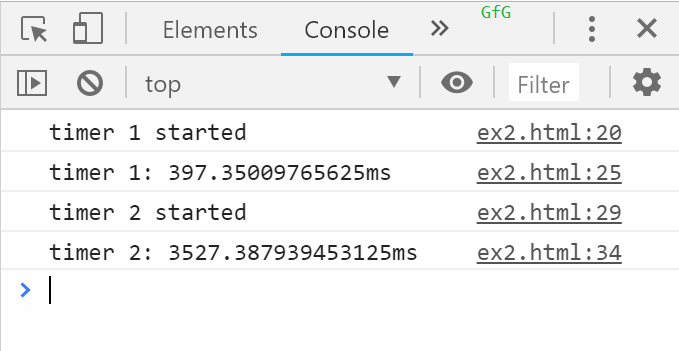
 Example 2: In this example we includes two timer pairs. Each pair has buttons to start and stop timers using console.time() and console.timeEnd(), with labels "timer 1" and "timer 2".
<!DOCTYPE html>
<html>

<head>
    <title>
        DOM console.timeEnd() Method
    </title>
</head>

<body>
    <h1 style="color: green">
            GeeksforGeeks
        </h1>

    <p>DOM console.timeEnd() Method</p>

    <p>
        Clicking the START TIMER button starts
        the timer with label 'timer 1'.<br>
        Clicking the END TIMER button ends the
        timer with label 'timer 1'.
    </p>

    <button onclick="start_timer_one()">
        Start Timer 1
    </button>

    <button onclick="end_timer_one()">
        End Timer 1
    </button>

    <p>
        Clicking the START TIMER button starts
        the timer with label 'timer 2'.<br>
        Clicking the END TIMER button ends the
        timer with label 'timer 2'.
    </p>

    <button onclick="start_timer_two()">
        Start Timer 2
    </button>

    <button onclick="end_timer_two()">
        End Timer 2
    </button>

    <script>
        // Start first timer
        function start_timer_one() {
            console.log('timer 1 started');
            console.time('timer 1');
        }

        // End first timer
        function end_timer_one() {
            console.timeEnd('timer 1');
        }

        // Start second timer
        function start_timer_two() {
            console.log('timer 2 started');
            console.time('timer 2');
        }

        // End second timer
        function end_timer_two() {
            console.timeEnd('timer 2');
        }
    </script>
</body>

</html>
Output:
 Console View:
Supported Browsers: The browser supported by console.timeEnd() Method are listed below: