
The HTML dir attribute specifies the text directionality, allowing content to be displayed from left-to-right (ltr), right-to-left (rtl), or determined automatically (`auto`) by the browser based on content.
Supported Tags: It supports all HTML elements.
Syntax
<element dir = "ltr | rtl | auto">Attribute Value
This attribute contains three values which are listed below:
| Value | Description |
|---|---|
| ltr | Default value. Text direction left-to-right. |
| rtl | Text direction right-to-left. |
| auto | Text direction determined by browser based on content. |
HTML dir Attribute examples
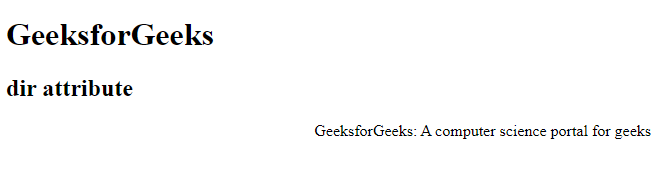
Example 1: In this example we demonstrates the use of the dir attribute set to "rtl" for right-to-left text direction in the paragraph element.
<!DOCTYPE html>
<html>

<head>
    <title>dir attribute</title>
</head>

<body>
    <h1>GeeksforGeeks</h1>
    <h2>dir attribute</h2>
    <p dir="rtl">
        GeeksforGeeks: A
        computer science portal for geeks
    </p>
</body>

</html>
Output:
Example 2: In this example we demonstrates the dir attribute set to "ltr" for left-to-right text direction in a paragraph element, displaying content accordingly.
<!DOCTYPE html>
<html>
    <head>
        <title>dir attribute</title>
    </head>

    <body>
        <h2>dir attribute</h2>
        <p dir="ltr">
            GeeksforGeeks: A computer science
            portal for geeks
        </p>
    </body>
</html>
Output:

Supported Browsers
The browser supported by dir attribute are listed below: