
The transform() method is used to replace the current transformation matrix i.e. each object on the canvas has a current transformation matrix. The transform() method is used to multiply that current transformation matrix with the matrix described below:
html 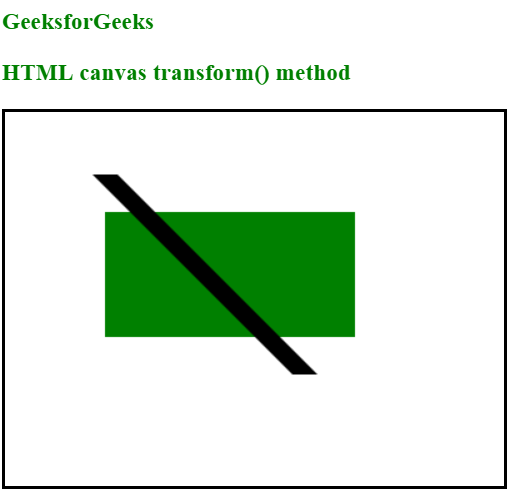 Supported Browsers:
a    c    e
b    d    f
0    0    1
It simply allows to scale, move, skew and rotate the current context. Syntax:
context.transform(a, b, c, d, e, f);Parameter Values:
- a denotes Horizontal scaling
- b denotes Horizontal skewing
- c denotes Vertical skewing
- d denotes Vertical scaling
- e denotes Horizontal moving
- f denotes Vertical moving
<!DOCTYPE html>
<html>

<body>
    <h3 style="color:green">
      GeeksforGeeks
  </h3>
    <h3 style="color:green">
      HTML canvas transform() method
  </h3>
    <canvas id="gfgCanvas"
            width="400"
            height="300"
            style="border:2px solid ;">
    </canvas>

    <script>
        var gfg = document.getElementById("gfgCanvas");
        var context = gfg.getContext("2d");

        context.fillStyle = "green";
        context.fillRect(80, 80, 200, 100)

        context.transform(1, 0, 2, 2, 10, 10);
        context.fillStyle = "black";
        context.fillRect(20, 20, 20, 80);
    </script>

</body>

</html>
- Chrome
- Mozilla Firefox
- Internet Explorer 9.0
- Opera
- Safari