
The HTML <acronym> tag was used to define an acronym, providing a way to identify and explain abbreviated terms in web content. However, it's deprecated in favor of <abbr>, which serves the same purpose but is more semantically correct.
Syntax:
<acronym title=""> Short Form </acronym>Attribute:
This tag accepts an optional attribute as mentioned above and described below:
Attribute Value | Description |
|---|---|
It is used to specify extra information about the element. When the mouse moves over the element then it shows the information. |
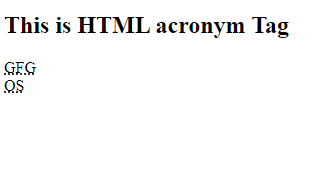
Example: In this example we uses the <acronym> tag to define abbreviations with corresponding titles for tooltips, such as "GFG" for "GeeksforGeeks" and "OS" for "Operating System".
<!DOCTYPE html>
<html>

<body>
    <h2>This is HTML acronym Tag</h2>
    <acronym title="GeeksforGeeks">
        GFG
    </acronym>
    <br />
    <acronym title="Operating System">
        OS
    </acronym>
</body>

</html>
Output:
Supported Browser: