
Power Pivot is a data modeling technique that lets you create data models, establish relationships, and create calculations. We can work on large data sets, build extensive relationships, and create complex (or simple) calculations using this Power Pivot tool. Power Pivot is one of the three data analysis tools available in Excel.
Power Pivot Compatibility
Power Pivot availability varies by Excel version and edition.
Excel Version/Edition | Power Pivot Included? | Notes |
|---|---|---|
Excel 2013, 2016, 2019, 2021, Microsoft 365 | Yes (requires enabling) | Built-in as a COM add-in; enable via Excel Options. |
Excel 2010 | No | Requires separate download and installation from Microsoft. |
Office Professional 2016 | No | Not included; use alternative tools or upgrade. |
Office Home & Student 2013, 2016 | No | Not supported. |
Office Home & Business 2013, 2016 | No | Not supported. |
Office Standard 2013 | No | Not supported. |
Office Professional 2013 | Yes | Requires enabling. |
Office for Mac, Android, RT 2013 | No | Not supported. |
Versions older than 2013 | No | Not supported. |
Installing Power Pivot in Excel 2010
- As mentioned above, the Power Pivot Add-in is not directly available in Microsoft Excel 2010 and the Add-in needs to be downloaded from the Microsoft official website - Click here.
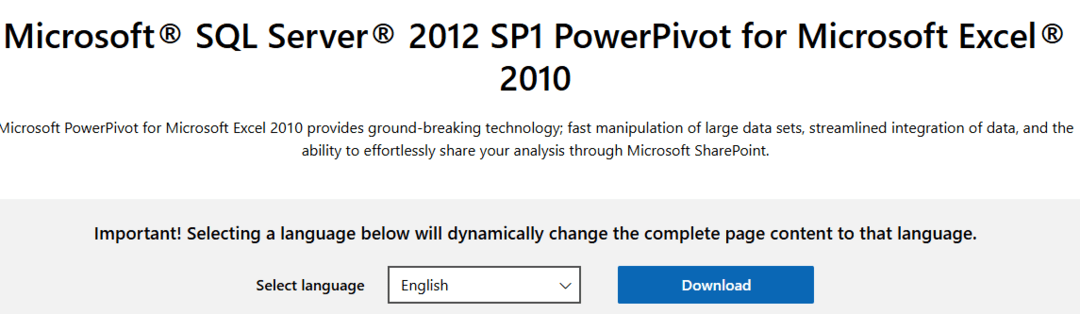
- Select the required language and click on the Download option. On the next page select the version that needs to be downloaded based on your system configurations.
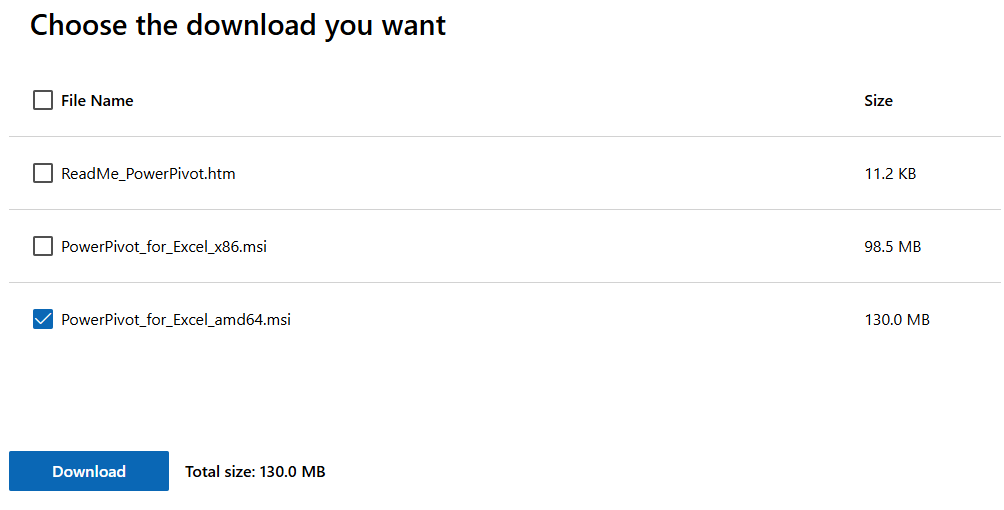
- Once the required version Add-in is downloaded successfully, double-click on it to start Installation.

- Then click on the 'Next>' button, and you will be re-directed to the license agreement screen. In the license agreement screen accept Terms and Conditions and click on the 'Next>' button.
- On the next screen click on the 'Install' button and the Installation of Add-in will start.
- Once the installation status is completed, click on the 'Finish' button and then the installation of Power Pivot Add-in for Excel 2010 is completed successfully.
- Now open Microsoft Excel 2010 and the PowerPivot tab will appear.

Enabling Power Pivot add-in in Microsoft Excel (Enabling of the add-in in versions later than 2010):
- As discussed earlier in this article, the Power Pivot tool is available as Add-in in Microsoft Excel versions 2013, 2016, 2019, 2021, and Microsoft 365. Now let us discuss enabling that Add-in.
- Open Microsoft Excel and go to File > Options > Add-Ins.
- In the Manage box, click COM Add-ins > Go.
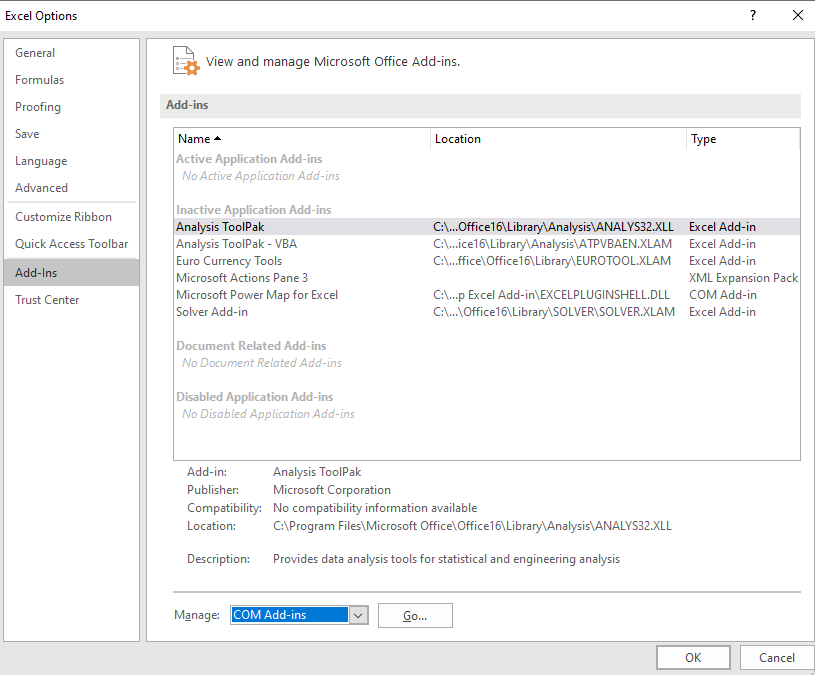
- Check the Microsoft Office Power Pivot box, and then click OK.

- Then PowerPivot tab will be displayed.