
EC2 (Elastic Compute Cloud) is a cloud computing service provided by Amazon Web Services (AWS). EC2 is an on-demand computing service on the AWS cloud platform called instances. It allows users to rent virtual servers to run applications in the cloud. You pay only for what you use.
The name itself explains its core value:
- Elastic: You can easily increase or decrease the number of instances or their size as your needs change.
- Compute: It provides the processing power, memory, and storage for your workloads.
- Cloud: It runs on AWS's massive, global data center infrastructure.
Amazon EC2 is one of the most widely used AWS services because it provides scalable and secure virtual servers in the cloud. Organizations use EC2 to host websites, deploy applications, run databases, and support enterprise workloads without investing in physical hardware.
Features of EC2
The following are the features of AWS EC2:
1. Functionality
- Provides a virtual computing platform to run operations, launch instances, and fully customize the environment
- Enhances security and allows configuration changes at any time
- Offers default AMIs and supports custom AMIs to reuse preferred configurations without reconfiguration
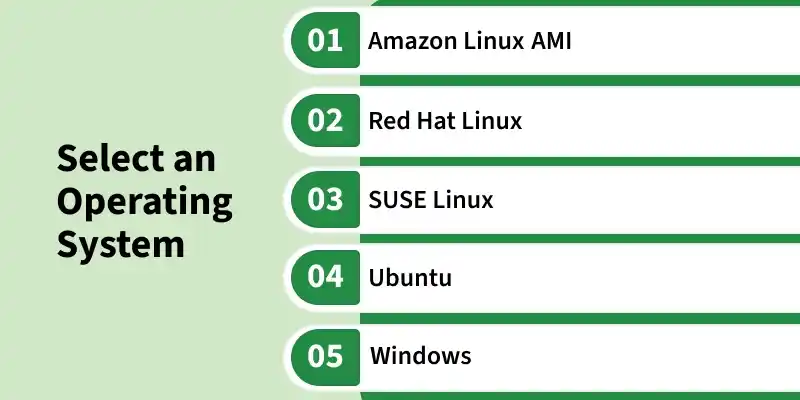
2. Operating Systems
- Provides a wide selection of operating systems when choosing an AMI
- Allows users to upload and use their own operating systems
- Offers commonly preferred operating systems directly in the EC2 console
3. Software
- Leads the cloud computing market with diverse EC2 options
- Allows users to choose from a wide range of software for EC2 instances
- Provides access to software like SAP, LAMP, and Drupal through AWS Marketplace
4. Scalability and Reliability
- Handles dynamic traffic scenarios efficiently
- Provides reliable performance through flexible volumes and snapshots
- Allows scaling up or down based on changing workload requirements
Core Components of EC2 Instance
Before launching an instance, you need to understand its five fundamental building blocks.
1. Amazon Machine Image (AMI)
- Amazon Machine Image (AMI) Provides thousands of AMIs from AWS, the community, and AWS Marketplace
- Allows users to create custom AMIs for reuse and consistency
- Acts as a software blueprint containing the operating system, patches, and required software
2. Instance Types
Instance types are the hardware profiles of your virtual server. AWS offers a vast array of instance types optimized for different tasks, grouped into families:
- t family (e.g., t2.micro, t3.large): General Purpose, burstable instances. Perfect for web servers, development environments, and small databases.
- m family (e.g., m5.xlarge): General Purpose, balanced instances with a good mix of CPU, memory, and networking.
- c family (e.g., c5.large): Compute Optimized, with a high ratio of CPU power to memory. Ideal for CPU-intensive tasks like batch processing, media transcoding, and scientific modeling.
- r family (e.g., r5.large): Memory Optimized, with a high ratio of memory to CPU. Used for memory-intensive applications like large databases or in-memory caches.
- g family (e.g., g4dn.xlarge): GPU-based instances designed for machine learning, graphics processing, and video rendering.
Family | Purpose | Example Use Case |
|---|---|---|
T | General Purpose (Burstable) | Small websites, development |
M | Balanced Compute & Memory | Enterprise applications |
C | Compute Optimized | Batch processing, analytics |
R | Memory Optimized | Databases, caching |
G | GPU Optimized | AI/ML, graphics rendering |
3. Elastic Block Store (EBS) Volumes
- Elastic Block Store (EBS) Provides durable, block-level storage attached to EC2 instances
- Acts as a virtual hard drive for storing data
- Persists data independently and can be detached and reattached to different instances
4. Security Groups
A Security Groups acts as a virtual firewall for your EC2 instance, controlling all inbound and outbound traffic. You define rules that specify which protocols (e.g., SSH, HTTP), ports (e.g., 22, 80), and IP address ranges are allowed to send traffic to or receive traffic from your instance.
5. Key Pairs
A Key Pairs consisting of a public key and a private key, is the set of security credentials used to prove your identity when connecting to a Linux EC2 instance. AWS stores the public key, and you are responsible for securely storing the private key file (.pem). You will use this private key to SSH into your instance.
Working of AWS EC2
Instead of buying and managing your own servers, EC2 gives you a virtual machine, where you can run websites, apps, or even big data tasks.
- Users can choose the required CPU, memory, and storage resources and stop or terminate instances when they are no longer needed.
- EC2 offers secure, reliable, high-performance, and cost-effective infrastructure.
- Deploy applications without managing physical hardware.
- Secure your instance using VPC, Subnets, and Security Groups.
- Attach Auto Scaling to scale EC2 based on demand.
- Automatically scale up or down based on traffic.
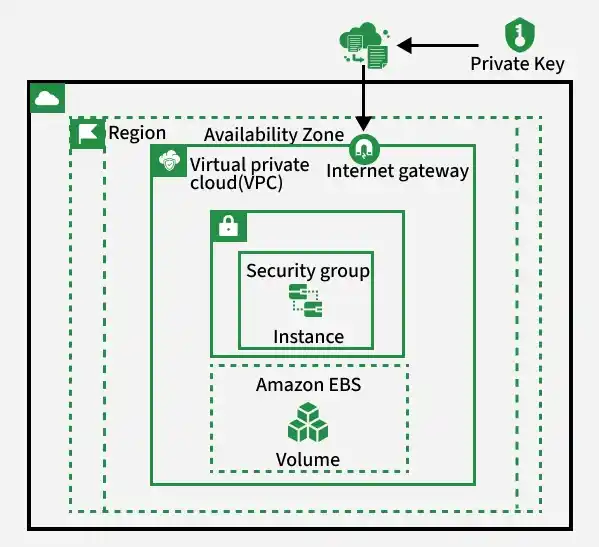
The following figure shows the EC2-Instance which is deployed in VPC (Virtual Private Cloud).
Launching an Amazon EC2 Linux Instance
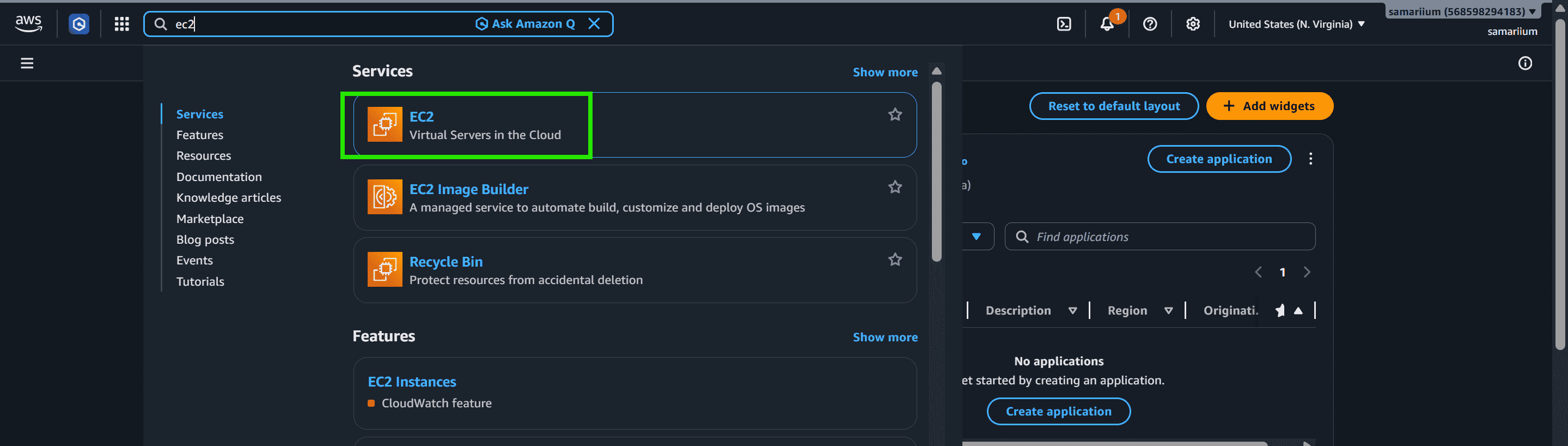
Step 1: First, log in to your AWS account. Once you are directed to the AWS Management Console, click on Services from the navigation menu. In the search bar, type EC2 and select EC2 from the list of available services to open the EC2 dashboard.
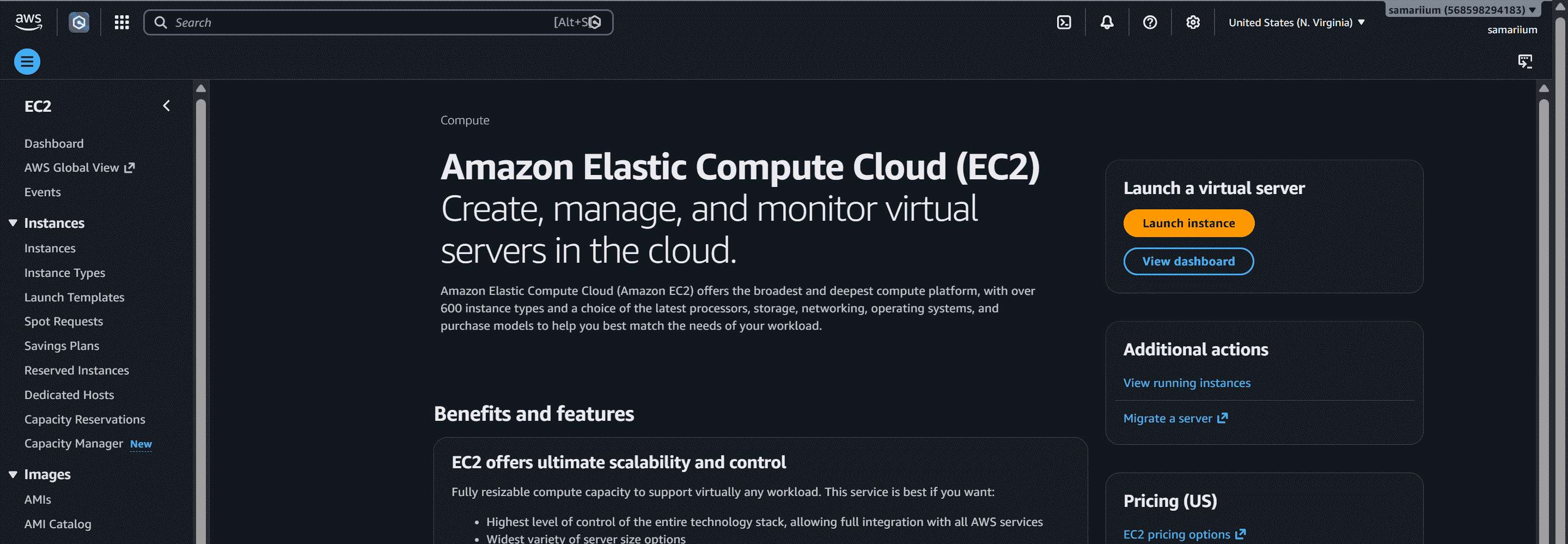
Step 2: Afterward, you will be redirected to the EC2 console.
Note: For the detailed step-by-step process of launching and configuring an Amazon EC2 instance, refer to the dedicated EC2 Instance Creation tutorial.
Benefits
- Provides cost-effective computing with a pay-as-you-go pricing model.
- Enables rapid deployment of virtual servers within minutes.
- Supports elastic scaling to handle changing workload demands.
- Integrates seamlessly with various AWS services and tools.
- Delivers high availability, reliability, and performance for applications.
EC2 Pricing Options
- On-Demand Instances: Pay only for what you use.
- Reserved Instances: Lower cost for long-term commitments.
- Spot Instances: Use unused AWS capacity at significant discounts.
- Dedicated Hosts: Physical servers dedicated to a single customer.