
Integrating a Django application with Amazon Web Services (AWS) Relational Database Service (RDS) allows seamless interaction with a managed PostgreSQL database. AWS RDS handles database management tasks such as backups, scaling, and security, enabling developers to focus on building application features.
PostgreSQL is chosen as the database engine because it is Django’s recommended option, making it ideal for development and small-scale deployments.
- Offers a robust, scalable, and reliable backend for Django applications.
- Reduces the need to manually manage database infrastructure.
Step 1: Create an AWS RDS Instance
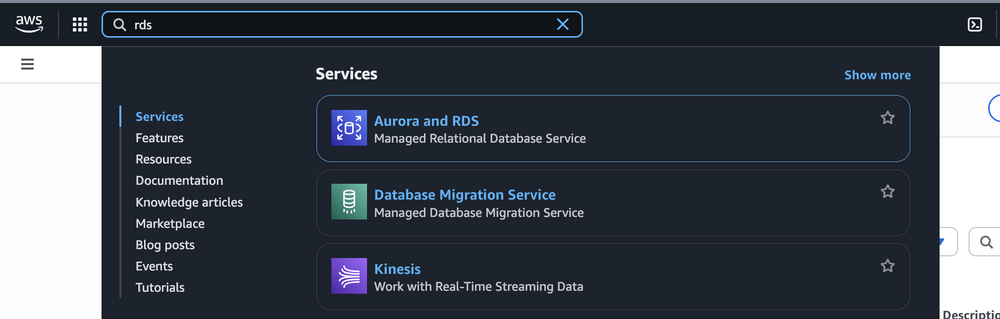
Sign in to the AWS Management Console and access "RDS" via the search bar:
After the service starts, the screen displays as follows:
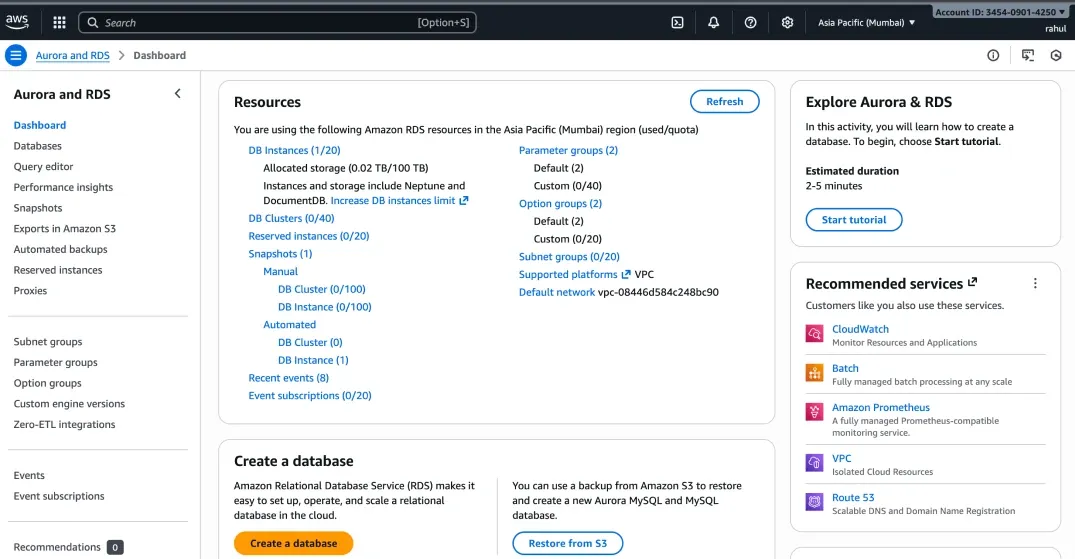
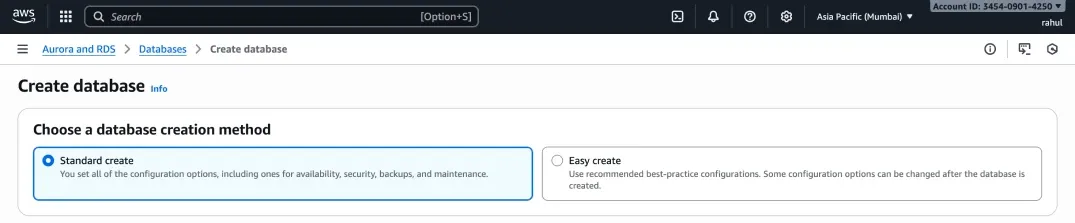
In RDS, create a database by going to the Database section or clicking Create database. During creation, select the type and settings for the database. To add a PostgreSQL database to the Django project, choose the following options:
Use the Standard Create method:
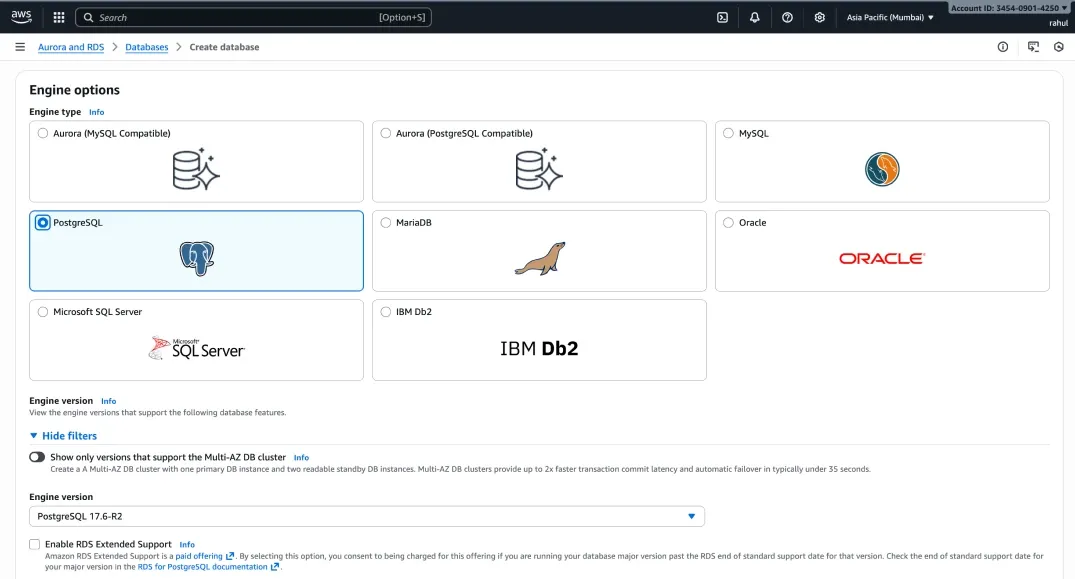
Select PostgreSQL as the database engine:
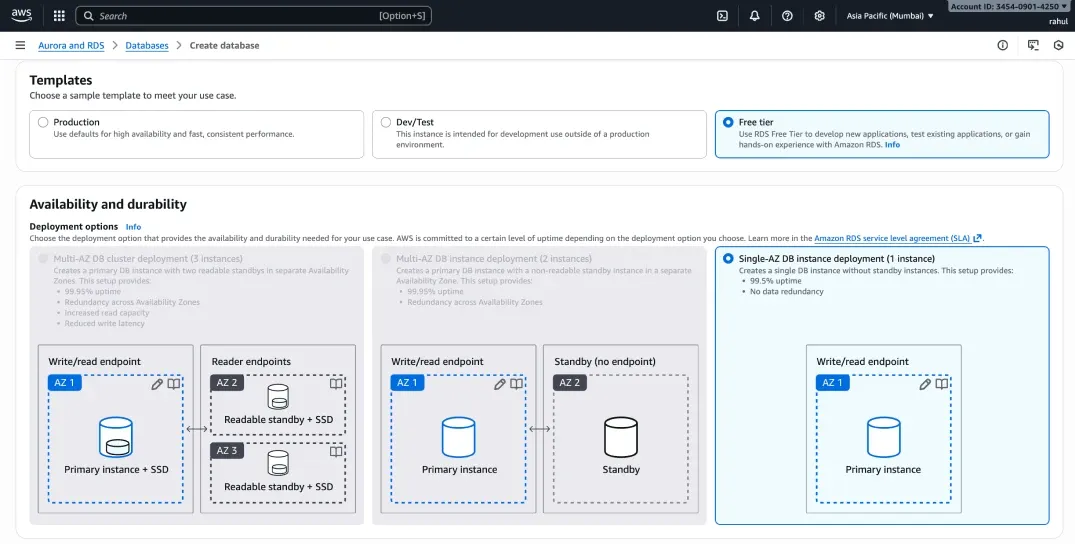
Choose the Free Tier template:
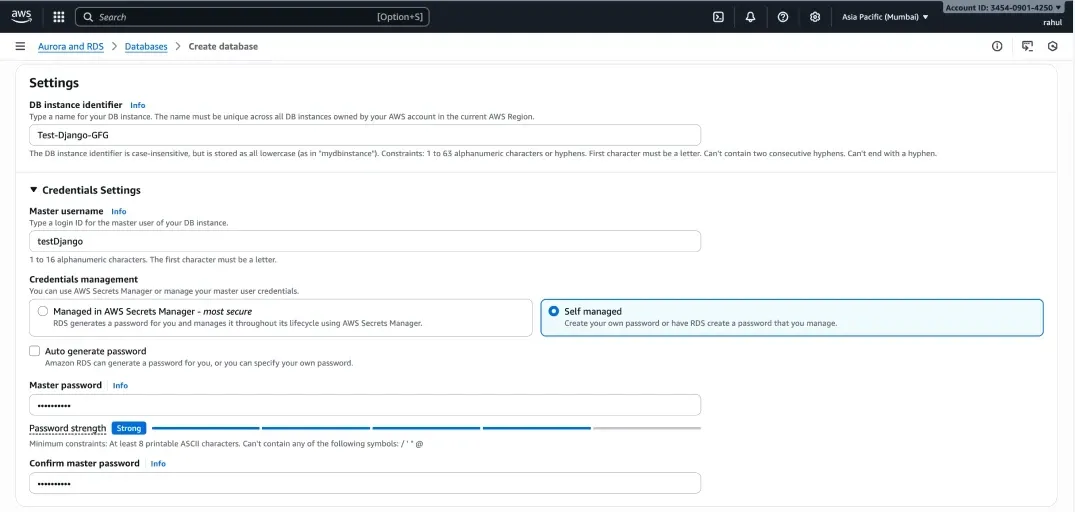
Set Database Name, Username, and Password
Use any values for each field:
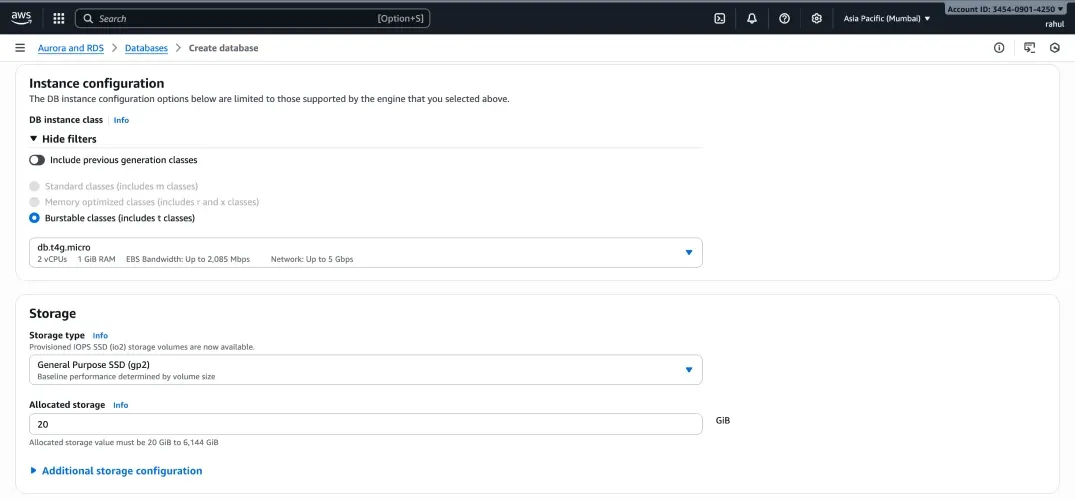
Keep the default instance configuration and disable Storage Autoscaling:
Enabling autoscaling it is optional and not required for testing:
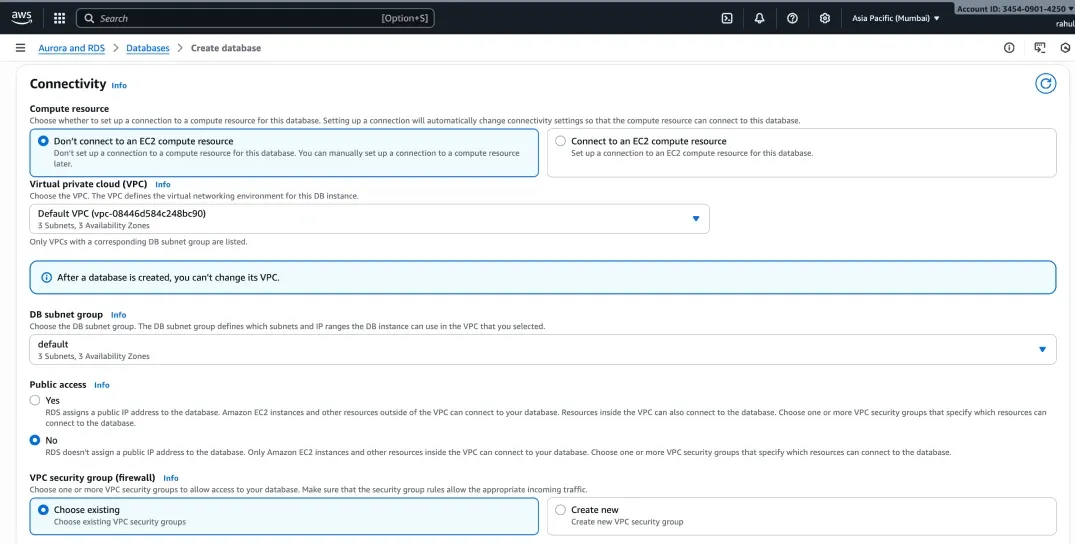
Enable Public Access and create a new security group:
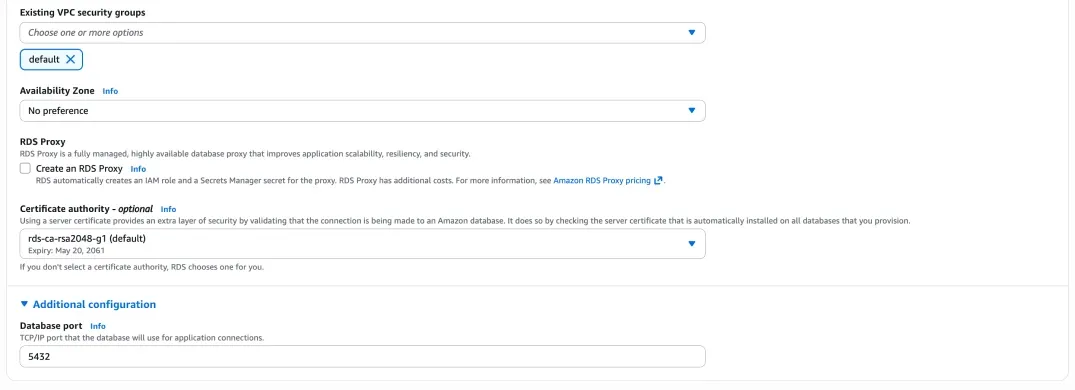
Keep the default database authentication settings:
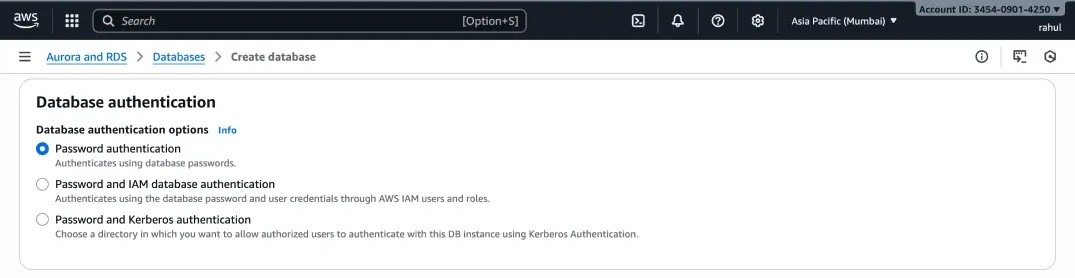
Keep the default monitoring:
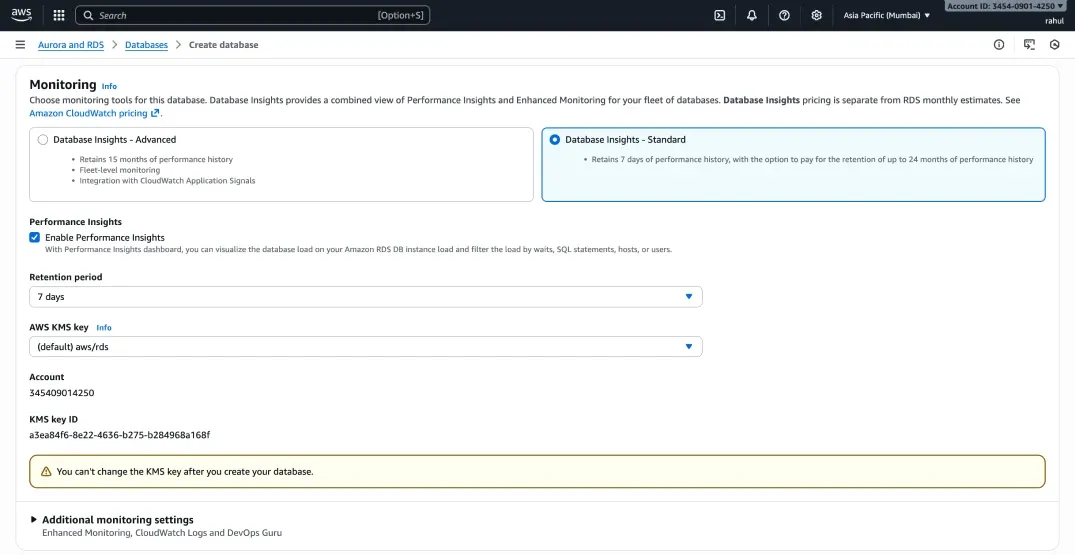
Create database:
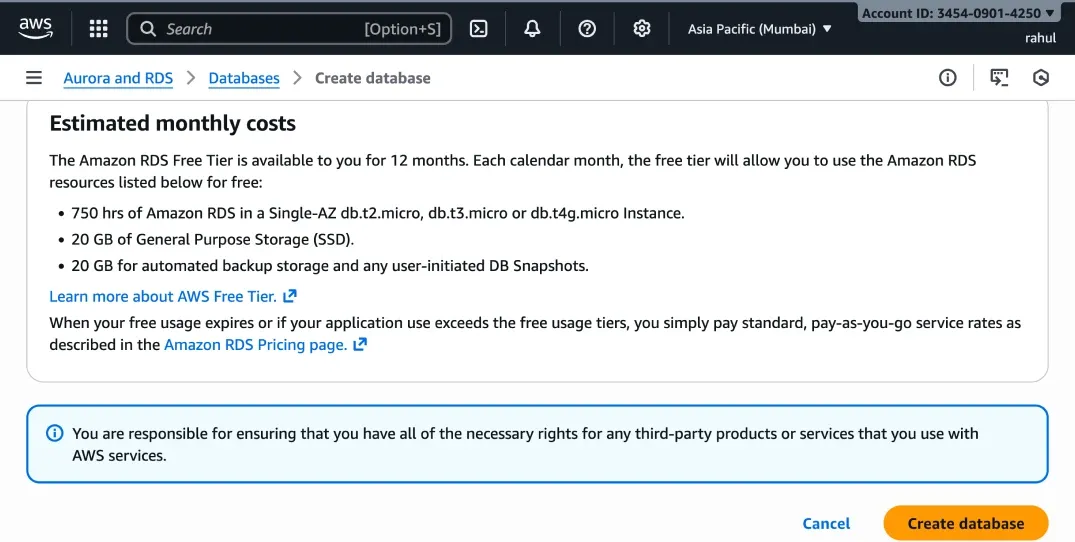
The process may take a few minutes; once finished, a new PostgreSQL database will be ready for use with Django.
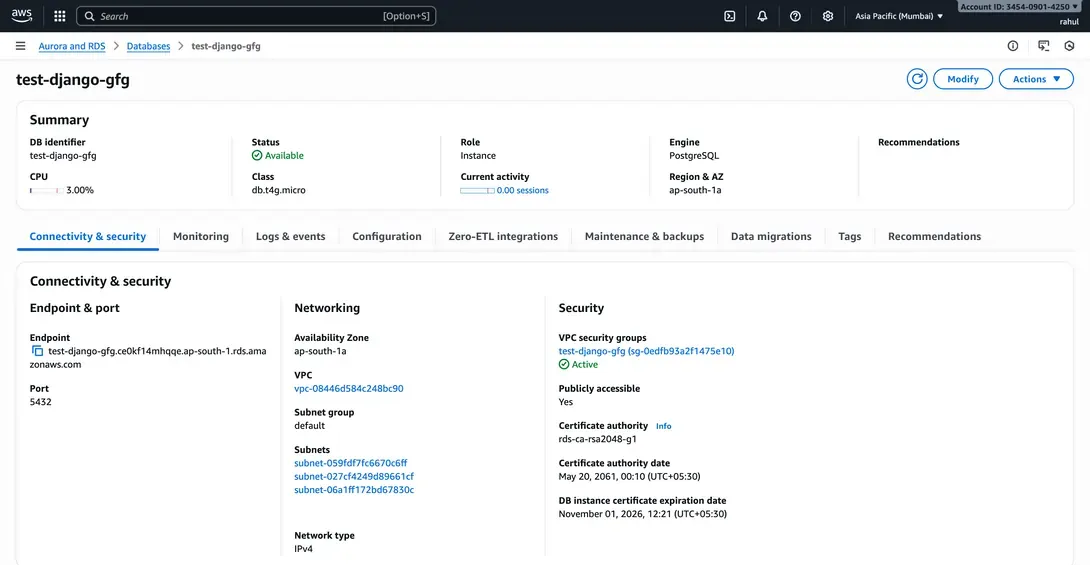
Retrieve RDS Host and Port
The HOST and PORT are listed under the Connectivity & security section of the RDS instance, labeled as Endpoint and Port:
Step 2: Install Required Packages in Django Project
Install the PostgreSQL adapter:
pip install psycopg2-binary
psycopg2-binary is a precompiled PostgreSQL adapter for Python.
Step 3: Configure Django Settings
import os
from django.core.exceptions import ImproperlyConfigured
DATABASES = {
'default': {
'ENGINE': 'django.db.backends.postgresql',
'NAME': os.environ.get('DB_NAME'),
'USER': os.environ.get('DB_USER'),
'PASSWORD': os.environ.get('DB_PASSWORD'),
'HOST': os.environ.get('DB_HOST'),
'PORT': os.environ.get('DB_PORT', '5432')
}
}
Example .env:
DB_NAME=mydjango
DB_USER=postgres
DB_PASSWORD=MySecurePass123!
DB_HOST=my-django-db.xxxxx.us-east-1.rds.amazonaws.com
DB_PORT=5432
Step 4: Run Migrations and Test the Connection
python manage.py makemigrations
python manage.py migrate
Create a superuser:
python manage.py createsuperuser
Run the server:
python manage.py runserver.
Visit: http://127.0.0.1:8000/admin/ and log in, the data is now stored in RDS.