Spring Security provides the PasswordEncoder interface to securely store and verify user passwords in Java applications. Instead of saving passwords in plain text, passwords are encoded using secure hashing algorithms like BCrypt, PBKDF2, SCrypt, and Argon2.
- Prevents storing passwords in plain text.
- Supporting different hashing algorithms securely.
- Helps protect applications from password theft and brute-force attacks.
Why Use PasswordEncoder?
Using PasswordEncoder improves application security because:
- Passwords are stored in encoded form instead of plain text.
- Makes password cracking difficult.
- Adds protection against brute-force and rainbow table attacks.
- Supports secure password verification during authentication.
Step-by-Step Implementation of Password Encoder
Step 1: Create a Dynamic Web Project
- Open STS or Eclipse IDE.
- Create a new Dynamic Web Project.
- Configure Apache Tomcat Server.
- Add Spring MVC and Spring Security support.
Project Structure
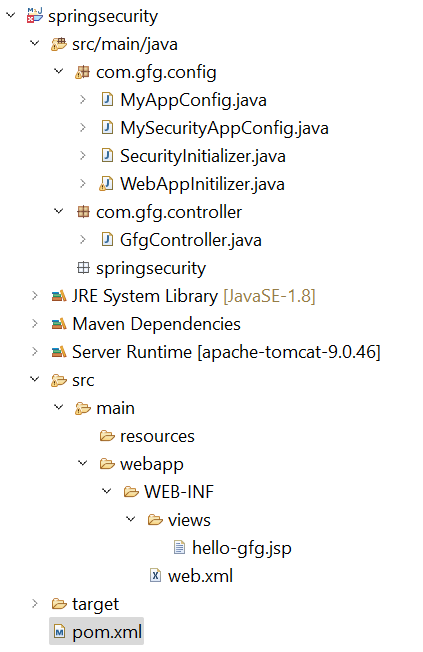
Step 2: Add Dependencies to pom.xml File
Add the following dependencies to your pom.xml file
- Spring Web MVC
- Java Servlet API
- Spring Security Config
- Spring Security Web
<dependencies>

    <!-- https://mvnrepository.com/artifact/org.springframework/spring-webmvc -->
    <dependency>
        <groupId>org.springframework</groupId>
        <artifactId>spring-webmvc</artifactId>
        <version>5.3.24</version>
    </dependency>

    <!-- https://mvnrepository.com/artifact/javax.servlet/javax.servlet-api -->
    <dependency>
        <groupId>javax.servlet</groupId>
        <artifactId>javax.servlet-api</artifactId>
        <version>4.0.1</version>
        <scope>provided</scope>
    </dependency>

    <!-- https://mvnrepository.com/artifact/org.springframework.security/spring-security-config -->
    <dependency>
        <groupId>org.springframework.security</groupId>
        <artifactId>spring-security-config</artifactId>
        <version>5.7.3</version>
    </dependency>

    <!-- https://mvnrepository.com/artifact/org.springframework.security/spring-security-web -->
    <dependency>
        <groupId>org.springframework.security</groupId>
        <artifactId>spring-security-web</artifactId>
        <version>5.7.3</version>
    </dependency>

</dependencies>
Below is the complete pom.xml file. Please cross-verify if you have missed some dependencies.
<?xml version="1.0" encoding="UTF-8"?>

<project xmlns="https://maven.apache.org/POM/4.0.0" xmlns:xsi="https://www.w3.org/2001/XMLSchema-instance"
  xsi:schemaLocation="https://maven.apache.org/POM/4.0.0 https://maven.apache.org/xsd/maven-4.0.0.xsd">
  <modelVersion>4.0.0</modelVersion>

  <groupId>com.gfg.springsecurity</groupId>
  <artifactId>springsecurity</artifactId>
  <version>0.0.1-SNAPSHOT</version>
  <packaging>war</packaging>

  <name>springsecurity Maven Webapp</name>
  <!-- FIXME change it to the project's website -->
  <url>http://www.gfg.com</url>

  <properties>
    <project.build.sourceEncoding>UTF-8</project.build.sourceEncoding>
    <maven.compiler.source>1.7</maven.compiler.source>
    <maven.compiler.target>1.7</maven.compiler.target>
  </properties>

  <dependencies>

    <!-- https://mvnrepository.com/artifact/org.springframework/spring-webmvc -->
    <dependency>
        <groupId>org.springframework</groupId>
        <artifactId>spring-webmvc</artifactId>
        <version>5.3.24</version>
    </dependency>

    <!-- https://mvnrepository.com/artifact/javax.servlet/javax.servlet-api -->
    <dependency>
        <groupId>javax.servlet</groupId>
        <artifactId>javax.servlet-api</artifactId>
        <version>4.0.1</version>
        <scope>provided</scope>
    </dependency>

    <!-- https://mvnrepository.com/artifact/org.springframework.security/spring-security-config -->
    <dependency>
        <groupId>org.springframework.security</groupId>
        <artifactId>spring-security-config</artifactId>
        <version>5.7.3</version>
    </dependency>

    <!-- https://mvnrepository.com/artifact/org.springframework.security/spring-security-web -->
    <dependency>
        <groupId>org.springframework.security</groupId>
        <artifactId>spring-security-web</artifactId>
        <version>5.7.3</version>
    </dependency>

  </dependencies>

  <build>
    <finalName>springsecurity</finalName>
    <pluginManagement><!-- lock down plugins versions to avoid using Maven defaults (may be moved to parent pom) -->
      <plugins>
        <plugin>
          <artifactId>maven-clean-plugin</artifactId>
          <version>3.1.0</version>
        </plugin>
        <!-- see https://maven.apache.org/ref/3.9.11/maven-core/default-bindings.html#Plugin_bindings_for_war_packaging -->
        <plugin>
          <artifactId>maven-resources-plugin</artifactId>
          <version>3.0.2</version>
        </plugin>
        <plugin>
          <artifactId>maven-compiler-plugin</artifactId>
          <version>3.8.0</version>
        </plugin>
        <plugin>
          <artifactId>maven-surefire-plugin</artifactId>
          <version>2.22.1</version>
        </plugin>
        <plugin>
          <artifactId>maven-war-plugin</artifactId>
          <version>3.2.2</version>
        </plugin>
        <plugin>
          <artifactId>maven-install-plugin</artifactId>
          <version>2.5.2</version>
        </plugin>
        <plugin>
          <artifactId>maven-deploy-plugin</artifactId>
          <version>2.8.2</version>
        </plugin>
      </plugins>
    </pluginManagement>
  </build>
</project>
Step 3:Configuring Dispatcher Servlet
Go to the src > main > java and create a class WebAppInitilizer.
- Extend AbstractAnnotationConfigDispatcherServletInitializer.
- Add configuration class inside getServletConfigClasses().
File: WebAppInitilizer.java
package com.gfg.config;

import org.springframework.web.servlet.support.AbstractAnnotationConfigDispatcherServletInitializer;

public class WebAppInitilizer extends
               AbstractAnnotationConfigDispatcherServletInitializer {

    @Override
    protected Class<?>[] getRootConfigClasses() {
        // TODO Auto-generated method stub
        return null;
    }

    @Override
    protected Class<?>[] getServletConfigClasses() {
        Class[] configFiles = {MyAppConfig.class};
        return configFiles;
    }

    @Override
    protected String[] getServletMappings() {
        String[] mappings = {"/"};
        return mappings;
    }

}
Step 4: Configure Spring MVC and PasswordEncoder
Create another class in the same location (src > main > java) and name it MyAppConfig.
- Use @ComponentScan("com") for component scanning.
- Create PasswordEncoder bean using BCryptPasswordEncoder.
File: MyAppConfig.java
package com.gfg.config;

import org.springframework.context.annotation.Bean;
import org.springframework.context.annotation.ComponentScan;
import org.springframework.context.annotation.Configuration;
import org.springframework.web.servlet.config.annotation.EnableWebMvc;
import org.springframework.web.servlet.view.InternalResourceViewResolver;

@Configuration
@EnableWebMvc
@ComponentScan("com")
public class MyAppConfig {

}
Reference article: Spring – Configure Dispatcher Servlet in Three Different Ways
Step 5: Create Controller
Go to the src > main > java and create a class GfgController.
- Use @Controller annotation.
- Use @GetMapping() for URL mapping.
File: GfgController.java
package com.gfg.controller;

import org.springframework.stereotype.Controller;
import org.springframework.web.bind.annotation.GetMapping;

@Controller
public class GfgController {

    @GetMapping("/gfg")
    public String helloGfg() {
        return "hello-gfg";
    }

}
Step 6: Create JSP View
Go to the src > main > webapp > WEB-INF > right-click > New > Folder and name the folder as views. Then views > right-click > New > JSP File and name your first view.
- Create JSP inside WEB-INF/views.
- JSP file name should match returned view name.
File: hello-gfg.jsp
<!DOCTYPE html>
<html>
<body bgcolor="green">
    <h1>Hello GeeksforGeeks!</h1>
</body>
</html>
Step 7: Setting Up ViewResolver in Spring MVC
Go to the src > main > java > MyAppConfig and set your ViewResolver.
File: MyAppConfig.java
package com.gfg.config;

import org.springframework.context.annotation.Bean;
import org.springframework.context.annotation.ComponentScan;
import org.springframework.context.annotation.Configuration;
import org.springframework.web.servlet.config.annotation.EnableWebMvc;
import org.springframework.web.servlet.view.InternalResourceViewResolver;

@Configuration
@EnableWebMvc
@ComponentScan("com")
public class MyAppConfig {

    @Bean
    InternalResourceViewResolver viewResolver() {
        InternalResourceViewResolver viewResolver = new InternalResourceViewResolver();
        viewResolver.setPrefix("/WEB-INF/views/");
        viewResolver.setSuffix(".jsp");
        return viewResolver;
    }

}
Step 8: Configure Spring Security
Go to the src > main > java and create a class MySecurityAppConfig and annotate the class with @EnableWebSecurity annotation.
- Extend WebSecurityConfigurerAdapter.
- Use inMemoryAuthentication() for in-memory users.
File: MySecurityAppConfig.java
package com.gfg.config;

import org.springframework.security.config.annotation.web.configuration.EnableWebSecurity;

// This class will help to create
// spring security filter chain
@EnableWebSecurity
public class MySecurityAppConfig extends WebSecurityConfigurerAdapter {

}
Step 9:Register Security Filter Chain
Go to the src > main > java and create a class SecurityInitializer.
- Extend AbstractSecurityWebApplicationInitializer.
- Registers Spring Security filter automatically.
File: SecurityInitializer.java
package com.gfg.config;

import org.springframework.security.web.context.AbstractSecurityWebApplicationInitializer;

// This class will help to register spring security
// filter chain with our application
public class SecurityInitializer extends AbstractSecurityWebApplicationInitializer {

}
Now we are done with setting up our Spring Security Filter Chain.
Step 10: Create Users and Password Encoder
Modify the MyAppConfig file. Here we are going to create the PasswordEncoder Bean.
File: MyAppConfig.java
package com.gfg.config;

import org.springframework.context.annotation.Bean;
import org.springframework.context.annotation.ComponentScan;
import org.springframework.context.annotation.Configuration;
import org.springframework.security.crypto.bcrypt.BCryptPasswordEncoder;
import org.springframework.security.crypto.password.PasswordEncoder;
import org.springframework.web.servlet.config.annotation.EnableWebMvc;
import org.springframework.web.servlet.view.InternalResourceViewResolver;

@Configuration
@EnableWebMvc
@ComponentScan("com")
public class MyAppConfig {

    @Bean
    InternalResourceViewResolver viewResolver() {
        InternalResourceViewResolver viewResolver = new InternalResourceViewResolver();
        viewResolver.setPrefix("/WEB-INF/views/");
        viewResolver.setSuffix(".jsp");
        return viewResolver;
    }

      // Create the bean for PasswordEncoder
    @Bean
    PasswordEncoder getPasswordEncoder() {
        return new BCryptPasswordEncoder();
    }

}
Modify the MySecurityAppConfig file. Here we are going to create the User, and we are going to provide the password in Bcrypt format. And we are also going to provide the roles to the user.
File: MySecurityAppConfig.java
package com.gfg.config;

import org.springframework.beans.factory.annotation.Autowired;
import org.springframework.security.config.annotation.authentication.builders.AuthenticationManagerBuilder;
import org.springframework.security.config.annotation.web.configuration.EnableWebSecurity;
import org.springframework.security.config.annotation.web.configuration.WebSecurityConfigurerAdapter;
import org.springframework.security.crypto.password.PasswordEncoder;

// This class will help to create
@SuppressWarnings("deprecation")
// spring security filter chain
@EnableWebSecurity
public class MySecurityAppConfig extends WebSecurityConfigurerAdapter {

    @Autowired
    private PasswordEncoder passwordEncoder;

    @Override
    protected void configure(AuthenticationManagerBuilder auth) throws Exception {
        auth.inMemoryAuthentication()
        .withUser("gfg")
        .password("$2a$10$F5rzmMmNJcgwqTXmcro1eOeATecEUDsPM8WjKtF8Qx46RFDjlmCSW") // Original Password is "gfg123"
        .roles("admin");
    }

}
Step 11: Run Your Spring MVC Application
To run our Spring MVC Application right-click on your project > Run As > Run on Server. After that use the following URL to run your controller.
http://localhost:8080/springsecurity/gfg
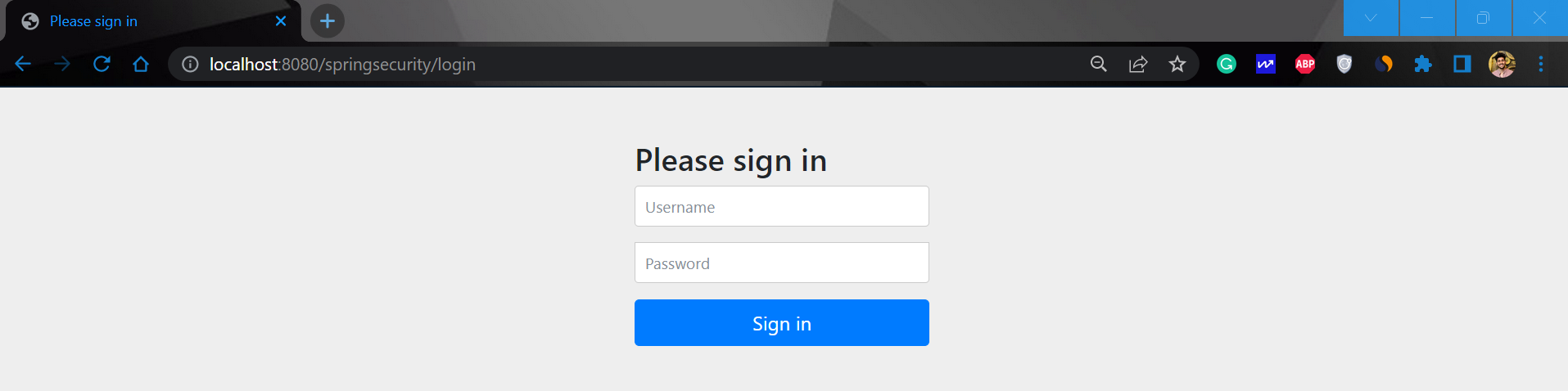
The time when you hot the URL you can see it will redirect automatically to this URL
http://localhost:8080/springsecurity/login
And the output is something like this.
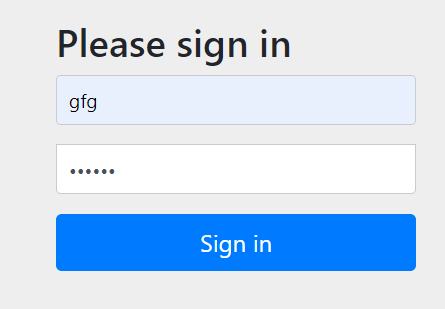
Now sign in with the following credentials
- Username: gfg
- Password: gfg123
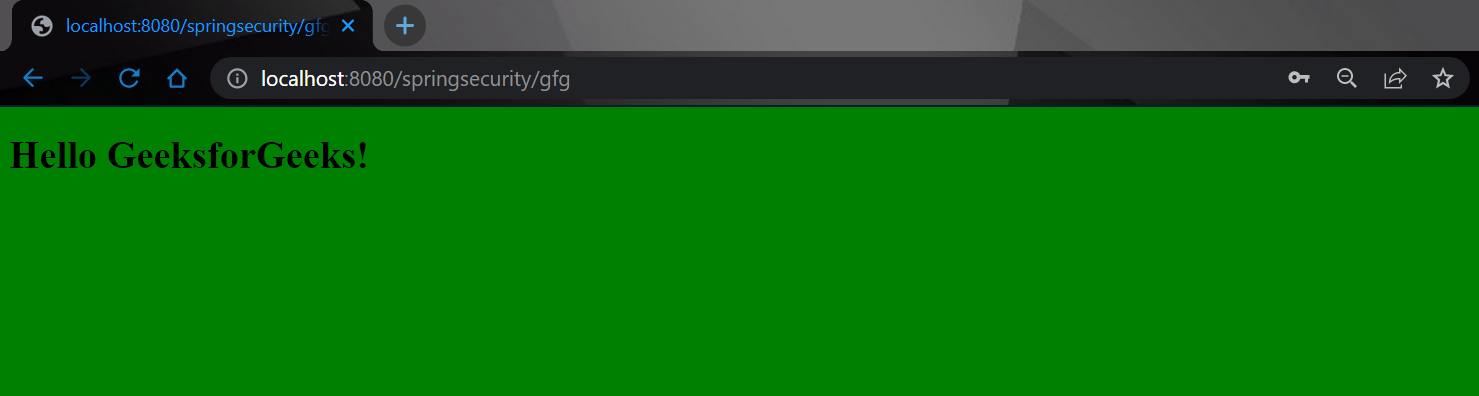
And now you can access your endpoint.