
Downloading a webpage can be helpful in many situations, such as downloading different web pages locally, data scraping or building our own tool. We can automate this process using a Java program. In this article, we are going to learn how to download a web page using Java with Java's I/O and networking library.
Steps to Download a Web Page Using Java
Step 1: Create an empty text file and open it in any editor such as Notepad, VS Code, or any IDE like IntelliJ IDEA, or Eclipse.
Step 2: Now paste the below Java code in the file and save it with the same name that we gave the class as Geeks.java, and don't forget to add the .java extension.
Step 3: Now execute the program by using the following command:
javac download.java
java download.java
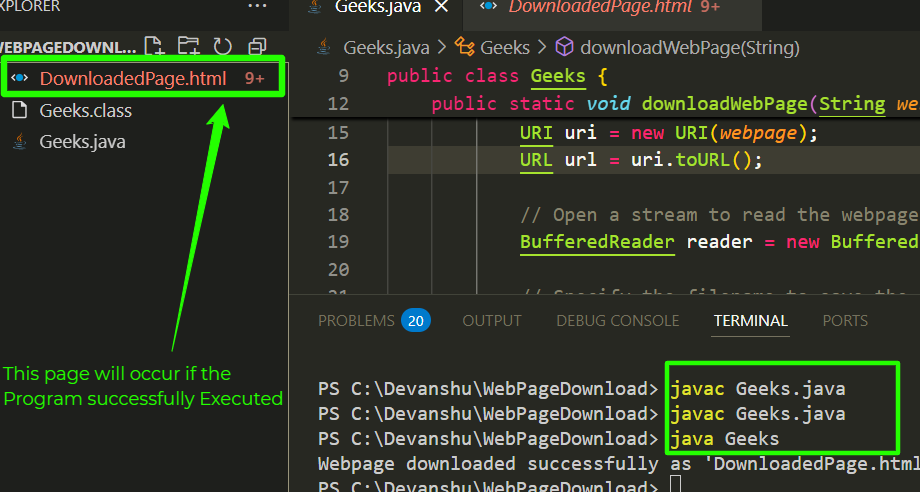
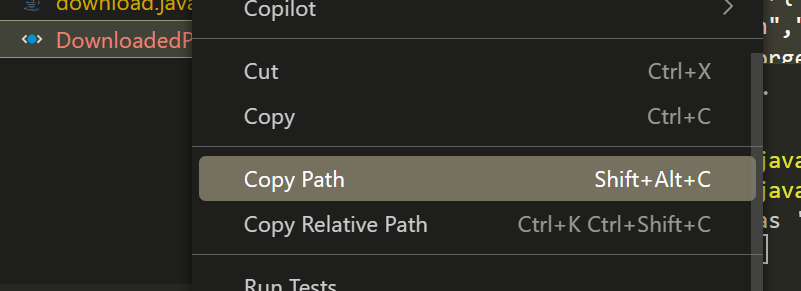
Step 4: Now the webpage will download with a .html extension. Now we can open it in any browser just right-click on it and copy the path.
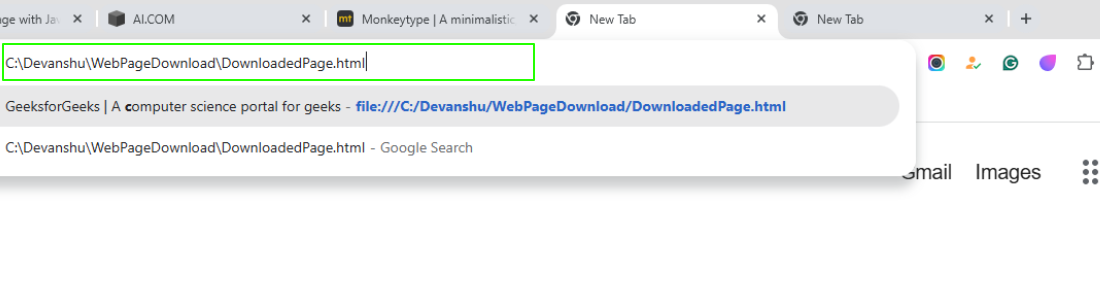
Step 5: Now paste the path in the browser and interact with the webpage.
Output:

Complete Java Program:
// Java program to download a webpage
// and save it as an HTML file
import java.io.*;
import java.net.URL;
import java.net.URI;
import java.net.MalformedURLException;

public class Geeks {

    // Method to download a webpage
    public static void downloadWebPage(String webpage) {
        try {
            // Create a URI object and convert it to a URL
            URI uri = new URI(webpage);
            URL url = uri.toURL();

            // Open a stream to read the webpage content
            BufferedReader reader = new BufferedReader(new InputStreamReader(url.openStream()));

            // Specify the filename to save the downloaded content
            BufferedWriter writer = new BufferedWriter(new FileWriter("DownloadedPage.html"));

            // Read each line from the stream and write it to the file
            String line;
            while ((line = reader.readLine()) != null) {
                writer.write(line);
                writer.newLine(); // Add a new line for better formatting
            }

            // Close the streams
            reader.close();
            writer.close();

            System.out.println("Webpage downloaded successfully as 'DownloadedPage.html'.");
        }
        // Handle malformed URL or URI exceptions
        catch (MalformedURLException | IllegalArgumentException e) {
            System.out.println("Error: The URL is invalid.");
        }
        // Handle IO exceptions
        catch (IOException e) {
            System.out.println("Error: Unable to download the webpage.");
        }
        // Handle URI syntax exceptions
        catch (Exception e) {
            System.out.println("Error: Invalid URI syntax.");
        }
    }

    // Main method
    public static void main(String[] args) {

        // URL of the webpage to download
        String url = "https://www.geeksforgeeks.org/";

        // Call the method to download the webpage
        downloadWebPage(url);
    }
}
Output Video: