
Ansible Playbooks are the heart of Ansible's configuration management. While Ansible "Ad-hoc commands" are useful for one-time tasks (like checking uptime), Playbooks are used for complex, repeatable, and version-controlled automation.
A Playbook is a file written in YAML that describes the desired state of your systems. It tells Ansible what to do, and Ansible figures out how to do it.
Why Use Playbooks?
- Repeatability: Define your infrastructure once, and deploy it identically to 100 servers.
- Version Control: Since Playbooks are text files, you can store them in Git, track changes, and collaborate.
- Complex Workflows: Orchestrate full deployments (e.g., stop app, update DB, deploy code, restart app).
- Idempotency: A critical concept. You can run the same playbook 10 times, and it will only make changes the first time. On subsequent runs, it sees the system is already in the desired state and does nothing.
Structure and Syntax (YAML)
Ansible Playbooks use YAML (Yet Another Markup Language). It is designed to be easy for humans to read and write.
Critical YAML Rules:
- Indentation: Use spaces (usually 2), never tabs. Consistency is key.
- Lists: Use a hyphen
-followed by a space. - Key-Value: Use a colon
:followed by a space (e.g.,name: nginx). - Case Sensitivity: "Name" and "name" are different.
The Building Blocks
A Playbook is composed of one or more Plays.
- Play: Maps a group of hosts to well-defined roles or tasks.
- Task: A call to an Ansible Module (e.g., "Install this package").
- Module: The actual script (like
apt,copy,service) that does the work.
Basic Example of a Playbook
Here’s a simple playbook example that installs Nginx on web servers and ensures the service is running:
- name: Install and start Nginx web server
  hosts: webservers
  become: yes

  tasks:
    - name: Install Nginx package
       apt:
            name: nginx
            state: present
       notify: Start Nginx

  handlers:
       - name: Start Nginx
          service:
              name: nginx
              state: started
Explanation:
hosts:webserversrun this play on hosts in the “webservers” group.become: yesrun tasks with elevated (sudo) privileges.- Under
tasks, it installs thenginxpackage using theaptmodule. - The
notifydirective triggers the handler named “Start Nginx” if the task reports changes (e.g., when Nginx is newly installed). - The handler starts the Nginx service.
Step-By-Step Guide to Write An Ansible Playbook
Step 1: Install Ansible
- Before you can write playbooks, you'll need to install Ansible on a control machine. This can be your local machine or a dedicated server. Once installed, create a directory to store your playbooks.
Step 2: Set up Inventory
- Define the hosts or servers you want to manage in an inventory file. This can be a simple list of IP addresses or hostnames, or you can organize them into groups based on function, location, etc.
# This is a basic inventory file for Ansible
# It defines the hosts/servers you want to manage

# Hosts can be specified as a hostname, IP address, or name/alias
# You can also specify connection details like ansible_user and ansible_ssh_pass

# For example:
192.168.1.100 ansible_user=admin ansible_ssh_pass=securepass

# Or use hostnames:
webserver01.example.com
webserver02.example.com ansible_user=ubuntu

# Groups allow you to organize hosts for easier management
[webservers]
webserver01.example.com
webserver02.example.com

[dbservers]
db01.example.com
db02.example.com
In this example:
- Whoever is the host is identified as IPs, hostnames or short abbreviations for them.
- This data can be specified per host by setting connection details like ansible_user and ansible_ssh_pass.
- The assignation of hosts to nodes such as [webservers] and [dbservers] is organized into groups.
- There is a parent group e.g. production and consumption which contains the child groups e.g. production and consumption.
- These group variables can be set via ansible_user parameters.
- Cascade appeals court also determined that ensuring confidentiality was quite weightier to the university than in an actual classroom setting.
- The system lets the inventory be pulled (to keep in stock) from many data sources.
The inventory file allows you to specify all the hosts/servers you want to manage with Ansible, along with their grouping and connection details in a simple INI-style format.
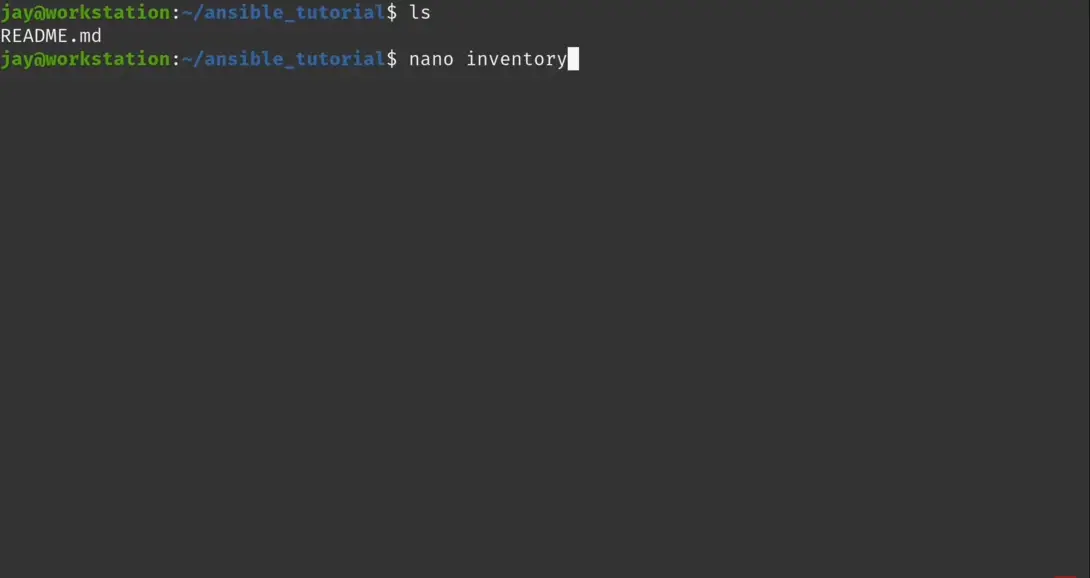
- The following screenshot illustrates the defining the IP Addresses of worker nodes.

Step 3: Write Your First Playbook
- A playbook is a YAML file with a .yml extension. It consists of one or more plays, each containing a list of tasks. Here's the basic structure:
- name: Install and Start Apache
hosts: clients
become: true
tasks:
- name: Update package cache
apt:
update_cache: yes
- name: Install Apache
apt:
name: apache2
state: present
- name: Start Apache service
service:
name: apache2
state: started
enabled: true
In this example:
- hosts parameter defines the cluster of nodes meant for the command execution.
- The word vars is for version which assembles the variables of the play.
- The manner is indexes to be followed.
- which act as a source from which a subsequent activity can be notified/triggered by a previously defined task.

Step 4: Testing And Running
- Before running your playbook on production servers, test it first! Use the --check flag to see changes Ansible will make. When ready, run with:
$ ansible-playbook -i inventory first-playbook.yml- These are the initial three steps - you'll understand modules, conditionals, loops, and other Ansible language tools even deeper later. However, this article is aimed at the beginning user so you are encouraged to start writing some playbooks for automaton of common task.

- The following screenshot confirms that we successfully installed and configured the apache web server on our worker nodes through the playbook.

Understanding Plays and Tasks
- Play: A play defines the overall set of instructions to be executed on a group of hosts. It specifies which hosts to target and sets variables or configurations that apply to all tasks within that play.
- Task: A task is a single unit of work within a play. It usually calls an Ansible module to perform an action, like installing a package, copying a file, or starting a service.
Sequential Execution Flow
When you run a playbook, Ansible executes it in a specific order:
- Connect: Connect to the host (SSH/WinRM).
- Gather Facts: Collect system info (IP, OS, RAM).
- Task 1: Execute the first task.
- Task 2: Execute the second task.
- Handlers: Run any triggered handlers at the very end of the play.
If a task fails on a specific host, Ansible stops executing the remaining tasks for that host only. It continues processing other hosts that are still healthy.