
The IAM Password Policies in AWS allow organizations to define and enforce specific password requirements for the users within their AWS accounts. Implementing strong password policies is essential for the enhancing security and protecting sensitive data from the unauthorized access. This article explores what IAM Password Policies are how they improve security and various parameters we can set including password length, complexity, expiration and rotation.
What are IAM Password Policies?
The IAM Password Policies are a set of the rules that govern the creation and management of passwords for the IAM users in AWS. These policies help enforce strong password practices across the organization ensuring that users create secure passwords and maintain them over time.
Benefits of IAM Password Policies
- Enhanced Security: By enforcing strict password requirements IAM Password Policies reduce the risk of the unauthorized access to the AWS resources. The Strong passwords are harder to the guess or crack providing an additional layer of security.
- Compliance: Many organizations must adhere to the industry regulations that require secure password management. Implementing the IAM Password Policies helps organizations meet these compliance requirements.
- User Accountability: Clear password policies ensure that all users understand their responsibilities regarding password creation and maintenance promoting a culture of the security awareness.
Key Parameters of IAM Password Policies
- Password Length: We can specify a minimum password length ensuring that passwords are sufficiently complex. A longer password typically offers greater security.
- Password Complexity: The IAM Password Policies allow to the enforce complexity requirements such as the requiring a mix of uppercase letters, lowercase letters, numbers and special characters. This helps create stronger passwords that are harder to crack.
- Password Expiration: The Setting a password expiration period requires users to the change their passwords regularly reducing the risk of the compromised passwords being used indefinitely.
- Password Rotation: We can enforce policies that require users to the rotate their passwords after a specified duration. This practice enhances security by the minimizing the window of opportunity for the attackers.
- Preventing Password Reuse: The IAM Password Policies can also restrict users from the reusing previous passwords further strengthening security by the encouraging the use of unique passwords.
How to Implement and Customize IAM Password Policies for Your Organization
Step 1: Access the IAM Console
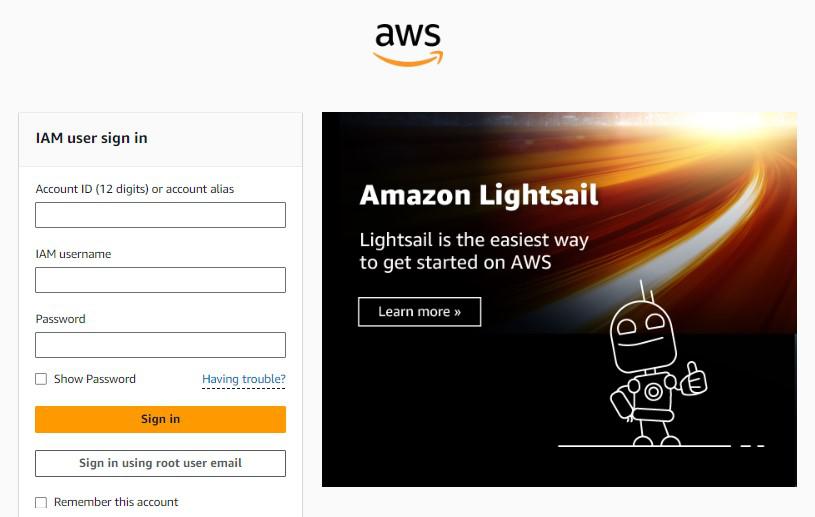
- Log in to AWS Management Console.
- Navigate to IAM: In the AWS services menu search for and select IAM.
Step 2: Configure Password Policy
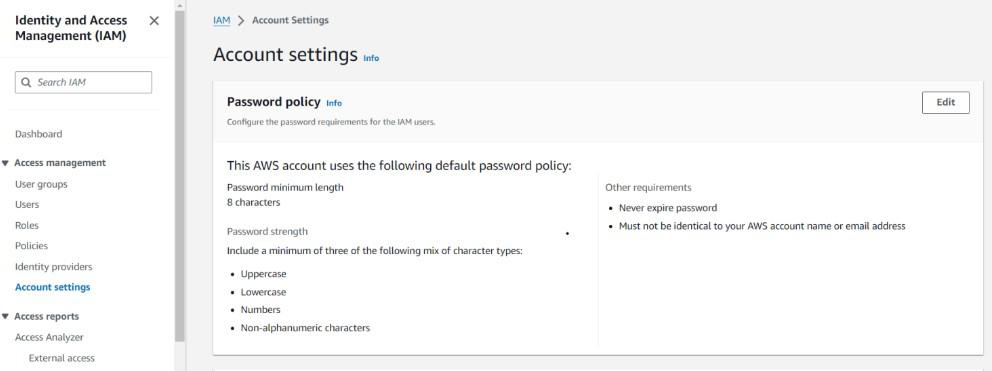
- In the IAM Dashboard and click on Account settings in left navigation pane.
- Under the Password policy section click on Edit.
Step 3: Set Password Policy Parameters
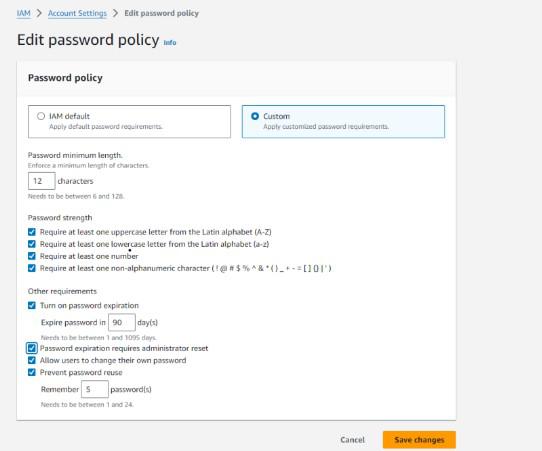
IAM Default:
- This option applies the default password requirements set by IAM. These requirements are generally considered secure but may not be sufficient for all organizations.
Custom:
- This option allows you to create your own customized password policy. You can set specific requirements for password length, strength, and other factors.
Password minimum length:
- This setting specifies the minimum number of characters allowed in a password. The default is 8 characters, but you can set it to any value between 6 and 128.
Password strength:
- This section allows you to define the complexity requirements for passwords. You can choose to require at least one uppercase letter, one lowercase letter, one number, and one non-alphanumeric character. These requirements help to make passwords more difficult to guess.
Other requirements:
- This section provides additional options for password management:
- Turn on password expiration: This enables automatic expiration of passwords after a specified period, forcing users to create new ones.
- Password expiration requires administrator reset: If this option is enabled, passwords that expire will need to be reset by an administrator.
- Allow users to change their own password: This setting determines whether users can change their own passwords or if they must request a password reset.
- Prevent password reuse: This option prevents users from reusing passwords that they have used in the past.
Step 4: Save Changes
- After configuring the password policy settings click Save changes to apply the new policy.
Conclusion
The IAM Password Policies are a vital tool for the enhancing security and ensuring compliance in the AWS environment. By defining and enforcing strong password requirements organizations can protect their resources from the unauthorized access and promote a culture of the security awareness among users. Understanding how to implement and manage these policies is essential for the maintaining a secure AWS infrastructure.