
Docker Hub is the official repository with pre-built images, and you can also push your own. Images can be pulled using docker pull and used as base images. To find them, we use the command, which shows details like name, description, stars, and whether an image is official or verified.
1. The Docker Search Command
The general syntax of a Docker Search command is -
sudo docker search <image-name>
For example, if you want to search Ubuntu images, you can use the following command.
sudo docker search ubuntu
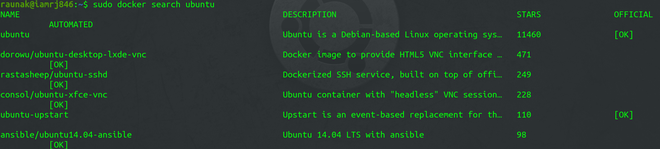
The command returns a list of images with similar names.
- Image Name: Shows the name of the image.
- Automated: Indicates if the image can be built automatically using platforms like GitHub.
- Description: Provides general information about the image.
- Stars: Displays the ratings given by users.
- Official: Indicates whether the image is an official Docker image.
2. Filtering the Search on the Basis of Stars
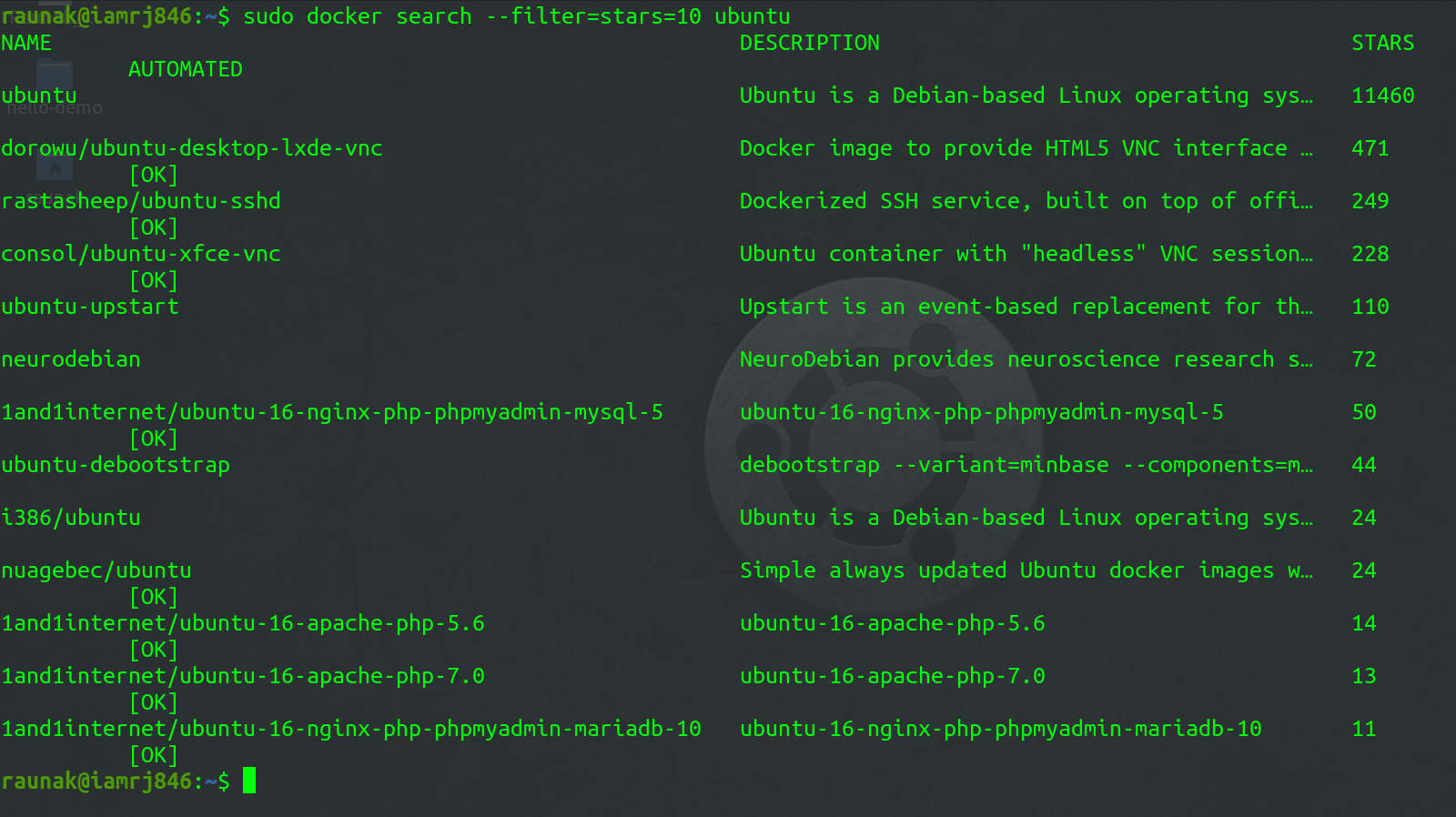
You can also filter your search using the --filter option. For example, if you want to filter Ubuntu Images which has a minimum of 10 stars, you can use this command.
sudo docker search --filter=stars=10 ubuntu
3. Filtering the Search on the basis of the Automated Parameter
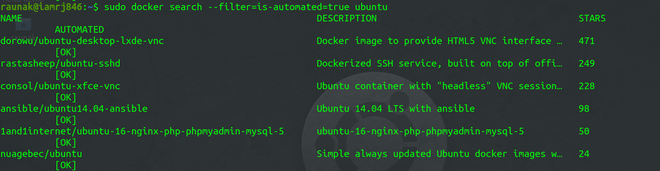
To filter the search on the basis that the Image is automated or not, you can use this command.
sudo docker search --filter=is-automated=true ubuntu
4. Docker Search Manual
To know more about the Docker Search Command and what other options it provides, you can use the --help option.
sudo docker search --help
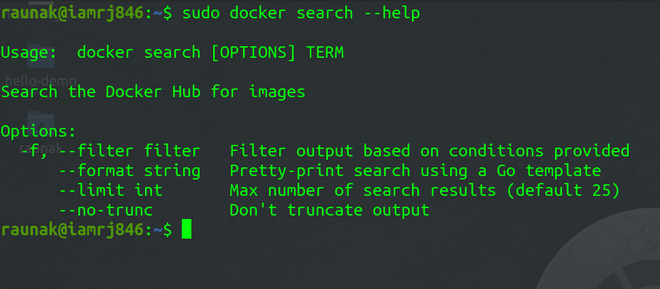
- --Filter: It filters the search output based on the conditions provided. We have already discussed how to use the Filter option.
- --no-trunc : The output of the search command is usually truncated in order to avoid long descriptions. You can use this option to specify if you want truncated output or not.
- --limit: You can use the flag to limit the number of search results.
- --format: It displays output in a readable format.