
Ansible Register provides a repeatable, reusable, and simple configuration management and multi-machine deployment mechanism, ideal for deploying complicated applications. If you need to run a task with Ansible more than once, create a playbook and save it under source control. You can then utilize the playbook to push out new configurations or confirm remote system configurations.
What is the Ansible Register?
Ansible registers allow you to collect and save the output of task execution in a variable. This is an important feature because the production is distinct for each remote host, and we may leverage conditions loops to perform various jobs. Additionally, each register value remains valid during the playbook execution. As a result, we can use set_fact to alter data and provide appropriate input to other activities. In this post, we will learn about and see examples of using registers in various contexts.
How Does Ansible Register Work?
- You will save the task's output in these variables on the Ansible Control Server.
- Simply put, when you run a command on a distant computer, save the output in a variable and use a piece of information from it later in your plays.
- Registered variables make this type of usage possible.
- This feature is analogous to the system Facts that the setup module discovers and retrieves.
How to Implement Ansible Register?
Step 1: Register Variables
Use the register keyword and the name of the variable you wish to save the result in to capture the output of a job. Here's a simple example of checking disk space with the command module:
- name: Check disk space
  command: df -h
  register: disk_space
Step 2: Make Registered Variables
You can use a variable that you've registered in later tasks that are part of the same script. You can use and access disk_space as follows.
- name: Print disk space information
  debug:
    msg: "{{ disk_space.stdout }}"
Step 3: Add Conditional Execution
Using registered variables, you can perform actions conditionally according to their results. For example, you may wish to do different things based on whether or not a file is present.
- name: Check if a file exists
  stat:
    path: /path/to/file.txt
  register: file_info

- name: Create file if it doesn't exist
  file:
    path: /path/to/file.txt
    state: touch
  when: not file_info.stat.exists
Example of Ansible Register
Example 1: Find the status of a service running on remote nodes
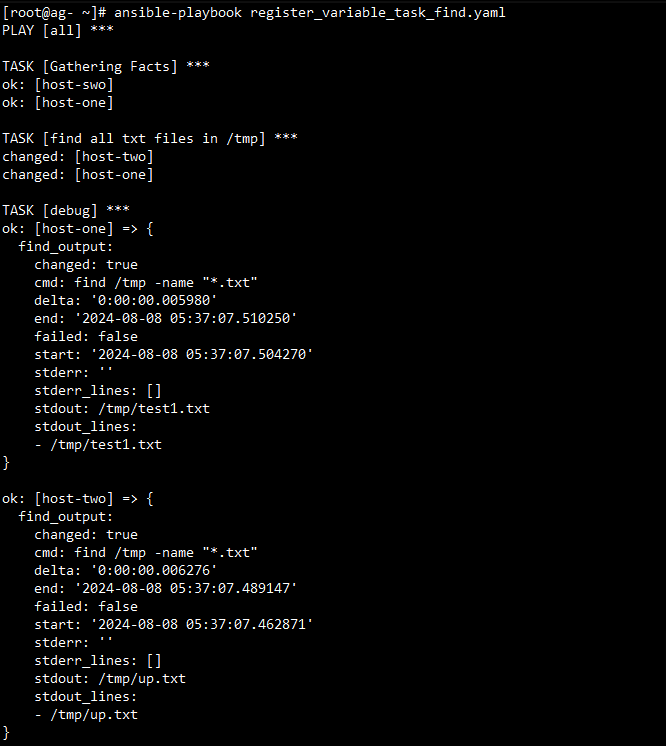
In the following playbook, the status of the service will be stored in a register variable named vsftpd_status.
---
- name: Find the status of a service running on remote nodes
  hosts: workers
  become: true
  tasks:
    - name: starting vsftpd
      service: name=vsftpd state=started enabled=yes

    - name: vsftpd status
      command: service vsftpd status
      register: vsftpd_status

    - name: vsftpd status output
      debug:
        var: vsftpd_status
Run your playbook, use the ansible-playbook command:
ansible-playbook register_variable_task_find.yamlOutput:
Example 2: Take action based on register variable output
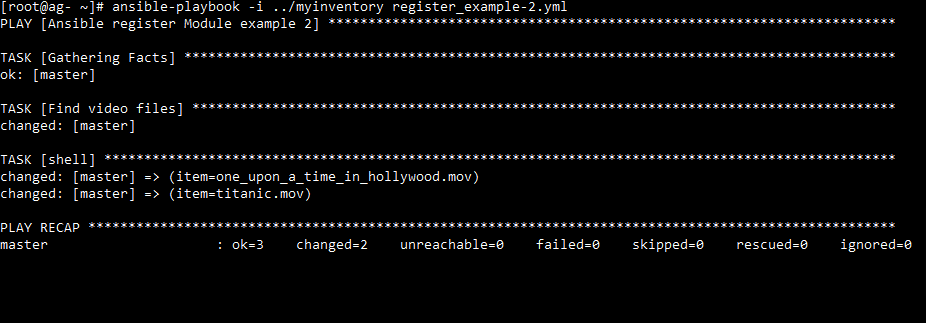
Based on the outputs of the register variables, you can take action and loop through the stored register values and take appropriate action, we will use the with_items command in this case.
- name: Take action based on register variable output
  hosts: master
  become: true
  tasks:
    - name: Find video files
      shell: "find *.mov"
      args:
        chdir: "/home/ansible_user/ansible/register_module/downloads"
      register: file_output
    - shell: "rm -rf {{ item }}"
      args:
        chdir: "/home/ansible_user/ansible/register_module/downloads"
      with_items:
        - "{{ file_output.stdout_lines }}"
Run your playbook, use the ansible-playbook command:
ansible-playbook -i ../myinventory register_example-2.ymlOutput:
Example 3: Playbook to Check Uptime and Free Memory
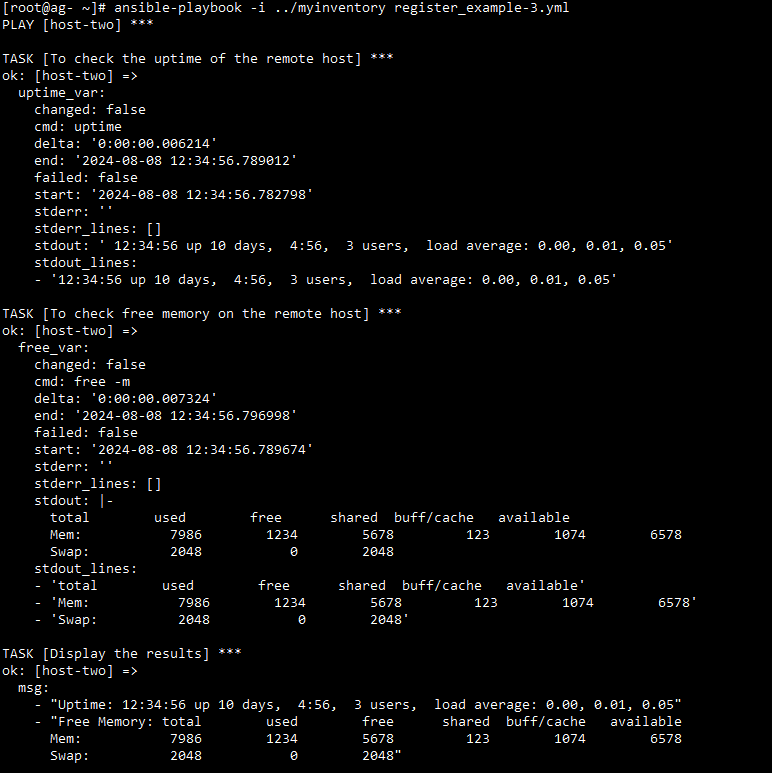
In this, you have to see the uptime and free RAM of the remote host. We can create a playbook as shown below. Here we used stdout_lines which displays only the output of the code.
---
- name: Example Playbook to Check Uptime and Free Memory
  hosts: host-two
  gather_facts: no
  tasks:
    - name: To check the uptime of the remote host
      command: uptime
      register: uptime_var

    - name: To check free memory on the remote host
      shell: free -m
      register: free_var

    - name: Display the results
      debug:
        msg:
          - "Uptime: {{ uptime_var.stdout }}"
          - "Free Memory: {{ free_var.stdout }}"
Run your playbook, use the ansible-playbook command:
ansible-playbook -i ../myinventory register_example-3.ymlOutput:
Best Practices of Ansible Register
- Scope Management: Limit the scope of registered variables, and use set_fact for variables that are required in several playbooks or roles.
- Avoid Overuse: You have to minimize excessive memory usage, also register the outputs that you utilize later in the script.
- Use Debugging Wisely: When developing and debugging, use the debug module to confirm the contents of registered variables.
- Descriptive Variable Names: You have to make the playbook easier to read, and give the registered variables descriptive names.
Conclusion
In this article, we have learned about Ansible Register. Ansible provides a lot of freedom in terms of how you can inject, update, and even register new variables while running a playbook.