
Ansible is an open automation tool (written in Python) that helps automate tasks like setting up servers, installing apps, and managing systems. It is important to install Python on the machines it manages. Ansible uses YAML playbooks because they are simple and easy to read, even for people who are not programmers. Ansible playbooks contain all the tasks that Ansible has to perform.
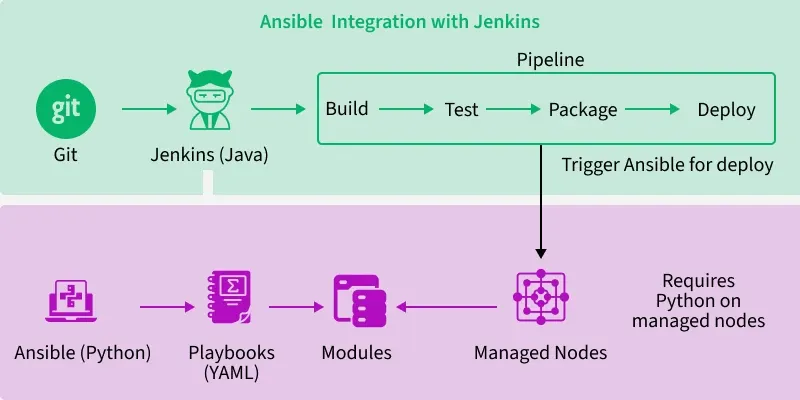
Jenkins is a popular automation tool (built with Java) that helps build, test, and deploy software automatically. It supports many tools and programming languages through plugins, which is why it is widely used in CI/CD pipelines.
Prerequisites
- Jenkins is installed and running
- Ansible is installed on the Jenkins server
- SSH access to target servers
- Git installed (optional, for pulling playbooks)
Step-by-Step Process to use Ansible in Jenkins Pipeline
The below are the step-by-step process to use Ansible in Jenkins Pipeline:
Step 1: Launch EC2 Instance
- First go to AWS Console and login by using your credentials or create new account.
- Now go to EC2 dashboard and Launch two instances.

- Now connect with terminal
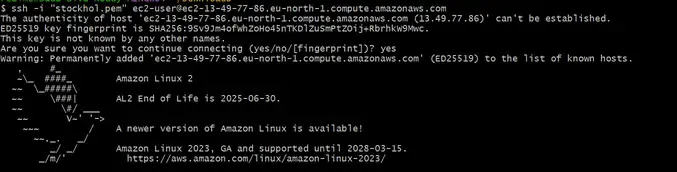
Step 2: Install Ansible and Jenkins
- Install Ansible and Jenkins in our local machine by using following commands:
sudo wget -O /etc/yum.repos.d/jenkins.repo \https://pkg.jenkins.io/redhat-stable/jenkins.reposudo rpm --import https://pkg.jenkins.io/redhat-stable/jenkins.io-2023.key - Install java because Jenkins run times is java so we need to install java
sudo yum -y install java-17*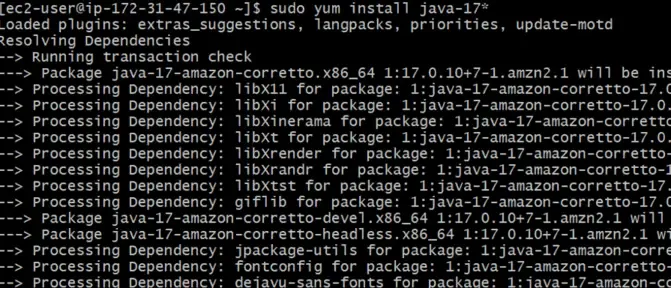
- Now install Jenkins by using following command,
sudo yum -y install jenkins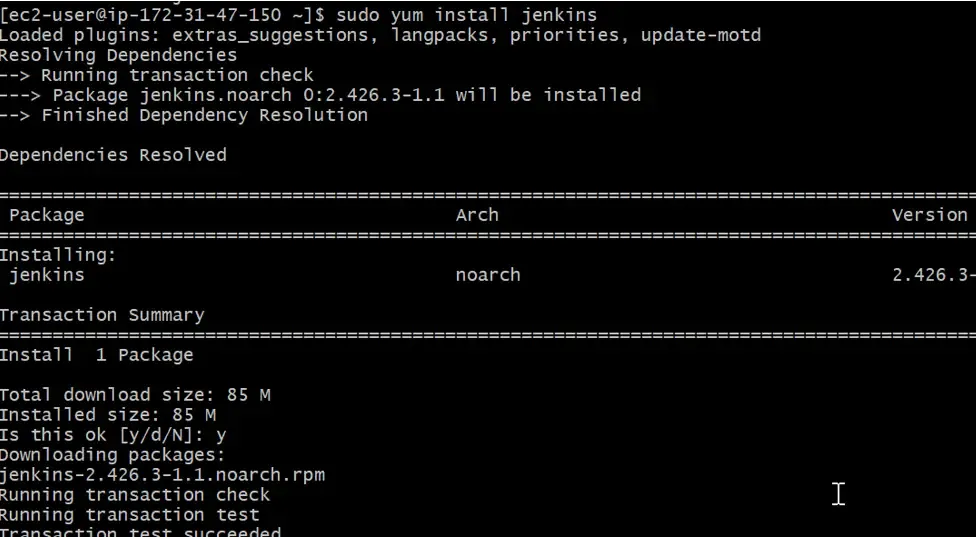
- After completion of Jenkins installation, now start and enable the Jenkins and also check status of the Jenkins by using following commands
sudo systemctl start Jenkinssudo systemctl enable Jenkinssudo systemctl status Jenkins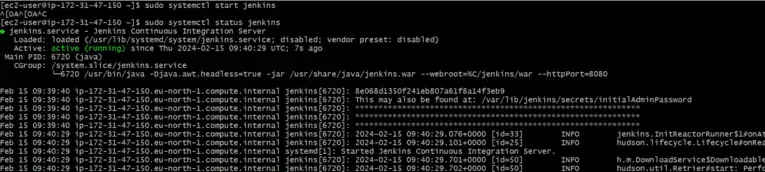
- Now copy Public IP of your instance and Browse it along with Port 8080, because jenkins runs on port 8080.

- Unlock Jenkins by using administration password, administration password was shown in while check in status of the jenkins or either we can see the password in below path
/var/lib/jenkins/secrets/initialPassword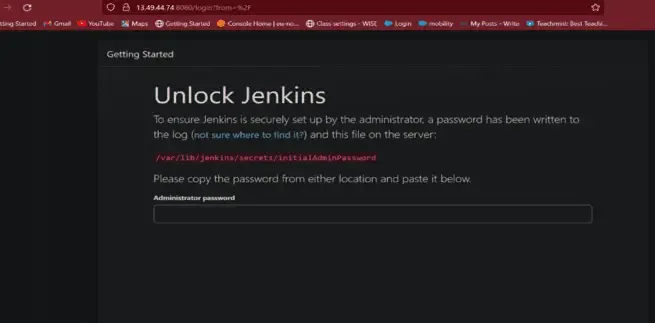
- Official page of jenkins
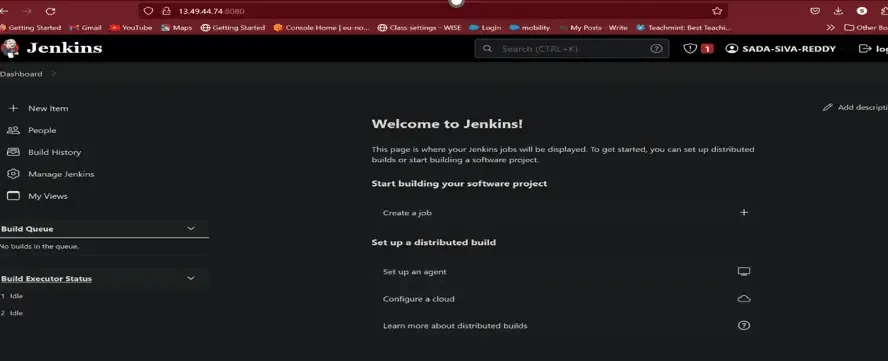
- Now install Ansible by using following command
sudo amazon-linux-extras install ansible2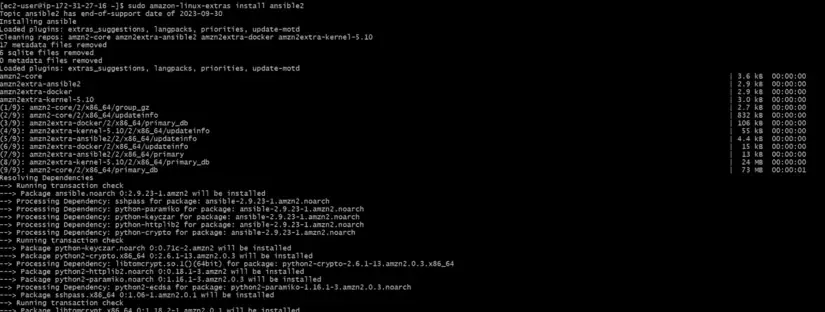
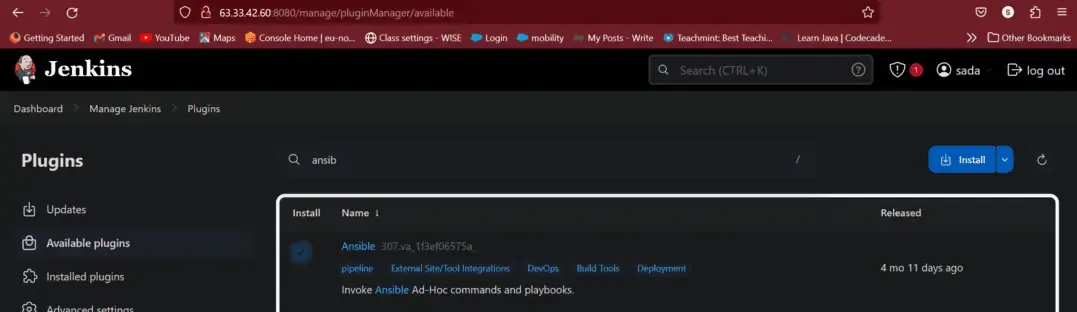
Step 3: Install Ansible Plugin
- Go to jenkins Dashboard --> Manage Jenkins --> Available Plugins --> Ansible
Step 4: Configure Ansible in Jenkins
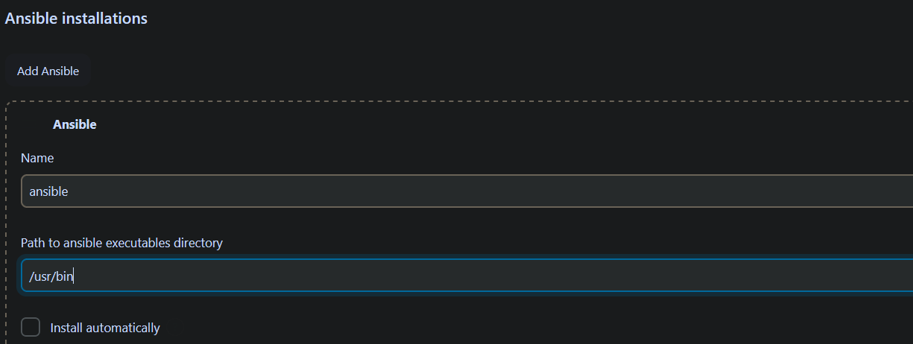
- Now configure ansible in jenkins
- Go to Jenkins dashboard --> Manage Jenkins --> Tool Configuration
- Now add ansible installation by providing path to ansible executable
Step 5: Add Credentials
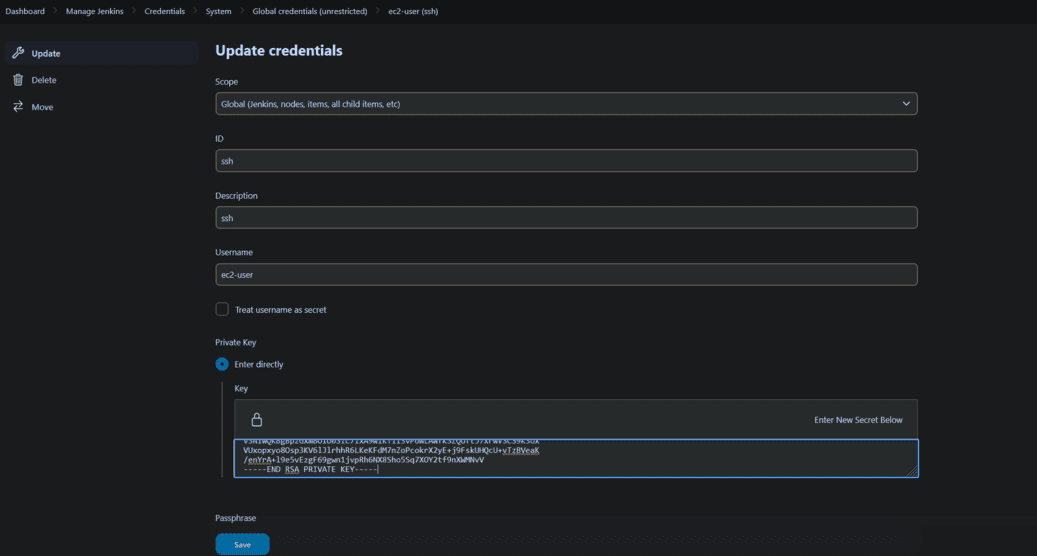
- For ansible credentials are required for this
- Go to manage Jenkins --> Credentials --> Add credentials
Step 6: Create Playbook
- Now create playbook by using YAML file
<filename.yml>- hosts: all become: True tasks: - name: Install packages yum: name: "nginx" state: "present" - name: Start nginx server service: name: nginx state: started enabled: True - name: Deploy static website copy: src: index.html # We have define a html page dest: /var/www/html/Step 7: Define Jenkins Pipeline
- Now define jenkins pipeline
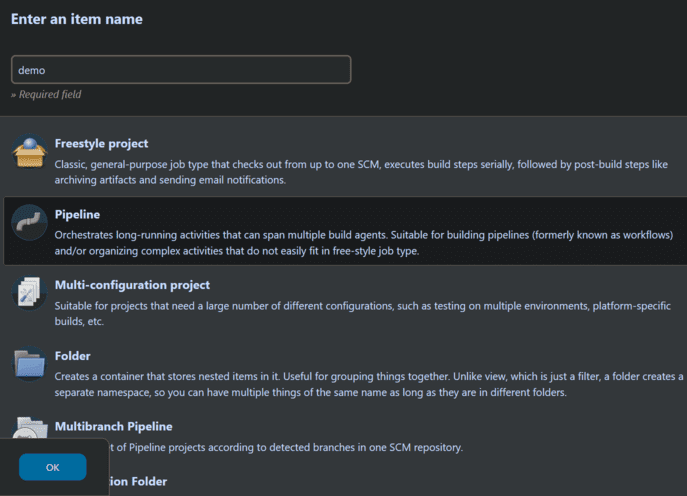
- Go to jenkins dashboard and click on New item and choose pipeline
- Give description to your project in pipeline script and write pipeline script
pipeline { agent any stages { stage("SCM checkout") { steps { git "https://github.com/Sada-Siva-Reddt/blog1" } } stage("Execute Ansible") { steps { ansiblePlaybook credentialsId: 'private-key', disableHostKeyChecking: true, installation: 'Ansible', inventory: 'dev.inv', playbook: 'apache.yml' } } }}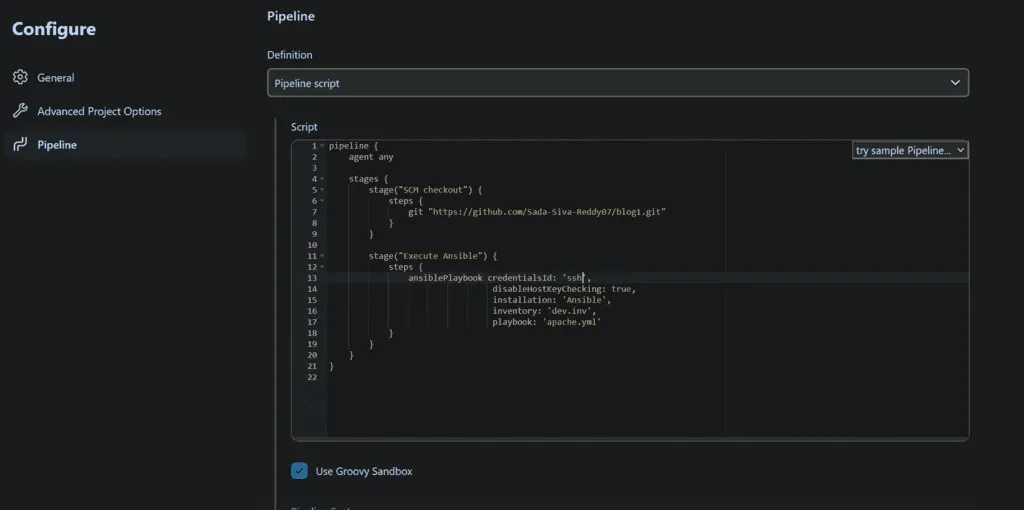
- Now run the pipeline
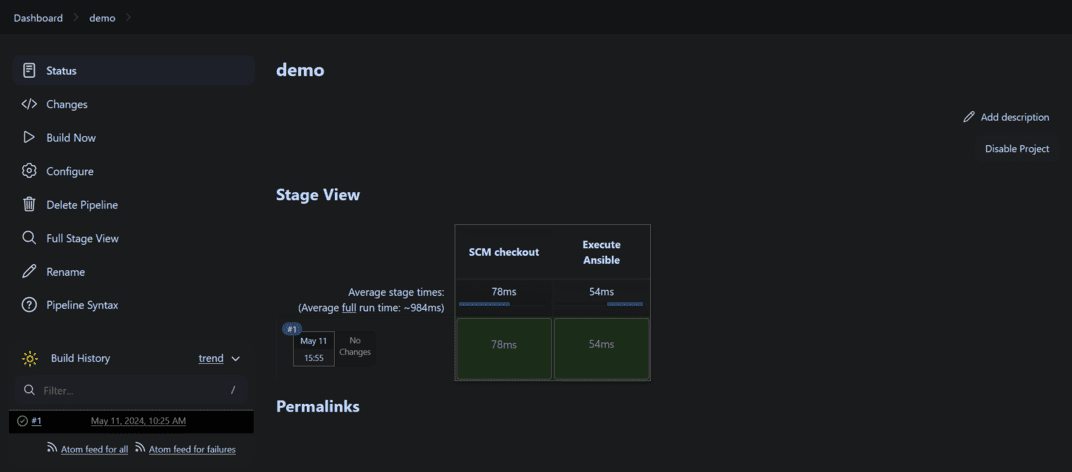
Step 8: Verify
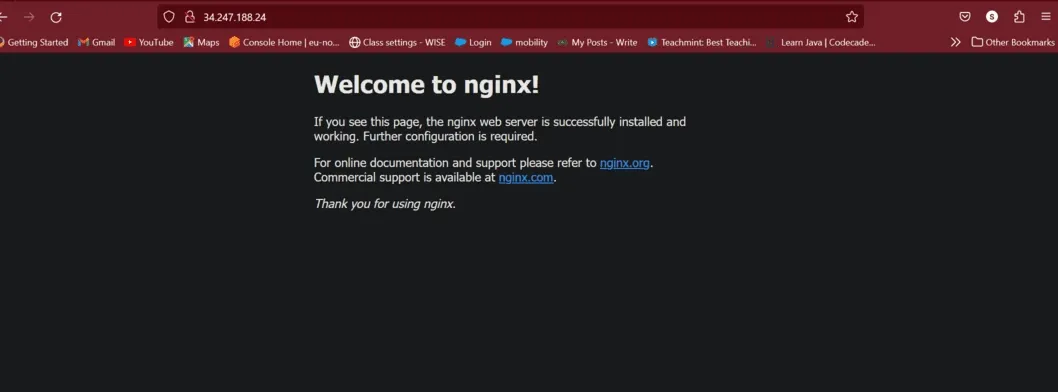
- Now go to EC2 dashboard copy Public IP of slave node and browse it.
Why Integrate Ansible with Jenkins?
Using Ansible in a CI/CD pipeline helps teams automate and manage software delivery more easily. Here are some points why it is useful:
1. Everything is written in Code
Instead of setting up things by hand, you write instructions in a file (in YAML format). This is called Infrastructure as Code. This file can be saved in Git, shared with others, and used again anytime.
2. Saves you from repeating the same work
Normally, when you want to install software, set up a server, or deploy an app, you run a lot of commands manually. With Ansible, you write all these steps once in a file (called a playbook), and Ansible does them for you every time automatically.
3. Faster Software Delivery
In a CI/CD pipeline, tools like Jenkins test and build your code. After that, Ansible can automatically deploy the app. This means new features or bug fixes can go live faster without manual work.
4. Works on many servers at once
If your app runs on 5, 10, or 100 servers, Ansible can handle them all at the same time. You don’t need to log into each one and run commands. Ansible does it all for you in one go.
5. Safe and Easy to Track
Ansible gives logs of what it did. If something breaks, you can check what happened.
- It also protects passwords and secrets using something called Ansible Vault.
- Jenkins (or any CI tool) can show you who ran which task and when so everything is clear and traceable.