
Automation is one of the fundamental bases of modern IT operations. Ansible is probably one of the most used tools to perform configuration management, application deployment, and task automation, but even the best automation scripts sometimes hit errors. Proper error handling ensures these scripts run smoothly in case of failure, with a graceful exit and quick recovery from those unexpected issues. Ansible Error Handling provides a powerful feature set that allows users to define custom conditions for task failure, continue execution if errors are experienced, and run specific recovery actions when failures are detected, this guide takes you through various techniques and best practices on how to handle errors in an Ansible playbook to ensure resilience and reliability during automation.
Primary Terminologies
- Task: A unit of work in an Ansible playbook. It contains the commands that need to be executed, files to be copied, or other types of module execution and system state checking. All tasks are executed sequentially.
- Playbook: A YAML file containing a list of actions to be done on the respective hosts. Playbooks are the basis for a straightforward configuration management and multi-machine deployment system.
- Handler: Handler represents the tasks that can be executed when some events are triggered. Handlers: Used when the action has to be triggered by an event; for example, a service has to be restarted because the configuration has changed.
- Rescue Block: A block present in an Ansible playbook, which states the actions that have to be done if a task in the main block is not done or it fails. It allows error handling and recovery in playbooks.
- Always Block: This section is executed whether the main block fails or not. Always: This block type will always run the tasks inside of it no matter the situation. It is often utilized for clean-up operations or other types of tasks that are necessary to run under a particular circumstance.
- Ignore Errors: A module directive allowing the playbook to continue after a specific task has failed. The functionality is useful when performing noncritical tasks and a failure should not halt the execution of the entire playbook.
- Failed_when: A condition explicitly marking a task as failed under custom criteria. This allows finer-grained control over task failure conditions than the error handling, which is the default.
- Notify: Used to trigger handlers. When a task notifies a handler, the handler is executed at the end of the play or immediately if listen is specified.
- Register: Used to save the output of a task into a variable. With the use of registered variables, it can call up subsequent tasks to make decisions to know how to follow through on tasks.
- Block: A group of tasks that function as a single unit for error control. It might include rescue and permanently blocks to complete error control.
Ansible Error Handling Techniques
Ansible provides several techniques to handle errors effectively within playbooks. These techniques ensure that playbooks can gracefully manage failures, execute necessary recovery steps, and maintain the overall reliability of automation processes. Here are some key error handling techniques in Ansible:
Using ignore_errors
- The ignore_errors directive allows a playbook to continue executing even if a particular task fails. Good for things that are not critical and the entire playbook should not halt if something goes wrong.
- name: Task that might fail
  command: /bin/false
  register: command_result
  ignore_errors: yes

- name: Log command failure
  debug:
    msg: "The command failed with error: {{ command_result.stderr }}"
  when: command_result.failed

- name: Handle failure
  fail:
    msg: "The command '/bin/false' failed."
  when: command_result.failed
failed_when
- This directive is used to explicitly state when a task has failed due to certain conditions. This gives you excellent control over what constitutes a task failing.
- name: Check if critical file exists
  stat:
    path: /path/to/critical/file
  register: file_check

- name: Fail if critical file does not exist
  fail:
    msg: "Critical file /path/to/critical/file does not exist."
  when: not file_check.stat.exists
Rescue and always
- These are blocks and are used to group together functions for error handling. The rescue section defines the tasks to execute if any task in the block fails. Always section defines the functions that must run regardless of success or failure.
- name: Block with rescue and always
  block:
    - name: Task that might fail
      command: /bin/false

    - name: Another task
      debug:
        msg: "This won't run if the previous task fails"
  rescue:
    - name: Handle the error
      debug:
        msg: "Error occurred, running rescue tasks"
  always:
    - name: Always run this task
      debug:
        msg: "This task runs no matter what"
Using notify and Handlers
- Handlers are particular types of tasks that will execute only when it is advised by some other tasks. Mainly they are used for recovery or clean-up purposes.
- name: Playbook to handle task failure with handler
  hosts: localhost
  tasks:
    - name: Task that might fail
      command: /bin/false
      register: result
      failed_when: result.rc != 0
      notify: error_recovery

  handlers:
    - name: error_recovery
      debug:
        msg: "Handling the error and recovering"
      when: result is failed
Using Register to Capture Task Output
- The register directive can be used to capture output from a task in a variable, which might be used, for example, in further tasks to make decisions based on the results.
- name: Run a command
  command: /bin/false
  register: command_result
  ignore_errors: yes

- name: Check command result
  debug:
    msg: "Command failed"
  when: command_result.rc != 0
Step-by-Step Process for Error Handling in Ansible
The following are the steps that guides in error handling in ansible:
Step 1: Launch an EC2 Instance
- Go to AWS Console and login with your credentials
- Navigate to EC2 Dashboard and launch ec2 instance
.png)
Step 2: Install Ansible
- Now install ansible in our local machine
sudo amazon-linux-extras install ansible2.png)
Step 3: Create Inventory file or Hosts file
- Here is the inventory file to provide the host ips of the client machines.
.png)
Step 4: Create playbook
- By using following script create playbook
- name: Comprehensive Playbook with Error Handling
 hosts: localhost
 vars:
 critical_file: "/path/to/important/file"
 tasks:
 - name: Check if critical file exists
 stat:
 path: "{{ critical_file }}"
 register: file_check
 - name: End play if critical file is missing
 meta: end_play
 when: not file_check.stat.exists
 - name: Execute a task that might fail
 command: /bin/false
 ignore_errors: yes
 - name: Block with rescue and always
 block:
 - name: Task that might fail
 command: /bin/false
 - name: Another task in the block
 debug:
 msg: "This won't run if the previous task fails"
 rescue:
 - name: Handle the error
 debug:
 msg: "Error occurred, running rescue tasks"
 always:
 - name: Always run this task
 debug:
 msg: "This task runs no matter what"
 - name: Trigger handler on failure
 command: /bin/false
 notify: error_recovery
 handlers:
 - name: error_recovery
 debug:
 msg: "Handling the error and recovering"

Step 5: Run playbook
- Now run playbook by using ansible-playbook command
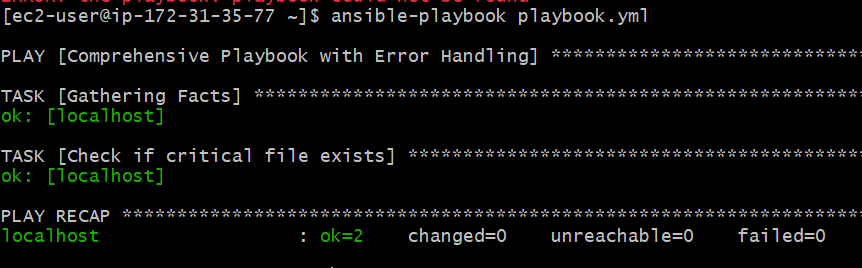
Intentionally creating an error in the playbook to check error handling
To intentionally create an error in the playbook, you can modify the playbook to intentionally fail when checking for the existence of a file that you expect not to exist. Here’s how you can adjust the playbook:
Here is the modified playbook
- name: Comprehensive Playbook with Error Handling
 hosts: localhost
 vars:
 critical_file: "/path/to/important/file"
 tasks:
 - name: Check if critical file exists (intentional error)
 stat:
 path: "{{ critical_file }}"
 register: file_check
 failed_when: true # Force this task to fail
 - name: End play if critical file is missing
 meta: end_play
 when: not file_check.stat.exists
 - name: Task that might fail (intentionally)
 command: /bin/false
 register: result
 ignore_errors: yes
 - name: Task that fails based on outcome
 command: /bin/false
 register: command_result
 failed_when: "'error' in command_result.stderr"
 ignore_errors: yes
 - name: Block with rescue and always
 block:
 - name: Another task in the block
 debug:
 msg: "This won't run if the previous task fails"
 - name: Task that might fail (again, intentionally)
 command: /bin/false
 register: block_result
 failed_when: block_result.rc != 0
 rescue:
 - name: Handle the error in the block
 debug:
 msg: "Error occurred in the block, running rescue tasks"
 always:
 - name: Always run this task
 debug:
 msg: "This task runs no matter what"
 - name: Trigger handler on failure
 command: /bin/false
 notify: error_recovery
 handlers:
 - name: error_recovery
 debug:
 msg: "Handling the error and recovering"
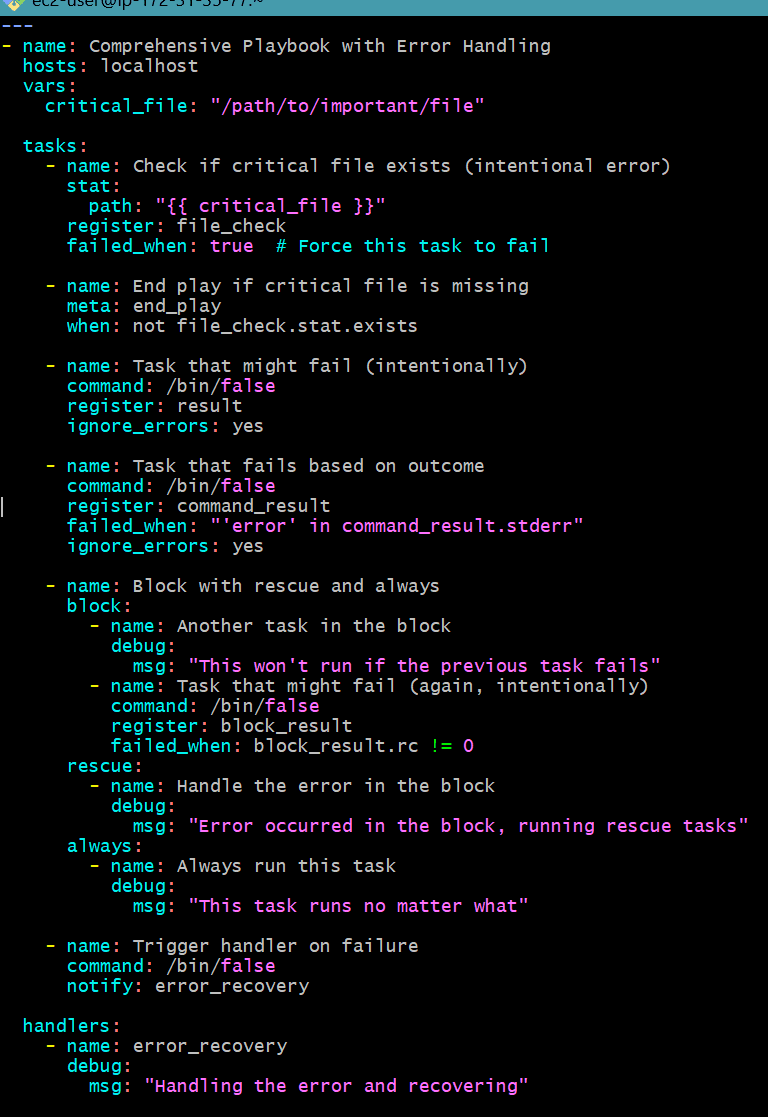
Run the Playbook
.png)
It looks like the playbook executed as expected, and the intentional error at the task checking for the critical file caused the playbook to fail. Here's a breakdown of the output:
- The failure at TASK [Check if critical file exists (intentional error)] confirms that the playbook correctly identified the absence of the specified file.
- The failed_when: true condition explicitly instructs Ansible to treat the absence of the file as a failure condition, hence the task failed (FAILED!).
Common Types of Errors in Ansible Playbooks
- Syntax Errors: These occur due to erroneous YAML formatting or incorrect Ansible syntax.
- Module Errors: Produced by specific Ansible modules with improper parameters or incompatible versions of a specific module.
- Connection Errors: Problems with SSH connections to remote hosts.
- Resource Unavailability: A needed resource is either absent or unavailable.
- Task Failures: Tasks may fail to meet specific conditions or as a result of executing in an incorrect execution environment.
- Variable Errors: Variables that are undefined or incorrectly defined, leading the execution of the task to fail.
- Dependency Errors: Errors that occur due to missing dependencies between tasks, roles, or playbooks.
Using Blocks for Error Handling
Blocks in Ansible allow you to group tasks together and apply error handling to those tasks collectively. This is useful for managing error handling in a structured and manageable way.
- Example of Using Blocks to Group Tasks and Handle Errors
- name: Example playbook with error handling using blocks
  hosts: localhost
  tasks:
    - name: Install and configure a web server
      block:
        - name: Install Apache
          yum:
            name: httpd
            state: present
          become: true
        - name: Start Apache service
          service:
            name: httpd
            state: started
          become: true
        - name: Create a test page
          copy:
            content: "Welcome to our web server!"
            dest: /var/www/html/index.html
          become: true
      rescue:
        - name: Install Apache from alternative repository
          yum:
            name: httpd
            state: present
            enablerepo: epel
          become: true
      always:
        - name: Ensure Apache service is running
          service:
            name: httpd
            state: started
          become: true
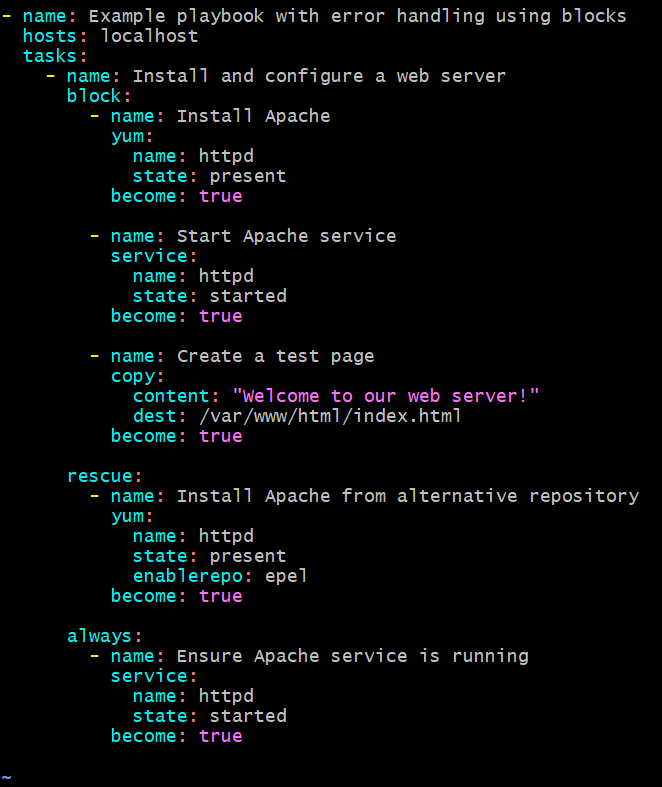
Run the playbook
ansible-playbook playbook.yml
Advanced Error Handling Techniques
Using Custom Filters for Error Handling
- Custom filters can be used to manipulate data and handle errors in a more sophisticated manner.
Example of Custom Filter
- Create a custom filter plugin:
filter_plugins/custom_filters.py:def is_valid_url(url):
import re
pattern = re.compile(
r'^(?:http|ftp)s?://' # http:// or https://
r'(?:(?:[A-Z0-9](?:[A-Z0-9-]{0,61}[A-Z0-9])?\.)+(?:[A-Z]{2,6}\.?|[A-Z0-9-]{2,}\.?)|' # domain...
r'localhost|' # localhost...
r'\d{1,3}\.\d{1,3}\.\d{1,3}\.\d{1,3}|' # ...or ipv4
r'\[?[A-F0-9]*:[A-F0-9:]+\]?)' # ...or ipv6
r'(?::\d+)?' # optional port
r'(?:/?|[/?]\S+)$', re.IGNORECASE)
return re.match(pattern, url) is not None
class FilterModule(object):
def filters(self):
return {
'is_valid_url': is_valid_url
}
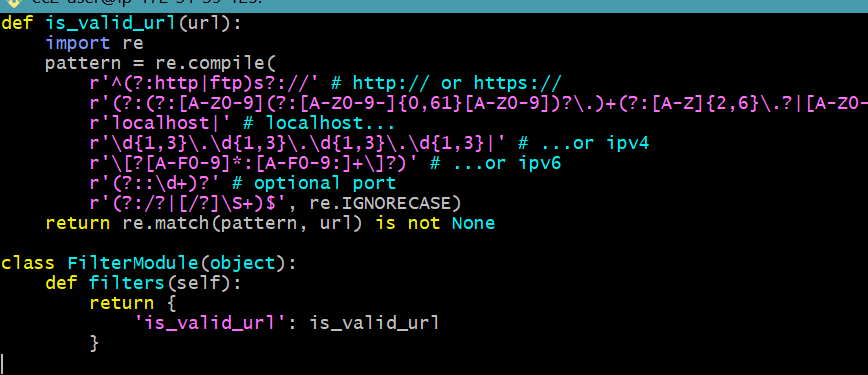
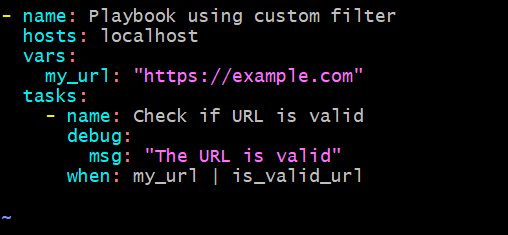
Use the custom filter in your playbook
- name: Playbook using custom filter
  hosts: localhost
  vars:
    my_url: "https://example.com/"
  tasks:
    - name: Check if URL is valid
      debug:
        msg: "The URL is valid"
      when: my_url | is_valid_url
Run the playbook
ANSIBLE_FILTER_PLUGINS=~/ansible/filter_plugins ansible-playbook example_custom_filter.yml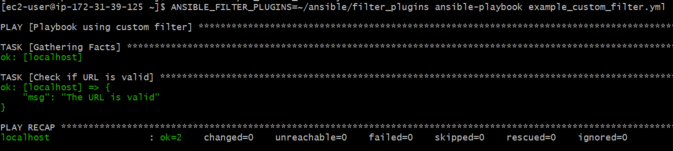
Using Custom Plugins for Error Handling
- Custom plugins can provide advanced functionality and control over error handling.
Example of Custom Plugin
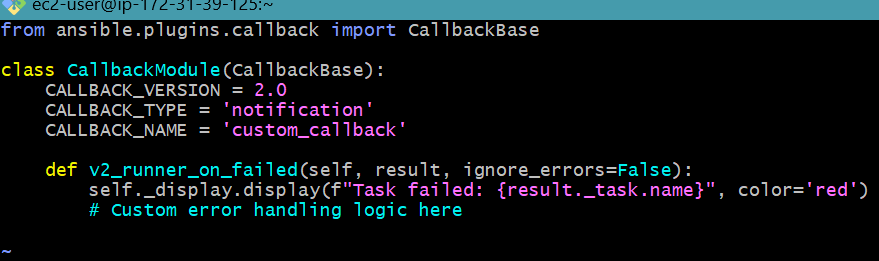
Create a custom callback plugin:
callback_plugins/custom_callback.py:from ansible.plugins.callback import CallbackBase
class CallbackModule(CallbackBase):
CALLBACK_VERSION = 2.0
CALLBACK_TYPE = 'notification'
CALLBACK_NAME = 'custom_callback'
def v2_runner_on_failed(self, result, ignore_errors=False):
self._display.display(f"Task failed: {result._task.name}", color='red')
# Custom error handling logic here
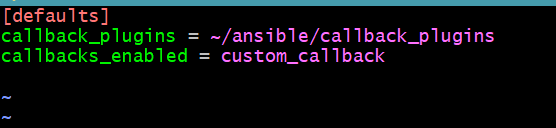
- Configure Ansible to use the custom callback plugin in ansible.cfg:
[defaults]
callback_plugins = callback_plugins
callbacks_enabled = custom_callback
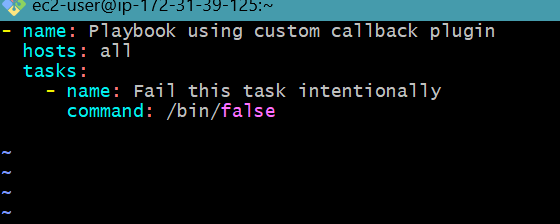
- Use the custom callback plugin in your playbook:
- name: Playbook using custom callback plugin
  hosts: localhost
  tasks:
    - name: Fail this task intentionally
      command: /bin/false
Error Handling Strategies
- Using ignore_errors: It can be set in the tasks to bypass the errors raised during task execution.
- Using failed_when: Customize the failure condition for a task.
- Using until with retries: Retry task until condition is reached or maximum number of retries is met.
- Use rescue and always in Blocks: Implement rescue operations for failed tasks and always carry out cleanup or finalization tasks.
Conclusion
The key to writing such robust and reliable Ansible playbooks is the way you handle errors, this can be done using built-in features of Ansible, such as ignore_errors, failed_when, rescue with always blocks, notify/handlers method, and register variables so that problems will fail gracefully, recovery steps occur, and automatic actions continue.
Such error handling techniques provide the ability to define custom conditions of task failure, error handling at a much granular level, and comprehensive strategies for recovery. This, however, does not only make your infrastructure automation more resilient but will also be of help in keeping up the health and stability of your IT environment.
When you have mastered these techniques and integrated them into your playbooks, the way your Ansible automation can work improves to be much more fault-tolerant and dependable. Whether you are making critical file checks, running commands, or sequencing longer lists of tasks, proper error handling ensures your automation workflows keep on rolling steadily, even in the face of surprising issues.