
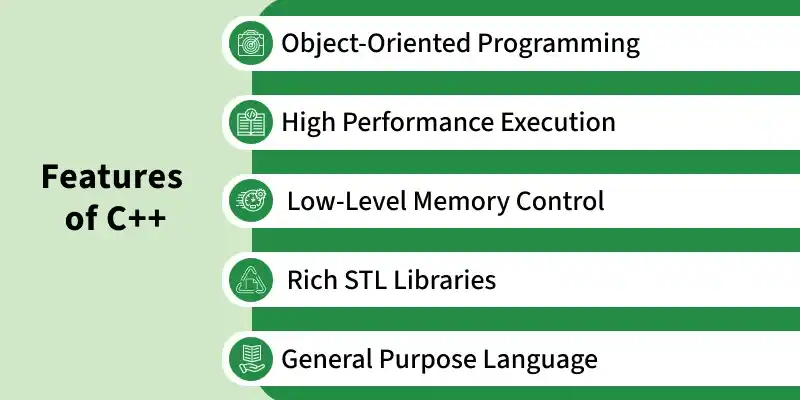
C++ is a general-purpose programming language developed by Bjarne Stroustrup as an extension of C. It is widely used for developing high-performance applications, system software, games, and embedded systems.
- Supports both procedural and object-oriented programming paradigms.
- Provides fast execution speed and direct memory management capabilities.
- Widely used in operating systems, game engines, embedded systems, and competitive programming.
First C++ Program
The below C++ code shows the basic structure of a program.
#include <iostream>
using namespace std;

int main() {
    cout << "Hello, World!";
    return 0;
}
Output
Hello, World!
Structure of the C++ program
The basic structure of a C++ program defines the standard way every program must be written; otherwise, it will cause a compilation error. The structure includes:
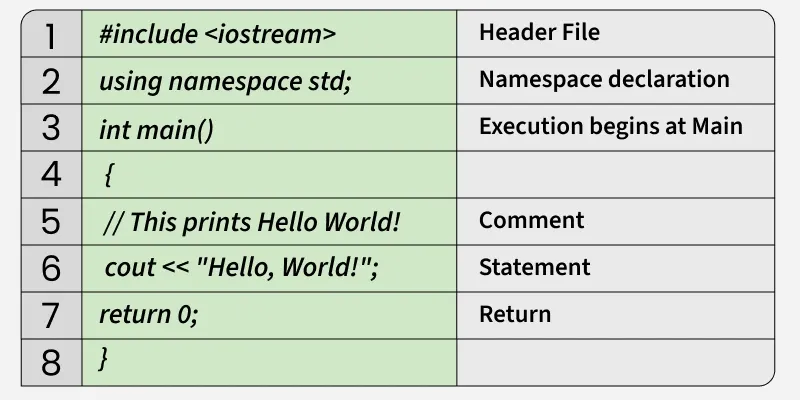
- Header File: #include <iostream> adds input/output objects (cin, cout, etc.) via the preprocessor. Common headers: fstream (files), string (strings), vector (STL), bits/stdc++.h (all-in-one).
- Namespace Declaration: using namespace std; allows direct use of standard names like "cout" without std::
- Main Function: int main() is the program’s entry point; execution starts here and returns an integer with return 0 mean successful execution.
- Comments: // for single line, /*....*/ for multi-line are ignored by the compiler and used only for code documentation.
- Statement: Contains executable code. Here, cout << "Hello World!", prints the text on the screen using the insertion operator (<<).
- Return: The return 0; statement terminates the main() function and indicates that the program executed successfully.
How to Run the Above Code?
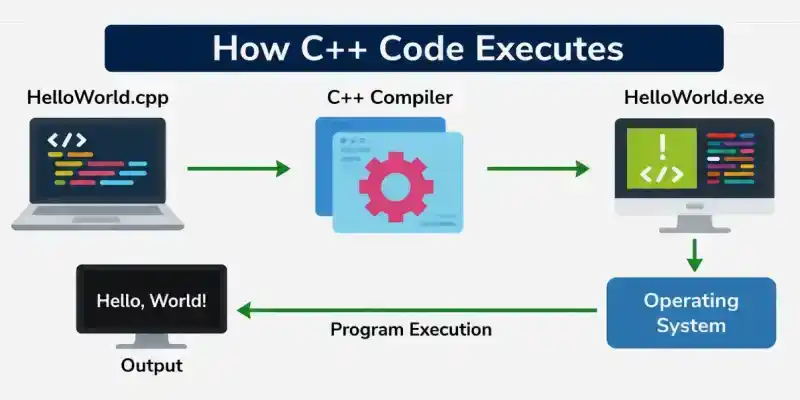
- Write the code in a file such as HelloWorld.cpp.
- Use a C++ compiler (G++, Clang, or MSVC) to compile the source code.
- The compiler converts the source code into an executable file (such as HelloWorld.exe).
- The operating system loads the executable file into memory.
- The CPU executes the program instructions starting from the main() function.
- The program displays the output on the screen.