
Bootstrap 5 Custom ratios allow us to set the aspect ratio using a CSS custom property. You can create custom aspect ratios for HTML elements by simply replacing modifier classes with CSS variables. Each ratio-* class contains a CSS custom property or variable in the selector.
- ratio-1x1: 1080x1080 pixels
- ratio-4x3: 1024x768 pixels
- ratio-16x9: 1920x1080 pixels
- ratio-21x9: 2560x1080 pixels
Bootstrap 5 Ratio Custom Ratios Class: There is no class for custom ratio, it depends on the developer how he/she wants the ratio.
Syntax:
<div class="ratio" style="--bs-aspect-ratio: 50%;">
  <div>. . .</div>
</div>
<div class="ratio ratio-4x3">
  <div>. . .</div>
</div>
Below example illustrate the Bootstrap 5 Ratio Custom Ratios:
Example 1: Set --bs-aspect-ratio: 50% on the ratio to produce a 2x1 aspect ratio.
<!DOCTYPE html>
<html lang="en">

<head>
    <meta charset="UTF-8">
    <meta http-equiv="X-UA-Compatible" content="IE=edge">
    <meta name="viewport"
                content="width=device-width, initial-scale=1.0">
    <link href=
"https://cdn.jsdelivr.net/npm/bootstrap@5.0.2/dist/css/bootstrap.min.css"
          rel="stylesheet"
          integrity=
"sha384-EVSTQN3/azprG1Anm3QDgpJLIm9Nao0Yz1ztcQTwFspd3yD65VohhpuuCOmLASjC"
          crossorigin="anonymous">
    <script src=
"https://cdn.jsdelivr.net/npm/bootstrap@5.0.2/dist/js/bootstrap.bundle.min.js"
          integrity=
"sha384-MrcW6ZMFYlzcLA8Nl+NtUVF0sA7MsXsP1UyJoMp4YLEuNSfAP+JcXn/tWtIaxVXM"
          crossorigin="anonymous">
    </script>
</head>

<body>
    <div class="text-center">
        <h1 class="text-success">GeeksforGeeks</h1>
        <h2>Bootstrap 5 Custom ratios</h2>
    </div>
    <br>
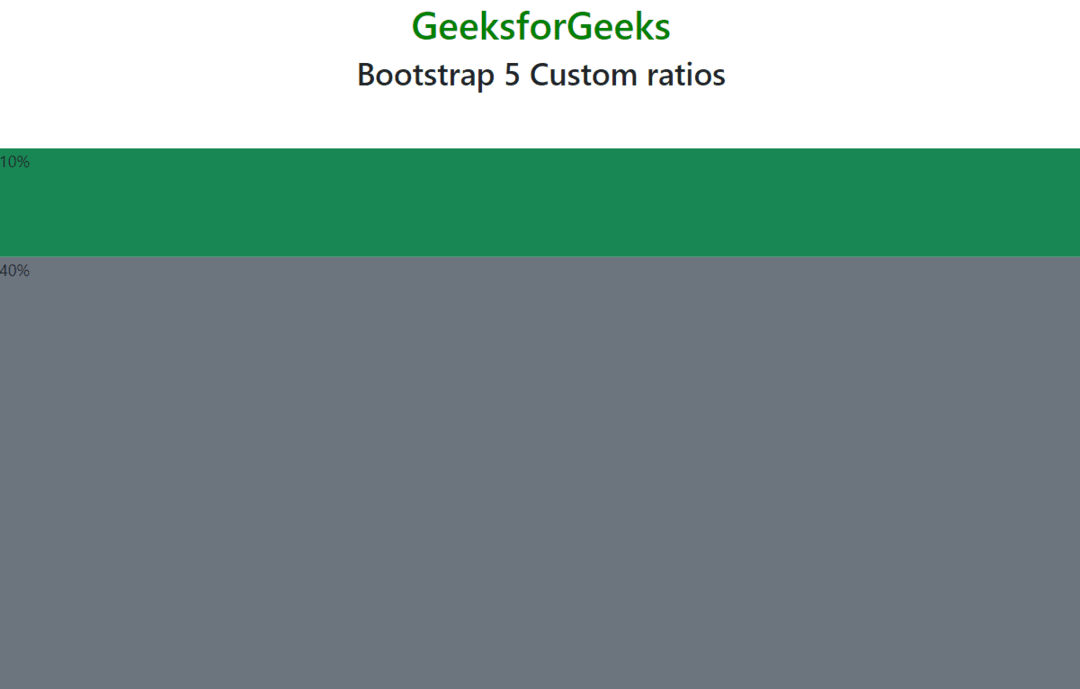
    <div class="ratio"
         style="--bs-aspect-ratio: 10%;">
        <div class="bg-success">10%</div>
    </div>
    <div class="ratio"
         style="--bs-aspect-ratio: 40%;">
        <div class="bg-secondary">40%</div>
    </div>
</body>
</html>
Output:
Example 2: The aspect ratio can be easily changed between breakpoints thanks to this CSS variable. The following starts out as 4x3, but at the medium breakpoint, it switches to 2x1.
<!DOCTYPE html>
<html lang="en">

<head>
    <meta charset="UTF-8">
    <meta http-equiv="X-UA-Compatible" content="IE=edge">
    <meta name="viewport" content="width=device-width, initial-scale=1.0">
    <link href=
"https://cdn.jsdelivr.net/npm/bootstrap@5.0.2/dist/css/bootstrap.min.css"
          rel="stylesheet"
          integrity=
"sha384-EVSTQN3/azprG1Anm3QDgpJLIm9Nao0Yz1ztcQTwFspd3yD65VohhpuuCOmLASjC"
          crossorigin="anonymous">
    <script src=
"https://cdn.jsdelivr.net/npm/bootstrap@5.0.2/dist/js/bootstrap.bundle.min.js"
          integrity=
"sha384-MrcW6ZMFYlzcLA8Nl+NtUVF0sA7MsXsP1UyJoMp4YLEuNSfAP+JcXn/tWtIaxVXM"
          crossorigin="anonymous">
    </script>
</head>

<body>
  <div class="text-center">
    <h1 class="text-success">GeeksforGeeks</h1>
    <h2>Bootstrap 5 Custom ratios</h2>
  </div>
  <br>
  <div class="ratio ratio-4x3">
    <div class="bg-success">4x3, then 2x1</div>
  </div>
</body>

</html>
Output:
