
Cross-browser testing is essential to ensure that web applications deliver a consistent and reliable experience across different browsers, devices, and operating systems. It helps developers identify compatibility issues early and maintain quality across all user environments.
- Ensures consistent appearance and functionality across all browsers.
- Helps detect and fix browser-specific compatibility issues.
- Improves overall user experience and application reliability.
Key Features Analyzed in Browser Testing
In compatibility testing, a Test Specification Document is used to define the scope and plan of testing. These features are grouped to ensure structured and effective testing.
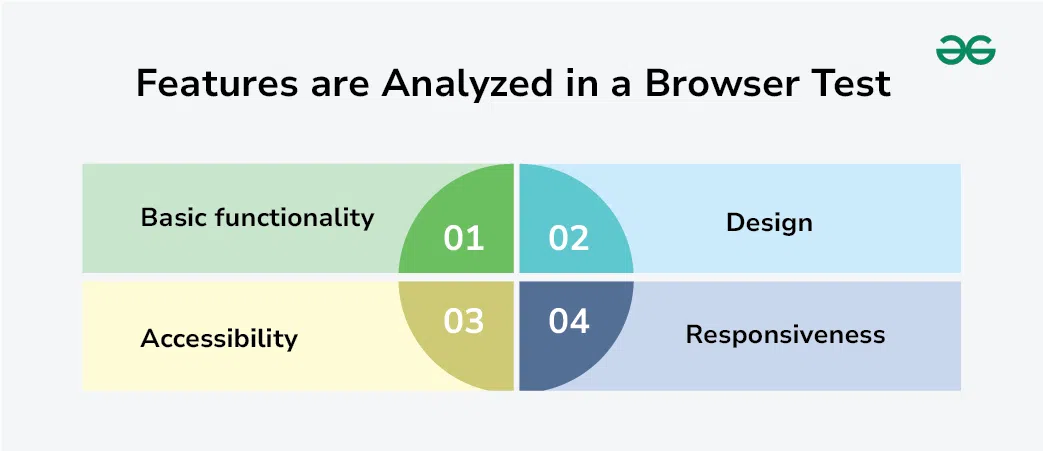
1. Basic Functionality
This ensures that core features of the application work properly across different browsers and operating systems.
- Dialog boxes, menus, and navigation elements function as expected.
- Form inputs, validations, and data submission work correctly.
- Cookies and session handling behave properly across browsers.
2. Design
This focuses on verifying the visual consistency of the application as per design specifications.
- Fonts, images, and layouts match the design team’s requirements.
- UI elements are displayed correctly without distortion or misalignment.
- Overall look and feel remains consistent across browsers.
3. Accessibility
This ensures the application is usable for all users, including people with disabilities.
- Follows Web Content Accessibility Guidelines (WCAG) standards.
- Supports screen readers, keyboard navigation, and assistive tools.
- Ensures inclusive access for users with different abilities.
4. Responsiveness
This checks whether the application adapts properly to different screen sizes and orientations.
- Layout adjusts correctly on mobile, tablet, and desktop screens.
- Content remains readable and usable in all screen orientations.
- Ensures smooth user experience across all devices.
Selection of Browsers for Effective Cross-Browser Testing
It is not practical to test a web application on every browser and operating system combination due to the large number of options available. Instead, a focused strategy is used to select the most relevant browsers based on user needs, market reach, and usage data.
1. Based on Popularity
Browsers are selected based on their market usage to ensure maximum user coverage with minimum effort.
- Focus on widely used browsers like Chrome, Firefox, Safari, and Edge.
- Include major mobile platforms such as Android and iOS.
2. Based on Usage Analytics
Browser selection is guided by real user data collected from analytics tools and user feedback.
- Use tools like Google Analytics to identify browsers used by real users.
- Analyze traffic data to understand device and browser distribution.
3. Based on Business Requirements
Browser selection is also influenced by business goals, budget, and target audience.
- Prioritize browsers used by the target customer base.
- Consider cost, time, and effort for testing older browser versions.
Process of Cross-Browser Testing
Cross-browser testing is performed using a structured approach to ensure that a web application works consistently across different browsers, devices, and operating systems.
1. Test Planning
A clear test plan is prepared before execution to ensure smooth and organized testing.
- Define and update test cases based on requirements and design specifications.
- Identify required browsers, devices, and testing tools in advance.
- Assign responsibilities for different browser and platform combinations.
2. Manual vs Automated Testing
Testing can be performed manually or through automation depending on project needs.
- Manual testing is useful for exploratory testing and identifying UI/UX issues.
- Automated testing is efficient for repetitive test cases and long-term projects.
- Most projects use a combination of both manual and automated testing.
3. Test Environment Setup
A proper testing environment is required to simulate real-world browser behavior.
- Use real devices or virtual machines to test different operating systems and browsers.
- Cloud-based testing tools can also be used for scalable and cost-effective testing.
- Ensures accurate validation of application behavior across environments.
4. Execution and Reporting
After execution, test results are analyzed and shared with the development team.
- Test cases are executed across selected browsers and platforms.
- Bugs and issues are logged using tools like Jira, Trello, or GitHub.
- Results are shared with teams for fixing and further improvements.
Example: A login page works correctly in Chrome but the “Login” button is misaligned in Safari due to CSS rendering differences.
Stages of Cross-Browser Testing
Cross-browser testing is performed at different phases of the software development lifecycle to ensure that the web application works consistently across all browsers and environments.
- During Development: Developers test features while building them to ensure new changes work properly across different browsers and do not introduce compatibility issues.
- In Staging: QA teams test the application in a staging environment to verify that the release version is stable and works correctly across all targeted browsers.
- Before Production Release: Final testing is performed to confirm that the application is fully functional, stable, and compatible before going live.
Tools for Browser Compatibility Testing
Browser compatibility testing can be performed using a variety of tools and environments when physical devices are not available. These tools help simulate different browsers, operating systems, and devices to ensure proper testing coverage.
- Browser Developer Tools: Built-in tools in browsers like Chrome and Firefox allow simulation of different screen sizes and basic device behaviors.
- Mobile Emulators & Debugging Tools: Tools like Android Studio and Xcode help test and debug mobile applications in virtual environments.
- Virtual Machines: Platforms like VirtualBox allow testing different operating systems without needing separate physical devices.
- Cloud-Based Testing Tools: Services like BrowserStack and LambdaTest provide access to real browsers and devices for cross-platform testing.
- Real Device Testing: Physical devices give the most accurate results and are preferred when available.
CI/CD Integration in Cross-Browser Testing
Cross-browser testing is often integrated into CI/CD pipelines to ensure that applications are automatically tested across multiple browsers during development and deployment.
- Automates test execution in build pipelines.
- Detects browser compatibility issues early.
- Supports faster and more reliable software releases.
Modern Cross-Browser Testing Frameworks
Modern cross-browser testing is often performed using automation frameworks that support fast, scalable, and CI/CD-integrated testing across multiple browsers.
- Selenium WebDriver: Widely used open-source framework for automating browser testing across Chrome, Firefox, Edge, and Safari.
- Playwright: A modern framework that supports fast, reliable testing across multiple browsers with built-in auto-wait features.
- Cypress: A JavaScript-based framework focused on fast and real-time browser testing for web applications.
- WebdriverIO: A flexible automation framework that supports integration with cloud platforms and testing tools.
- Puppeteer: A Node.js library used for automating Chrome and Chromium-based browser testing.
Common Issues in Cross-Browser Testing
During cross-browser testing, different browsers and devices may behave differently, leading to various compatibility issues that affect functionality and user experience.
- Browser Compatibility Issues (e.g., Internet Explorer): Some older or less updated browsers may not support modern web features properly, leading to broken layouts or functionality.
- Layout and UI Issues: Differences in CSS rendering and DOM structure can cause misaligned text, images, fonts, or broken page layouts.
- Touch and Click Behavior Issues: Mobile and tablet devices may interpret touch events differently, leading to incorrect or inconsistent interactions.
- Hover and Interaction Issues: Hover effects may not work consistently across browsers, sometimes failing to trigger or behaving incorrectly.