monitoringartist/docker-killer
Docker image for Docker stress and Docker orchestration testing
500K+
monitoringartist/docker-killer repository overview
Docker Killer
WARNING: IT IS NOT GUARANTEED THAT YOUR SYSTEM/CONTAINERS WILL SURVIVE THIS KILLER TESTING! DO NOT USE THIS IMAGE UNLESS YOU REALLY KNOW WHAT ARE YOU DOING!

There is a million of articles how Docker containers are awesome and only a few articles about Docker problems in enterprise production. Hopefully this image will help you to understand problems of Docker in production, which I have discovered from my 2 years commercial Docker experience. Feel free to add more usefull test cases. And again:
WARNING: IT IS NOT GUARANTEED THAT YOUR SYSTEM/CONTAINERS WILL SURVIVE THIS KILLER TESTING! DO NOT USE THIS IMAGE UNLESS YOU REALLY KNOW WHAT ARE YOU DOING!
All tests with default 60s timeout per test (except die/kernel panic test):
docker run \
  --rm -ti \
  --privileged \
  -v /:/rootfs \
  --oom-kill-disable \
  monitoringartist/docker-killer \
  all
Particular tests
cpubomb
It will 100% utilize all CPUs.
docker run \
  --rm -ti \
  --privileged \
  -v /:/rootfs \
  --oom-kill-disable \
  monitoringartist/docker-killer \
  cpubomb
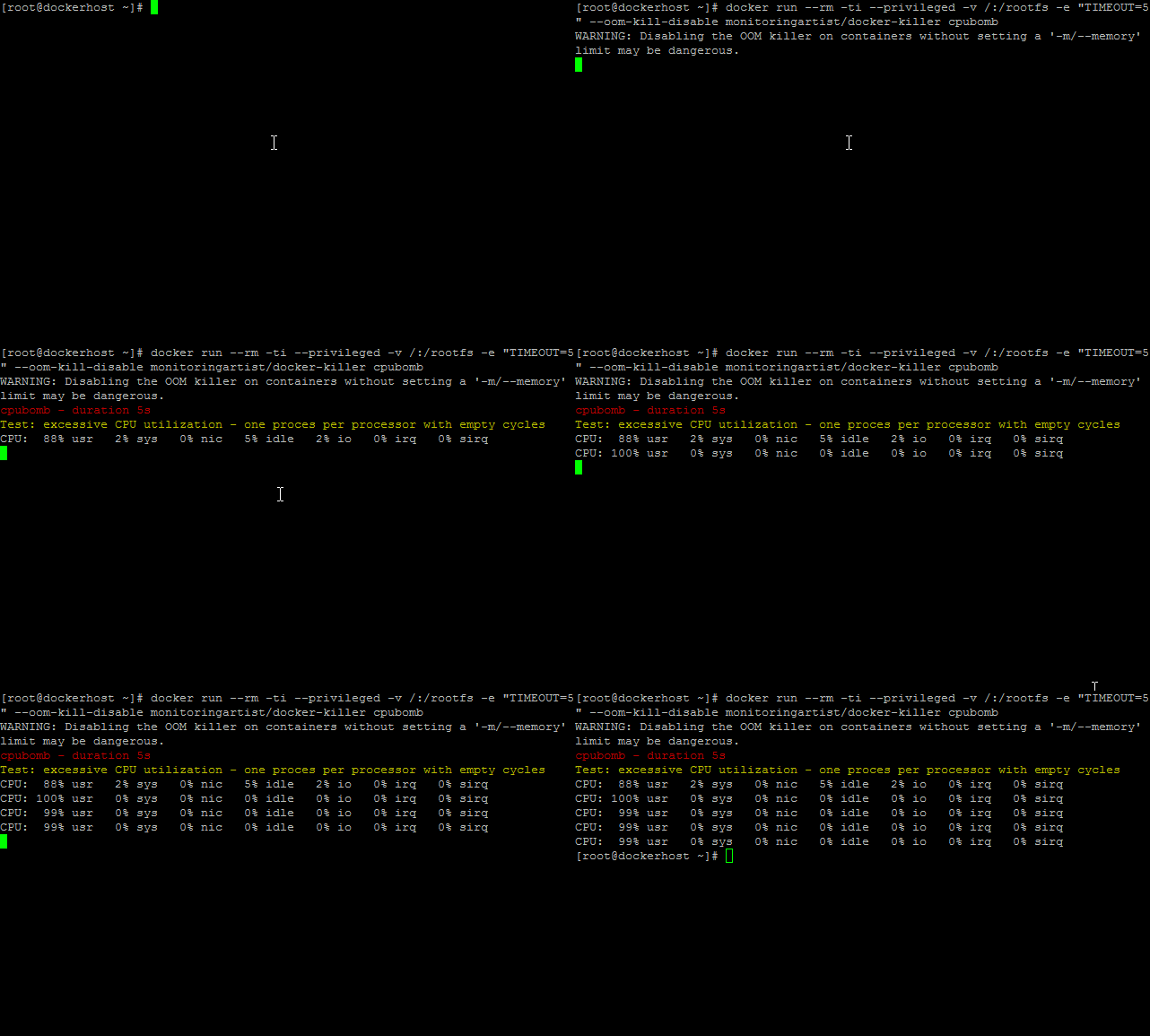
Solution: Use cgroup CPU subsytem limitation.
membomb
It will exhaust host memory and swap space.
docker run \
  --rm -ti \
  --privileged \
  -v /:/rootfs \
  --oom-kill-disable \
  monitoringartist/docker-killer \
  membomb

Solution: Don't use --oom-kill-disable unless it's neccessary and use cgroup memory subsystem.
netbomb
It will utilize your internet connectivity by using UDP stream.
docker run \
  --rm -ti \
  --privileged \
  -v /:/rootfs \
  --oom-kill-disable \
  monitoringartist/docker-killer \
  netbomb
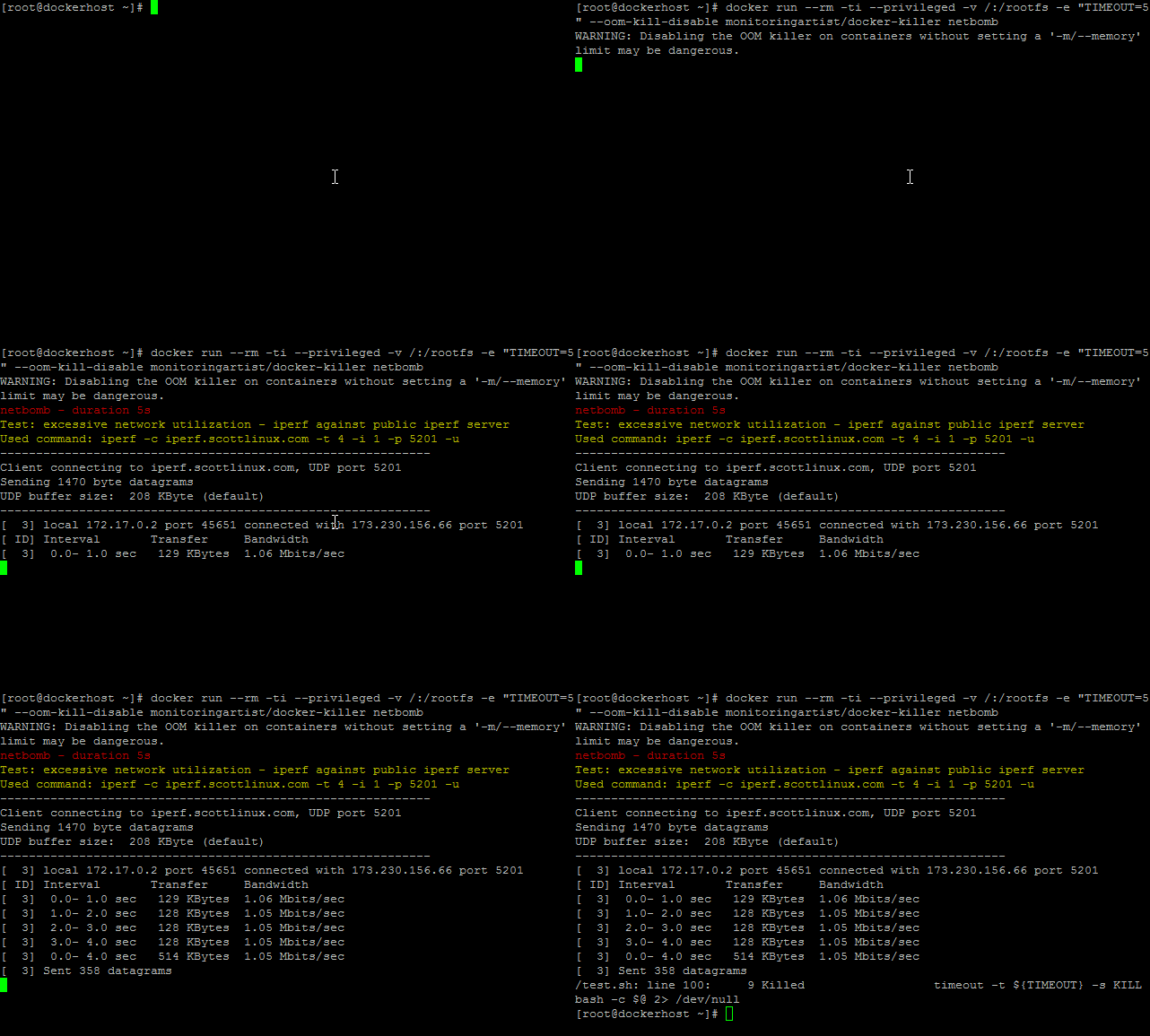
Solution: Use OS network limitations (shapping, ....) or cgroup network priority (net_prio) subsystem. If you need the best performance, don't use default Docker userland proxy. Try to use host network or some custom network solution.
forkbomb
It will execute number of forks.
docker run \
  --rm -ti \
  --privileged \
  -v /:/rootfs \
  --oom-kill-disable \
  monitoringartist/docker-killer \
  forkbomb
Solution: Use your standard OS number of processes limitations: number of processes per user and use custom user with defined limit in the container.
kernelpanic
It will generate kernel panic.
docker run \
  --rm -ti \
  --privileged \
  -v /:/rootfs \
  --oom-kill-disable \
  monitoringartist/docker-killer \
  kernelpanic
Solution: Don't run any Docker images, which can cause kernel panic.
die
Exit container with exit code 1.
docker run \
  --rm -ti \
  --privileged \
  -v /:/rootfs \
  --oom-kill-disable \
  monitoringartist/docker-killer \
  die
Test your Docker orchestration of daemonized containers. Your solution should (re)start container automatically. Some people are using supervisor in the container, but it's adding another process into container. The best approach, which I have seen is systemd, which handle Docker container lifecycle. Your container is your system(d) service, which you are able to start/stop/restart by using standard systemd utilities. Recommened Puppet module - https://github.com/garethr/garethr-docker
Environment variables
| Environment variable | Description |
|---|---|
| TIMEOUT | Test duration - default 60 sec per test |
| NETBOMB | Default command for netbomb test: iperf -c iperf.scottlinux.com -i 1 -p 5201 -u -t $TIMEOUT, you may to use another public iperf server https://iperf.fr/iperf-servers.php |
TODO
- chaosmonkey - stop random container
General Docker recommendations
- Trust only to your own well tested Docker images from your own repo. Public Docker hub images can be created by (choose here your favorite hacker flavour: Russian, American, Slovak, black/white hat, ...) hackers.
- Use explicit tag, instead of implicit default tag. Otherwise your containers can be upgraded unexpectedly.
- Monitoring - monitor high level of the service provided by container. Container should expose healthcheck (HTTP) endpoint, which will be monitored for any unexepected status codes/strings.
Recommended documentation
- https://docs.docker.com/engine/reference/run/
- https://www.kernel.org/doc/Documentation/cgroups/memory.txt
- https://www.kernel.org/doc/Documentation/cgroups/cpuacct.txt
- https://www.kernel.org/doc/Documentation/cgroups/blkio-controller.txt
- https://access.redhat.com/documentation/en-US/Red_Hat_Enterprise_Linux/6/html/Resource_Management_Guide/index.html
- https://goldmann.pl/blog/2014/09/11/resource-management-in-docker/
Inspiration
Hitler uses Docker - overview of Docker in production problems. If you are familiar with Docker problems, then it's funny video.
Author
Devops Monitoring Expert, who loves monitoring systems and cutting/bleeding edge technologies: Docker, Kubernetes, ECS, AWS, Google GCP, Terraform, Lambda, Zabbix, Grafana, Elasticsearch, Kibana, Prometheus, Sysdig, ...
Summary:
- 1000+ GitHub stars
- 6000+ Grafana dashboard downloads
- 800 000+ Docker image pulls
Professional devops / monitoring / consulting services:

Tag summary
Content type
Image
Digest
Size
4 MB
Last updated
about 8 years ago
docker pull monitoringartist/docker-killer