en usage platforms webpage
Embed a LangBot chat widget into any website with a single script tag.
Open LangBot WebUI, go to Bots > Create Bot, enter a bot name, and select Web Page Bot as the platform/adapter.
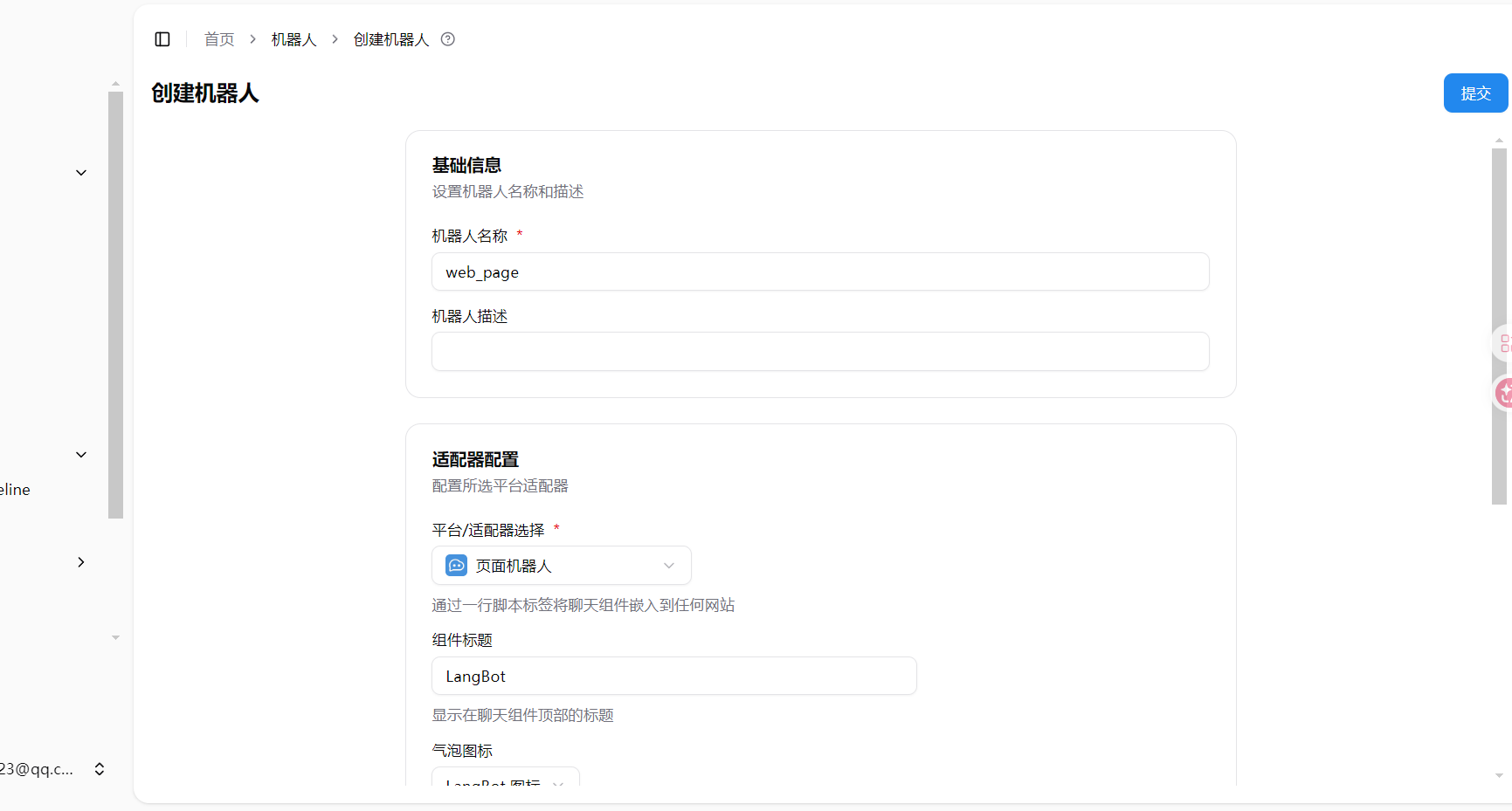
| Option | Description |
|---|---|
| Component Title | Title displayed at the top of the chat widget, defaults to LangBot |
| Bubble Icon | Icon displayed on the floating chat bubble |
| Component Language | Display language for the chat widget (Simplified Chinese, English, etc.) |
| Turnstile Site Key | Cloudflare Turnstile site key for anti-abuse protection. Leave empty to disable |
| Turnstile Secret Key | Cloudflare Turnstile secret key, obtained together with the site key from Cloudflare console. Required when site key is set |
After creating and saving the bot, an auto-generated <script> tag will appear in the Embed Code section of the bot configuration page.
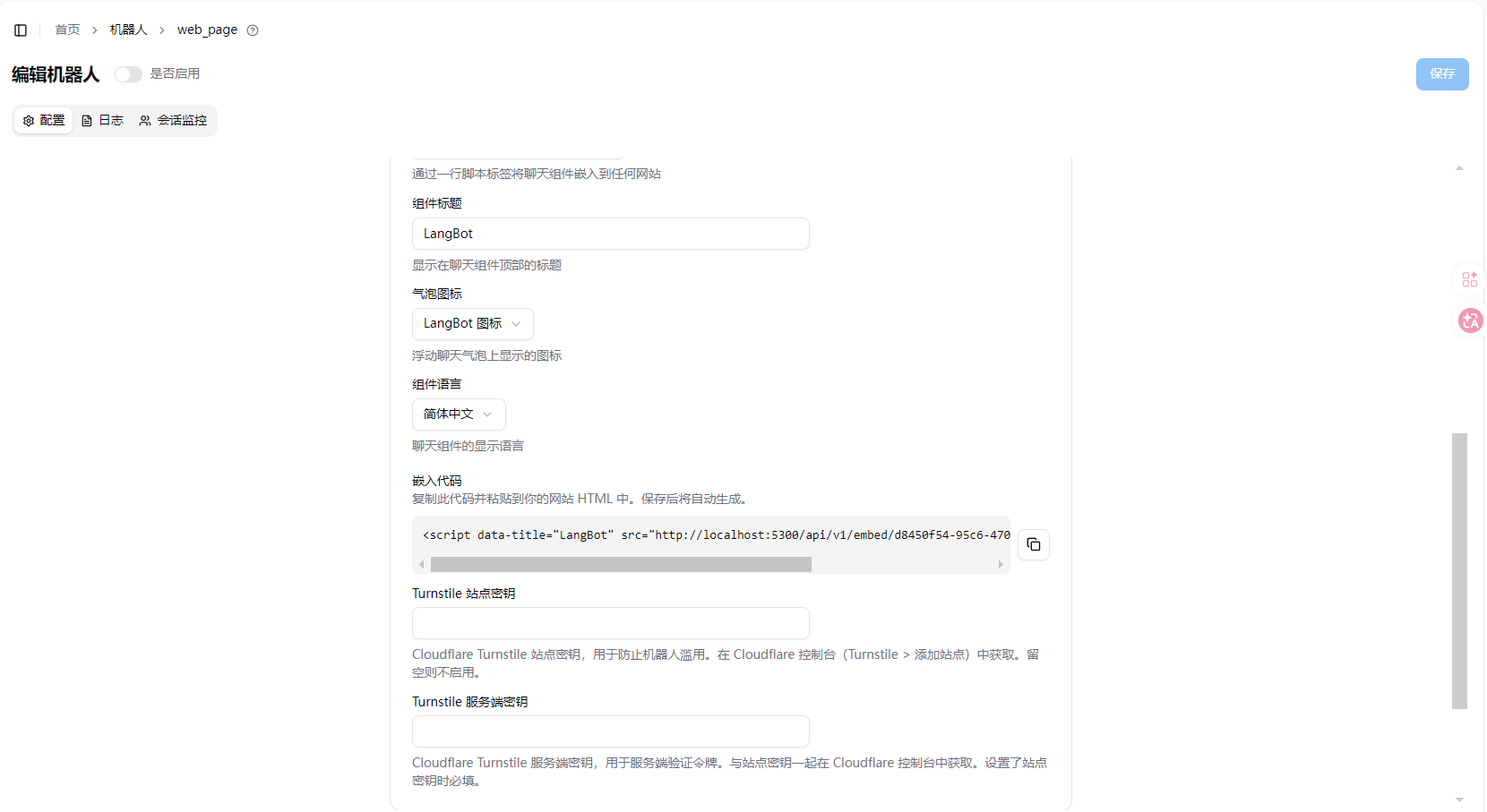
Copy this code and paste it into your website HTML (typically before </body>). A chat bubble will appear at the bottom-right corner of the page, allowing visitors to chat with your bot.
<script data-title="LangBot" src="http://localhost:5300/api/v1/embed/xxxxxxxx-xxxx-xxxx-xxxx-xxxxxxxxxxxx"></script>Warning
The embed code URL defaults to localhost. If your LangBot is deployed on a server, replace localhost:5300 with your actual address.
To protect against abuse, you can enable Cloudflare Turnstile:
- Go to Cloudflare Turnstile > Add Site
- Get the Site Key and Secret Key
- Fill them into the corresponding fields in the LangBot Web Page Bot configuration
- Save to take effect
Want to try the embed widget before wiring it into your own site? The LangBot
main repo ships a self-contained single-file demo page index.html under
examples/web-page-bot/:
open it in a browser, fill in your LangBot address and Page Bot UUID, and it
loads the live embed widget so you can chat with the bot just like a site
visitor — and generates the exact <script> snippet to paste into your own site.
# Serve the repo root statically, then open it in a browser
python3 -m http.server 8930
# Visit http://localhost:8930/examples/web-page-bot/After adding the embed code to your website, visitors can click the chat bubble at the bottom-right corner to start chatting with your bot.