
Learning Resources
Your World Machine installation already contains over a hundred example worlds to get you started. Supplemental resources are available for you here!
Getting Started
Your download includes a multi-part beginner tutorial series. These 9 tutorials will get you started with terrain creation and modification.
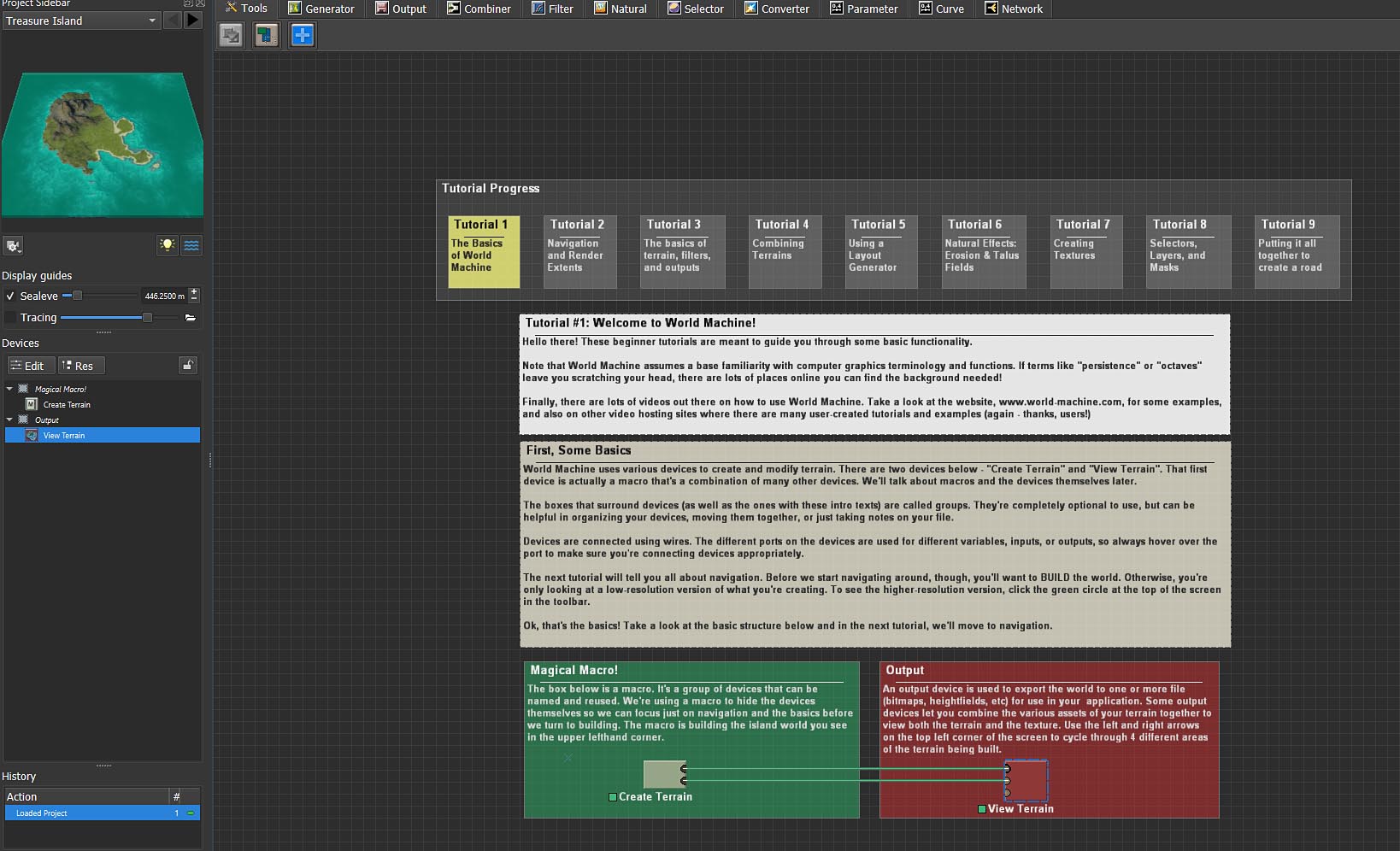
Within World Machine, select “Open Example World” under the File Menu. Experiment with modifying the example files to learn how it all works!
Once you're feeling comfortable with the basics, take a look at some of the other included example worlds (again, by choosing “Open Example World” in the File menu). These range from instructional demos to complete scenes, and can help you understand how to use devices and build a larger world.
“What's Up, Doc?”
You can find the official documentation and reference material at the Help Center. Head over there now to learn more!
Community Resources
Tutorials & Videos
There are several beginner tutorial videos that you can access on the World Machine website itself. In addition, there is an amazing community around terrain generation that has created many excellent videos of how to use World Machine (thank you, users!).
Take a look at your favorite social media such as Youtube to find some great additional tutorials and examples. Which brings us to...
Official Forums
Bring your questions, or just browse and learn from new and experienced World Machine users alike. The forums are a friendly place where people are willing to help you learn World Machine.
We hope these resources help get you started with World Machine and provide inspiration for your terrain generation projects!