Showing posts with label Software. Show all posts

December 30, 2013

Photoshop CS6: Visual QuickStart Guide/ Elaine Weinmann & Peter Lourekas


006.686 WEI

Very concise; fully illustrated. Organised by features.

Some handy tips I picked up:

p.205. Clip Adjustment layers
Hold down the ALT/ OPTION key; click between the line of two layers to clip/ unclip them.

p.208/ 209. On using the Histogram panel
How to read the histogram; what's well balanced (basically must cover the graph range), under-exposed (slanted towards left with gaps on the right); overexposed (slanted towards right with gaps on the left); shadow pixels clipped (graph is like under-exposed but raised all the way on the right); detail loss (where there are comb-tooth like gaps between the graph).

p.264. Photomerge command/ feature (via Bridge)

p.336 Puppet Wrap command
Edit > Puppet Wrap (use SHIFT/ ALT/ OPTION keys for effect)

p.377 Transform (e.g. detach) effects
After creating the effects, right-click the Effects listing on the layers panel, then "Choose Layer" from the context menu.

July 09, 2013

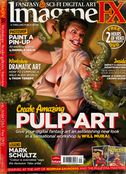
ImagineFX: Fantasy & Sci-fi Digital Art/ Dec 2012


Some photoshop layering tips from Dec 2012's issue.

P88. Workshop feature by Annie Stegg.

  • Group layers together, and apply Mask (mentions Alpha Mask; restricts painting to the area).
  • For lighting, suggests creating two layers: one set to Multiply and the other to Colour Dodge. Work between these layers to get definition and depth.
  • Once basic lighting is done, add texture. Create a new layer; "setting a basic Speckled Brush to Screen"; put the layer on Soft Light.

  • Use Emboss and Bevel effects (try setting the directions to Up/ Down) to create inset looks on plate armour.
  • Shortcut: Use [F] to cycle through different screen modes in Photoshop.
  • Use the Smudge tool to "pull" hair strands when painting hair.

July 07, 2013

ImagineFX: Fantasy & Sci-fi Digital Art/ Sept 2012

ImagineFX sept 2012

From ImagineFX Sept 2012, p75.

Screen print effect using Photoshop:
  • Filter > Pixelate> Colour Halftone
  • Opacity to 15% or less
  • Blend mode: Overlay
  • Change the angles of the Halftone settings.

Learned about a software called Manga Studio.

June 22, 2013

Adobe Photoshop CS6 essentials/ Scott Onstott


One thing I learned from this book: manipulating text/ fonts and working in tandem with path/ vectors.

Use the Pen tool; draw a path (free form or straight); then select the Text tool; place over the path (cursor will add on a little symbol to show a path); click and type.

Easy to follow short exercises.

June 18, 2013

Painter X for photographers/ Martin Addison


Useful primer on Corel Painter. I'm using version 12 and can follow this easily even if its talking about an older version.

Comprehensive section on the various brushes, pens, pencils etc. Particularly useful on understanding the various Clone Brushes and their effects.

Dedicated section on Clone painting. With short descriptive tutorials and examples.

Customising brushes, paper textures.

Explains watercolours, oils and pastels, blender brushes, portrait painting, hand colouring, Layers, printing and presentations (colour management).

April 05, 2013

Adobe Photoshop CS6 Digital Classroom/ Jennifer Smith, AGI Creative Team 26


Clear instructions; illustrated. Good systematic approach in learning Adobe Photoshop CS6. Presented as specific lessons and tasks (vs just describing each features).

March 27, 2013

Secrets of Corel Painter Experts: Tips, Techniques, and Insights for Users of All Abilities/ Daryl Wise


Features individual Corel Painter users. Each digital artist shows a work, explains how its done. Most have a sequenced walk-through.

Plenty of inspiring works; insights into the digital art creation process using varying preferred techniques and styles.

A few artists I really liked (interestingly they happen to be asians):
  • Song Yang http://www.zhajiang.com
  • Benjamin
    http://blog.sina.com.cn/benjamin
  • Youchan http://togoru.net
  • Pete Revonkorpi http://peterrevonkorpi.daportfolio.com

March 22, 2013

The Hidden Power of Blend Modes in Adobe Photoshop/ Scott Valentine


Many 'Single-technique' examples of Photoshop CS6 blend modes (in Layers).

Second part has a more technical explanation of the workings and mathematical calculations.

January 18, 2013

UI Design with Adobe Illustrator: Discover the ease and power of using Illustrator to design Web sites and apps/ Rick Moore


Well-organised book.
Clear instructions and illustrations.
Concise chunks on using specific Adobe Illustrator features.
Step-by-step guide in using the required features to complete a (mock) site.