API stands for Application Programming Interface. It is a set of rules and protocols that allows different software systems to communicate and exchange data, often over the internet. API calls are widely used in modern web development to connect applications with external services and servers.
- A client application sends a request to an API endpoint to access data or perform a specific operation.
- The server processes the request and returns a response containing the required data or result.
HTTP Methods Used in API Calls
1. GET Request: Used to fetch data from a server, like showing users or products in an app.
GET /api/users2. POST Request: Used to create new data, like registering a new user or submitting a form.
POST /api/users
{
  "name": "John Doe",
  "email": "geeks.doe@example.com"
}
3. PUT Request: Used to update existing data, like changing a user’s email or profile details.
PUT /api/users/1
{
  "email": "geeks.updated@example.com"
}
4. DELETE Request: Used to remove data from a server, like deleting an account or post.
DELETE /api/users/1How Do API Calls Work
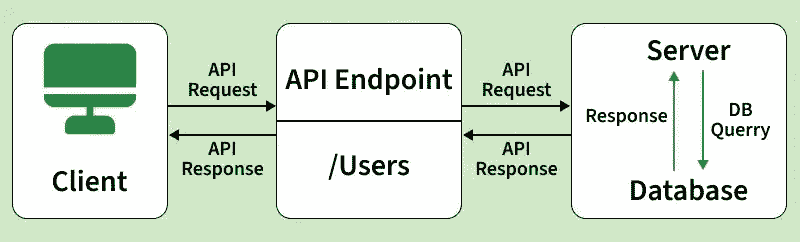
1. Client Request: The Client sends a HTTP request to the server. This request include
- Method: Indicates the type of action to be performed like GET, POST, DELETE, PUT.
- Endpoint: The URL to which the request is being sent.
- Headers: Provides metadata for the request like token and other information.
- Body: Contains data being sent to the server
2. Server Processing: The Server receives the request, process it and perform the required action.
3. Server Response: The Server sends back a response to the client. This response includes
- Status Code: Indicates the success or Failure of the request like 200 OK or 400 NOT FOUND.
- Headers: Provide metadata about the response.
- Body: Contains the data being sent back to the client.
How Can API Calls Be Used for an Attack
- Injection Attacks: Attackers inject malicious code into the API request to manipulate the servers execution.
- DDoS Attacks: Attackers overwhelm the server with a high volume of requests, causing a denial of service.
- Authentication Bypass: Exploiting vulnerabilities to bypass authentication mechanisms.
- Data Exposure: Exploiting insecure endpoints to access sensitive data.
- Parameter Tampering: Modifying request parameter to gain unauthorized access or perform unauthorized actions.
How to Secure APIs from Invalid API Calls
- Authentication and Authorization: Ensure that only authorized users can access the API.
- Input Validation: Validate all inputs to prevent injection attacks.
- Rate Limiting: Limit the number of requests a client can make in a given time period.
- HTTPS: Use HTTPS to encrypt data transmitted between the Client and server.
- API Gateway: Use an API gateway to manage and monitor API traffic.
- Error Handling: Provide informative but secure error messages.
- Token Expiry: Use token that expire after a certain period to reduce the risk of token theft.
The Importance of API Management
API management is crucial for several reasons. Below we provide that information for your reference.
- Security: Protects APIs from unauthorized access and attacks.
- Monitoring: Tracks usage and performance of APIs.
- Scalability: Ensures APIs can handle increased load.
- Versioning: Manages different versions of APIs to support backward compatibility.
- Documentation: Provides comprehensive documentation for developers.
Making an API call
A common way to make API calls is using REST, an architectural style that relies on standard HTTP methods (GET, POST, PUT, and DELETE) to interact with URLs.
For this walkthrough, we will use [https://jsonplaceholder.typicode.com/users]. This free testing API allows us to practice fetching fake user data, specifically the user ID, username, and email, without needing to set up a backend server.
Step 1: Create a React Project
First we need to create a React Project by using npm commands. Below we provide those commands to create a React Project with outputs for reference.
npx create-react-app project-name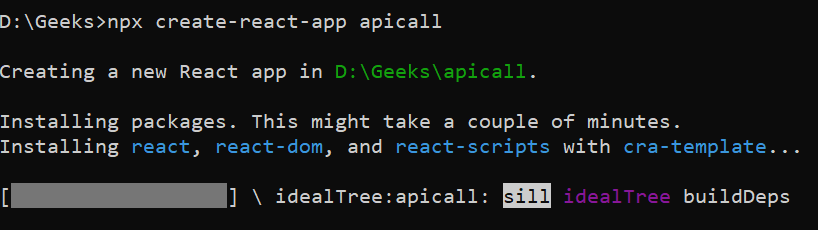
Step 2: Install Axios
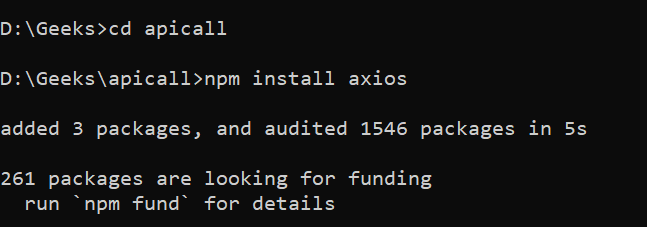
Once Project is successfully created, Now redirect project folder and install Axios for communicate with APIs.
cd project-namen
pm install axios
Step 3: Open Project Folder
Now we open this project through VS Code editor. After this we develop the required logic for creating REST API call in the App.js file which is located in the src folder of project
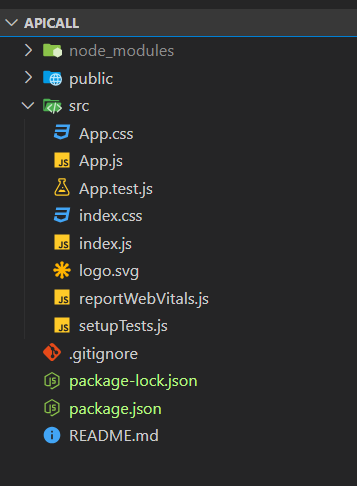
Step 4: Implement REST API
Once everything is setup, Now we created a logic for REST API call in the App.js file. Below we provide that source code for your reference.
// App.js
import React, { useState, useEffect } from 'react';
import axios from 'axios';

function App() {
  const [users, setUsers] = useState([]);

  useEffect(() => {
    // Make an API call using Axios
    axios.get('https://jsonplaceholder.typicode.com/users')
      .then(response => {
        setUsers(response.data);
      })
      .catch(error => {
        console.error('There was an error making the API call!', error);
      });
  }, []);

  return (
    <div className="App">
      <div>
        <h1>Users</h1>
        <ul>
          {users.map(user => (
            <li key={user.id}>{user.name} - {user.email}</li>
          ))}
        </ul>
      </div>
    </div>
  );
}

export default App;
Step 5: Run the Application
Once business logic is developed now we need to run the project by using below command. If application ran successfully got http://localhost:3000
npm start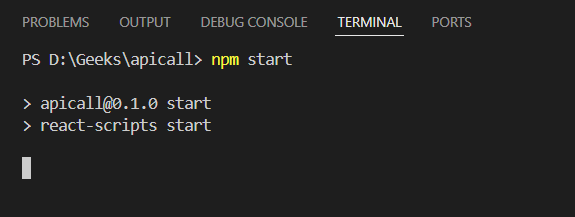
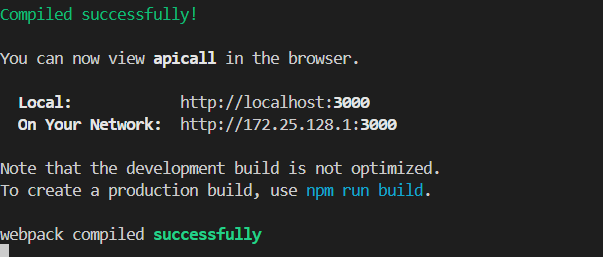
Step 6: Output
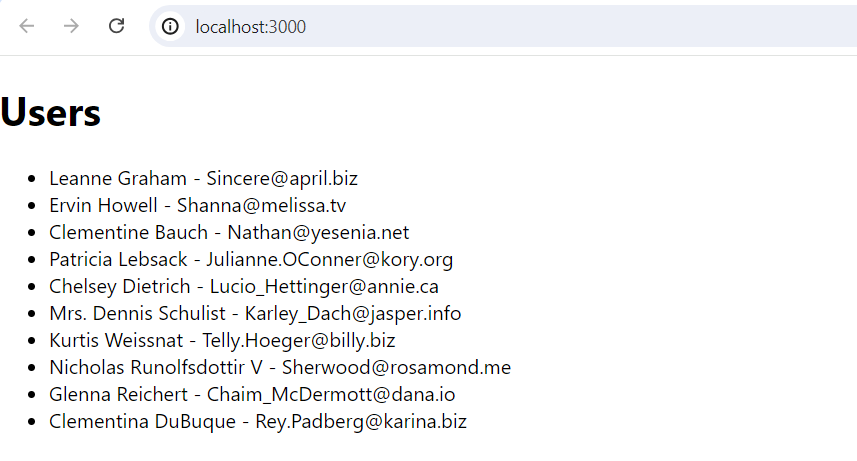
Once application running successfully, Then got this URL for to see the output.
http://localhost:3000/