
Salesforce environments are essential tools that allow developers, administrators, and business analysts to build, test, and deploy applications without disrupting business operations in the production environment. For intermediate to advanced developers, understanding the nuances of different Salesforce environments is critical for streamlining development processes, ensuring quality, and adhering to governance best practices.
This article explores the different Salesforce environments, their purposes, and how they can be effectively utilized for development, testing, and deployment.
What Are Salesforce Environments?
A Salesforce environment is an instance of Salesforce that provides a platform to develop, test, and deploy customizations, integrations, and new applications. These environments enable teams to work collaboratively, experiment with new features, and validate changes without affecting the live production environment.
Key Benefits of Salesforce Environments
- Secure Development: Allows isolated changes without affecting active business operations.
- Streamlined Collaboration: Facilitates teamwork across admins, developers, and business analysts.
- Faster Innovation: Encourages agile development and testing of new workflows and customizations.
- Improved Training: Provides a safe space for onboarding new users and training on new features.
Types of Salesforce Environments
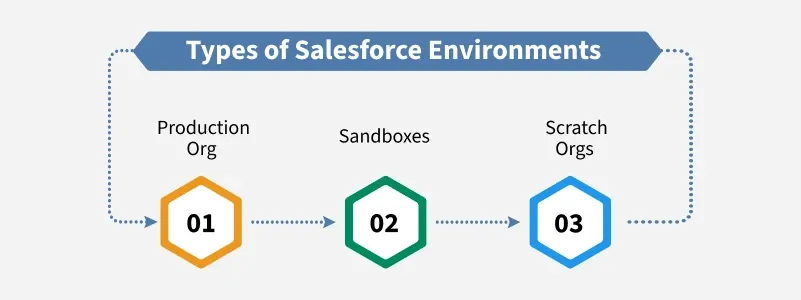
Salesforce provides multiple environment types, each tailored to specific development and deployment needs. The primary environment types are Sandboxes, Scratch Orgs, and the Production Org.
1. Production Org
The Production Org is the live environment where all business operations take place. It contains the organization’s live data and deployed customizations.
Characteristics:
- Active Data: Contains real-time customer and business data.
- No Direct Development: Changes are typically avoided in production to prevent disruption.
- Governance: Strict governance and change management policies are required to maintain system integrity.
Use Cases:
- Running day-to-day business operations.
- Serving end-users for CRM, sales, marketing, and service activities.
- Hosting deployed applications and features after thorough testing.
2. Sandboxes
Sandboxes are replicas of the production environment used for development, testing, and training. They are isolated environments where changes can be made without affecting production.
Types of Sandboxes:
Salesforce offers four types of Sandboxes, each suited for different purposes:
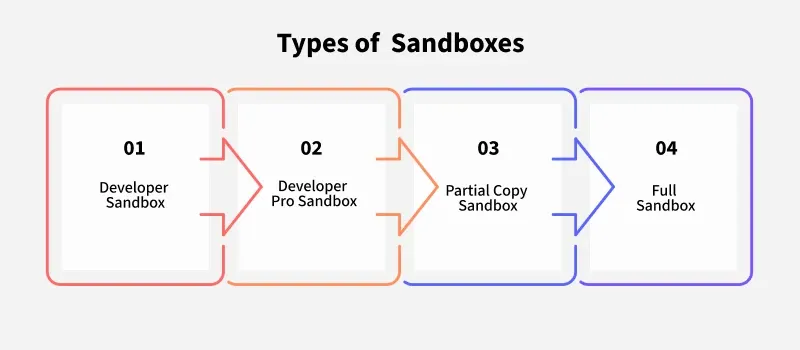
1. Developer Sandbox:
- Provides a lightweight environment with a copy of the metadata.
- Limited to 200 MB of storage.
- Ideal for small-scale development and unit testing.
2. Developer Pro Sandbox:
- Includes metadata and more storage (1 GB).
- Suitable for larger development projects and integration testing.
3. Partial Copy Sandbox:
- Contains metadata and a subset of production data defined by a sandbox template.
- Useful for testing specific data scenarios without copying the entire database.
4. Full Sandbox:
- A complete replica of the production org, including all metadata and data.
- Best for performance testing, user acceptance testing (UAT), and training.
Key Features:
- Data and Metadata Copy: Provides a snapshot of production data for testing.
- No Impact on Production: Allows experimentation without risk to live operations.
- Scheduled Refresh: Can be refreshed periodically to stay in sync with production.
Use Cases:
- Developing new features or workflows.
- Testing integration with external systems.
- Training users without exposing live data.
3. Scratch Orgs
Scratch Orgs are temporary, source-driven environments designed for agile development and automated testing. They are highly configurable and disposable, allowing developers to experiment freely.
Characteristics:
- Source-Driven: Built from source code and metadata, ensuring consistency across environments.
- CLI-Accessible: Can be managed using the Salesforce Command Line Interface (CLI).
- Ephemeral: Typically last for a few days or weeks and are deleted when no longer needed.
Key Features:
- Full Customization: Developers can define the org’s features, editions, and settings.
- Rapid Setup: Created quickly from scratch for specific development tasks.
- Integrated Testing: Ideal for continuous integration/continuous delivery (CI/CD) pipelines.
Use Cases:
- Testing new features in isolation.
- Implementing CI/CD for automated builds and tests.
- Experimenting with configurations without affecting shared environments.
Best Practices for Using Salesforce Environments
1. Adopt Agile Development Practices
- Use Scratch Orgs for individual developer tasks and CI/CD pipelines.
- Implement version control systems (e.g., Git) to track changes and ensure consistency.
2. Streamline Application Lifecycle Management (ALM)
- Leverage Sandboxes for collaboration, testing, and deployment stages.
- Define a clear ALM process, including code review, UAT, and deployment steps.
3. Secure Your Environments
- Use profiles, roles, and field-level security to protect sensitive data in Sandboxes.
- Refresh Sandboxes regularly to ensure they reflect the latest production changes.
4. Leverage Sandbox Templates
- Create Partial Copy Sandbox templates to include only relevant data for testing.
- Exclude unnecessary data to optimize storage and refresh times.
5. Implement CI/CD Pipelines
- Use Scratch Orgs to integrate automated testing into CI/CD workflows.
- Deploy tested changes seamlessly to Sandboxes and Production.
6. Train and Onboard Users
- Use Full Sandboxes to simulate real-world scenarios for user training.
- Provide hands-on practice for new employees without risking production data.
Practical Example: Streamlining Development with Scratch Orgs
Suppose a development team is working on a new feature to integrate Salesforce with an external payment system. Here’s how they could leverage Scratch Orgs:
Step 1: Create a Scratch Org:
- Define the required configurations using a
project-scratch-def.jsonfile. - Use the Salesforce CLI command:
sfdx force:org:create -f config/project-scratch-def.json -a PaymentIntegrationStep 2: Develop and Test:
- Push source code to the Scratch Org:
sfdx force:source:push- Test integration functionality within the Scratch Org.
Step 3: Deploy to a Sandbox:
- Once the feature is complete and tested, deploy it to a Developer Pro Sandbox for further validation:
sfdx force:source:deploy -u DeveloperProSandboxStep 4: Move to Production:
- After UAT, deploy the changes to the Production Org using a change set or a CI/CD tool like Jenkins or GitHub Actions.
Benefits of Salesforce Environments
- Accelerated Development: Developers can work independently in isolated environments, reducing bottlenecks.
- Improved Collaboration: Teams can collaborate using shared Sandboxes and Scratch Orgs, ensuring seamless handoffs.
- Risk Mitigation: Testing and validation in non-production environments prevent bugs from reaching end-users.
- Higher Quality Applications: Robust testing in Sandboxes and Scratch Orgs ensures better application performance and reliability.
Conclusion
Salesforce environments play a critical role in modern application lifecycle management. By effectively leveraging Sandboxes and Scratch Orgs, teams can innovate faster, improve collaboration, and ensure the reliability of their applications. For intermediate to advanced developers, mastering these environments and following best practices can significantly enhance the efficiency and quality of their development process. Whether you’re experimenting with new features, automating deployments, or training users, Salesforce environments provide the flexibility and tools needed to succeed.