
Almost every website stores cookies (small text files) on the user's computer for recognition and to keep track of his preferences. DOM cookie property sets or gets all the key/value pairs of cookies associated with the current document.
Getting all the Cookies:
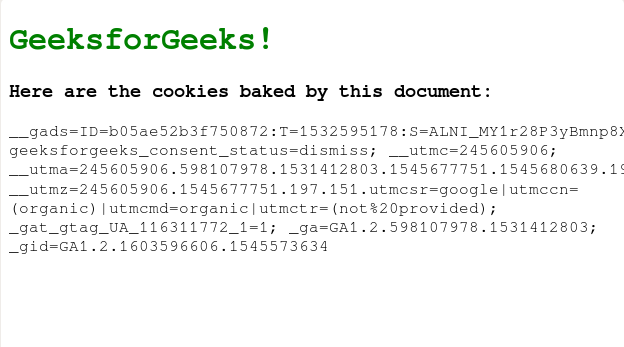
The document.cookie method returns a string containing semicolon-separated list of all the cookies(key=value pairs) of the current document.
Syntax:
document.cookieExample: Below is the program to get all of the cookies associated with the current document:
<!DOCTYPE html>
<html>

<head>
    <title>Cookie</title>
    <style>
        h1 {
            color: green
        }
    </style>
</head>

<body onload="getCookies()">
    <h1>GeeksforGeeks!</h1>
    <h3>Here are the cookies baked by this document:</h3>

    <!-- Paragraph element to display all cookies -->
    <p id="cookies"></p>

    <!-- Fetch cookies and display them in the
        above paragraph element -->
    <script>
        function getCookies() {
            document.getElementById("cookies").innerHTML =
                document.cookie;
        }
    </script>
</body>

</html>
Output:
Setting a Cookie:
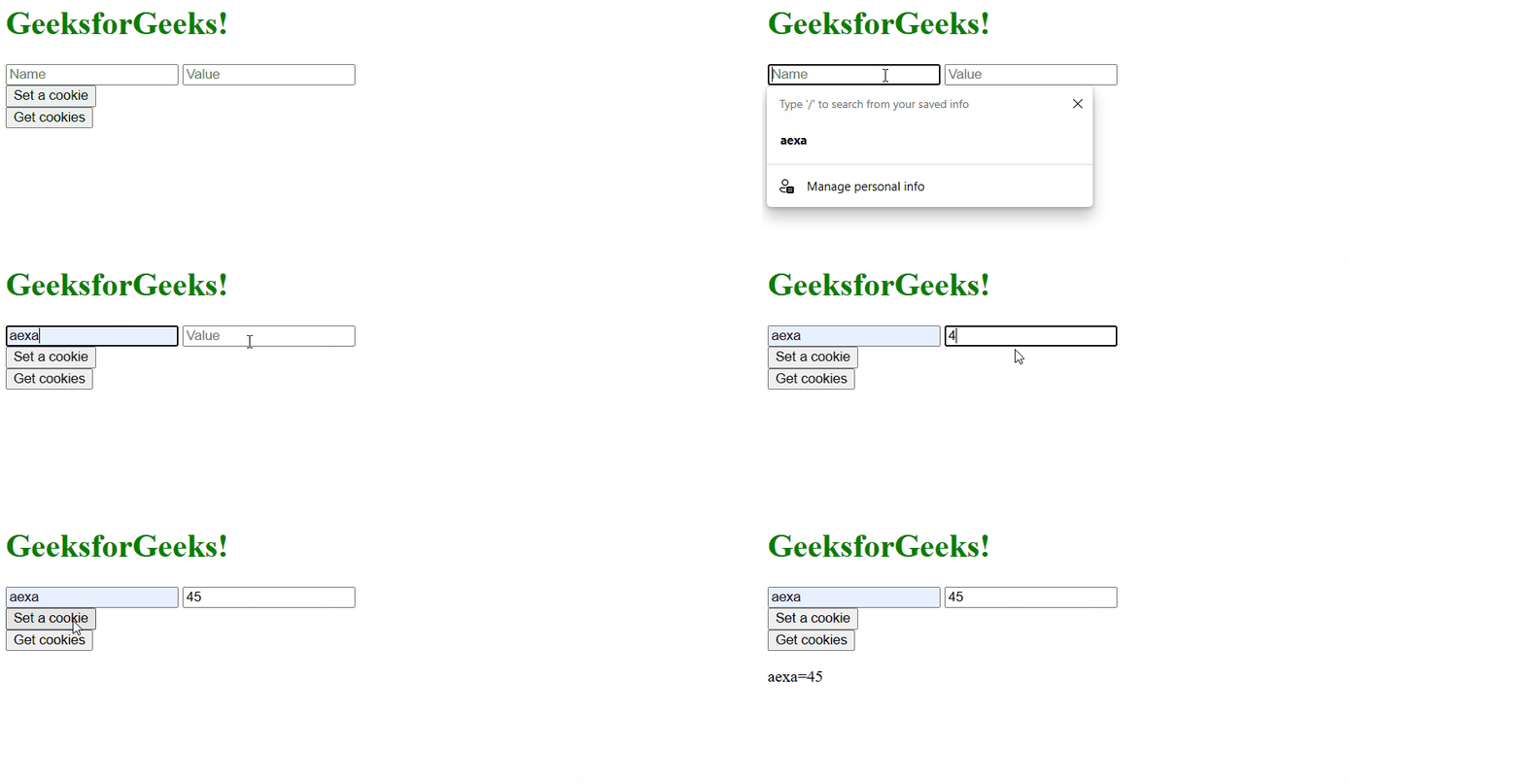
A new cookie can be written for the current document by providing a string containing key=value pair separated by a colon with other cookies(key=value pairs) or any of the following optional values:
- expires=date: where the date is in GMT format. By default, the cookie expires when the browser is closed.
- path=path: specifies the directory to store cookies the on computer. By default, the path is set to the path of the current document location.
- max-age=seconds
- domain=domainname: specifies the domain name of the cookie. If not specified, defaults to the domain name of the current page.
- secure=boolean: specifies if the cookie has to be sent through https server.
Syntax:
document.cookie = NewCookieExample: In this example, we are setting a cookie.
<!DOCTYPE html>
<html>

<head>
    <title>Cookie</title>
    <style>
        h1 {
            color: green
        }
    </style>
</head>

<body>
    <h1>GeeksforGeeks!</h1>

    <!-- Name for Cookie -->
    <input type="text" id="key" placeholder="Name">

    <!-- Value for the cookie -->
    <input type="text" id="val" placeholder="Value">
    <br>

    <!-- button to set cookie -->
    <button onclick="setCookie()">Set a cookie</button>
    <br>

    <!-- Button to get cookie -->
    <button onclick="getCookie()">Get cookies</button>

    <!-- Empty Paragraph element to display Cookies -->
    <p id="cookies"></p>
    <script>
        // Set cookies
        function setCookie() {
            document.cookie =
                document.getElementById('key').value + "="
                + document.getElementById('val').value;
        }
        // Get cookies
        function getCookie() {
            document.getElementById("cookies").innerHTML =
                document.cookie;
        }
    </script>
</body>

</html>
Output:
Supported Browser: The browsers supported by DOM cookie Property are listed below: