
Object-Oriented Programming (OOP) is a programming paradigm that organizes software around objects rather than functions and logic. An object contains both data (attributes) and methods (behavior), making programs more modular and reusable. OOP helps developers build scalable, maintainable, and real-world applications efficiently.
- Improves code reusability
- OOP is based on the concept of objects and classes
- Makes programs easier to understand and manage
Concepts of Object-Oriented Programming (OOP)
The diagram below demonstrates the Java OOPs Concepts
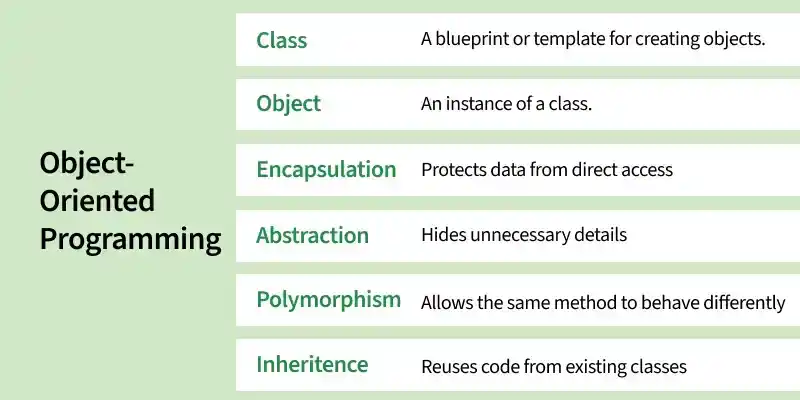
Class
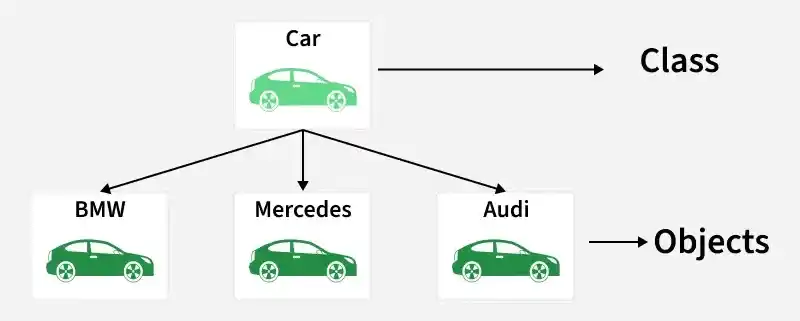
A class is a blueprint or template used to create objects. It defines the properties (data) and behaviors (methods) that objects will have.
- Contains data members and methods.
- Does not occupy memory until an object is created.
Example: A Car represents a class (blueprint), while BMW, Mercedes, and Audi represent objects (instances) created from that class.
class Student {
public:
    string name = "Book";
};
class Student {
    String name = "Book";
}
class Student:
    name = "Book"
class Student {
    public string name = "Book";
}
class Student {
    constructor() {
        this.name = "Book";
    }
}
Object
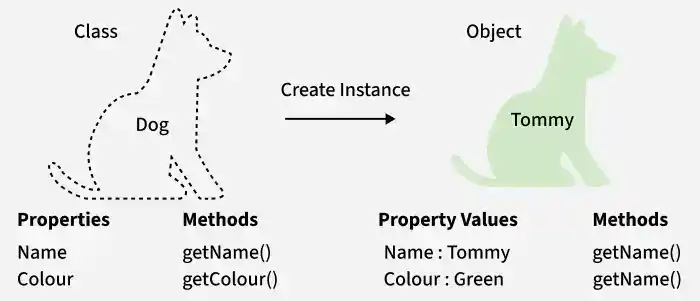
An object is an instance of a class. It represents a real-world entity and can access the properties and methods defined in the class.
- Occupies memory when created.
- Used to access class members.
Example: Dog is a class, Tommy is an object of that class.
Student s;
cout << s.name;
Student s = new Student();
System.out.println(s.name);
s = Student()
print(s.name)
Student s = new Student();
Console.WriteLine(s.name);
let s = new Student();
console.log(s.name);
Encapsulation
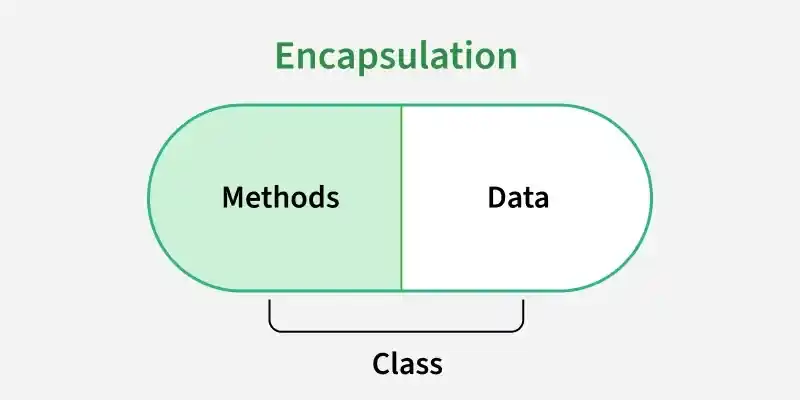
Encapsulation is the process of binding data and methods together into a single unit and restricting direct access to data using access modifiers.
- Improves security.
- Accesses data through getter and setter methods.
class Employee {
private:
    int salary;

public:
    void setSalary(int s) {
        salary = s;
    }

    int getSalary() {
        return salary;
    }
};
class Employee {
    private int salary;

    public void setSalary(int salary) {
        this.salary = salary;
    }

    public int getSalary() {
        return salary;
    }
}
class Employee:
    def __init__(self):
        self.__salary = 0

    def setSalary(self, salary):
        self.__salary = salary

    def getSalary(self):
        return self.__salary
class Employee {
    private int salary;

    public void SetSalary(int salary) {
        this.salary = salary;
    }

    public int GetSalary() {
        return salary;
    }
}
class Employee {
    #salary;

    setSalary(salary) {
        this.#salary = salary;
    }

    getSalary() {
        return this.#salary;
    }
}
Abstraction
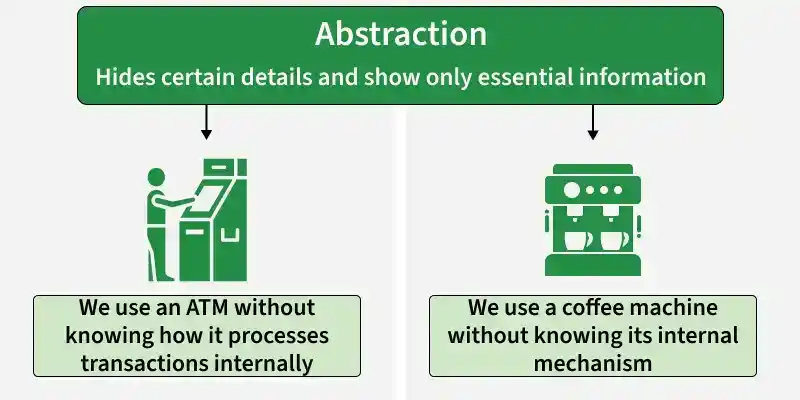
Abstraction hides implementation details and shows only the essential features of an object.
- Improves code simplicity.
- Achieved using abstract classes and interfaces.
Example: An ATM or a coffee machine represents abstraction, where the user interacts with simple operations while the internal working and implementation details remain hidden.
class Shape {
public:
    virtual void draw() = 0;
};
abstract class Shape {
    abstract void draw();
}
from abc import ABC, abstractmethod

class Shape(ABC):
    @abstractmethod
    def draw(self):
        pass
abstract class Shape {
    public abstract void Draw();
}
class Shape {
    draw() {
        throw "Method must be implemented";
    }
}
Inheritance
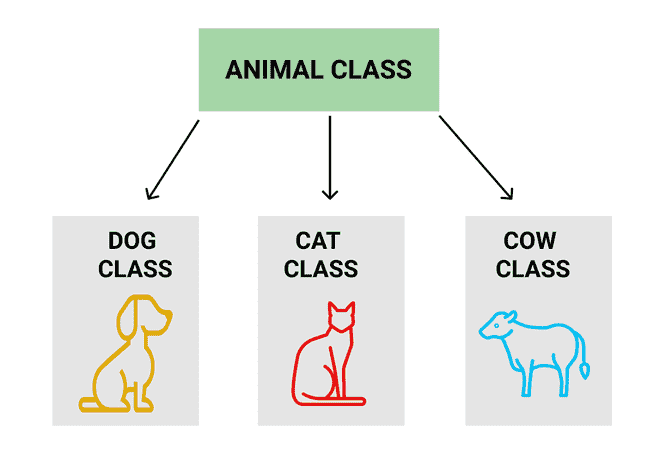
Inheritance allows one class to acquire the properties and methods of another class.
- Establishes parent-child relationship.
- Supports method overriding.
Example: Dog, Cat, Cow can be Derived Class of Animal Base Class
#include <iostream>
using namespace std;

class Animal {
public:
    void sound() {
        cout << "Animal makes a sound" << endl;
    }
};

class Dog : public Animal {
public:
    void bark() {
        cout << "Dog barks" << endl;
    }
};

int main() {
    Dog dog;
    dog.sound();
    dog.bark();

    return 0;
}
class Animal {
    void sound() {
        System.out.println("Animal makes a sound");
    }
}

class Dog extends Animal {
    void bark() {
        System.out.println("Dog barks");
    }
}

public class Main {
    public static void main(String[] args) {
        Dog dog = new Dog();
        dog.sound();
        dog.bark();
    }
}
class Animal:
    def sound(self):
        print("Animal makes a sound")

class Dog(Animal):
    def bark(self):
        print("Dog barks")

dog = Dog()
dog.sound()
dog.bark()
using System;

class Animal
{
    public void Sound()
    {
        Console.WriteLine("Animal makes a sound");
    }
}

class Dog : Animal
{
    public void Bark()
    {
        Console.WriteLine("Dog barks");
    }
}

class Program
{
    static void Main()
    {
        Dog dog = new Dog();
        dog.Sound();
        dog.Bark();
    }
}
class Animal {
    sound() {
        console.log("Animal makes a sound");
    }
}

class Dog extends Animal {
    bark() {
        console.log("Dog barks");
    }
}

const dog = new Dog();
dog.sound();
dog.bark();
Polymorphism
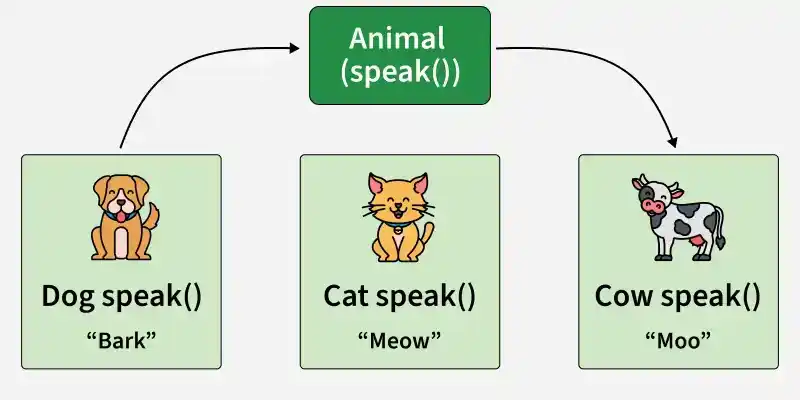
Polymorphism means "many forms" and allows the same method or interface to perform different actions depending on the object that invokes it. It improves flexibility and enables dynamic behavior in object-oriented applications.
- Allows one interface, multiple implementations.
- Achieved through method overloading and method overriding.
Example: Different animals represent polymorphism, where the same method speak() produces different outputs like Bark, Meow, and Moo depending on the object.
#include <iostream>
using namespace std;

class Animal {
public:
    virtual void speak() {
        cout << "Animal speaks" << endl;
    }
};

class Dog : public Animal {
public:
    void speak() override {
        cout << "Dog barks" << endl;
    }
};

class Cat : public Animal {
public:
    void speak() override {
        cout << "Cat meows" << endl;
    }
};

int main() {
    Animal* a1 = new Dog();
    Animal* a2 = new Cat();

    a1->speak();
    a2->speak();

    delete a1;
    delete a2;
    return 0;
}
class Animal {
    void speak() {
        System.out.println("Animal speaks");
    }
}

class Dog extends Animal {
    @Override
    void speak() {
        System.out.println("Dog barks");
    }
}

class Cat extends Animal {
    @Override
    void speak() {
        System.out.println("Cat meows");
    }
}

public class Main {
    public static void main(String[] args) {
        Animal a1 = new Dog();
        Animal a2 = new Cat();

        a1.speak();
        a2.speak();
    }
}
class Animal:
    def speak(self):
        print("Animal speaks")

class Dog(Animal):
    def speak(self):
        print("Dog barks")

class Cat(Animal):
    def speak(self):
        print("Cat meows")

animals = [Dog(), Cat()]

for animal in animals:
    animal.speak()
using System;

class Animal
{
    public virtual void Speak()
    {
        Console.WriteLine("Animal speaks");
    }
}

class Dog : Animal
{
    public override void Speak()
    {
        Console.WriteLine("Dog barks");
    }
}

class Cat : Animal
{
    public override void Speak()
    {
        Console.WriteLine("Cat meows");
    }
}

class Program
{
    static void Main()
    {
        Animal a1 = new Dog();
        Animal a2 = new Cat();

        a1.Speak();
        a2.Speak();
    }
}
class Animal {
    speak() {
        console.log("Animal speaks");
    }
}

class Dog extends Animal {
    speak() {
        console.log("Dog barks");
    }
}

class Cat extends Animal {
    speak() {
        console.log("Cat meows");
    }
}

const animals = [new Dog(), new Cat()];

animals.forEach(animal => animal.speak());
Advantages of OOP
- Modularity: Programs are divided into independent classes, making development easier.
- Easy Maintenance: Changes in one part of the program have minimal impact on others.
- Improved Readability: Well-structured classes make code easier to understand.
- Scalability: Applications can be expanded and enhanced without major modifications.
- Faster Development: Reusable components and modular design speed up development.
- Better Testing and Debugging: Individual classes can be tested and debugged independently.
- Real-World Modeling: Objects represent real-world entities, making system design intuitive.
Limitations of OOP
While OOP provides many benefits, it also has some limitations:
- Steeper Learning Curve: Concepts such as classes, objects, inheritance, polymorphism, abstraction, and encapsulation can be challenging for beginners.
- Additional Overhead for Small Programs: OOP may introduce extra classes and structure that are unnecessary for simple applications.
- Increased Design Complexity: Designing a proper class hierarchy and object relationships requires careful planning.
- Higher Memory Consumption: Creating and managing a large number of objects can require more memory compared to procedural approaches.