In this article, we will see the role of the $routeProvider in AngularJS, along with understanding the basic implementation through the examples. Routing allows us to create Single Page Applications. To do this, we use ng-view and ng-template directives, and $routeProvider services. We use $routeProvider to configure the routes. The config() takes a function that takes the $routeProvider as a parameter and the routing configuration goes inside the function. The $routeProvider is a simple API that accepts either when() or otherwise() method. We need to install the ngRoute module.
Example 1: This example describes the basic usage of the $routeProvider in AngularJS.
<!DOCTYPE html>
<html>

<head>
    <title>
        Detecting the route change in AngularJS
    </title>
    <script src=
"https://ajax.googleapis.com/ajax/libs/angularjs/1.3.14/angular.min.js">
    </script>
    <script src=
"https://ajax.googleapis.com/ajax/libs/angularjs/1.3.14/angular-route.min.js">
    </script>
</head>

<body style="text-align:center;">
    <h1 style="color:green;">
        GeeksforGeeks
    </h1>
    <h3>
        Detecting the route change in AngularJS
    </h3>
    <div ng-app="mainApp">
        <p>
            <a href="#addStudent">
                Add Student
            </a>
        </p>
        <p>
            <a href="#viewStudents">
                Display Student
            </a>
        </p>
        <div ng-view></div>

        <script type="text/ng-template" id="addStudent.htm">
            <h2> Add Student </h2> {{message}}
        </script>
        <script type="text/ng-template" id="viewStudents.htm">
            <h2> Display Student </h2> {{message}}
        </script>
    </div>
    <script>
        var mainApp = angular.module("mainApp", ['ngRoute']);
        mainApp.config(
            ['$routeProvider', function($routeProvider) {
                $routeProvider.when('/addStudent', {
                    templateUrl: 'addStudent.htm',
                    controller: 'AddStudentController'
                }).when('/viewStudents', {
                    templateUrl: 'viewStudents.htm',
                    controller: 'ViewStudentsController'
                }).otherwise({
                    redirectTo: '/addStudent'
                });
            }]);
        mainApp.controller('AddStudentController', function($scope) {
            $scope.message = "Add The Students";
        });
        mainApp.controller('ViewStudentsController', function($scope) {
            $scope.message = "Display all the students";
        });
    </script>
</body>
</html>
Explanation: $routeProvider is a function under config (mainApp module) using the key as '$routeProvider'. $routeProvider.when defines the URL "/addStudent". The default view is set by "otherwise". "controller" is used for the view.
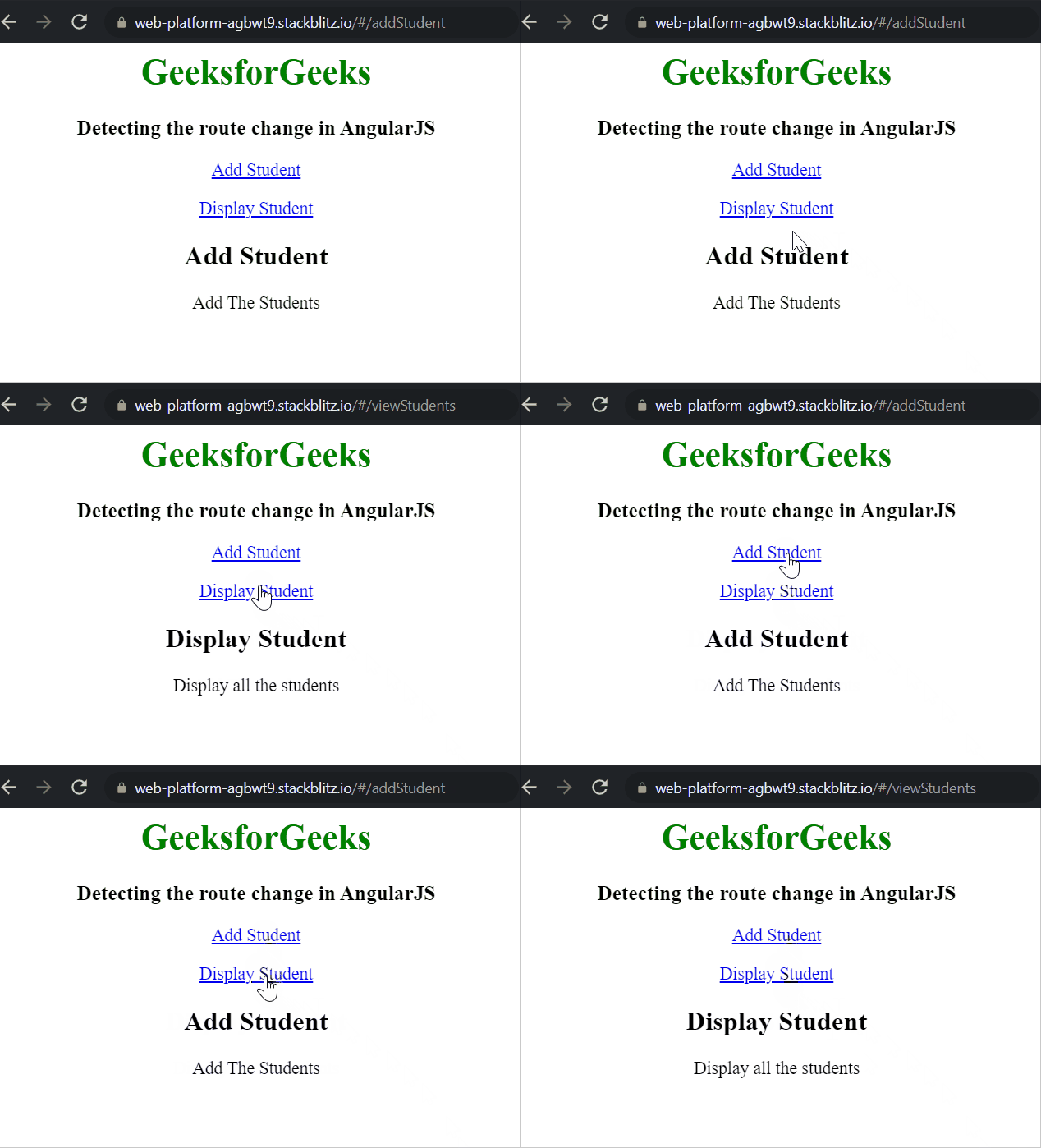
Output: From the output, notice the URL & the content that changes while clicking on the given links:
How To Configure The $routeprovider?
The $routeProvider creates the $route service. By configuring the $routeProvider before the $route service we can set routes in HTML templates which will be displayed. The $routeProvider is configured with the help of calls to the when() and otherwise() functions.
- when() function takes route path and a JavaScript object as parameters.
- otherwise() takes a JavaScript object as a parameter.
Syntax to configure the routes in AngularJS:
var app = angular.module("appName", ['ngRoute']);

app.config(function($routeProvider) {
$routeProvider.when('/1stview', {
    templateUrl: '1stview.html',
    controller: 'Controller1'
}).when('/view2', {
    templateUrl: '2ndview.html',
    controller: 'Controller2'
}).otherwise({
    redirectTo: '/1stview'
  });
});
Here, Path is the URL after the hash(#) symbol.
The route contains two properties:
- templateUrl
- controller
Example 2: In this example, the $routeProvider is used to define the page when the user clicks the link.
<!DOCTYPE html>
<html>

<head>
      <title>
        Detecting the route change in AngularJS
    </title>
    <script src=
"https://ajax.googleapis.com/ajax/libs/angularjs/1.6.9/angular.min.js">
    </script>
    <script src=
"https://ajax.googleapis.com/ajax/libs/angularjs/1.6.9/angular-route.js">
    </script>
</head>

<body ng-app="myApp">
      <h1 style="color:green">GeeksforGeeks</h1>
    <h3>Role of $routeProvider in AngularJS</h3>
    <p>
        <a href="#/!"> GFG</a>
    </p>
    <p>
        Click on the links below.
    </p>

    <a href="#!C">Code 1</a>
    <a href="#!C++">Code 2</a>
    <div ng-view></div>
    <script>
        var app = angular.module('myApp', ['ngRoute']);
        app.config(function($routeProvider) {
            $routeProvider.when('/', {
                templateUrl: 'main.htm',
            }).when('/C', {
                templateUrl: 'C.htm',
            }).when('/C++', {
                templateUrl: 'C++.htm',
            });
        });
    </script>
</body>
</html>
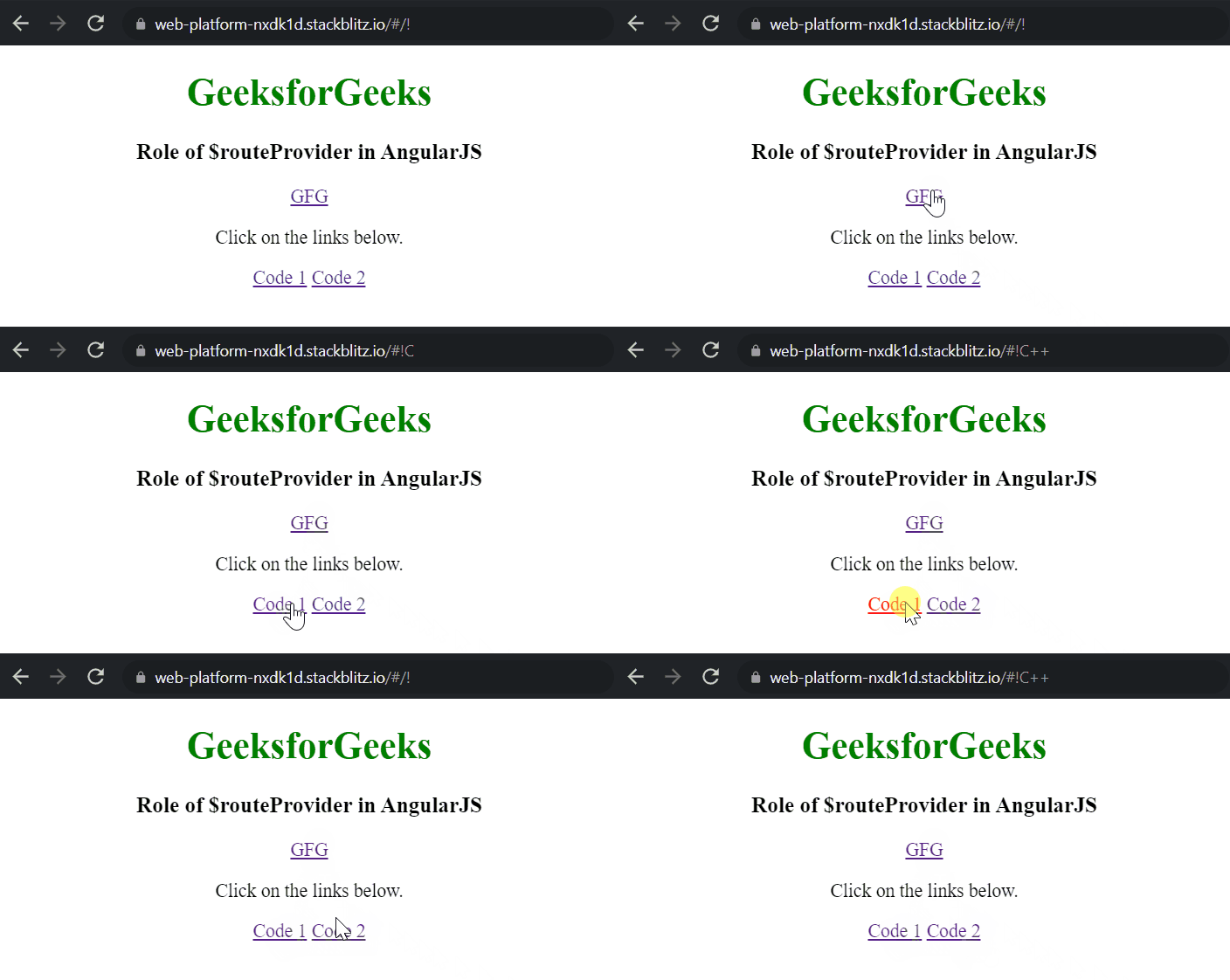
Output: From the output, notice the URL that changes while clicking on the given links: