Prerequisites: Angular must be installed
In this article, we will see how we can show or hide the child components in Angular.
- Lets start by creating a new project. Create a new folder and initialize a new angular project. Run the project to verify it is working.
ng new myProject
ng serve -o
- This will create a new project in the current directory. Now we can clear the app.component.html file and create a child component in order to demonstrate how we can show or hide it.
ng generate component comp1
- Now the setup part is over. Lets add this components in our app.component.html file:
<app-comp1></app-comp1>
- We will create a button to show and hide the component. Lets add the button code in app.component.html file.
<button type="button" (click)="showhideUtility()">
    {{buttonTitle}}
</button> - Here showhideUtility() is a method and buttonTitle is a variable that we need to define in our app.component.ts file.
import { Component } from '@angular/core';
@Component({
    selector: 'app-root',
    templateUrl: './app.component.html',
    styleUrls: ['./app.component.css']
})
   export class AppComponent {
   title = 'myProject';
   buttonTitle:string = "Hide";
   showhideUtility(){
   }
}
- Our child component is still blank so lets add some content. Go to comp1.component.html and add the following code:
<div>
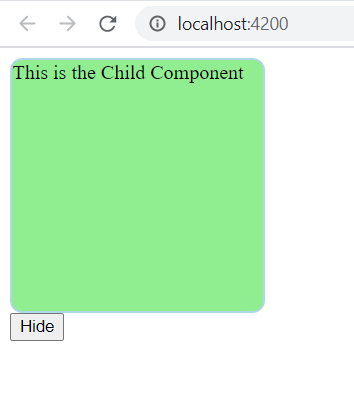
   This is the Child Component
</div>
- And add some css in comp1.component.css in order to get a nice view:
div{
height:200px;
width: 200px;
border: 2px lightblue solid;
border-radius: 10px;
background-color: lightgreen;
}- Now coming back to app.component.ts, add a new property 'visible' that will be a boolean variable to define the show/hide state. When user triggers the show hide method, it should flip the value of the 'visible' variable. So finally our app.component.ts will look like this:
import { Component } from '@angular/core';
@Component({
 selector: 'app-root',
 templateUrl: './app.component.html',
 styleUrls: ['./app.component.css']
})
export class AppComponent {
 title = 'myProject';
 buttonTitle:string = "Hide";
 visible:boolean = true;
 showhideUtility(){
   this.visible = this.visible?false:true;
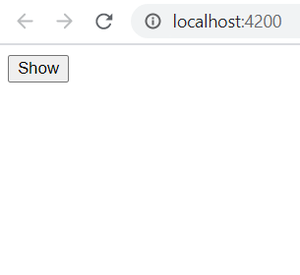
   this.buttonTitle = this.visible?"Hide":"Show";
 }
}
- Add a ngIf directive to comp1 to show or hide the component. So finally app.component.html looks like this:
<app-comp1 *ngIf="visible"></app-comp1>
<button type="button" (click)="showhideutility()">{{buttonTitle}}</button>
- Now save all the files and run the project using :
ng serve -o
The project will run on http://localhost:4200 by default. You will the output like this: